
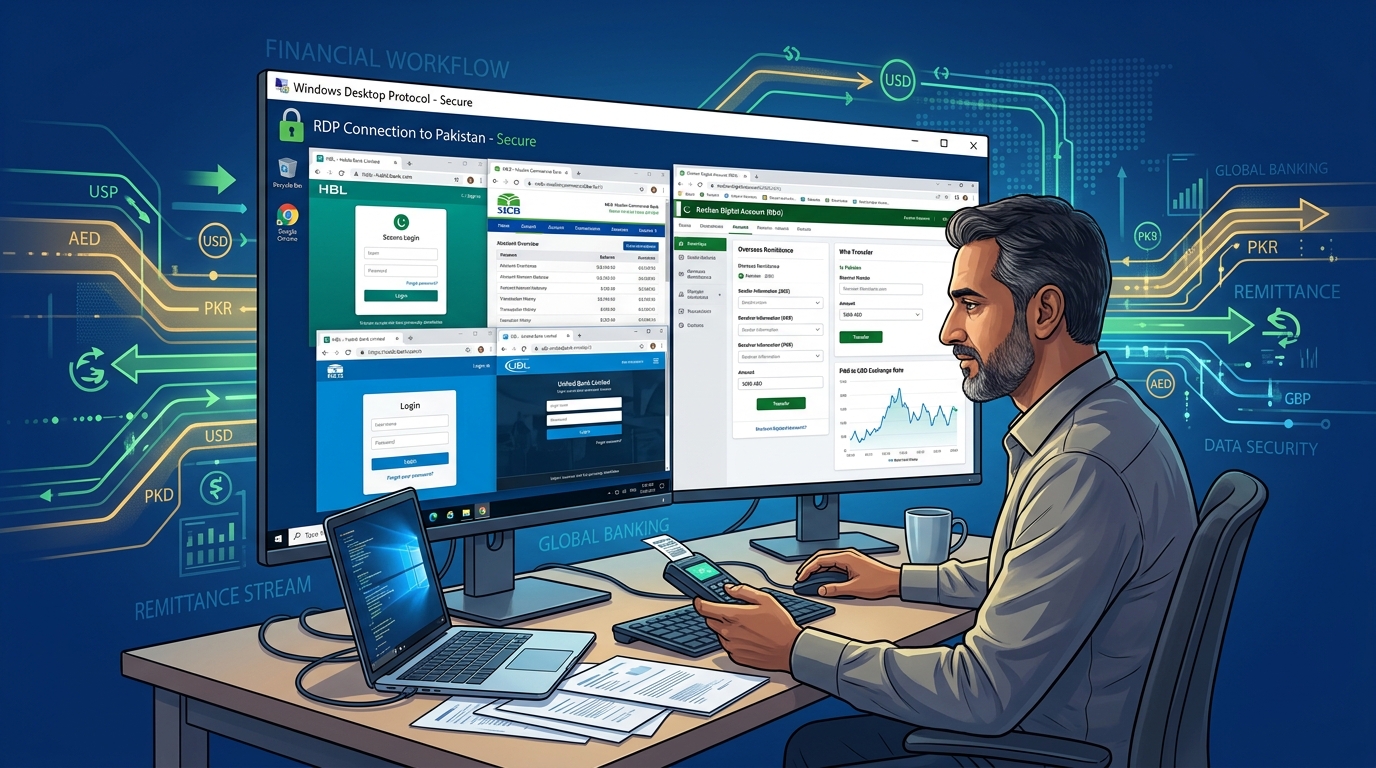
Over 9 million Pakistanis live abroad — in the UAE, Saudi Arabia, UK, USA, Canada, and Australia — collectively remitting over $30 billion annually back to Pakistan. Yet accessing Pakistani bank portals from foreign IP addresses triggers fraud detection systems, OTP delivery failures, session timeouts, and outright geo-blocks that make routine banking operations an exercise in frustration.
A Pakistan RDP server with a static Pakistani IP address is the cleanest, most reliable solution: your banking session originates from within Pakistan, eliminating every foreign-IP detection trigger while giving you 24/7 secure access to your accounts from anywhere in the world.
Why Pakistani Banks Block Foreign IP Logins
Pakistani banks have aggressively upgraded fraud detection systems following SBP cybersecurity directives. Foreign IP access now triggers multiple security responses:
| Trigger | Bank Response |
|---|---|
| Foreign IP detected | Step-up authentication or session block |
| IP country mismatch with registered address | Transaction hold |
| VPN/proxy IP detected | Immediate session termination |
| First-time foreign IP login | Temporary account lock |
Standard VPNs (ExpressVPN, NordVPN) are increasingly detected and blocked by Pakistani banks as their IP ranges are flagged in fraud databases. A dedicated Pakistan RDP uses a genuine residential-grade datacenter IP that passes bank fraud scoring.
Supported Banks & Their Foreign IP Behavior
| Bank | Foreign IP Policy | RDP Solution |
|---|---|---|
| HBL (Habib Bank) | Blocks most foreign IPs | ✅ Full access via Pakistan RDP |
| MCB (Muslim Commercial Bank) | OTP fails on foreign numbers | ✅ RDP bypasses geo-detection |
| UBL (United Bank Limited) | Session drops on non-PK IPs | ✅ Stable sessions from Pakistan IP |
| Meezan Bank | Extra verification on foreign IPs | ✅ Clean login via Pakistan IP |
| Roshan Digital Account (SBP) | Designed for overseas — but portal often blocks VPNs | ✅ Reliable with dedicated Pakistan IP |
Step 1: Connecting to Your Pakistan RDP
After receiving your RDP credentials from your hosting provider:
On Windows:
- Press
Win + R, typemstsc, press Enter. - Enter your RDP server IP address.
- Enter username and password.
- Click Connect — your desktop is now in Pakistan.
On Mac:
- Download Microsoft Remote Desktop from the App Store.
- Add a new PC with your server IP.
- Connect — you’re now browsing from a Pakistan IP.
On iPhone/Android:
- Install Microsoft Remote Desktop (iOS) or RD Client (Android).
- Add your server and connect.
- Full Windows desktop accessible from your mobile abroad.
Step 2: Verifying Your Pakistan IP
Before logging into any bank, verify your IP is showing as Pakistan:
- Open the browser on your RDP session.
- Visit whatismyip.com or iplocation.net.
- Confirm: Country: Pakistan, City: Karachi/Islamabad/Lahore.
This Pakistan IP is what banks see — eliminating all foreign-IP fraud triggers before you even reach the login page.
Step 3: Accessing Roshan Digital Account (RDA)
The Roshan Digital Account is SBP’s flagship overseas Pakistani banking product, but the portal ironically blocks many foreign IPs and VPN connections. Via Pakistan RDP:
- Open Chrome/Firefox on your RDP desktop.
- Navigate to your bank’s RDA portal (e.g.,
rda.hbl.com,rda.mcb.com.pk). - Login with your credentials — no geo-block, no VPN detection.
- Manage PKR/USD accounts, fixed deposits, and Naya Pakistan Certificates seamlessly.
For transfers specifically, ensure your OTP SMS goes to a Pakistani number. If your SIM is abroad, use your bank’s app (logged in via the RDP session) instead of SMS OTP where possible.
Step 4: Setting Up Multiple Bank Sessions
A Pakistan RDP running Windows Server supports multiple simultaneous browser sessions — manage all your Pakistani bank accounts in separate Chrome profiles without cross-session contamination:
Chrome Profile 1: HBL Online Banking
Chrome Profile 2: MCB Internet Banking
Chrome Profile 3: UBL Digital Banking
Chrome Profile 4: JazzCash / EasyPaisa for remittance
Access your RDP from your phone abroad, open all bank tabs, and transfer funds between accounts — all from a single session, all appearing as a Pakistan IP.
Step 5: Secure RDP Configuration for Banking
Banking over RDP requires additional security hardening to protect financial credentials:
Change RDP Port:
# Change from default 3389 to custom port
Set-ItemProperty -Path 'HKLM:\System\CurrentControlSet\Control\Terminal Server\WinStations\RDP-Tcp' -Name PortNumber -Value 52831
Restart-Service -Name TermService -Force
Enable NLA (Network Level Authentication):
Set-ItemProperty -Path 'HKLM:\System\CurrentControlSet\Control\Terminal Server\WinStations\RDP-Tcp' -Name UserAuthentication -Value 1IP Whitelist via Windows Firewall: Only allow RDP connections from your known foreign IP addresses — if your UK/UAE IP changes, update the rule. This is covered in detail in our RDP security hardening guide.
Enable Bitlocker on RDP (if data stored): Never store banking credentials or documents unencrypted on your RDP desktop. Use Windows Credential Manager exclusively.
Step 6: Automating Remittance Workflows
For expats sending regular monthly remittances, set up a Windows Task Scheduler reminder on your RDP:
@echo off
msg * "Monthly remittance reminder: Login to HBL RDA and transfer funds"
start chrome "https://rda.hbl.com"
Schedule this to run on the 1st of each month at 09:00 PKT — your RDP is always on, so the reminder triggers reliably regardless of what you’re doing abroad.
Cost vs. Hawala/Wire Transfer Savings
| Method | Transfer Cost (PKR 100,000) | Time | Risk |
|---|---|---|---|
| Hawala | 1–2% fee | Same day | High (illegal, unregulated) |
| Western Union | 2–4% + exchange loss | 1–3 days | Low |
| Bank Wire (via RDP RDA) | 0.1–0.5% | Same day | Negligible |
Using Pakistan RDP to access RDA and bank wire transfers directly saves Pakistani expat families PKR 1,500–4,000 per transaction compared to hawala or international money transfer services — and keeps funds fully documented for tax compliance.
The combination of secure RDP access and a reliable Pakistani bank account is the most cost-effective, legally compliant financial infrastructure available to overseas Pakistanis in 2026.
