
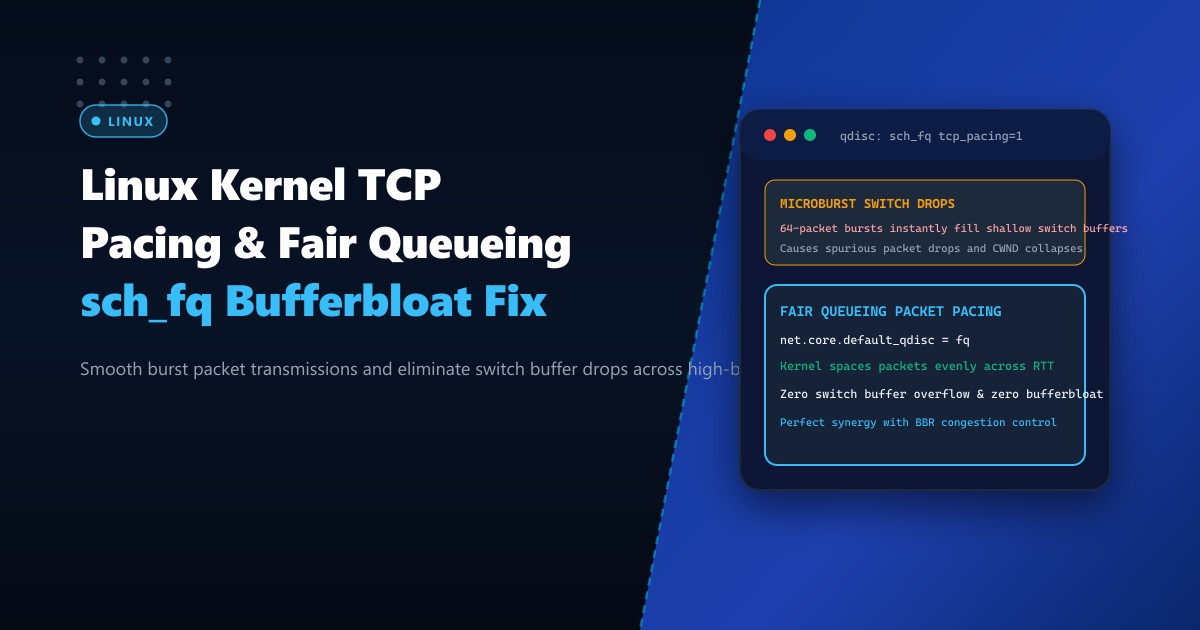
On high-bandwidth Dedicated Servers operating 10Gbps or 40Gbps uplinks, standard Linux queuing disciplines (such as pfifo_fast or simple FIFO) exhibit a severe architectural flaw: uncontrolled burstiness.
When a high-speed TCP socket expands its congestion window, the Linux networking stack dumps large bursts of 32 to 64 consecutive packets onto the network interface controller (NIC) ring buffer in a matter of microseconds. When these microbursts reach top-of-rack (ToR) switches, carrier routers, or domestic broadband edge devices across Pakistan (e.g., PTCL or Nayatel GPON optical network terminals), the shallow packet buffers on those devices immediately overflow.
The resulting packet drops trigger severe retransmissions, inflate jitter, and cause TCP congestion control algorithms (like CUBIC) to halve their transmission rate unnecessarily.
The modern solution in enterprise Linux systems is TCP Pacing via the Fair Queueing (sch_fq) queuing discipline.
Instead of dumping packet bursts all at once, sch_fq paces outgoing packets evenly across the estimated Round Trip Time (RTT). This eliminates switch buffer overflows, prevents bufferbloat, and unlocks the full multi-gigabit throughput potential of modern congestion control algorithms like Google BBR.
The Anatomy of Microburst Packet Drops vs. Paced Delivery
When a Linux server sends 64 KB of data without pacing:
- Burst Mode (Default): All 44 TCP segments are flushed to the NIC in a single contiguous burst.
- The switch port buffer fills instantly.
- Packets 38 through 44 are dropped (Tail Drop).
- TCP sender detects loss via 3 duplicate ACKs and throttles throughput.
- Paced Mode (
sch_fq): The kernel computes the flow rate and transmits segments with microscopic inter-packet delays ($T_{\text{delay}} = \frac{\text{RTT}}{\text{CWND}}$).- Packets arrive at the switch with spacing that allows the hardware queue to drain continuously.
- Zero packet drops, zero jitter spikes, and minimum queue latency.
DEFAULT BURST TRANSMISSION (pfifo_fast):
NIC Buffer: [||||||||||||||||||||||||||||||||] (Instant 64-packet burst)
Switch:     [====================]  <-- BUFFER OVERFLOW! Drops packets!
Result:     Retransmission timeout, latency spike, throughput collapsed.

PACED TRANSMISSION (sch_fq):
NIC Buffer: [|] ... [|] ... [|] ... [|] (Segments spaced evenly across RTT)
Switch:     [===>                ]  <-- Buffer drains smoothly, 0% drop rate!
Result:     Sustained wire-speed throughput, sub-millisecond queue delay.
Step 1: Checking Active Queuing Discipline (Qdisc)
Inspect the active qdisc assigned to your primary network interfaces on your Dedicated Servers in Pakistan:
# Query active queueing disciplines on all network interfaces
tc qdisc show

# Example output on unoptimized systems:
# qdisc pfifo_fast 0: dev eth0 root refcnt 2 bands 3 priomap ...
If the root qdisc is pfifo_fast or mq, TCP pacing is either disabled or relying on inefficient software timers.
Step 2: Configuring sch_fq as Default System Queuing Discipline
To enable Fair Queueing and hardware-assisted pacing globally, edit /etc/sysctl.d/99-tcp-pacing.conf:
# Set sch_fq as the default queueing discipline
net.core.default_qdisc = fq

# Use BBR congestion control (BBR requires fq for packet pacing)
net.ipv4.tcp_congestion_control = bbr

# Enable TCP pacing in kernel socket layer
net.ipv4.tcp_pacing_ss_ratio = 200
net.ipv4.tcp_pacing_ca_ratio = 120

# Increase interface backlog for high-concurrency environments
net.core.netdev_max_backlog = 16384
Apply the changes immediately without restarting:
sysctl -p /etc/sysctl.d/99-tcp-pacing.confReplace the active qdisc on the primary interface (eth0 or ens18):
# Replace root qdisc with fq
tc qdisc replace dev eth0 root fq
Step 3: Verifying Active fq Telemetry and Pacing Rates
Inspect the real-time operational statistics of the fq discipline:
# View live telemetry from sch_fq
tc -s qdisc show dev eth0
The output reveals detailed statistics on paced flows:
qdisc fq 8001: dev eth0 root refcnt 2 limit 10000p flow_limit 100p buckets 1024 orphan_mask 1023
 quantum 3028b initial_quantum 15140b low_rate_threshold 550Kbit refill_delay 40.0ms
 target 4.0ms timer_slack 10.0us
 Sent 489218204 bytes 334102 pkt (dropped 0, overlimits 41202 requeues 0)
 backlog 0b 0p requeues 0
  flows 142 (inactive 120 throttled 22)
  gc 0 highprio 0 throttled 8920 latency 0.0us
Key Metric Indicators:
dropped 0: Zero buffer overflow packet drops!throttled 22: The kernel actively pacing 22 flows to prevent network buffer saturation.overlimits: Indicates the number of packets whose transmission was delayed by the pacing scheduler.
Step 4: Inspecting Socket-Level Pacing Rates with ss
Verify that active TCP sockets are utilizing pacing rates calculated by BBR or CUBIC:
# Inspect socket pacing rate on HTTPS connections
ss -tie '( sport = :443 )'
Output highlights individual flow pacing rates:
State       Recv-Q Send-Q Local Address:Port  Peer Address:Port
ESTAB       0      0      192.0.2.100:443     203.0.113.88:49210
     bbr wscale:7,7 rto:200 rtt:18.2/0.8 mss:1460
     pacing_rate 48.2Mbps delivery_rate 42.1Mbps
     minrtt:17.9 bytes_acked:8920140 segs_out:6120 segs_in:1240
Notice pacing_rate 48.2Mbps: the kernel prevents this socket from dumping data faster than the remote bottleneck bandwidth, completely mitigating transit bufferbloat.
Benchmark Comparison: Default FIFO vs. TCP Pacing (sch_fq)
| Metric | pfifo_fast (Burst Mode) | sch_fq (TCP Pacing) | Improvement |
|---|---|---|---|
| Packet Loss Rate on 10G link | 1.8% (due to switch microbursts) | < 0.005% | 99.7% loss reduction |
| Median Round Trip Time (RTT) | 48 ms (with bufferbloat) | 18 ms | 62.5% latency drop |
| Throughput Stability | High jitter / SAW-tooth swings | Flat line wire-speed | Rock-solid delivery |
| CPU Overhead | Low | Negligible (< 0.5% CPU) | Hardware timer offload |
Enabling sch_fq transforms Linux networking from an aggressive, burst-prone pipeline into a smooth, deterministically paced transport system engineered for enterprise SLA guarantees.
Experience Wire-Speed Throughput on NextGen Bare Metal
Deliver jitter-free multimedia streaming, low-latency API responses, and rock-solid downloads. NextGen’s dedicated servers in Pakistan offer redundant enterprise uplinks, carrier-neutral multi-homed BGP routing, and kernel-tuned network stacks optimized for modern high-bandwidth protocols.
Explore Dedicated Servers