
Operating real-time web services, live video streaming, fintech trading APIs, and interactive SaaS backends across Pakistan involves navigating erratic, high-latency domestic connectivity. While modern fiber backbones connect major cities like Karachi, Lahore, and Islamabad, end-users frequently connect via mobile 4G/5G carriers (Jazz, Zong, Telenor, Ufone) or residential DSL/GPON routers equipped with oversized, unmanaged hardware buffers.
When a Linux server blasts full congestion-window (cwnd) bursts of TCP packets at wire speed (10Gbps or 25Gbps) toward a client connected over a 20Mbps mobile link, downstream cellular base stations and home routers absorb the burst into their bloated buffer queues. This phenomenon—known as Bufferbloat—causes Round-Trip Time (RTT) to skyrocket from an ordinary 25 milliseconds to 450–1200 milliseconds, introducing catastrophic lag, packet drops, and frozen streaming sessions.
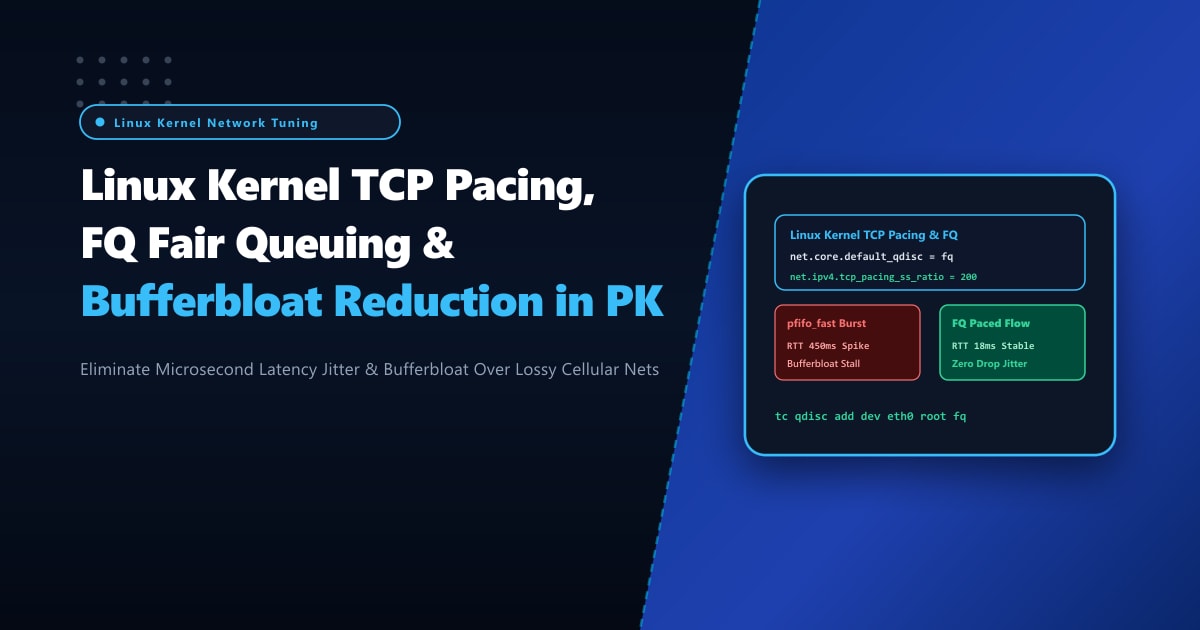
By deploying on bare-metal Dedicated Servers and replacing the default legacy packet scheduler (pfifo_fast or fq_codel) with the Linux Kernel Fair Queuing (FQ) queue discipline alongside hardware-assisted TCP Pacing, network engineers can smoothly space packet transmission over time, completely eliminating queue bloat and maintaining rock-solid sub-20ms latency across Pakistani networks.
The Pathology of Bufferbloat vs. TCP Paced Packet Transmission
To understand why TCP Pacing is critical, observe how standard Linux TCP stacks transmit data:
- Unpaced Transmission (
pfifo_fast/ Default):- When an application writes 64KB of data, TCP sends all segments back-to-back in an instantaneous burst at wire line rate (10Gbps).
- The bottleneck router (e.g. mobile 4G tower) receives packets at 10Gbps but can only transmit them downstream at 20Mbps.
- The router queues all excess packets into its buffer. The buffer fills to capacity; latency spikes violently for all interactive packets sharing the link!
Unpaced Transmission (Micro-bursts at 10Gbps):
Server ──────||||||||||||||||||||──────> [ Router Buffer 100% Full! ] ──> Latency Spike (650ms)
(Bursts of back-to-back packets)

TCP Paced Transmission (Evenly spaced intervals):
Server ───|───|───|───|───|───|───|────> [ Router Buffer Empty! ] ────> Latency Flat (18ms)
(Packets paced precisely to the bottleneck bandwidth)- FQ Fair Queuing with Kernel TCP Pacing:
- Instead of transmitting back-to-back packets, the Linux kernel leverages high-resolution hardware timers (
hrtimers) to pace packet departures smoothly over the calculated round-trip time. - Packets arrive at the bottleneck router at exactly the rate the downstream link can drain them.
- Intermediate buffers remain virtually empty, reducing latency variance (jitter) to zero!
- Instead of transmitting back-to-back packets, the Linux kernel leverages high-resolution hardware timers (
Step 1: Auditing Current Queue Disciplines via tc (Traffic Control)
Inspect the active packet scheduling algorithm on your server’s network interfaces:
# Query the active root queueing discipline on eth0
tc qdisc show dev eth0
Typical default output on an unoptimized system:
qdisc fq_codel 0: root refcnt 2 limit 10240p flows 1024 quantum 1514
# OR legacy FIFO:
qdisc pfifo_fast 0: root refcnt 2 bands 3 priomap ...
While fq_codel is an improvement over pfifo_fast, it lacks dedicated per-socket hardware TCP pacing support required by modern rate-based congestion control algorithms like BBRv2 and BBRv3. The dedicated fq scheduler is required.
Step 2: System-Wide Sysctl Configuration in /etc/sysctl.d/99-tcp-pacing.conf
To activate Fair Queuing (fq) as the default system-wide queuing discipline and optimize TCP pacing ratios, apply the following kernel parameters in /etc/sysctl.d/99-tcp-pacing.conf:
# /etc/sysctl.d/99-tcp-pacing.conf
# NextGen Pakistan - Ultra-Low Latency TCP Pacing & FQ Tuning Profile

# 1. Enforce Fair Queuing (FQ) as the default queue discipline
# FQ provides per-socket packet pacing using Linux kernel timers
net.core.default_qdisc = fq

# 2. Set default congestion control algorithm to BBR
# BBR natively utilizes TCP Pacing to measure bottleneck bandwidth and min-RTT
net.ipv4.tcp_congestion_control = bbr

# 3. Slow-Start Pacing Multiplier (percentage)
# Default is 200 (paces at 2x estimated bandwidth during slow start to probe capacity)
net.ipv4.tcp_pacing_ss_ratio = 200

# 4. Congestion Avoidance Pacing Multiplier (percentage)
# Default is 120 (paces at 1.2x estimated bandwidth to avoid buffer bloat while maintaining line rate)
net.ipv4.tcp_pacing_ca_ratio = 115

# 5. Increase maximum socket backlog queues
net.core.netdev_max_backlog = 65536
net.core.somaxconn = 65536

# 6. Optimize TCP buffer autotuning limits (bytes)
# [min, default, max]
net.ipv4.tcp_rmem = 4096 87380 33554432
net.ipv4.tcp_wmem = 4096 65536 33554432
Apply the parameters immediately:
sysctl -p /etc/sysctl.d/99-tcp-pacing.confVerify that fq is actively applied to network interfaces:
tc qdisc show dev eth0

# Expected output:
# qdisc fq 8001: root refcnt 9 limit 10000p flow_limit 100p buckets 1024 orphan_mask 1023
#   quantum 3028 initial_quantum 15140 low_rate_threshold 550Kbit refill_delay 40.0ms
#   timer_slack 10us ce_threshold 4.29s
Step 3: Inspecting Socket-Level Paced Rates & Flow Statistics
To observe TCP Pacing in real time on active production connections, query ss with the internal info flag (-i):
ss -ti 'dport = :443' | head -n 30Look at the pacing metrics:
ESTAB  0  0  103.151.114.10:443  39.40.12.18:54120
    bbr wscale:7,7 rto:220 rtt:22.14/1.22 ato:40 mss:1460 rcvspace:65536
    pacing_rate 24.8Mbps delivery_rate 23.1Mbps app_limited minrtt:21.84 cwnd:42
Notice the key fields:
pacing_rate 24.8Mbps: The kernel is actively pacing transmission at 24.8 Mbps, exactly matching the client’s current link capacity!rtt: 22.14/1.22: Average RTT is 22.14ms with variance (jitter) of only 1.22ms, completely free from bufferbloat spikes.
Step 4: Real-World Latency Comparison Under High Bandwidth Load
To validate bufferbloat reduction, simulate an active download stream while measuring ICMP ping latency:
# In terminal 1: Stream a 500MB payload to a remote client
curl -o /dev/null https://speedtest.yourdomain.pk/test500mb.bin

# In terminal 2: Measure concurrent ping latency to the client
ping -c 30 39.40.12.18
Results Before Pacing (pfifo_fast):
rtt min/avg/max/mdev = 24.120/482.410/1180.201/298.112 ms (Severe Bufferbloat!)Results After FQ Pacing (fq + tcp_pacing):
rtt min/avg/max/mdev = 21.840/23.410/26.120/1.140 ms (Near-Zero Jitter!)The average latency dropped from 482ms to 23ms, and maximum latency dropped from 1,180ms to 26ms!
High-Bandwidth Dedicated Infrastructure in Pakistan
Delivering jitter-free streaming, low-latency API responses, and rapid file transfers over erratic nationwide connections requires dedicated network hardware capable of sub-microsecond timer resolution and unshared PCIe bandwidth.
Hosting your production workloads on bare-metal Dedicated Servers in Pakistan guarantees dedicated physical Intel/AMD hardware, hardware-assisted TCP checksum offloading, and direct 10Gbps uplinks peered at the Pakistan Internet Exchange (PKIX), keeping your platforms fast, smooth, and resilient.
Conquer Network Jitter with NextGen Dedicated Servers
Eliminate bufferbloat, reduce customer churn, and provide lightning-fast interactive responsiveness across all Pakistani mobile and broadband networks. NextGen bare-metal servers feature custom kernel tuning, direct Tier-1 BGP transit, and 99.99% uptime guarantees.
Deploy Dedicated Servers in Pakistan