
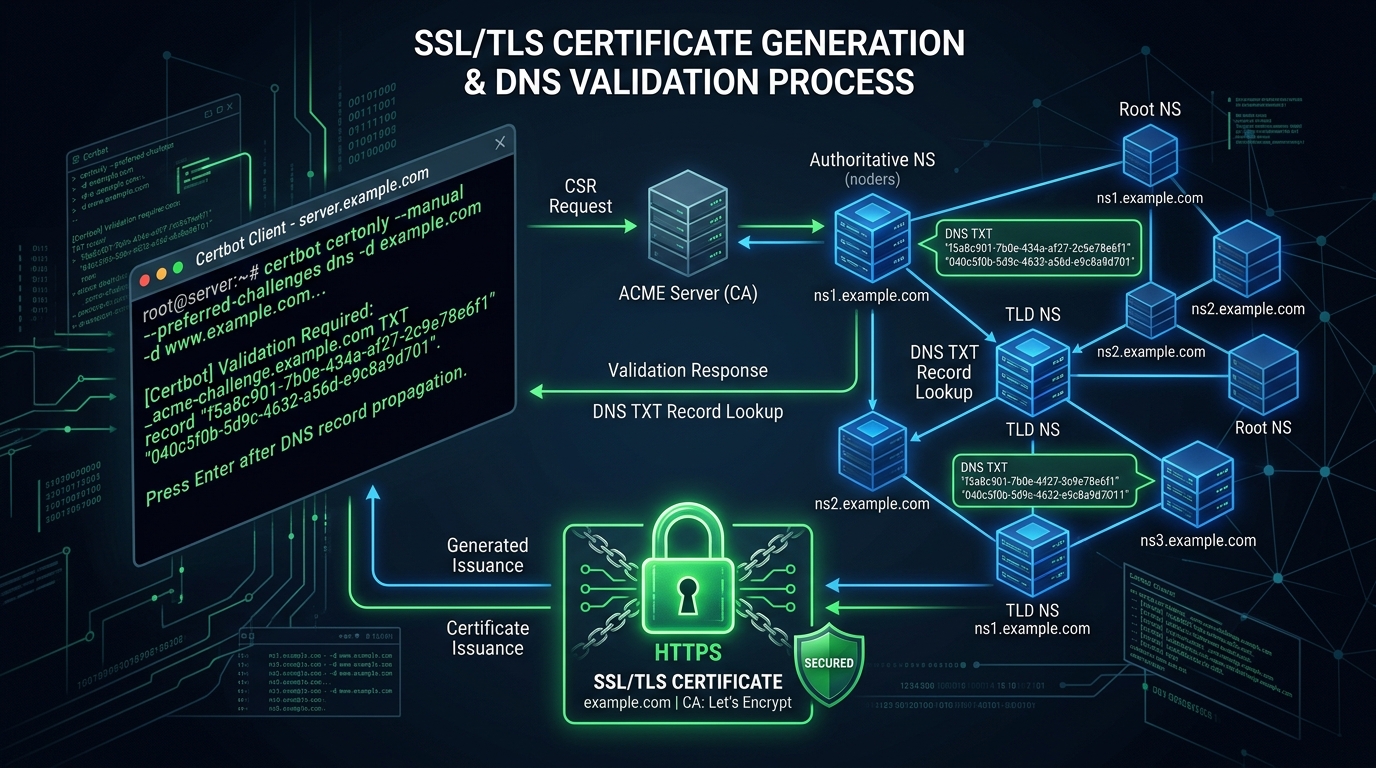
Securing your web applications with SSL/TLS encryption is no longer optional. Let’s Encrypt has democratized web security by providing free, automated certificates. However, when deploying complex WordPress architectures on a Islamabad-based cloud VPS running NGINX, the automated renewal process (managed by Certbot) frequently encounters cryptic failures.
The most notorious of these failures occurs during wildcard certificate issuance using the DNS-01 challenge. In this guide, we dissect why these validations fail and how to automate a robust, permanent solution.
The HTTP-01 vs. DNS-01 Challenge
Most basic single-domain certificates use the HTTP-01 challenge. Certbot places a hidden token in your .well-known/acme-challenge/ directory, and Let’s Encrypt fetches it via HTTP port 80. If you are experiencing HTTP-01 failures, it is almost always due to strict Local Security WAF Rules or missing NGINX routing rules that block port 80 traffic.
However, if you require a wildcard certificate (*.yourdomain.com), Let’s Encrypt mandates the DNS-01 challenge. Instead of serving a file over HTTP, Certbot asks you to create a specific TXT record in your domain’s DNS zone (e.g., _acme-challenge.yourdomain.com).
Why DNS-01 Automated Renewals Fail
The primary reason wildcard certificates fail to renew automatically is the lack of a programmatic connection between your server’s Certbot instance and your DNS provider.
If you initially generated the certificate using the --manual flag:
certbot certonly --manual --preferred-challenges dns -d "*.example.com"Certbot paused and prompted you to manually log into your DNS dashboard (like Cloudflare or Namecheap) to create the TXT record. Because the manual flag requires human intervention, the automated certbot renew cron job will fail 60 days later when the certificate approaches expiration.
Automating the DNS-01 Challenge
To achieve true automation, Certbot needs an API token to inject the TXT record directly into your DNS provider’s systems.
Example: Automating via Cloudflare API
If your domain uses Cloudflare for DNS, you can install the Certbot Cloudflare plugin to fully automate the DNS-01 validation.
- Install the Plugin:
sudo apt install python3-certbot-dns-cloudflare- Create the Credentials File:
Create a hidden file (e.g.,
~/.secrets/certbot/cloudflare.ini) containing your API credentials:
dns_cloudflare_email = [email protected]
dns_cloudflare_api_key = your_global_api_key- Secure the Credentials:
chmod 600 ~/.secrets/certbot/cloudflare.ini- Issue the Certificate Automatically: Run Certbot, pointing it to your credentials file:
certbot certonly \
  --dns-cloudflare \
  --dns-cloudflare-credentials ~/.secrets/certbot/cloudflare.ini \
  -d example.com \
  -d "*.example.com"
Because Certbot now has API access, it can dynamically create the _acme-challenge TXT record, wait for propagation, verify the domain, and delete the TXT record—all without human intervention. The standard certbot renew cron job will now succeed flawlessly.
Hardening NGINX SSL Configurations
After successfully automating your Let’s Encrypt renewals, ensure your NGINX server block is configured to leverage the most secure cryptographic ciphers. In your /etc/nginx/sites-available/yourdomain.conf, explicitly disable outdated protocols like TLS 1.0 and TLS 1.1, and enable strict transport security (HSTS):
ssl_protocols TLSv1.2 TLSv1.3;
ssl_prefer_server_ciphers on;
ssl_ciphers "EECDH+AESGCM:EDH+AESGCM:AES256+EECDH:AES256+EDH";
add_header Strict-Transport-Security "max-age=31536000; includeSubDomains" always;
As detailed in our Securing SSH Access Guide, utilizing modern, strong cryptography (like TLS 1.3 and Ed25519) is the bedrock of server security.
Conclusion
Let’s Encrypt is an incredible tool, but wildcard certificates demand strict DNS-level automation. By connecting Certbot to your DNS provider’s API, you can guarantee that your site remains encrypted, compliant, and completely free from expired-certificate downtime.
