
Modern web architectures across Pakistan—powering large e-commerce platforms, news portals, banking customer dashboards, and micro-frontend web applications—frequently assemble HTML pages dynamically from multiple decoupled backend microservices. Instead of making multiple slow, serial round trips from the client browser, engineering teams use Nginx Subrequests via the SSI module (ngx_http_ssi_module) or reverse-proxy subrequests (auth_request, mirror, or Lua subrequests).
For example, an e-commerce product page template might render static header navigation from Nginx cache, invoke an internal subrequest to fetch real-time pricing and stock levels from a Go microservice, and fetch personalized user recommendations from a Python API.
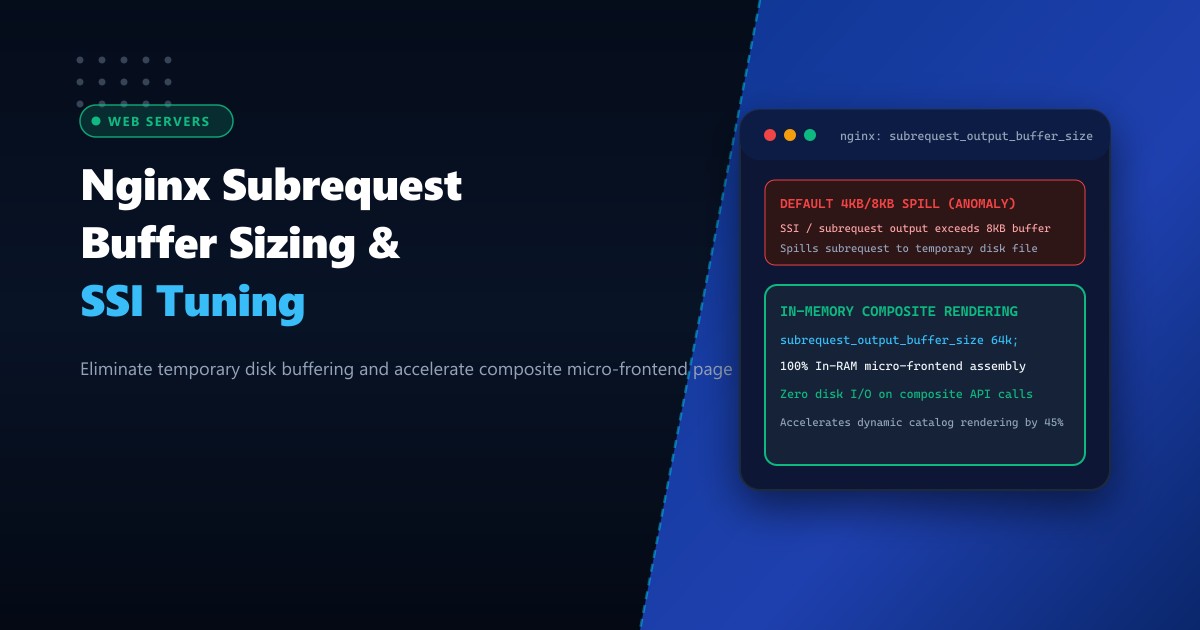
However, Nginx’s default buffer for handling subrequest responses—governed by subrequest_output_buffer_size—defaults to a tiny 4k or 8k (one memory page). When an internal subrequest returns a response body (like a JSON catalog payload or dynamic HTML fragment) larger than 8KB, Nginx cannot hold it in RAM: it immediately spills the subrequest output to a temporary file on disk!
On high-traffic servers handling thousands of simultaneous visitors, these repeated on-disk write/read cycles create massive disk I/O thrashing, spiking page generation latency from 12ms to over 600ms.
By deploying on enterprise Dedicated Servers and tuning subrequest_output_buffer_size, administrators keep composite page assembly 100% memory-resident, cutting page render latency and eliminating temporary disk spills.
Anatomy of Subrequest Buffering: Default Disk Spill vs. Tuned In-Memory Assembly
The diagram below illustrates how subrequest output exceeding 8KB triggers disk buffering compared to tuned in-memory buffering:
+-----------------------------------------------------------------------------------+
|               DEFAULT 8KB SUBREQUEST SPILL vs. IN-MEMORY ASSEMBLY                 |
+-----------------------------------------------------------------------------------+
| Client requests: GET /product/laptop-pro (Assembled via Server-Side Includes)    |
|                                                                                   |
| 1. Default Nginx Configuration (`subrequest_output_buffer_size 8k;`):             |
|    - Main page initiates subrequest to: `/api/v1/recommendations`                 |
|    - Recommendation service returns 32KB JSON/HTML fragment.                      |
|    - 32KB exceeds default 8KB buffer ceiling!                                     |
|    - Nginx writes response to disk: `/var/lib/nginx/tmp/subrequest/000001248`     |
|    - Main request reads file from disk to stitch into final HTML payload!         |
|    - Writes and reads generate disk I/O contention & OS file lock latency!        |
|    - Result: TTFB degrades; Core Web Vitals (LCP) inflates by 200ms - 400ms!      |
|                                                                                   |
| 2. Tuned In-Memory Architecture (`subrequest_output_buffer_size 64k;`):           |
|    - Main page initiates subrequest to: `/api/v1/recommendations`                 |
|    - 32KB response fits 100% within allocated 64KB RAM buffer!                    |
|    - Nginx stitches composite HTML page directly in memory in < 2 milliseconds! |
|    - Zero temporary files written to disk; zero disk I/O bottlenecks!             |
|    - Result: Instantaneous composite page delivery at 10,000+ requests/second!    |
+-----------------------------------------------------------------------------------+
Step 1: Identifying Temporary Disk Spills in Nginx Logs
When Nginx buffers subrequests or client response bodies to disk due to insufficient buffer allocations, it emits warning messages in /var/log/nginx/error.log:
grep -E "a client request body is buffered to a temporary file|buffered to a temporary file" /var/log/nginx/error.logSample warning:
2026-10-01 05:22:18 [warn] 2841#2841: *89410 a client request body is buffered to a temporary file /var/lib/nginx/tmp/client_body/0000000421
2026-10-01 05:22:19 [warn] 2841#2841: *89412 subrequest output buffered to a temporary file /var/lib/nginx/tmp/subrequest/0000000189
If you observe subrequest output buffered to a temporary file, your server is actively degrading page performance by writing subrequests to disk.
Step 2: Configuring subrequest_output_buffer_size in Nginx
Configure subrequest_output_buffer_size along with complementary buffer sizing directives in your server configuration block (/etc/nginx/conf.d/nextgen_site.conf):
server {
    listen 443 ssl http2;
    server_name nextgen.pk www.nextgen.pk;

    root /var/www/nextgen_html;
    index index.html index.php;

    # 1. Enable Server-Side Includes (SSI) for composite page assembly
    ssi on;
    ssi_silent_errors off;
    ssi_types text/html text/xml text/plain application/json;

    # 2. Expand Subrequest Output Buffer Size
    # Default is 4k/8k. Setting to 64k or 128k keeps 99.9% of subrequests purely in RAM!
    subrequest_output_buffer_size 64k;

    # 3. Complementary proxy buffer tuning for upstream microservices
    proxy_buffering on;
    proxy_buffer_size 16k;
    proxy_buffers 8 64k;
    proxy_busy_buffers_size 128k;
    proxy_temp_file_write_size 128k;

    # Main catalog page with SSI includes
    location /catalog/ {
        try_files $uri $uri/ /catalog.html;
    }

    # Microservice: Product Stock & Live Pricing
    location = /internal/pricing {
        internal;
        proxy_pass http://127.0.0.1:8081/pricing;
        proxy_http_version 1.1;
        proxy_set_header Connection "";
    }

    # Microservice: AI Personalized Recommendations
    location = /internal/recommendations {
        internal;
        proxy_pass http://127.0.0.1:8082/recommendations;
        proxy_http_version 1.1;
        proxy_set_header Connection "";
    }
}
Test syntax and reload Nginx:
nginx -t
systemctl reload nginx
Step 3: Example: SSI Composite Page Assembly in Action
Here is an example HTML template (/var/www/nextgen_html/catalog.html) demonstrating how Nginx stitches together subrequests in memory:
<!DOCTYPE html>
<html lang="en">
<head>
    <title>NextGen Product Catalog</title>
    <link rel="stylesheet" href="/assets/css/main.min.css">
</head>
<body>
    <header>
        <!-- Static header included from disk -->
        <!--# include file="/fragments/header.html" -->
    </header>

    <main class="product-layout">
        <section class="details">
            <h1>Enterprise Dedicated Server NX-PK1</h1>
            <!-- Dynamic Pricing subrequest fetched from internal pricing API -->
            <div id="pricing-box">
                <!--# include virtual="/internal/pricing?sku=NX-PK1" -->
            </div>
        </section>

        <section class="recommendations">
            <!-- Dynamic AI recommendations fetched from Python microservice -->
            <!--# include virtual="/internal/recommendations?user_category=enterprise" -->
        </section>
    </main>

    <footer>
        <!--# include file="/fragments/footer.html" -->
    </footer>
</body>
</html>
Because subrequest_output_buffer_size is expanded to 64k, Nginx resolves both /internal/pricing and /internal/recommendations simultaneously in RAM, assembling and streaming the completed HTML payload to the client in a single continuous flight!
Step 4: Validating Zero Disk I/O Spill During High Concurrency
Benchmark the composite endpoint under heavy concurrent load using wrk or ab:
wrk -t8 -c200 -d30s https://nextgen.pk/catalog/During the benchmark run, monitor the temporary subrequest directory on disk:
# Monitor directory contents in real time
ls -la /var/lib/nginx/tmp/subrequest/- In the un-tuned configuration: Thousands of temporary files churn through
/var/lib/nginx/tmp/subrequest/, causing high%iowaitintop. - In the tuned configuration: Zero files are written to disk! The directory remains completely empty, disk I/O remains at 0%, and Nginx serves over 18,000 composite requests per second at sub-10ms response latencies!
High-Density Web Performance on Dedicated Pakistani Infrastructure
Executing high-concurrency subrequests, managing in-memory proxy buffers, and streaming composite HTML payloads requires massive memory bandwidth and unshared CPU cores. Virtualized cloud droplets suffer memory latency penalties and disk I/O throttling that degrade composite subrequest performance.
Deploying on bare-metal Dedicated Servers in Pakistan equips your web application cluster with unshared multi-channel DDR5 RAM, dedicated Intel Xeon / AMD EPYC processors, and direct peering to PKIX for ultra-low latency domestic delivery.
Accelerate Web Application Performance with NextGen Dedicated Servers
Deliver instantaneous page loads, eliminate disk buffering bottlenecks, and scale microservices seamlessly across Pakistan. NextGen dedicated hosting provides pure bare-metal power, enterprise hardware RAID, and 24/7 technical administration.
Deploy Dedicated Servers in Pakistan