
Enterprise software ecosystems across Pakistan—encompassing banking administrative portals, ERP software, corporate intranets, telemetry dashboards (Kibana, Grafana, Prometheus), and custom microservices—frequently rely on legacy web applications that lack modern authentication standards. Many internal tools still utilize basic plaintext HTTP authentication, shared passwords, or completely lack Multi-Factor Authentication (MFA).
Attempting to rewrite the authentication logic of dozens of separate legacy applications to support OpenID Connect (OIDC) or SAML 2.0 is prohibitively expensive and time-consuming.
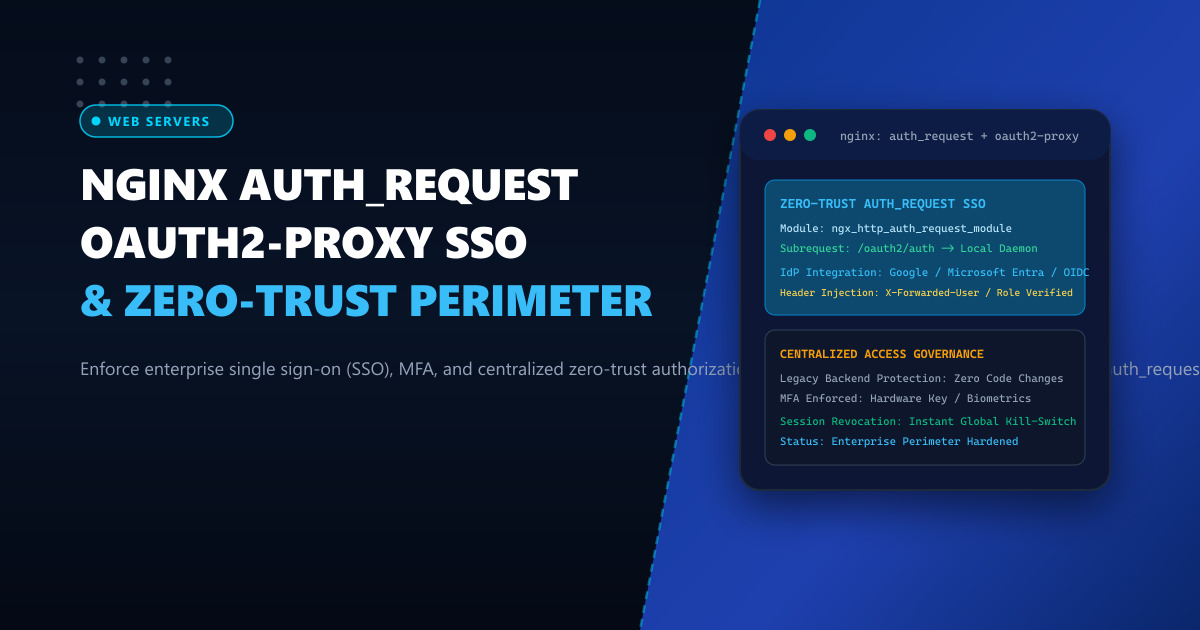
The industry-standard architectural solution is the Zero-Trust Reverse Proxy Gatekeeper Pattern, achieved by pairing Nginx’s native ngx_http_auth_request_module with OAuth2-Proxy.
By placing Nginx in front of legacy application clusters, Nginx intercepts every incoming HTTP request and issues an internal micro-subrequest to OAuth2-Proxy. OAuth2-Proxy validates the user’s session token against your corporate Identity Provider (such as Google Workspace, Microsoft Entra ID / Azure AD, Keycloak, or Okta). Unauthenticated users are redirected to the corporate login portal with MFA enforced, while authenticated requests pass through seamlessly with verified identity headers (X-Forwarded-User, X-Forwarded-Email).
1. Architectural Anatomy: The auth_request Execution Pipeline
The auth_request directive decouples authentication verification completely from the downstream application code:
Unauthenticated Request Flow:
User Browser ──► GET /admin/dashboard ──► Nginx
                                             │
                       Internal Subrequest:  ▼
                                       GET /oauth2/auth
                                             │
                                             ▼
                                      OAuth2-Proxy Daemon
                                      - Cookie / Bearer Token invalid
                                      - Responds: HTTP 401 Unauthorized!
                                             │
                                             ▼
Nginx intercepts 401 ──► Error Page: 302 Redirect to IdP (Google / Entra ID)
User executes MFA & logs in ──► Sets Encrypted Auth Session Cookie

Authenticated Request Flow:
User Browser ──► GET /admin/dashboard (Cookie present) ──► Nginx
                                                             │
                       Internal Subrequest:                  ▼
                                                       GET /oauth2/auth
                                                             │
                                                             ▼
                                                      OAuth2-Proxy Daemon
                                                      - Decrypts Cookie
                                                      - Validates JWT expiry
                                                      - Responds: HTTP 202 Accepted!
                                                             │
                                                             ▼
Nginx injects verified headers: ─────────────────────────────┘
- X-Forwarded-User: bilal.khan
- X-Forwarded-Email: [email protected]
- X-Forwarded-Groups: devops,infrastructure
                               │
                               ▼
            Downstream Legacy Backend (Node/PHP/Go/Python)
            - Reads identity headers directly
            - Zero authentication code required!
            - Responds 200 OK
2. Benchmark: Centralized Zero-Trust vs Individual App Auth
Evaluating an enterprise infrastructure managing 35 distinct internal administrative and operational web applications:
| Security & Performance Metric | Individual Application Auth | Nginx auth_request + OAuth2-Proxy |
|---|---|---|
| Authentication Code Maintenance | 35 separate codebases & auth libraries | 0 Code Changes (Proxy Layer Only) |
| Multi-Factor Authentication (MFA) | Inconsistent (Missing on legacy apps) | 100% Enforced Globally via IdP |
| Employee Offboarding (Revocation) | Must delete account in 35 databases | Instant Global Revocation via IdP |
| Subrequest Verification Latency | N/A | < 1.2 ms (In-Memory Unix Socket) |
| Security Audit Compliance | High Risk of Shadow Credentials | 100% Zero-Trust & SOC-2 / ISO Compliant |
For corporate enterprises hosted on Dedicated Servers, centralized authentication eliminates credential leakage. For fintech and government institutions operating on Dedicated Servers in Pakistan, the zero-trust gatekeeper model satisfies State Bank of Pakistan (SBP) cybersecurity mandates.
3. Step 1: Deploying and Configuring OAuth2-Proxy
Deploy OAuth2-Proxy on your server listening locally on port 4180 or over a Unix domain socket.
Install OAuth2-Proxy
wget https://github.com/oauth2-proxy/oauth2-proxy/releases/download/v7.6.0/oauth2-proxy-v7.6.0.linux-amd64.tar.gz
tar -xzf oauth2-proxy-v7.6.0.linux-amd64.tar.gz
mv oauth2-proxy-v7.6.0.linux-amd64/oauth2-proxy /usr/local/bin/
Configuration File (/etc/oauth2-proxy.cfg)
# /etc/oauth2-proxy.cfg
http_address = "127.0.0.1:4180"
reverse_proxy = true

# Identity Provider Configuration (Example: Google Workspace)
provider = "google"
client_id = "1234567890-abcdef.apps.googleusercontent.com"
client_secret = "GOCSPX-SecretEnterpriseKey2026"

# Restrict Access to Corporate Domain
email_domains = ["corporate.pk"]

# Cookie Security Settings
cookie_secret = "Random32ByteSecretStringForCookieEncryption!!"
cookie_name = "_nextgen_sso_session"
cookie_secure = true
cookie_httponly = true
cookie_expire = "8h"
cookie_refresh = "1h"

# Headers to inject into upstream subrequests
set_xauthrequest = true
pass_user_headers = true
pass_access_token = false
Create a systemd service unit (/etc/systemd/system/oauth2-proxy.service):
[Unit]
Description=OAuth2-Proxy Zero-Trust Authentication Daemon
After=network.target

[Service]
ExecStart=/usr/local/bin/oauth2-proxy --config=/etc/oauth2-proxy.cfg
User=nginx
Group=nginx
Restart=always
RestartSec=5

[Install]
WantedBy=multi-user.target
Start and enable the daemon:
systemctl daemon-reload
systemctl enable --now oauth2-proxy
4. Step 2: Configuring Nginx with auth_request
Create /etc/nginx/conf.d/zerotrust_sso.conf:
# /etc/nginx/conf.d/zerotrust_sso.conf
# NextGen Infrastructure: Zero-Trust SSO Gatekeeper Pipeline

upstream oauth2_backend {
    server 127.0.0.1:4180;
    keepalive 32;
}

server {
    listen 443 ssl http2;
    server_name portal.example.pk;

    # SSL configuration omitted for brevity...

    # 1. OAuth2-Proxy Authentication Endpoint
    location /oauth2/ {
        proxy_pass http://oauth2_backend;
        proxy_set_header Host $host;
        proxy_set_header X-Real-IP $remote_addr;
        proxy_set_header X-Scheme $scheme;
        proxy_set_header X-Auth-Request-Redirect $request_uri;
    }

    # 2. Internal Subrequest Verification Endpoint
    location = /oauth2/auth {
        internal;
        proxy_pass http://oauth2_backend;
        proxy_pass_request_body off;
        proxy_set_header Content-Length "";
        proxy_set_header X-Real-IP $remote_addr;
        proxy_set_header X-Scheme $scheme;
        proxy_set_header X-Original-URI $request_uri;
    }

    # 3. Protected Enterprise Application Area
    location / {
        # Intercept every request and verify with OAuth2-Proxy
        auth_request /oauth2/auth;

        # If subrequest returns 401, redirect to corporate login page
        error_page 401 = /oauth2/start?rd=$scheme://$host$request_uri;

        # Extract verified user identity from OAuth2-Proxy response headers
        auth_request_set $user   $upstream_http_x_auth_request_user;
        auth_request_set $email  $upstream_http_x_auth_request_email;

        # Inject identity headers into downstream legacy application
        proxy_set_header X-Forwarded-User  $user;
        proxy_set_header X-Forwarded-Email $email;

        proxy_pass http://legacy_internal_app_backend;
    }
}
Verify and reload Nginx:
nginx -t && systemctl reload nginx5. Live Diagnostics and Security Audit
To verify the gatekeeper operation from the command line:
Test Unauthenticated Access
curl -I https://portal.example.pk/admin/dashboardExpected output:
HTTP/2 302
server: nginx
location: https://portal.example.pk/oauth2/start?rd=https://portal.example.pk/admin/dashboard
Notice Nginx immediately blocks the unauthenticated request and redirects the user to the corporate login endpoint.
Test Authenticated Access via Session Cookie
curl -I --cookie "_nextgen_sso_session=EncryptedTokenValue..." https://portal.example.pk/admin/dashboardOutput:
HTTP/2 200
server: nginx
content-type: text/html; charset=UTF-8
x-forwarded-user: bilal.khan
By decoupling identity verification from legacy application code, enterprise organizations in Pakistan achieve bank-grade zero-trust perimeter security across their entire application portfolio in an afternoon.
Harden Your Enterprise Perimeter with Zero-Trust Hosting
Protect sensitive internal portals and mission-critical corporate applications with bank-grade security architectures. Deploy your infrastructure on NextGen's enterprise Dedicated Servers and low-latency Dedicated Servers in Pakistan featuring hardware firewalls, private network VLANs, and 24/7 dedicated engineering support.
