
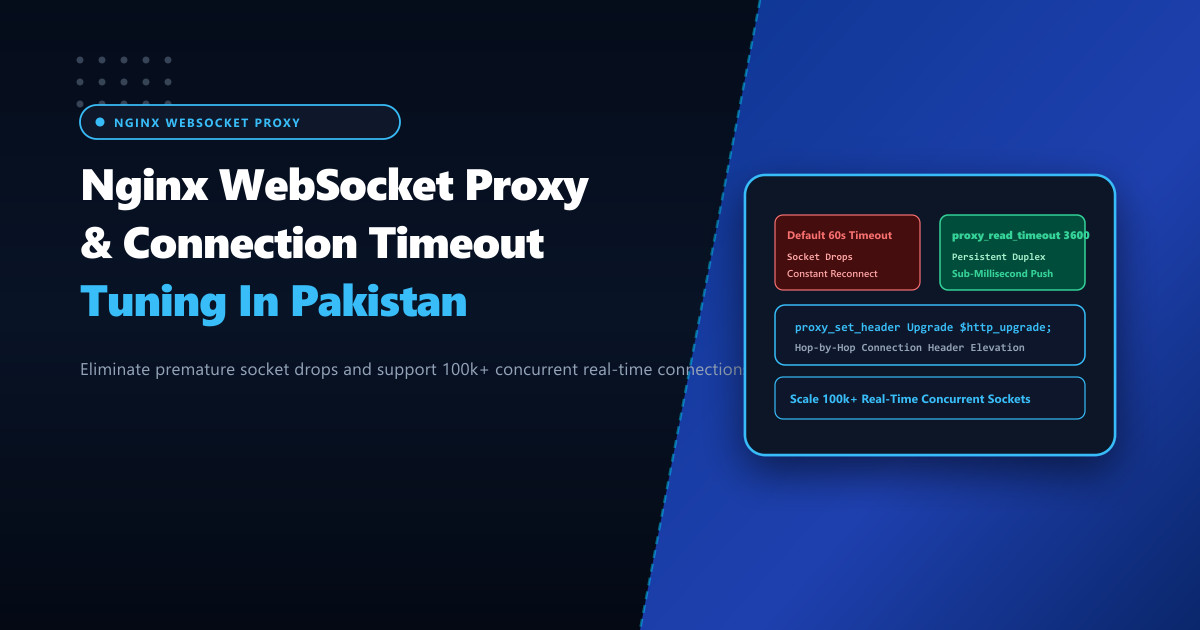
Real-time interactive web applications—such as live stock trading platforms (PSX), ride-hailing tracking, collaborative whiteboards, customer support live chat, and multiplayer gaming portals in Pakistan—rely heavily on WebSockets (RFC 6455). Unlike standard HTTP request-response cycles, WebSockets establish a full-duplex, bidirectional communication channel over a single long-lived TCP socket.
However, when fronting modern backend engines (Node.js, Python FastAPI/WebSockets, Go, Phoenix/Elixir) with Nginx as an SSL terminator and reverse proxy, developers routinely encounter premature disconnections. Mobile and web clients drop their WebSocket connection every 60 seconds, forcing clients to continuously execute reconnection loops:
WebSocket connection to 'wss://nextgen.pk/socket.io/' failed: Error during WebSocket handshake: Unexpected response code: 400
WebSocket is closed before the connection is established.
Hosting real-time architectures on bare-metal Dedicated Servers provides the required network bandwidth and CPU concurrency, but achieving rock-solid persistence requires configuring Nginx’s hop-by-hop header elevation and timeout parameters correctly.
The Anatomy of the WebSocket Upgrade Handshake
A WebSocket connection begins its life as an HTTP/1.1 request that requests protocol elevation:
- Client Request: The browser sends an HTTP
GETwith specific headers:GET /ws HTTP/1.1 Host: nextgen.pk Upgrade: websocket Connection: Upgrade Sec-WebSocket-Key: dGhlIHNhbXBsZSBub25jZQ== Sec-WebSocket-Version: 13 - Hop-by-Hop Header Stripping: By default, RFC 2616 mandates that reverse proxies strip hop-by-hop headers (
UpgradeandConnection). Unless explicitly instructed, Nginx drops these headers when proxying to the backend, causing the backend application to interpret the request as a normal HTTP GET and reject the upgrade with400 Bad Request. - The 60-Second Timeout Trap: Once upgraded, Nginx treats the socket as an upstream proxy connection subject to
proxy_read_timeout(default 60 seconds). If no data frames or ping/pong heartbeats traverse the socket for 60 seconds, Nginx unilaterally terminates the connection.
Client (Browser / Mobile)               Nginx Reverse Proxy              Backend (Node / Go)
          │                                     │                                  │
          │ ─── HTTP GET (Upgrade: websocket) ──> │                                  │
          │                                     │ ─── Upgrade & Connection ────────> │
          │                                     │     (Headers Elevated Properly)  │
          │ <── HTTP 101 Switching Protocols ───│ <── HTTP 101 Switching ──────────│
          │                                     │                                  │
          │ ◄═════════════════════════ Long-Lived WebSocket Duplex ══════════════► │
          │                                     │                                  │
Step 1: Mapping the Hop-by-Hop Connection Header
In Nginx, the Connection header must dynamically respond to whether the Upgrade header is present.
Add a global map block inside the http context of /etc/nginx/nginx.conf (or within /etc/nginx/conf.d/websocket-map.conf):
# /etc/nginx/conf.d/websocket-map.conf - Dynamic Hop-by-Hop Mapping

map $http_upgrade $connection_upgrade {
    default upgrade;
    ''      close;
}
If the client request includes an Upgrade header, $connection_upgrade evaluates to upgrade. If no upgrade header is present (standard HTTP browsing), it evaluates to close, preserving standard HTTP keepalive semantics.
Step 2: Sizing Timeouts and Buffers for Real-Time Endpoints
In your server block, configure the /ws/ or /socket.io/ location block with extended read/send timeouts and disabled proxy buffering:
# /etc/nginx/conf.d/production.conf

server {
    listen 80;
    listen 443 ssl http2;
    server_name nextgen.pk www.nextgen.pk;

    # SSL and basic configuration...

    # Real-Time WebSocket Endpoint
    location /socket.io/ {
        proxy_pass http://127.0.0.1:3000;

        # MANDATORY: WebSocket Upgrade Directives
        proxy_http_version 1.1;
        proxy_set_header Upgrade $http_upgrade;
        proxy_set_header Connection $connection_upgrade;

        # Standard identification headers
        proxy_set_header Host $host;
        proxy_set_header X-Real-IP $remote_addr;
        proxy_set_header X-Forwarded-For $proxy_add_x_forwarded_for;
        proxy_set_header X-Forwarded-Proto $scheme;

        # Extended timeouts: Prevent idle socket termination
        # 3600 seconds (1 hour) allows long-lived connections without drops
        proxy_read_timeout 3600s;
        proxy_send_timeout 3600s;
        proxy_connect_timeout 60s;

        # CRITICAL: Disable proxy buffering for real-time frame transmission
        # Ensures frames are pushed immediately without latency
        proxy_buffering off;
    }
}
proxy_buffering off;: Ensures that tiny WebSocket payload frames (such as cursor coordinates or trade ticks) are immediately dispatched to the client rather than queued in an internal Nginx 4KB buffer.proxy_read_timeout 3600s;: Retains the socket even if client application heartbeats are intermittently delayed.
Step 3: Scaling Worker Sockets for 100,000+ Concurrent WebSockets
Each active WebSocket consumes one file descriptor and socket connection on Nginx, plus another socket to the backend service.
Scale /etc/nginx/nginx.conf worker parameters:
events {
    # Increase maximum concurrent connections per worker process
    worker_connections 32768;
    use epoll;
    multi_accept on;
}
Ensure system-wide file descriptor boundaries are expanded in /etc/security/limits.conf:
nginx soft nofile 1048576
nginx hard nofile 1048576
Step 4: Auditing Active WebSocket Connections via Command Line
Verify that client connections are established and persistent:
# Monitor established connections to your WebSocket backend port (e.g. 3000)
ss -tan 'sport = :3000 or dport = :3000' | grep ESTAB | wc -l

# Verify WebSocket handshake via wscat CLI
wscat -c wss://nextgen.pk/socket.io/?EIO=4&transport=websocket
When deployed on bare-metal Dedicated Servers in Pakistan, tuning Nginx WebSocket reverse proxy hierarchies ensures instantaneous sub-millisecond data delivery, zero disconnects, and massive concurrent user scalability across all domestic networks.
Scale Real-Time Applications with NextGen Dedicated Servers
Deliver uninterrupted WebSocket connections, low-latency financial trading feeds, and massive concurrent chat infrastructure with NextGen bare-metal servers in Pakistan.
Explore Pakistan Dedicated Servers