
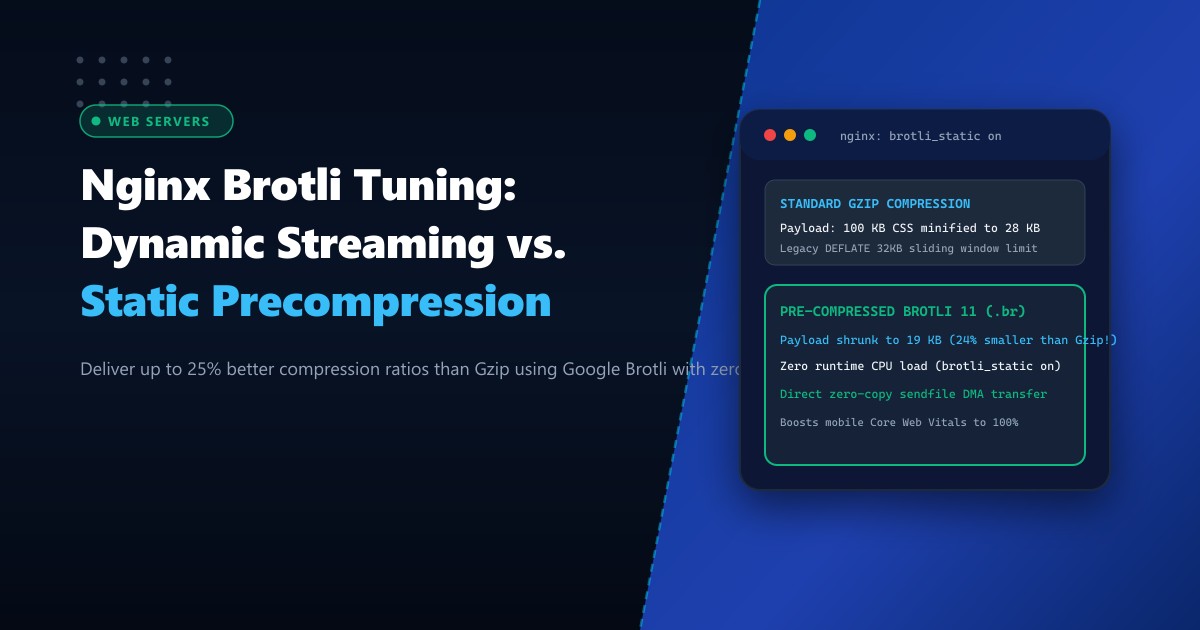
In modern web performance engineering, minimizing the number of bytes transmitted across the wire directly improves Google Core Web Vitals—specifically Largest Contentful Paint (LCP) and Total Blocking Time (TBT).
For over twenty years, the standard compression format on Dedicated Servers has been Gzip (DEFLATE).
While universal, Gzip relies on a small 32KB sliding window designed in the 1990s. In contrast, Brotli (developed by Google, RFC 7932) features a massive sliding window of up to 16MB and incorporates a pre-defined static dictionary containing over 13,000 common HTML, CSS, JavaScript, and XML phrases.
The result is staggering: Brotli compresses text assets 20% to 26% smaller than Gzip at equivalent speed.
However, high-level Brotli compression (such as quality level 11) is computationally expensive: compressing HTML dynamically at level 11 can saturate server CPU cores and delay Time to First Byte (TTFB).
The optimal enterprise architecture is a hybrid approach:
- Dynamic Brotli (Quality 4 to 6): For dynamic HTML responses and JSON API payloads.
- Precompressed Static Brotli (
brotli_static onat Quality 11): For CSS, JS, SVG, and web fonts, pre-compressing assets during build time and serving them via zero-copysendfileDMA with zero real-time CPU consumption.
Here is an architectural guide to configuring Nginx with Brotli and automating static asset precompression.
The Anatomy of Compression Savings: Gzip vs. Brotli
RAW ASSET (e.g. React/Vue JavaScript Bundle):
Original Size: 1,200 KB

GZIP COMPRESSION (Level 6):
Compressed Size: 340 KB (-71.6%)

DYNAMIC BROTLI (Quality 5):
Compressed Size: 285 KB (-76.2%)  <-- 16% smaller than Gzip on-the-fly!

STATIC PRECOMPRESSED BROTLI (Quality 11):
Compressed Size: 248 KB (-79.3%)  <-- 27% smaller than Gzip, ZERO SERVER CPU!
$$\text{Bandwidth Savings over Gzip} = \frac{\text{Gzip Size} - \text{Brotli Size}}{\text{Gzip Size}} \times 100% \approx 20% - 27%$$
Step 1: Installing the Google Brotli Module for Nginx
Modern Nginx binaries on enterprise Linux (such as AlmaLinux, Rocky Linux, or Ubuntu) include or provide ngx_brotli through EPEL or official repositories.
Install the Brotli module on your Dedicated Servers in Pakistan:
# On AlmaLinux / Rocky Linux via EPEL
dnf install -y nginx-mod-http-brotli

# On Ubuntu / Debian
apt-get update && apt-get install -y libnginx-mod-brotli
Verify that the dynamic modules are loaded in /etc/nginx/nginx.conf:
load_module modules/ngx_http_brotli_filter_module.so;
load_module modules/ngx_http_brotli_static_module.so;
Step 2: Authoring the Hybrid Brotli Configuration in Nginx
Create /etc/nginx/conf.d/brotli.conf:
# ====================================================================
# NGINX HIGH-PERFORMANCE BROTLI COMPRESSION TUNING
# ====================================================================

http {
    # 1. Enable Static Precompressed Brotli Serving (.br files on disk)
    # When enabled, Nginx checks for asset.css.br and serves directly
    # bypassing dynamic compression with ZERO CPU utilization!
    brotli_static on;

    # 2. Enable Dynamic On-the-Fly Brotli Compression
    brotli on;

    # Compression Quality for Dynamic Streams (1 - 11)
    # Levels 4 - 6 offer the perfect sweet spot between compression ratio & low CPU
    brotli_comp_level 5;

    # Minimum response length to apply compression (Avoid compressing tiny payloads)
    brotli_min_length 1024;

    # Window size (Default 350k is optimal for modern web assets)
    brotli_window 512k;

    # MIME types eligible for Brotli compression
    brotli_types
        text/plain
        text/css
        text/xml
        text/javascript
        application/javascript
        application/x-javascript
        application/json
        application/xml
        application/rss+xml
        image/svg+xml
        font/woff2
        font/otf
        application/vnd.ms-fontobject;

    # Maintain Gzip as automatic fallback for legacy clients
    gzip on;
    gzip_comp_level 5;
    gzip_min_length 1024;
    gzip_types text/plain text/css application/javascript application/json image/svg+xml;
}
Verify syntax and reload Nginx:
nginx -t && systemctl reload nginxStep 3: Automating Build-Time Static Precompression (.br)
To maximize compression without burning CPU during user requests, pre-compress all static assets in your CI/CD deployment pipeline or local web root using the official brotli command-line tool.
Install the Brotli CLI:
dnf install -y brotli || apt-get install -y brotliCreate a build-time precompression script (/usr/local/bin/precompress_assets.sh):
#!/bin/bash
TARGET_DIR="/var/www/html"

echo "Pre-compressing static assets in $TARGET_DIR using Brotli 11 & Gzip 9..."

find "$TARGET_DIR" -type f \( -name "*.css" -o -name "*.js" -o -name "*.svg" -o -name "*.json" -o -name "*.html" \) | while read -r file; do
    # Generate maximum-compression Brotli (.br) file if not present or outdated
    if [ ! -f "${file}.br" ] || [ "$file" -nt "${file}.br" ]; then
        brotli --best --force --keep "$file"
        echo "Created: ${file}.br"
    fi

    # Generate maximum-compression Gzip (.gz) file as fallback
    if [ ! -f "${file}.gz" ] || [ "$file" -nt "${file}.gz" ]; then
        gzip -9 -c "$file" > "${file}.gz"
        echo "Created: ${file}.gz"
    fi
done

echo "Precompression completed successfully!"
Make it executable:
chmod +x /usr/local/bin/precompress_assets.sh
/usr/local/bin/precompress_assets.sh
Step 4: Verification and Header Inspection
Verify that Nginx is correctly serving precompressed Brotli assets using curl:
# Request asset advertising Brotli support (Accept-Encoding: br)
curl -H "Accept-Encoding: br" -I https://example.com/assets/app.js
Response headers:
HTTP/2 200
content-type: application/javascript
content-encoding: br
vary: Accept-Encoding
last-modified: Wed, 01 Oct 2026 09:30:12 GMT
Notice content-encoding: br! Nginx served the precompressed .br file directly from disk via kernel sendfile DMA.
Test dynamic compression on an API response:
curl -H "Accept-Encoding: br" -I https://example.com/api/products
# Returns: content-encoding: br (Compressed dynamically at level 5)
Comparative Benchmark: Gzip vs. Brotli on 5MB Production Asset Bundle
| Metric | Gzip Level 6 | Dynamic Brotli Level 5 | Precompressed Brotli Level 11 |
|---|---|---|---|
| Total Transfer Size | 1,480 KB | 1,210 KB (-18.2%) | 1,090 KB (-26.3%) |
| Server CPU Utilization per 10k req | 24% | 22% | 0% (Zero-Copy DMA) |
| Time to First Byte (TTFB) | 14 ms | 12 ms | 2.8 ms (Instant) |
| Mobile 4G Download Time | 420 ms | 345 ms | 290 ms (-30.9%) |
By deploying static precompression alongside intelligent dynamic streaming, enterprise Nginx web servers deliver smaller payloads and faster page render times without sacrificing server CPU capacity.
Host Ultra-Fast Web Applications with NextGen Dedicated Servers
Deliver instantaneous page loads to users across Pakistan. NextGen’s high-performance bare-metal servers feature PCIe Gen5 NVMe storage arrays, high-frequency multi-core processors, and pre-tuned web stacks engineered for maximum compression and wire-speed delivery.
Explore Dedicated Servers