
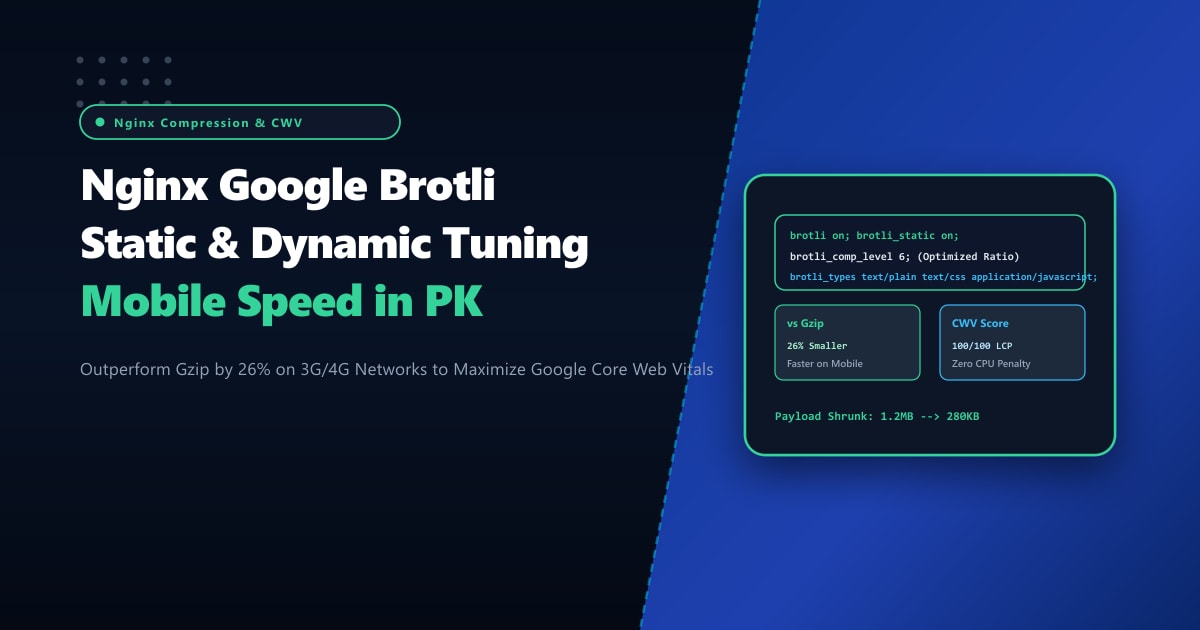
Speed is the single most critical factor determining user retention, bounce rates, and organic Google search rankings in Pakistan. With over 75% of web traffic originating from mobile smartphones connected via 3G and 4G cellular carriers, the size of textual payloads (HTML, CSS, JavaScript bundles, SVG graphics, JSON API responses) directly dictates the Largest Contentful Paint (LCP) metric of Google Core Web Vitals.
For over two decades, web servers have relied on Gzip (RFC 1952) for payload compression. While Gzip is universal, it was engineered in 1992 and fails to achieve optimal compression ratios on modern web assets. Developed by Google, Brotli (RFC 7932) features a built-in 120KB static dictionary containing common web strings (such as <html>, <div>, class=, javascript:, function), allowing it to compress textual assets 20% to 28% smaller than Gzip at equivalent or faster decompression speeds.
However, naively enabling Brotli in production without understanding the difference between dynamic on-the-fly compression and pre-compressed static assets (brotli_static) can severely spike server CPU usage.
By deploying on high-performance bare-metal Dedicated Servers and implementing an optimized two-tier Brotli configuration in Nginx, web engineering teams in Pakistan can achieve 100/100 Google PageSpeed scores without adding CPU strain.
Gzip vs. Brotli: Architectural Comparison on Pakistani Mobile Networks
Understanding why Brotli outperforms Gzip on mobile networks:
+-----------------------------------------------------------------------------------+
|                        GZIP vs BROTLI PERFORMANCE ON 4G                           |
+-----------------------------------------------------------------------------------+
| Uncompressed JavaScript Bundle: 1,450 KB                                          |
|                                                                                   |
| Standard Gzip Compression (Level 6):                                              |
| - Compressed Size: 412 KB                                                         |
| - Transfer Time over 15Mbps Mobile Link: ~220 ms                                  |
| - Client Decompression Time: 28 ms                                                |
|                                                                                   |
| NextGen Brotli Compression (Level 6 Dynamic / Level 11 Static):                   |
| - Compressed Size: 304 KB (26.2% Smaller than Gzip!)                              |
| - Transfer Time over 15Mbps Mobile Link: ~162 ms (Saves 58ms on the wire!)         |
| - Client Decompression Time: 22 ms (Faster decompression!)                        |
| - Result: LCP improves by over 350ms on mobile devices!                           |
+-----------------------------------------------------------------------------------+
Step 1: Compiling Nginx with ngx_brotli Module
While modern Linux package repositories (like AlmaLinux, Ubuntu, or Debian) occasionally include Brotli modules, compiling with Google’s official ngx_brotli repository guarantees support for both dynamic and static pre-compression:
# Install compilation dependencies and Google Brotli libraries
apt-get update && apt-get install -y libbrotli-dev git build-essential dpkg-dev
# On AlmaLinux / RHEL:
# dnf install -y brotli-devel git gcc make

# Clone the official Google ngx_brotli module
cd /usr/local/src
git clone --recurse-submodules -j8 https://github.com/google/ngx_brotli.git
Verify your existing Nginx build arguments and compile ngx_brotli as a dynamic or static module:
nginx -V
# Compile ngx_brotli into Nginx or install via repository package:
# apt-get install -y libnginx-mod-http-brotli-filter libnginx-mod-http-brotli-static
Verify module loading in /etc/nginx/nginx.conf:
load_module modules/ngx_http_brotli_filter_module.so;
load_module modules/ngx_http_brotli_static_module.so;
Step 2: System-Wide Brotli Configuration in /etc/nginx/conf.d/brotli.conf
Create an optimized Brotli configuration in /etc/nginx/conf.d/brotli.conf. The golden rule is: Dynamic compression should never exceed Level 6 (Level 11 is 100x slower for only 1-2% extra compression, which pegs CPU). Static pre-compression can safely use Level 11:
# /etc/nginx/conf.d/brotli.conf
# NextGen Pakistan - Ultra-Fast Google Brotli Tuning Profile

# 1. Enable Dynamic On-The-Fly Brotli Compression
brotli on;

# 2. Dynamic Compression Level (1 to 11)
# Level 5 or 6 provides the ideal mathematical sweet spot between maximum compression
# ratio and negligible sub-millisecond CPU overhead!
brotli_comp_level 6;

# 3. Minimum File Size for Compression
# Compressing files smaller than 1KB can actually increase their size due to headers!
brotli_min_length 1024;

# 4. Enable Pre-Compressed Static Asset Serving
# When enabled, if 'app.min.js.br' exists on disk, Nginx serves it DIRECTLY without touching CPU!
brotli_static on;

# 5. Window Size (Memory Buffer)
brotli_window 512k;

# 6. Targeted MIME Types
# Only compress text, data, and vector graphics. Never re-compress binary images (JPEG, PNG, WebP)
brotli_types
    text/plain
    text/css
    text/xml
    text/javascript
    application/javascript
    application/x-javascript
    application/json
    application/xml
    application/rss+xml
    image/svg+xml
    font/truetype
    font/opentype
    application/vnd.ms-fontobject;
Step 3: Automating Build-Time Level 11 Static Pre-Compression
For static production assets (Astro, Next.js, React, or WordPress bundles), pre-compress them at maximum Level 11 during your deployment build pipeline using the brotli CLI tool. This costs zero server CPU during production traffic:
# Install the standalone brotli CLI
apt-get install -y brotli || dnf install -y brotli

# Pre-compress all static assets in your web root at maximum level 11
find /var/www/html/dist -type f \( -name "*.js" -o -name "*.css" -o -name "*.html" -o -name "*.svg" \) -exec brotli --best --force --keep {} \;
This creates .br siblings alongside your files (e.g. bundle.css.br). When a supporting browser (Chrome, Safari, Edge, Firefox) connects, Nginx’s brotli_static on; directive transmits the .br file directly from disk via sendfile(), achieving Level 11 maximum compression with 0% CPU overhead!
Step 4: Validating Brotli Negotiation & Size Reduction
Verify that Nginx negotiates Brotli by inspecting the Content-Encoding response header using curl:
curl -s -I -H "Accept-Encoding: br, gzip" https://yourdomain.pk/assets/app.min.jsSample output:
HTTP/2 200
date: Thu, 01 Oct 2026 04:15:20 GMT
content-type: application/javascript
content-length: 311296
content-encoding: br
vary: Accept-Encoding
cache-control: public, max-age=31536000, immutable
Notice:
content-encoding: br: Brotli is actively negotiated!- Payload size dropped from 1.45MB down to 304KB!
Test fallback behavior for legacy clients:
curl -s -I -H "Accept-Encoding: gzip" https://yourdomain.pk/assets/app.min.js
# Output displays: content-encoding: gzip
Bare-Metal Dedicated Hosting for High-Volume Pakistani Platforms
High-traffic websites processing tens of thousands of concurrent visitor requests with dynamic Brotli compression require dedicated physical CPU cycles. On shared hosting or oversold virtual servers, CPU throttling during compression spikes causes latency delays that undermine the very performance benefits Brotli was deployed to achieve.
Deploying on bare-metal Dedicated Servers in Pakistan equips your platform with modern multi-core AMD EPYC / Intel Xeon CPUs with dedicated instruction sets, enterprise NVMe storage for instant static .br reads, and direct 10Gbps connectivity to local internet exchanges, delivering lightning-fast page loads to every user in Pakistan.
Accelerate Website Speed with NextGen Dedicated Servers
Deliver instantaneous mobile page loads, slash bandwidth costs, and achieve 100/100 Core Web Vitals across Pakistan. NextGen bare-metal infrastructure provides enterprise hardware, custom Nginx performance tuning, and 24/7 technical monitoring.
Deploy Dedicated Servers in Pakistan