
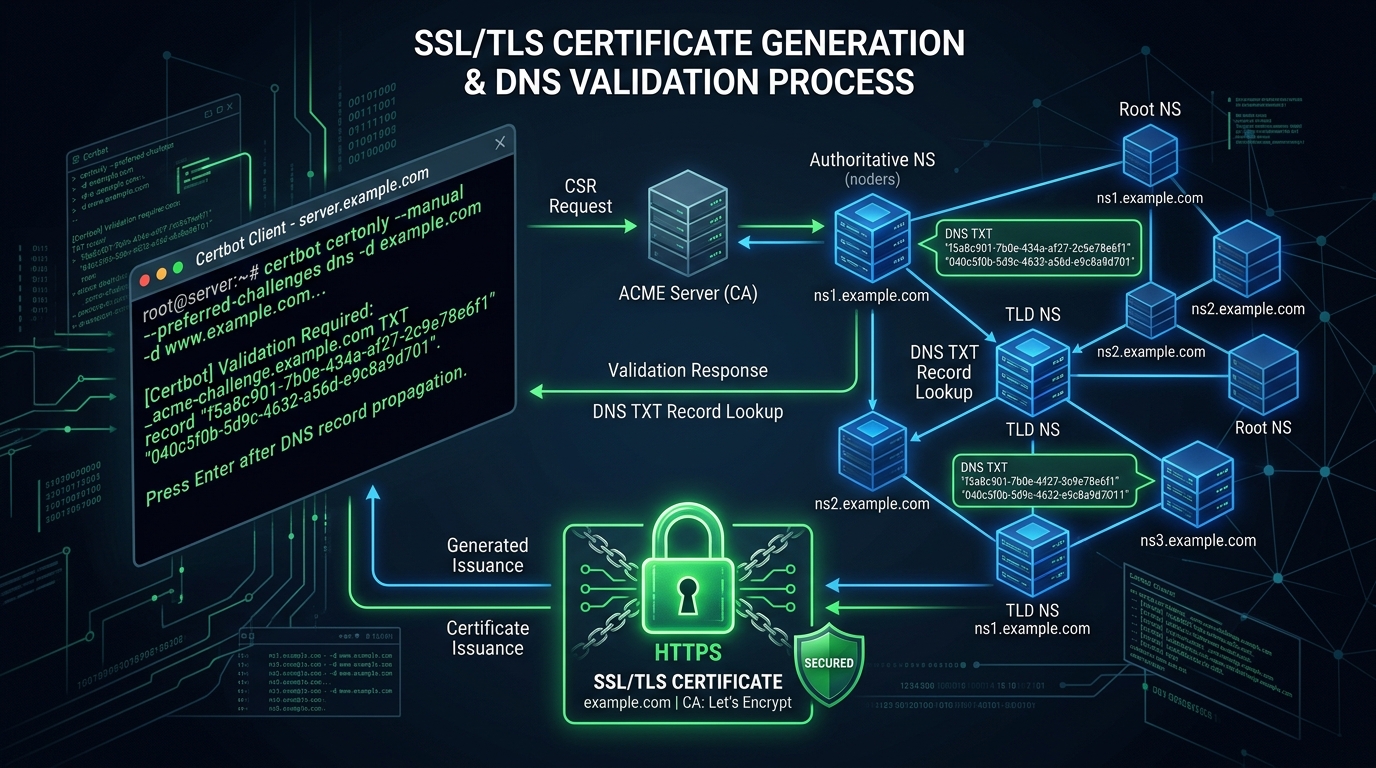
While standard Let’s Encrypt certificates generated via the HTTP-01 challenge work well for individual public websites, they present major operational limitations for modern cloud infrastructure in Pakistan. The HTTP-01 challenge requires exposing port 80 to the public internet, cannot issue Wildcard certificates (*.yourdomain.pk), and completely fails on private staging servers, internal databases, or behind strict zero-trust firewalls.
The DNS-01 Challenge solves every single one of these bottlenecks. By proving domain ownership through automated TXT record creation (_acme-challenge.yourdomain.pk) via your DNS provider’s API, Certbot can issue wildcard certificates covering unlimited subdomains, operate entirely behind air-gapped private networks with zero open incoming ports, and renew certificates reliably on a 60-day automated schedule.
In this deep-dive guide, we walk through configuring Certbot with Cloudflare, RFC 2136 BIND, and PowerDNS API plugins, authoring automated renewal hooks, and deploying wildcard TLS across Cloud VPS instances and enterprise Dedicated Servers.
1. ACME Challenge Mechanics: HTTP-01 vs. DNS-01
Understanding how the Automated Certificate Management Environment (ACME) protocol validates domain ownership explains why DNS-01 is indispensable for enterprise architectures:
+--------------------------------------------------------------------------+
|                     ACME DNS-01 CHALLENGE VERIFICATION                   |
+--------------------------------------------------------------------------+
| Certbot Client (Private VPS - Zero Open Inbound Ports)                   |
|        │                                                                 |
|        ▼ (1. Request Wildcard Cert: *.example.pk)                        |
| [ Let's Encrypt CA ] ──► Returns Cryptographic Token (Digest)            |
|        │                                                                 |
|        ▼ (2. API Call via Cloudflare / PowerDNS API)                     |
| [ Authoritative Nameserver ]                                             |
| Injects TXT Record: _acme-challenge.example.pk = "9xK2Lm...TOKEN"       |
|        │                                                                 |
|        ▼ (3. Let's Encrypt Queries Global DNS for TXT Record)            |
| DNS Propagation Verified ──► Key Validation Passed!                      |
|        │                                                                 |
|        ▼ (4. Certificate Issued)                                         |
| [ Wildcard Certificate & Private Key Written to /etc/letsencrypt/live ]  |
+--------------------------------------------------------------------------+
Direct Technical Comparison
| Feature / Metric | HTTP-01 Challenge | DNS-01 Challenge |
|---|---|---|
Wildcard Support (*.domain.pk) |
No | Yes (Full Wildcard Support) |
| Inbound Port 80 Open Required? | Yes (Mandatory) | No (Zero inbound ports required) |
| Works on Private/LAN Servers? | No | Yes (Perfect for internal VPNs) |
| Automation Reliability | Can break on WAF/CDN rules | 100% Reliable via DNS APIs |
| Multi-Server Deployment | Individual challenges | Single wildcard shared across nodes |
2. Installing Certbot and the DNS Plugins
Modern Certbot installations should always be managed via snap to ensure you receive the latest ACME protocol features and DNS plugin updates:
# Ubuntu / Debian / AlmaLinux
sudo apt-get remove certbot  # remove outdated distro packages if present
sudo snap install core && sudo snap refresh core
sudo snap install --classic certbot
sudo ln -s /snap/bin/certbot /usr/bin/certbot

# Install DNS plugins (e.g. Cloudflare plugin)
sudo snap install certbot-dns-cloudflare
sudo snap set certbot trust-plugin-with-root=ok
sudo snap connect certbot:plugin certbot-dns-cloudflare
3. Method 1: Automated Wildcards via Cloudflare DNS API
If your domain’s authoritative nameservers reside on Cloudflare, you can use a scoped API token with zero risk to your account root credentials.
Step 1: Create Scoped API Token
In Cloudflare Dashboard:
- Go to My Profile > API Tokens > Create Token.
- Select Edit zone DNS template.
- Set Zone Resources to Include > Specific zone > yourdomain.pk.
- Generate and copy the token.
Step 2: Store Token Securely on Server
Create /etc/letsencrypt/cloudflare.ini:
# /etc/letsencrypt/cloudflare.ini
dns_cloudflare_api_token = YOUR_CLOUDFLARE_API_TOKEN_HERE
Enforce strict root-only read permissions:
sudo chmod 600 /etc/letsencrypt/cloudflare.iniStep 3: Issue the Wildcard Certificate
Request a certificate covering both the root domain and all first-level subdomains:
sudo certbot certonly \
  --dns-cloudflare \
  --dns-cloudflare-credentials /etc/letsencrypt/cloudflare.ini \
  --dns-cloudflare-propagation-seconds 30 \
  -d yourdomain.pk \
  -d "*.yourdomain.pk" \
  --agree-tos \
  -m [email protected] \
  --no-eff-email
Certbot will create the challenge record, wait 30 seconds for Cloudflare’s Anycast propagation, validate with Let’s Encrypt, and clean up the TXT record automatically!
4. Method 2: On-Premises BIND / PowerDNS via RFC 2136 TSIG Keys
For enterprise hosting providers running authoritative cPanel or BIND clusters within Pakistan datacenters, authenticate using a cryptographic TSIG key:
Create /etc/letsencrypt/rfc2136.ini:
# /etc/letsencrypt/rfc2136.ini
# Target authoritative nameserver IP
dns_rfc2136_server = 127.0.0.1
dns_rfc2136_port = 53
dns_rfc2136_name = certbot-key.
dns_rfc2136_secret = YOUR_TSIG_BASE64_KEY_SECRET==
dns_rfc2136_algorithm = HMAC-SHA512
Secure the file and execute:
sudo chmod 600 /etc/letsencrypt/rfc2136.ini
sudo certbot certonly \
  --dns-rfc2136 \
  --dns-rfc2136-credentials /etc/letsencrypt/rfc2136.ini \
  -d yourdomain.pk -d "*.yourdomain.pk"
5. Automated Reload Hooks & Verification
Once issued, your wildcard certificate and private key reside in:
- Certificate:
/etc/letsencrypt/live/yourdomain.pk/fullchain.pem - Private Key:
/etc/letsencrypt/live/yourdomain.pk/privkey.pem
To ensure web servers (Nginx/Apache) reload gracefully whenever Certbot renews the certificate in the background, create a renewal deploy hook:
Create /etc/letsencrypt/renewal-hooks/deploy/reload-webserver.sh:
#!/bin/bash
# Reload web servers upon successful certificate renewal
if systemctl is-active --quiet nginx; then
    systemctl reload nginx
fi
if systemctl is-active --quiet httpd; then
    systemctl reload httpd
fi
Make it executable:
sudo chmod +x /etc/letsencrypt/renewal-hooks/deploy/reload-webserver.shTest Automatic Renewal Simulation
Verify the automated systemd timer:
sudo certbot renew --dry-runIf this outputs Congratulations, all simulated renewals succeeded, your wildcard TLS infrastructure is 100% autonomous and maintenance-free!
6. Enterprise Cryptography & High-Security Infrastructure
Automating wildcard SSL certificates simplifies microservices deployment and protects internal corporate communications from surveillance.
Explore our complementary security and systems masterclasses:
- Plesk Obsidian SSL/TLS Hardening: Modern Ciphers & HSTS
- SSH Hardening Masterclass: Ed25519 & MFA
- cPanel DNS Cluster & Split-Horizon Routing
For organizations managing sensitive payment gateways or banking infrastructure requiring physical Hardware Security Modules (HSM) and dedicated isolated networking, deploy on Dedicated Servers in Pakistan.
Deploy Secure Cloud VPS & Dedicated Servers
Protect your business infrastructure with automated Let's Encrypt certificates, enterprise NVMe storage, and localized low-latency data centers across Pakistan.
