
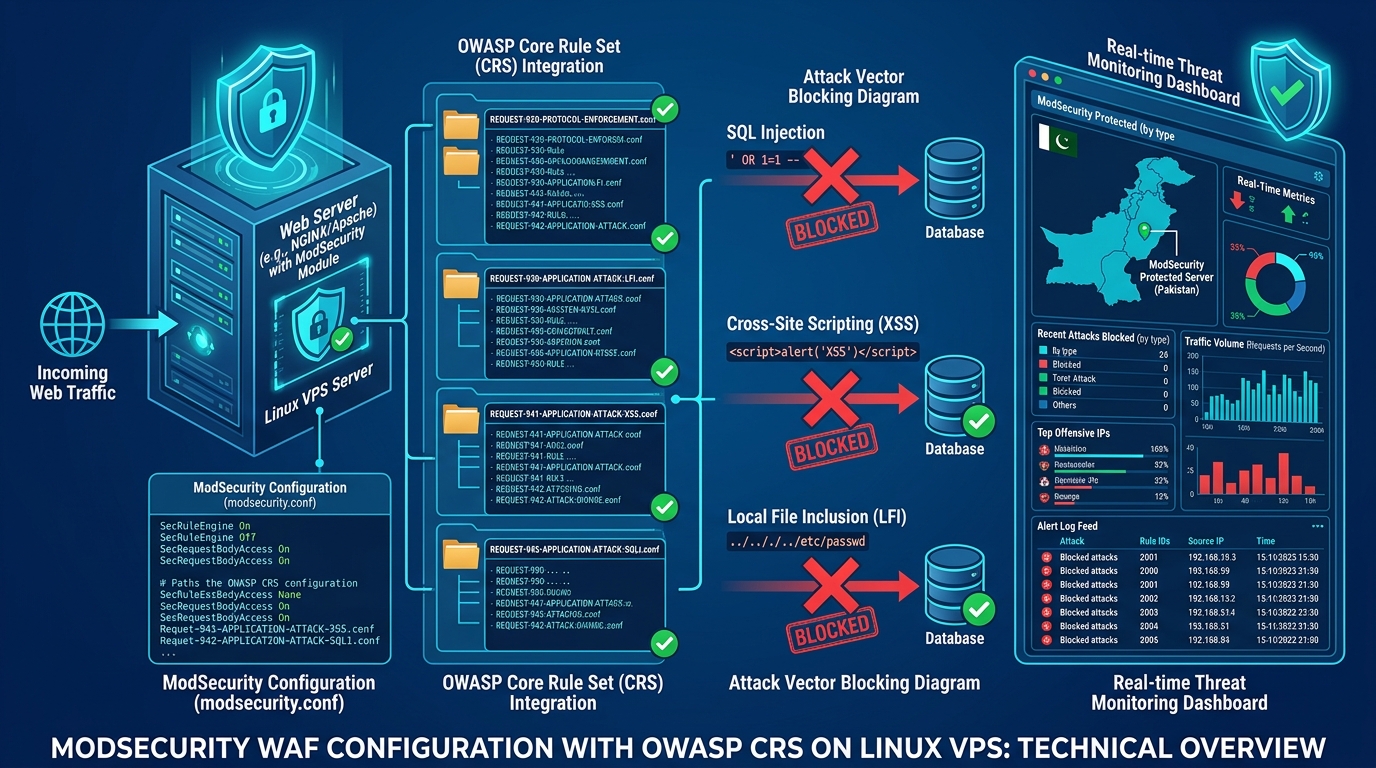
Deploying a Web Application Firewall (WAF) is non-negotiable for protecting websites against SQL Injection (SQLi), Cross-Site Scripting (XSS), and Remote Code Execution (RCE) attacks. In Pakistan, hosting providers and server administrators frequently activate ModSecurity paired with the OWASP Core Rule Set (CRS) on cPanel/WHM and standalone Linux servers.
However, poorly tuned OWASP CRS configurations wreak havoc on legitimate business operations. Legitimate customers attempting to update WooCommerce products, submit contact forms containing harmless special characters, or upload PDF invoices suddenly get slammed with 403 Forbidden errors. Frustrated site owners often react by disabling ModSecurity completely—leaving their entire server exposed to catastrophic exploitation!
Tuning ModSecurity requires understanding its Anomaly Scoring Mode, analyzing audit logs with precision, and surgical application of targeted Rule Exclusion filters (ctl:ruleRemoveById).
In this practical handbook, we demonstrate how to systematically audit ModSecurity blocks and safely suppress false positives on Cloud VPS and Dedicated Servers.
1. ModSecurity & OWASP CRS 3.x Anomaly Scoring Architecture
Modern OWASP CRS does not immediately block an HTTP request the moment a single heuristic pattern matches. Instead, it utilizes Collaborative Anomaly Scoring:
+--------------------------------------------------------------------------+
|                     OWASP CRS ANOMALY SCORING PIPELINE                   |
+--------------------------------------------------------------------------+
| Incoming HTTP Request: POST /wp-admin/post.php                           |
|        │                                                                 |
|        ▼                                                                 |
| [ Phase 1 & 2: Request Inspection ]                                      |
| ├── Rule 942100 (SQLi Pattern Detected): +5 Anomaly Score                 |
| ├── Rule 941100 (XSS Filter Triggered):  +5 Anomaly Score                 |
| ├── Rule 920272 (Multiple Content-Type): +2 Anomaly Score                 |
|        │                                                                 |
|        ▼ (Phase 5: Aggregate Scoring Assessment)                         |
| Total Anomaly Score: 12                                                  |
| Inbound Threshold:    5 (Default)                                        |
|        │                                                                 |
|        ▼ (Score >= Inbound Threshold)                                    |
| [ Action Triggered: 403 Forbidden Dropped to Client ]                    |
| Audit Log Generated: /var/log/apache2/modsec_audit.log                   |
+--------------------------------------------------------------------------+
Every rule assigns an anomaly score (Critical = 5, Error = 4, Warning = 3, Notice = 2). If the cumulative score exceeds the inbound threshold (default is 5), Rule 949110 triggers an immediate block.
2. Deciphering ModSecurity Audit Logs
When a client reports a 403 Forbidden error, pinpoint the exact transaction in your audit log:
- cPanel / WHM:
/etc/apache2/logs/modsec_audit.log - Ubuntu Apache:
/var/log/apache2/modsec_audit.log - Nginx ModSecurity:
/var/log/nginx/modsec_audit.log
Run a targeted extraction using the client’s public IP or domain name:
# Filter recent audit log transactions for a specific client IP
grep -A 25 -B 5 "203.0.113.88" /var/log/apache2/modsec_audit.log | grep -E "id \"[0-9]+\"|Message:|Matched Data"
Sample Audit Log Output:
[client 203.0.113.88] ModSecurity: Access denied with code 403 (phase 2).
Matched "Operator `Rx' with parameter `(?i:(?:select|union|insert|delete)\b)' against REQUEST_BODY.
[file "/etc/apache2/conf.d/owasp-crs/rules/REQUEST-942-APPLICATION-ATTACK-SQLI.conf"]
[line "45"]
[id "942100"]
[msg "SQL Injection Attack Detected via libinjection"]
[data "Matched Data: select found within ARGS:description"]
[tag "application-multi"]
[hostname "clientdomain.pk"]
[uri "/wp-admin/post.php"]
Key attributes extracted from the log:
- Violating Rule ID:
942100(SQL Injection false positive). - Offending Parameter:
ARGS:description(A blog post author writing the word “select”). - Target URI:
/wp-admin/post.php. - Target Domain:
clientdomain.pk.
3. Surgical Rule Exclusions: 3 Professional Suppression Strategies
Never disable whole rule families globally. Apply targeted exclusion rules in /etc/apache2/conf.d/modsec/modsec2.user.conf or inside cPanel’s ModSecurity Tools > Edit Configuration:
Strategy A: Suppress Rule for a Specific Parameter on a Specific URI (Recommended)
This preserves full SQLi protection everywhere else on the site while allowing the WordPress post editor to function cleanly:
# Suppress Rule 942100 on post.php for the description field only
SecRule REQUEST_URI "@streq /wp-admin/post.php" \
    "id:100001,phase:1,pass,nolog,ctl:ruleRemoveTargetById=942100;ARGS:description"
Strategy B: Whitelist a Rule ID Across an Entire Domain
If a custom legacy web application frequently conflicts with a specific CRS rule across multiple endpoints:
# Disable Rule 942100 exclusively for clientdomain.pk
SecRule SERVER_NAME "@streq clientdomain.pk" \
    "id:100002,phase:1,pass,nolog,ctl:ruleRemoveById=942100"
Strategy C: Exclude Pre-Packaged Applications (WordPress / Nextcloud / phpMyAdmin)
The OWASP Core Rule Set includes pre-engineered application exclusions. Enable them in crs-setup.conf:
# Enable native WordPress application exclusion package in OWASP CRS 3.x
SecAction \
 "id:900130,\
  phase:1,\
  nolog,\
  pass,\
  t:none,\
  setvar:tx.crs_exclusions_wordpress=1"
4. Tuning Paranoia Levels and Inbound Thresholds
OWASP CRS operates under 4 Paranoia Levels (PL1 through PL4):
- PL1 (Default): Minimal false positives, recommended for standard production hosting.
- PL2 to PL4: Extremely strict rules suitable only for high-security banking APIs with dedicated security engineering teams.
If your web applications handle diverse user-submitted content, verify that you are operating at PL1 and consider raising the inbound anomaly threshold from 5 to 7 or 10 during initial baseline staging:
In crs-setup.conf:
# Paranoia Level baseline
SecAction \
 "id:900000,\
  phase:1,\
  nolog,\
  pass,\
  t:none,\
  setvar:tx.paranoia_level=1"

# Increase Inbound Anomaly Threshold to accommodate complex payloads
SecAction \
 "id:900110,\
  phase:1,\
  nolog,\
  pass,\
  t:none,\
  setvar:tx.inbound_anomaly_score_threshold=10"
Reload web services after making adjustments:
# On cPanel:
/usr/local/cpanel/scripts/restartsrv_httpd

# On Debian/Ubuntu:
sudo systemctl reload apache2
5. Architectural Synergy: Layers of Defense
A tuned ModSecurity WAF provides application-layer inspection, but should always operate in tandem with network firewalls and database optimization.
Explore our technical guides on:
- Fail2ban Custom Jails for SSH, cPanel & WordPress
- CSF Firewall Hardening for cPanel and WHM
- PostgreSQL Production Memory & WAL Tuning
For financial institutions, e-commerce gateways, and SaaS providers requiring hardware-level isolation and enterprise DDoS mitigation, scale effortlessly with our Dedicated Servers in Pakistan.
Deploy Hardened Hosting Infrastructure in Pakistan
Shield your websites against malicious exploits with pre-configured WAF firewalls, automated malware scrubbing, and high-frequency NVMe infrastructure.
