
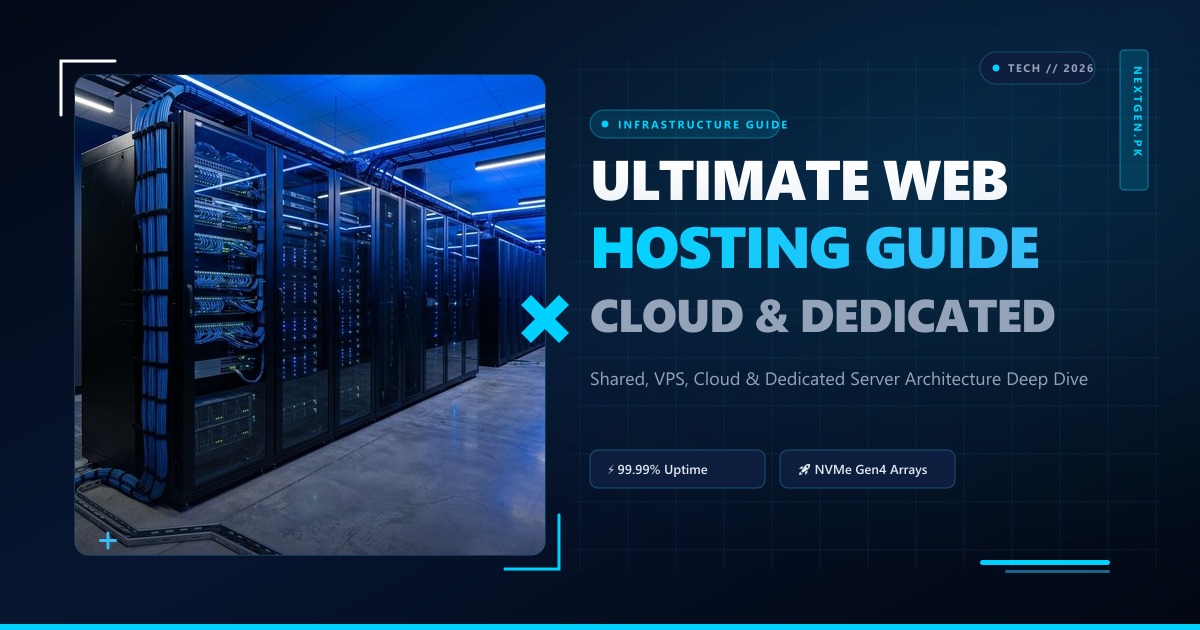
Web hosting is the foundational backbone of the modern internet. Every application, e-commerce storefront, SaaS product, and personal website relies on physical servers connected to high-bandwidth global transit networks to serve content to billions of end users.
However, the hosting landscape has evolved dramatically over the last decade. The simplistic dichotomy of “Shared vs. Dedicated” has been supplanted by sophisticated hybrid cloud topologies, containerized microservices, edge computing, and distributed NVMe storage fabrics.
In this definitive guide, we provide a deep architectural breakdown of modern web hosting tiers, analyzing resource isolation, failure domains, input/output operations per second (IOPS), and how to select the right infrastructure stack for long-term growth.
1. The Physical Reality of Web Hosting Infrastructure
Regardless of branding terms like “The Cloud” or “Elastic Web Spaces,” all web hosting ultimately boils down to physical compute hardware in a datacenter:
┌────────────────────────────────────────────────────────────────────────┐
│                   PHYSICAL DATACENTER INFRASTRUCTURE                    │
├────────────────────────────────────────────────────────────────────────┤
│  POWER & COOLING: N+1 Redundant UPS, Diesel Generators, Cold Aisle HVAC│
│  NETWORK TRANSIT: Multi-homed BGP Routing, 100G Uplinks, DDoS Scrubbers│
│  COMPUTE NODES: Dual AMD EPYC / Intel Xeon Scalable Processors, DDR5   │
│  STORAGE FABRIC: Enterprise PCIe Gen4/Gen5 NVMe Arrays (RAID 10)      │
│  HYPERVISOR / OS: KVM Virtualization, CloudLinux, Proxmox, or Bare-Metal│
└────────────────────────────────────────────────────────────────────────┘
The tier of hosting you select dictates how much of that physical compute pipeline belongs strictly to you versus how much is shared with thousands of neighboring tenants.
2. In-Depth Comparison of the 4 Primary Hosting Tiers
Understanding the technical trade-offs between hosting paradigms allows you to balance cost, performance, and operational complexity:
1. Shared Web Hosting: The Entry-Level Standard
- Architecture: Hundreds (or thousands) of user accounts reside on a single operating system instance (usually CloudLinux). Users share the same web server (Apache/LiteSpeed), database daemon (MariaDB), and network interface card.
- Resource Limits: Governed by LVE (Lightweight Virtual Environment) limits, capping individual accounts at 1–2 vCPU cores, 1–2 GB RAM, and 5–10 MB/s disk I/O.
- Pros: Ultra-low cost, fully managed control panel (cPanel), zero server administration required.
- Cons: No root access, potential for noisy-neighbor contention during large server-wide spikes, strict inode and execution time limits.
2. Cloud Web Hosting: Redundancy Across Clusters
- Architecture: Instead of your data being locked to a single physical hard drive, cloud hosting abstracts your files across a SAN/Ceph distributed storage cluster connected via high-speed 40G/100G interconnects.
- Failure Recovery: If a physical motherboard or RAM module fails, hypervisor orchestration instantly boots your container on an adjacent healthy compute node with minimal downtime.
- Pros: High fault tolerance, easy vertical scaling without complex data migration, excellent uptime SLAs.
- Cons: Slightly higher cost than entry-level shared plans; performance depends on the host’s backend network interconnect speed.
3. Virtual Private Servers (VPS): Isolated Virtual Machines
- Architecture: Hypervisors like KVM (Kernel-based Virtual Machine) partition a physical server into fully isolated virtual machines. Each VPS runs its own dedicated operating system kernel, dedicated virtual CPU cores, and dedicated RAM allocations.
- Privilege Level: Full root/administrator access. You can install custom runtime environments (Node.js, Python, Go, Docker, Redis, Elasticsearch) and fine-tune system kernel parameters (
sysctl.conf). - Pros: Complete software autonomy, guaranteed compute resources, predictable database execution speeds.
- Cons: Requires Linux system administration knowledge (patching, firewall rules, server hardening) unless opting for a managed plan.
4. Dedicated Bare-Metal Servers: Maximum Enterprise Power
- Architecture: 100% of the physical machine belongs exclusively to your application. No hypervisor overhead, no resource sharing, no noisy neighbors, and completely unthrottled bus access to NVMe RAID storage and multi-gigabit network ports.
- Customization: Tailor every component from CPU socket configurations (AMD EPYC 64-core/128-thread monsters) to hardware RAID controller caches and custom BGP routing.
- Pros: Unrivaled raw processing power, maximum I/O throughput, strict compliance isolation (HIPAA, PCI-DSS Level 1).
- Cons: Higher monthly commitment; requires professional systems engineering expertise.
3. Comparative Architectural Matrix
| Metric | Shared Hosting | Cloud Hosting | VPS Hosting | Dedicated Server |
|---|---|---|---|---|
| Root/SSH Access | ❌ No (Jailed Shell) | ❌ Typically No | ✔️ Yes (Full Root) | ✔️ Yes (Bare-Metal IPMI/KVM) |
| CPU Allocation | Throttled / Shared | Shared Elastic | Guaranteed Virtual | 100% Dedicated Physical |
| Storage IOPS | Low to Moderate | High Distributed | High Isolated | Extreme (Millions of IOPS) |
| Security Isolation | OS-level permissions | OS-level permissions | Kernel-level hypervisor | Complete physical isolation |
| Custom Daemons | ❌ Not permitted | ❌ Limited | ✔️ Redis, Docker, Go | ✔️ Any OS / Custom Stacks |
4. Key Factors to Consider When Migrating Tiers
When planning infrastructure upgrades, evaluate these four operational criteria:
- Traffic & Concurrency Curves: Does your traffic arrive in steady, predictable waves, or do you experience sudden 10x surges from marketing campaigns and flash sales?
- Database Complexity: As your relational database grows beyond 5 GB, query caches and disk I/O latency become the primary bottleneck. Moving from shared MariaDB to an isolated VPS or bare-metal server with in-memory Redis caching yields 5x–10x improvements in page response times.
- Regulatory & Compliance Needs: Healthcare, financial services, and enterprise organizations often require dedicated physical hardware to meet data sovereignty and audit compliance standards.
- Geography & Latency Optimization: Hosting your site physically close to your user base eliminates hundreds of milliseconds of packet transit latency.
5. Scaling to Dedicated Enterprise Workloads
When your web presence transitions from an informational blog to a mission-critical revenue engine, shared and virtualized platforms will eventually hit physical throughput constraints.
Deploying on high-performance Dedicated Servers provides uncompromised compute power, unmetered network ports, and custom hardware configurations engineered for 24/7/365 sustained workloads.
For enterprises operating in South Asia or serving Pakistani consumers, hosting on localized Dedicated Servers in Pakistan routes your traffic directly across domestic internet exchange points (PKIX), achieving sub-20ms latency and optimal regional search engine visibility.
Upgrade to Enterprise-Grade Web Hosting Infrastructure
Deploy on Nextgen's high-speed cloud infrastructure and bare-metal dedicated servers. Benefit from enterprise NVMe Gen4 storage arrays, redundant Tier-1 network connectivity, and round-the-clock systems engineering support.
