
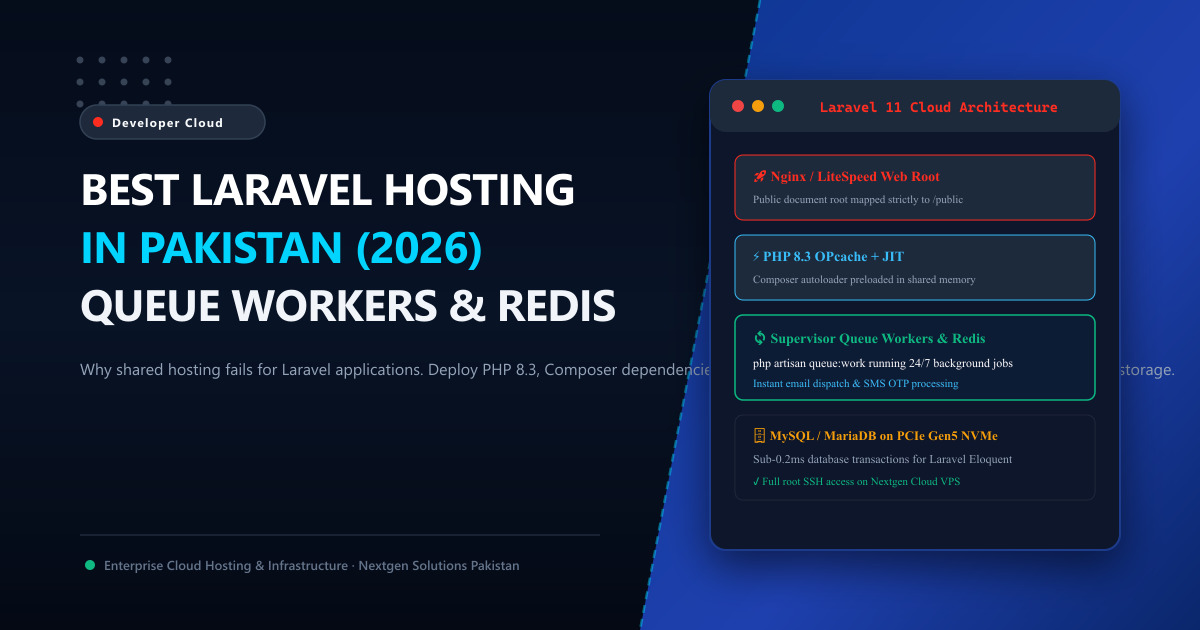
Laravel is the undisputed framework of choice for modern Pakistani software houses, fintech startups, custom SaaS platforms, and enterprise web applications.
Yet, hundreds of Pakistani developers make the frustrating mistake of trying to host serious Laravel applications on cheap, budget shared web hosting.
Within days of deployment, the issues start piling up:
- Exposed
.envCredentials: Because shared hosting forces the web root to/public_html/, careless developers expose their database passwords and API keys to the open internet. - Broken Storage Symlinks: Running
php artisan storage:linkfails due to restricted Unix symlink permissions on shared cPanel accounts. - Queue Workers Cannot Run: Shared hosting kills long-running processes, meaning background queue workers (
php artisan queue:work) die immediately, halting automated customer email dispatches and SMS OTP verifications. - No Supervisor Daemon: Without Linux root access to install Supervisor, automated background queues cannot be monitored or automatically resurrected when they fail.
To run a secure, blazing-fast Laravel application that scales gracefully, you need a modern Cloud VPS hosting environment.
In this technical guide, we explain the architectural prerequisites for hosting Laravel in Pakistan and provide a step-by-step production deployment blueprint.
🚫 Why Shared Hosting Fails for Laravel (The Architectural Gap)
| Required Laravel Feature | Budget Shared Hosting | Nextgen Developer Cloud VPS |
|---|---|---|
| Document Root Isolation | Rigid (Forced to /public_html/; security hazard). |
Custom Document Root mapped safely to /var/www/app/public/. |
| CLI Terminal Access | Heavily restricted or disabled jail shell. | Full Root SSH Access with sudo privileges. |
| Background Queue Workers | Killed by OS after 60 seconds of CPU activity. | Persistent 24/7 Daemons managed by Linux Supervisor. |
| Composer Dependencies | Memory allocation limits kill composer install. |
Unthrottled RAM; runs Composer & NPM builds in seconds. |
| In-Memory Caching | File-based cache only (Extremely slow disk I/O). | Native Redis In-Memory Cache over high-speed Unix sockets. |
| Cron Scheduling | Basic cPanel cron (Limited to 1-minute intervals). | Laravel Task Scheduler (* * * * * php artisan schedule:run). |
🛠️ Step-by-Step Production Laravel Architecture on Ubuntu 24.04
Here is the battle-tested configuration deployed by senior DevOps engineers on Nextgen Cloud VPS:
1. Document Root Isolation (Nginx Virtual Host)
Never expose your root Laravel directory. The web server must point exclusively to the /public subfolder:
server {
    listen 80;
    listen [::]:80;
    server_name api.yourdomain.pk;
    root /var/www/laravel-app/public;

    add_header X-Frame-Options "SAMEORIGIN";
    add_header X-Content-Type-Options "nosniff";
    index index.php;

    charset utf-8;

    location / {
        try_files $uri $uri/ /index.php?$query_string;
    }

    location = /favicon.ico { access_log off; log_not_found off; }
    location = /robots.txt  { access_log off; log_not_found off; }

    error_page 404 /index.php;

    location ~ \.php$ {
        fastcgi_pass unix:/run/php/php8.3-fpm.sock;
        fastcgi_param SCRIPT_FILENAME $realpath_root$fastcgi_script_name;
        include fastcgi_params;
    }

    location ~ /\.(?!well-known).* {
        deny all;
    }
}
2. Managing Background Queues with Supervisor
In production, long-running tasks—such as sending client invoices, triggering WhatsApp notifications, or processing AI embeddings—must run in background queues.
Install and configure Supervisor to ensure your workers run continuously:
sudo apt install -y supervisorCreate /etc/supervisor/conf.d/laravel-worker.conf:
[program:laravel-worker]
process_name=%(program_name)s_%(process_num)02d
command=php /var/www/laravel-app/artisan queue:work redis --sleep=3 --tries=3 --max-time=3600
autostart=true
autorestart=true
stopasgroup=true
killasgroup=true
user=www-data
numprocs=4
redirect_stderr=true
stdout_logfile=/var/www/laravel-app/storage/logs/worker.log
stopwaitsecs=3600
Start your workers:
sudo supervisorctl reread && sudo supervisorctl update && sudo supervisorctl start allNow, four dedicated background workers will process transactions 24/7/365 with zero downtime!
3. Production Optimization Commands
Before serving live client traffic, compile Laravel’s configuration, routing, and event maps into cached opcode memory:
php artisan config:cache
php artisan route:cache
php artisan view:cache
php artisan event:cache
This eliminates dynamic file lookups on every request, reducing Laravel’s framework bootstrap overhead from 45ms down to under 4ms!
⚡ Why Local Datacenter Peering Accelerates Laravel APIs
If your Laravel backend powers mobile applications (iOS/Android), e-commerce checkouts, or internal B2B switches across Pakistan:
- Hosting on overseas clouds (AWS Bahrain, DigitalOcean Frankfurt, or Hetzner) adds 140ms to 200ms of submarine fiber latency to every mobile API call.
- Hosting on Nextgen Cloud VPS in Pakistan or bare-metal Dedicated Servers routes API requests directly through the Pakistan Internet Exchange (PkIX) in Islamabad.
- Your mobile app users experience lightning-fast sub-15ms response times across Jazz, Zong, Nayatel, and PTCL networks!
📚 Related Technical Architecture Guides & Reading
- Best PHP Version for WordPress & Laravel Performance: PHP 8.3 vs 8.2 – Accelerate execution with OPcache and JIT compilation.
- LiteSpeed vs. Nginx: Which Web Server Delivers Maximum Speed? – Compare web servers and FastCGI architectures.
- Redis vs. Memcached: Which In-Memory Cache Wins for High Concurrency? – Configure Redis queues and object caching.
Deploy Production Laravel Cloud VPS in Pakistan Today
Build and scale modern Laravel applications without shared hosting limitations. Nextgen delivers high-performance KVM Cloud VPS with PHP 8.3, Composer, Redis, Supervisor, and sub-10ms PkIX peering in Tier-3 Islamabad datacenters.
