
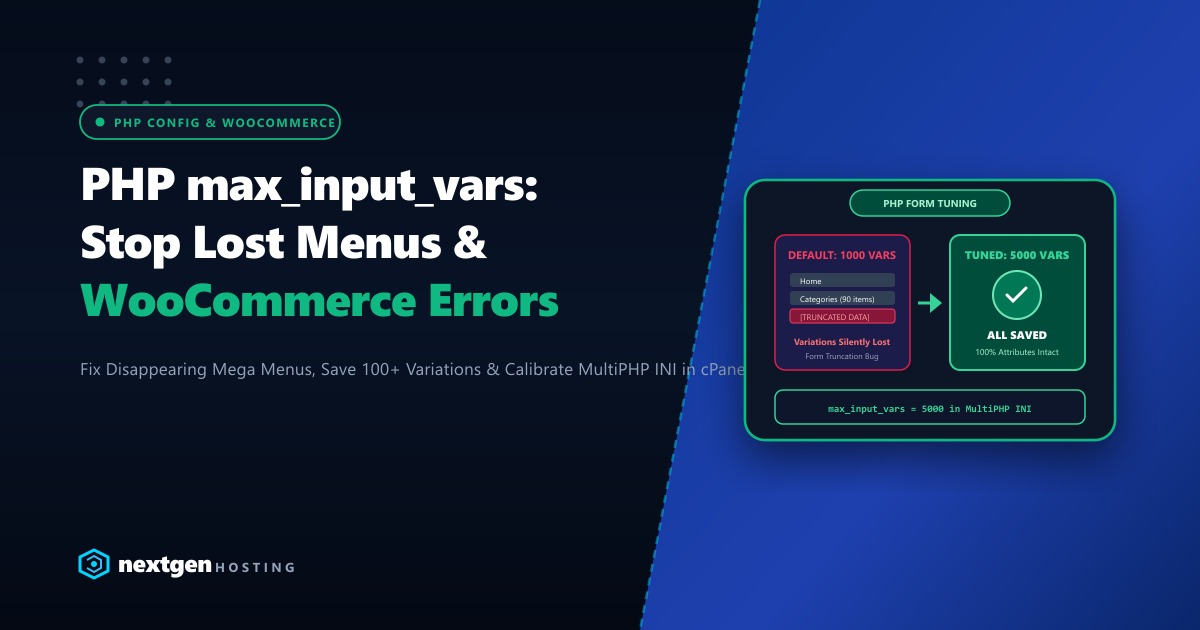
You spend two hours building an intricate navigation mega-menu with 80 custom links, categories, and icons inside WordPress in Pakistan. You click Save Menu, refresh your homepage, and to your shock: Half of your newly created menu items have completely vanished!
Or worse, on your WooCommerce store, you attempt to save a complex product with 50 size and color variations. You enter retail prices, inventory SKUs, and stock quantities, click Save Changes, and the page reloads with all variations silently wiped out or reset to blank values.
There is no error notification, no warning modal, and no database crash log.
Why did this happen? Because your PHP environment hit the max_input_vars threshold.
Introduced in PHP 5.3.9 as a security safeguard against Hash Collision Denial of Service attacks, max_input_vars strictly limits how many form input variables ($_POST, $_GET, $_COOKIE) a server will accept in a single HTTP submission. The default PHP setting is 1,000.
Because modern WordPress navigation menus and WooCommerce variable product editors generate 10 to 15 unique input variables per item, submitting an 80-item menu or a 50-variation product submits over 1,200 variables. PHP silently discards everything past the 1,000th variable—truncating your data before WordPress ever touches it!
Here is our complete guide to diagnosing and increasing max_input_vars to 5,000 or 10,000 across cPanel, LiteSpeed, and Nginx in 2026.
Executive max_input_vars Takeaways
- The Silent Truncation Trap: Unlike memory exhaustion errors that trigger visible 500 errors, exceeding
max_input_varsproduces zero user-facing warnings. PHP silently clips form data at the boundary. - The WooCommerce Math: Each variable product variation requires roughly 12 input fields (SKU, regular price, sale price, weight, stock, backorders, attributes). A product with just 75 variations generates over 900 fields—pushing it dangerously close to failure.
- The Optimal Setting: For modern WordPress themes and WooCommerce stores in Pakistan, set
max_input_vars = 5000(or10000for massive mega-menus). - Dedicated Hosting Advantage: Processing multi-thousand variable form submissions consumes CPU cycles during POST parsing. Dedicated hardware ensures rapid serial processing with zero execution timeouts.
1. Method 1: Configuring max_input_vars in cPanel MultiPHP INI Editor
The cleanest way to adjust this setting on cPanel shared hosting or VPS:
- Log into your cPanel Account.
- Under the Software section, click on MultiPHP INI Editor.
- In the Configure basic settings dropdown, select your domain name (or
Home Directory). - Select the Editor Mode tab at the top.
- In the text editor box, add or edit the following line:
(If you run an extensive wholesale store with 150+ variations per product, set tomax_input_vars = 500010000) - Click Save.
2. Method 2: Adding to .user.ini (For PHP-FPM & Nginx)
If your website runs on PHP-FPM or Nginx, create or edit the .user.ini file in your website’s root directory (public_html/.user.ini):
; Nextgen PHP Form Variable Tuning
max_input_vars = 5000
Note: In PHP-FPM environments, .user.ini directives are cached in memory for up to 300 seconds. Allow 5 minutes or restart your PHP-FPM service for changes to take effect.
3. Method 3: Configuring via .htaccess (For LiteSpeed & Apache)
If your website runs on LiteSpeed Enterprise or standard Apache with mod_lsapi:
Add this directive to the very top of your /public_html/.htaccess file:
# BEGIN Nextgen Increase Max Input Vars
<IfModule php8_module>
   php_value max_input_vars 5000
</IfModule>
<IfModule lsapi_module>
   php_value max_input_vars 5000
</IfModule>
# END Nextgen Increase Max Input Vars
4. Method 4: Configuring PHP-FPM Pool Directly (For VPS & Dedicated Servers)
If you manage your own Linux VPS or dedicated server running cPanel:
Open your domain’s PHP-FPM pool configuration file (located under /var/cpanel/userdata/youruser/yourdomain.pk.php-fpm.yaml):
---
php_admin_value_max_input_vars: { name: 'php_admin_value[max_input_vars]', value: '5000' }
Rebuild and reload the PHP-FPM configuration via cPanel scripts:
/scripts/php_fpm_config --rebuild
/scripts/restartsrv_cpanel_php_fpm
5. Enterprise Infrastructure for Demanding eCommerce Platforms
Increasing max_input_vars solves the data truncation problem, but parsing thousands of POST variables on every product update requires significant CPU and memory allocation. When shop managers save complex product catalogs during high-traffic shopping seasons in Pakistan, underpowered hosting servers can time out while processing large database transactions.
Our high-performance global Dedicated Servers provide dedicated multi-core AMD EPYC processors, 64GB+ DDR5 ECC memory, and pure PCIe Gen4 NVMe arrays that parse massive form submissions in fractions of a second with zero lag.
For Pakistani retail chains, wholesale distribution portals, and top eCommerce brands requiring local data residency and compliance with State Bank of Pakistan standards, our Dedicated Servers in Pakistan provide local Karachi and Lahore co-location with dedicated IP pools, sub-10ms domestic ping times, and local PKR billing with 24/7 dedicated engineering support.
6. Verifying Active max_input_vars Inside WordPress
Confirm that your new variable limit is actively recognized by WordPress:
- In your WordPress admin dashboard, navigate to Tools > Site Health.
- Click on the Info tab.
- Expand the Server section.
- Locate PHP max input variables:
PHP max input variables: 5000
Alternatively, check from your terminal via WP-CLI:
wp eval 'echo ini_get("max_input_vars");'If it returns 5000, your configuration is 100% active. You can now build massive mega-menus and save hundreds of WooCommerce variations with total confidence and zero data loss!
Scale Your WooCommerce Store on High-Performance NVMe Hosting
Eliminate data loss, speed up your catalog management, and enjoy seamless scalability. Deploy your online business on Nextgen's high-speed cloud and dedicated servers in Pakistan.
