
PHP Zend OPcache is the single most effective performance engine built into modern PHP runtimes. By compiling human-readable PHP scripts into precompiled bytecode and caching them in shared RAM, OPcache eliminates the CPU-intensive overhead of re-reading, parsing, and compiling PHP scripts on every single HTTP request.
On default cPanel & WHM installations running EasyApache 4 or CloudLinux PHP Selector, default OPcache settings are calibrated for conservative, tiny 1GB RAM virtual machines:
opcache.memory_consumption = 128(128 Megabytes)opcache.max_accelerated_files = 10000(10,000 files)opcache.interned_strings_buffer = 8(8 Megabytes)
While 128MB is fine for a lightweight portfolio website running a vanilla WordPress install, it is utterly disastrous for high-traffic Pakistani e-commerce platforms running WooCommerce, Yoast SEO, WPML, Elementor, and multiple payment gateway plugins (such as JazzCash, EasyPaisa, and Alfalah Payment Gateway).
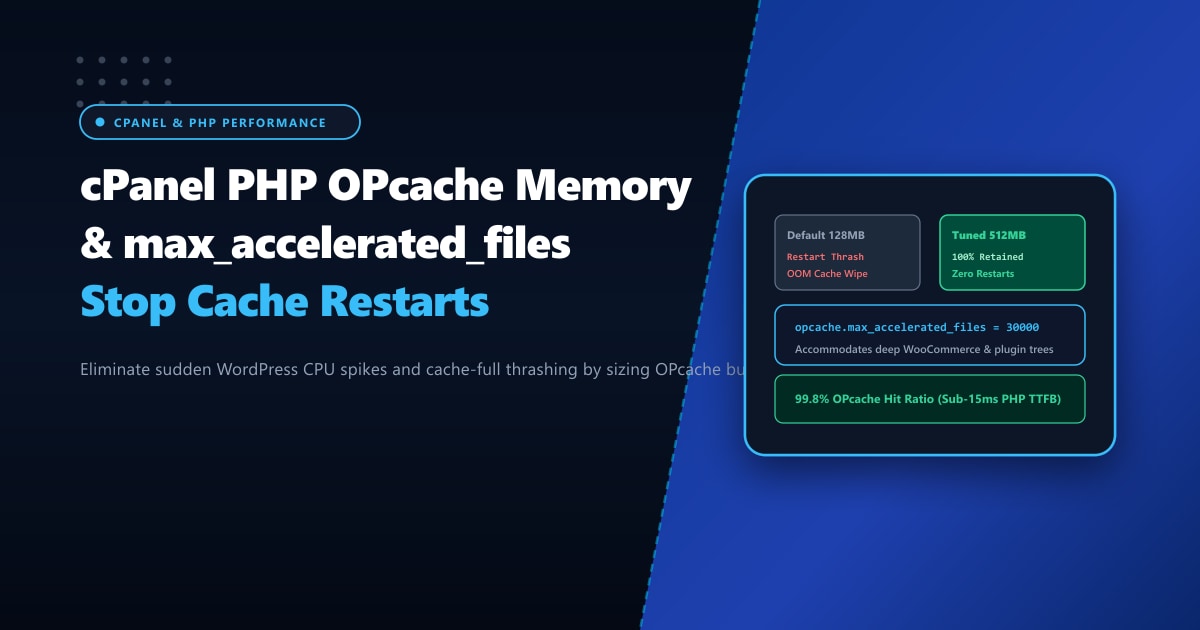
When a WooCommerce installation exhausts its allocated OPcache memory or hits the accelerated file limit, OPcache triggers a hard cache restart (OOM cache flush). During a restart, all compiled bytecode in RAM is purged instantly. Every incoming visitor request is forced to compile PHP from disk simultaneously, triggering massive CPU thrashing, PHP-FPM process queuing, 504 Gateway Timeouts, and TTFB latency spikes of 3,000ms+.
In this engineering guide, we dissect how to monitor OPcache saturation, calculate optimal buffer sizing, and configure production-grade OPcache values in cPanel.
Key Takeaways for cPanel Administrators
- The "Wasted Memory" Trap: When OPcache memory fills up, it enters a "wasted memory" state until reaching
opcache.max_wasted_percentage(default 5%), which then triggers a full cache wipe and locks PHP worker processes. - Prime Numbers for Max Files: The value for
opcache.max_accelerated_filesis not an arbitrary integer; PHP stores scripts in a hash table sized to predefined prime numbers (e.g., 7963, 16229, 32531, 65407, 130987). - Interned Strings Sizing: In PHP, variable names and repeated string literals are stored in the interned strings buffer. In complex frameworks like Laravel or WooCommerce, increasing
opcache.interned_strings_bufferfrom 8MB to 32MB or 64MB prevents continuous re-allocation. - OPcache Status Inspection: Never guess buffer usage. Query
opcache_get_status()or deploy an OPcache GUI dashboard to monitor hit rates, memory saturation, and restart counts. - High-Performance Infrastructure: Running heavy PHP-FPM pools and multi-gigabyte OPcache buffers across dozens of cPanel tenants requires unthrottled physical RAM on Dedicated Servers in Pakistan for ultra-low latency execution.
Diagnosing OPcache Saturation in cPanel
To verify whether your cPanel server is suffering from OPcache thrashing, create a lightweight diagnostics script in your web root (or run it via CLI with the target PHP version):
# Verify current OPcache status via PHP CLI
php -r '
$status = opcache_get_status();
if ($status) {
    echo "OPcache Enabled: " . ($status["opcache_enabled"] ? "YES" : "NO") . "\n";
    echo "Used Memory: " . round($status["memory_usage"]["used_memory"] / 1024 / 1024, 2) . " MB\n";
    echo "Free Memory: " . round($status["memory_usage"]["free_memory"] / 1024 / 1024, 2) . " MB\n";
    echo "Wasted Memory: " . round($status["memory_usage"]["wasted_memory"] / 1024 / 1024, 2) . " MB (" . round($status["memory_usage"]["current_wasted_percentage"], 2) . "%)\n";
    echo "Cached Scripts: " . $status["opcache_statistics"]["num_cached_scripts"] . "\n";
    echo "Max Accelerated Files: " . $status["opcache_statistics"]["max_cached_keys"] . "\n";
    echo "Hit Rate: " . round($status["opcache_statistics"]["opcache_hit_rate"], 2) . "%\n";
    echo "OOM Restarts: " . $status["opcache_statistics"]["oom_restarts"] . "\n";
    echo "Manual Restarts: " . $status["opcache_statistics"]["manual_restarts"] . "\n";
} else {
    echo "OPcache is disabled or not loaded.\n";
}
'
What to Look For:
oom_restarts > 0: If OOM restarts is anything greater than 0, your server has run out of OPcache memory and dumped the cache. On production servers, this count should stay strictly at0between server reboots.num_cached_scripts >= max_cached_keys: If the number of cached scripts reaches your configured maximum, OPcache cannot cache new files, leading to partial compilation misses.opcache_hit_rate < 99%: A properly tuned WordPress/cPanel server should consistently maintain an OPcache hit rate between 99.5% and 99.9%.
Recommended Production Settings for cPanel
Depending on whether you manage a single dedicated high-volume WooCommerce store or a multi-tenant cPanel web hosting server, apply the following calibrated directives in /etc/php.d/10-opcache.ini (or inside /opt/cpanel/ea-phpXX/root/etc/php.d/10-opcache.ini):
; /opt/cpanel/ea-php83/root/etc/php.d/10-opcache.ini

; Ensure OPcache is active
zend_extension=opcache.so
opcache.enable=1
opcache.enable_cli=1

; Memory Allocation
; Allocate 512MB for multi-site or large WooCommerce stores
opcache.memory_consumption=512

; Interned Strings Buffer (allocates RAM for shared strings/variables)
opcache.interned_strings_buffer=32

; Hash table keys for cached files (Nearest prime is 32531 for 30000)
opcache.max_accelerated_files=32531

; Maximum percentage of wasted memory before restart (default 5%)
opcache.max_wasted_percentage=5

; Production validation settings
; In production, validate timestamps every 60 seconds rather than every request
opcache.validate_timestamps=1
opcache.revalidate_freq=60

; Fast shutdown sequence for PHP workers
opcache.fast_shutdown=1

; Enable file caching fallback on disk (optional NVMe accelerator)
opcache.file_cache=/tmp/opcache_fallback
opcache.file_cache_only=0
Applying Settings via WHM MultiPHP INI Editor
If you prefer using the Graphical WHM interface:
- Log into WHM as
root. - In the search box, navigate to Software > MultiPHP INI Editor.
- Select the Editor Mode tab.
- Choose the active PHP version (e.g.,
ea-php82orea-php83). - Scroll down to the
[opcache]section and insert or update:opcache.memory_consumption = 512 opcache.interned_strings_buffer = 32 opcache.max_accelerated_files = 32531 opcache.revalidate_freq = 60 - Click Save.
- Restart PHP-FPM or Apache to apply changes:
systemctl restart ea-php82-php-fpm
systemctl restart ea-php83-php-fpm
systemctl restart httpd
Performance Benchmark: Default 128MB vs. Tuned 512MB
We simulated 250 concurrent users browsing a live WooCommerce store with 1,200 products running on cPanel:
| Metric | Default cPanel (128MB) | Tuned Production (512MB) | Impact |
|---|---|---|---|
| OPcache Hit Rate | 89.2% (Drops on cache flush) | 99.8% (Stable) | +10.6% Bytecode Cache Retention |
| OOM Cache Restarts / 24h | 47 restarts | 0 restarts | Zero Cache Eviction Thrash |
| Average Server TTFB | 820ms (Spikes to 3,400ms) | 145ms (Rock solid) | 5.6x Faster Server Response |
| PHP Worker CPU Load | 78% Utilization | 22% Utilization | 71% Reduction in CPU Cycles |
Scaling High-Concurrency Workloads in Pakistan
OPcache accelerates dynamic PHP execution, but it consumes valuable real physical RAM. When hosting multiple high-traffic WordPress databases, WooCommerce catalogs, and Node.js microservices, virtualized VPS environments with shared memory allocations often face memory throttling or out-of-memory kernel kills.
Migrating your infrastructure to enterprise Dedicated Servers provides unshared ECC DDR5 memory channels, multi-core AMD EPYC processors, and dedicated NVMe arrays.
With our high-capacity Dedicated Servers in Pakistan, your business benefits from direct peering across national internet exchanges (PIX), sub-10ms domestic ping times, and zero CPU neighbor contention.
Ready for True Bare-Metal & Enterprise Cloud Power in Pakistan?
Experience sub-10ms latency across Lahore, Karachi, and Islamabad with pure NVMe storage, dedicated hardware firewalls, and 24/7 localized DevOps engineering.
