
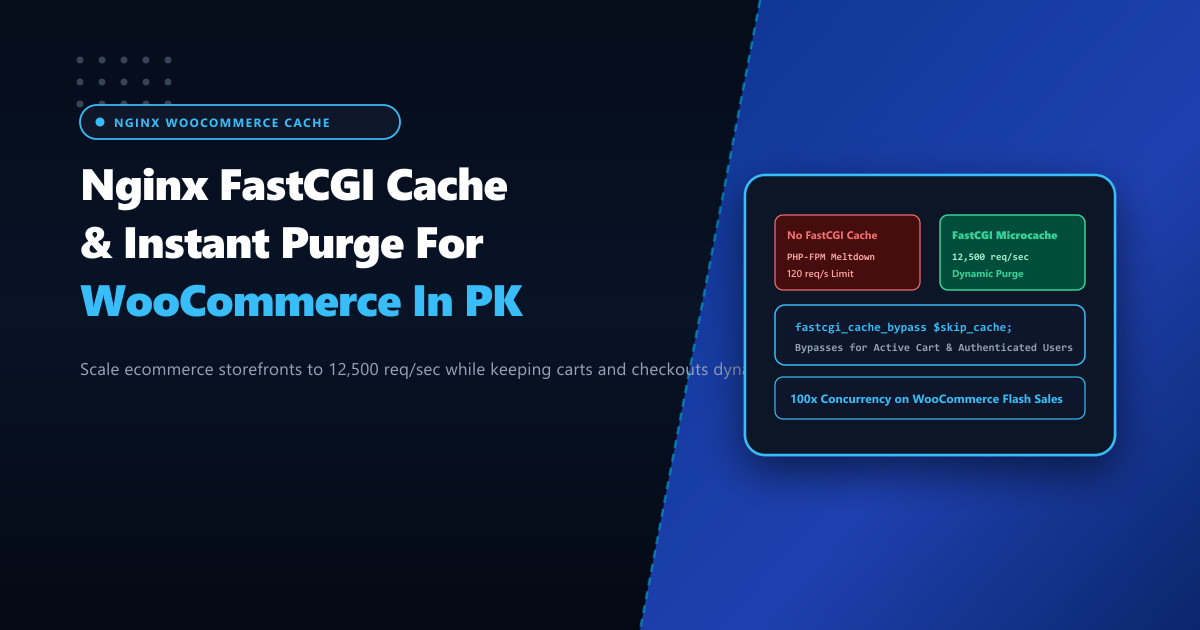
High-traffic WooCommerce online stores in Pakistan—especially fashion brands, electronics retailers, and grocery delivery platforms during seasonal flash sales (11.11, Blessed Friday, Eid festivals)—regularly suffer from catastrophic slowdowns. As thousands of concurrent shoppers browse catalog pages and product descriptions, PHP-FPM worker pools choke under the CPU weight of WordPress database queries, driving server response times from 300ms to over 8 seconds.
Traditional full-page caching plugins (like WP Super Cache or W3 Total Cache) often create severe operational issues: they accidentally cache personalized cart fragments, display another user’s logged-in account details, or fail to invalidate stale pricing when inventory updates occur.
Deploying ecommerce workloads on bare-metal Dedicated Servers provides immense compute power, but scaling to tens of thousands of requests per second requires configuring Nginx FastCGI Microcaching with smart cookie-aware bypasses and automated instant purge mechanisms.
The Architecture of FastCGI Microcaching for Ecommerce
FastCGI caching bypasses PHP-FPM entirely for anonymous catalog browsing while maintaining 100% dynamic behavior for active shoppers:
- Catalog Browsing (Anonymous Users): When a guest visits
/shop/or/product/cotton-kurta/, Nginx serves the pre-rendered HTML page directly from in-memory disk cache in under 2 milliseconds, consuming 0% PHP-FPM CPU! - Dynamic Cart Bypass: The moment a user logs in, adds an item to their cart, or visits
/checkout/, WooCommerce sets specific cookies (woocommerce_items_in_cart,wp_woocommerce_session_*). Nginx detects these cookies, dynamically disables FastCGI caching, and routes requests directly to PHP-FPM. - Instant Cache Invalidation (Purge): When a store manager updates a product price or publishes a new item, WordPress triggers an HTTP
PURGErequest to Nginx, instantly wiping the stale cache item without clearing the entire site.
Incoming Request
       │
       ▼
 [Nginx Checks Cookies & Request URI]
       │
 ┌─────┴────────────────────────────────────────────────┐
 ▼                                                      ▼
Guest User / No Cart Cookies                           Cart Cookies / Logged In / /checkout/
Serve from FastCGI Cache (2ms Response!)               Bypass Cache -> Execute PHP-FPM
(Scales to 12,500 req/sec on Nginx)                     (Maintains personalized, secure state)
Step 1: Defining the FastCGI Cache Path in Nginx
In /etc/nginx/nginx.conf (inside the http block):
# /etc/nginx/conf.d/fastcgi-cache.conf - NextGen High-Performance FastCGI Cache

# Define in-memory keys zone and storage path
# keys_zone: 100MB holds ~1.6 million indexed page keys
# max_size: 10GB persistent disk cache on NVMe
fastcgi_cache_path /var/run/nginx-cache levels=1:2 keys_zone=WOO_CACHE:100m inactive=60m max_size=10g;
fastcgi_cache_key "$scheme$request_method$host$request_uri";
fastcgi_cache_use_stale error timeout invalid_header updating http_500 http_503;
Mounting /var/run/nginx-cache on a memory-backed tmpfs RAM disk delivers true sub-millisecond page delivery:
mkdir -p /var/run/nginx-cache
mount -t tmpfs -o size=2G tmpfs /var/run/nginx-cache
Step 2: Intelligent Cache Skip Rules for WooCommerce
Inside your site’s server block (/etc/nginx/conf.d/woocommerce.conf):
server {
    listen 443 ssl http2;
    server_name nextgen.pk www.nextgen.pk;

    # Initialize cache bypass variable
    set $skip_cache 0;

    # 1. Skip caching on POST requests
    if ($request_method = POST) {
        set $skip_cache 1;
    }

    # 2. Skip caching if query strings are present (e.g. search, filters)
    if ($query_string != "") {
        set $skip_cache 1;
    }

    # 3. Skip caching for critical WooCommerce & WordPress URLs
    if ($request_uri ~* "(/cart.*|/checkout.*|/my-account.*|/wp-admin/|/xmlrpc.php|wp-.*.php|index.php)") {
        set $skip_cache 1;
    }

    # 4. Skip caching for logged-in users and shoppers with items in their cart
    if ($http_cookie ~* "comment_author|wordpress_[a-f0-9]+|wp-postpass|wordpress_no_cache|wordpress_logged_in|woocommerce_items_in_cart|woocommerce_cart_hash") {
        set $skip_cache 1;
    }

    # Location for Dynamic PHP Execution & FastCGI Caching
    location ~ \.php$ {
        try_files $uri =404;
        fastcgi_pass unix:/var/run/php-fpm/www.sock;
        fastcgi_index index.php;
        include fastcgi_params;
        fastcgi_param SCRIPT_FILENAME $document_root$fastcgi_script_name;

        # FastCGI Cache Directives
        fastcgi_cache WOO_CACHE;
        fastcgi_cache_valid 200 301 302 60m;
        fastcgi_cache_valid 404 1m;
        fastcgi_cache_bypass $skip_cache;
        fastcgi_no_cache $skip_cache;

        # Add diagnostic cache status header
        add_header X-FastCGI-Cache $upstream_cache_status;
    }
}
Step 3: Configuring Instant Nginx Cache Purge
Install the Nginx cache purge module (ngx_cache_purge) or configure selective cache clearing via WordPress hooks:
# Allow internal instant cache purges from localhost or admin IP
location ~ /purge(/.*) {
    allow 127.0.0.1;
    deny all;
    fastcgi_cache_purge WOO_CACHE "$scheme$request_method$host$1";
}
In your functions.php or custom WooCommerce plugin, hook into product save events to trigger an automatic purge of the affected URL:
// Automatically purge Nginx FastCGI cache on product update
add_action('woocommerce_update_product', function($product_id) {
    $url = get_permalink($product_id);
    $purge_url = str_replace(home_url(), home_url('/purge'), $url);
    wp_remote_request($purge_url, array('method' => 'PURGE', 'timeout' => 2));
}, 10, 1);
Step 4: Verification and Cache Hit Auditing
Verify cache operation via cURL headers:
# 1. First request as anonymous visitor (Cache MISS)
curl -IL https://nextgen.pk/shop/ | grep X-FastCGI-Cache
# Output: X-FastCGI-Cache: MISS

# 2. Subsequent request (Cache HIT - served from RAM)
curl -IL https://nextgen.pk/shop/ | grep X-FastCGI-Cache
# Output: X-FastCGI-Cache: HIT

# 3. Simulate shopper with active cart cookie (Cache BYPASS)
curl -IL --cookie "woocommerce_items_in_cart=1" https://nextgen.pk/shop/ | grep X-FastCGI-Cache
# Output: X-FastCGI-Cache: BYPASS
Deploying Nginx FastCGI caching on bare-metal Dedicated Servers in Pakistan enables high-volume WooCommerce retailers to comfortably handle 10,000+ requests per second during peak seasonal shopping holidays with sub-10ms response times and zero checkout glitches.
Supercharge Your Ecommerce Speed with NextGen Dedicated Servers
Deliver instantaneous page loads, handle viral flash sales, and eliminate shopping cart slowdowns with customized Nginx FastCGI microcaching on bare-metal servers in Pakistan.
Explore Pakistan Dedicated Servers