
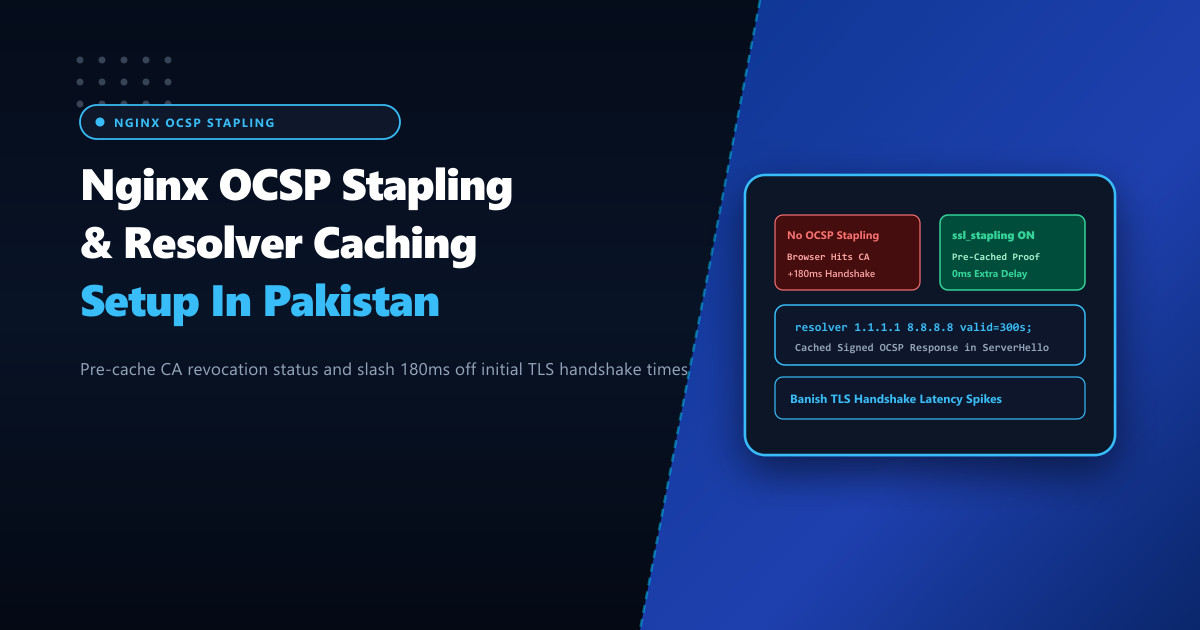
Online security in Pakistan is governed by SSL/TLS encryption. However, an insidious source of mobile and desktop web browsing latency is the Online Certificate Status Protocol (OCSP) validation step performed by client browsers.
When a visitor connects to a secure HTTPS website without OCSP Stapling enabled:
- The browser pauses the connection before page rendering begins.
- The browser initiates a separate, un-cached DNS lookup and HTTP query to the Certificate Authority’s (CA) external OCSP responder server (located in Europe or North America).
- The CA checks its database to verify that your certificate has not been revoked.
- Across typical Pakistani broadband (PTCL, Nayatel, StormFiber) and cellular data links, this international round-trip adds 150ms to 400ms of dead latency to every first-time visitor’s Time to First Byte (TTFB). If the CA’s responder is temporarily unreachable or blocked, the browser may hang or throw a certificate revocation error.
Hosting secure applications on bare-metal Dedicated Servers provides the baseline hardware needed, but eliminating this latency penalty requires configuring Nginx OCSP Stapling (ssl_stapling) paired with robust local DNS resolver caching.
How OCSP Stapling Works: Bringing the Proof to the Edge
OCSP Stapling (RFC 6066) shifts the burden of certificate revocation verification from the client browser to the web server:
- Instead of forcing millions of individual visitors to query the CA responder, the Nginx web server queries the CA periodically in the background (e.g. once every hour).
- The CA returns a time-stamped, cryptographically signed OCSP response proving that the certificate remains valid.
- Nginx caches this proof in memory.
- When a user initiates a TLS handshake, Nginx “staples” this cached CA signature directly into the initial
ServerHellopacket. - The client verifies the digital signature locally on their device in less than 1 millisecond without making any external network requests!
Without OCSP Stapling (180ms - 400ms Extra Delay):
User (Pakistan) ──(TLS Handshake)──► Web Server
User (Pakistan) ──(Separate WAN Query to Europe)──► CA OCSP Responder (Stall!)
Browser waits for CA confirmation before rendering page.

With OCSP Stapling (0ms Extra Delay):
Nginx Web Server ──(Background Hourly Sync)──► Fetches Signed Proof from CA
User (Pakistan)  ──(TLS Handshake + Stapled Proof)──► Instant Verification & Render!
Step 1: Configuring Nginx OCSP Stapling Directives
To enable OCSP stapling, Nginx requires two prerequisites:
ssl_trusted_certificate: Points to the full CA bundle (intermediate + root certificates) so Nginx can verify the CA’s signature.resolver: Explicit DNS resolvers that Nginx can use to look up the CA’s OCSP responder hostname.
Add the following configuration into /etc/nginx/conf.d/ocsp-stapling.conf:
# /etc/nginx/conf.d/ocsp-stapling.conf - NextGen Zero-Delay OCSP Configuration

# 1. Enable OCSP Stapling
ssl_stapling on;
ssl_stapling_verify on;

# 2. Path to full certificate chain (Must include Intermediate CA certificates)
ssl_trusted_certificate /etc/letsencrypt/live/nextgen.pk/chain.pem;

# 3. High-Performance Anycast DNS Resolvers with 5-minute cache
# Using Cloudflare (1.1.1.1) and Google (8.8.8.8) with fast timeout boundaries
resolver 1.1.1.1 1.0.0.1 8.8.8.8 8.8.4.4 valid=300s ipv6=off;
resolver_timeout 5s;

# 4. Session cache to preserve active TLS handshakes
ssl_session_cache shared:SSL:50m;
ssl_session_timeout 1d;
ssl_session_tickets on;
Note on ipv6=off: If your server environment does not have native, verified IPv6 transit, forcing ipv6=off on the resolver prevents Nginx from stalling on AAAA record resolution timeouts when attempting to reach the CA responder.
Step 2: Harmonizing with Server Blocks
Ensure your application server block correctly inherits the configuration and references valid certificate files:
server {
    listen 443 ssl http2;
    server_name nextgen.pk www.nextgen.pk;

    # Primary certificate and private key
    ssl_certificate /etc/letsencrypt/live/nextgen.pk/fullchain.pem;
    ssl_certificate_key /etc/letsencrypt/live/nextgen.pk/privkey.pem;

    # Include OCSP directives
    include /etc/nginx/conf.d/ocsp-stapling.conf;

    location / {
        proxy_pass http://127.0.0.1:8080;
        include proxy_params;
    }
}
Test and reload Nginx:
nginx -t && systemctl reload nginxStep 3: Verifying Stapled OCSP Responses via OpenSSL
Test your live domain using the OpenSSL command-line client with the -status flag:
# Verify OCSP response in live TLS handshake
openssl s_client -connect nextgen.pk:443 -servername nextgen.pk -status < /dev/null | grep -A 17 "OCSP Response Data:"
Verify that the output contains:
OCSP Response Data:
    OCSP Response Status: successful (0x0)
    Response Type: Basic OCSP Response
    Version: 1 (0x0)
    Responder Id: C = US, O = Let's Encrypt, CN = R3
    Produced At: Sep 30 18:02:14 2026 GMT
    Responses:
    Certificate ID:
      Hash Algorithm: sha1
      Issuer Name Hash: 8f9b2a...
      Issuer Key Hash: 4c3d2e...
      Serial Number: 049281...
    Cert Status: good
    This Update: Sep 30 18:00:00 2026 GMT
    Next Update: Oct  7 18:00:00 2026 GMT
The presence of Cert Status: good confirms that Nginx successfully cached the CA’s signature and stapled it directly into the initial handshake.
Deploying OCSP Stapling on bare-metal Dedicated Servers in Pakistan eliminates unnecessary international network queries, accelerates mobile page rendering, and delivers a flawless, security-verified experience for all domestic users.
Accelerate Mobile Web Speed with NextGen Dedicated Servers
Deliver lightning-fast SSL/TLS handshakes, eliminate certificate verification delays, and deploy kernel-optimized web servers on bare-metal infrastructure in Pakistan.
Explore Pakistan Dedicated Servers