
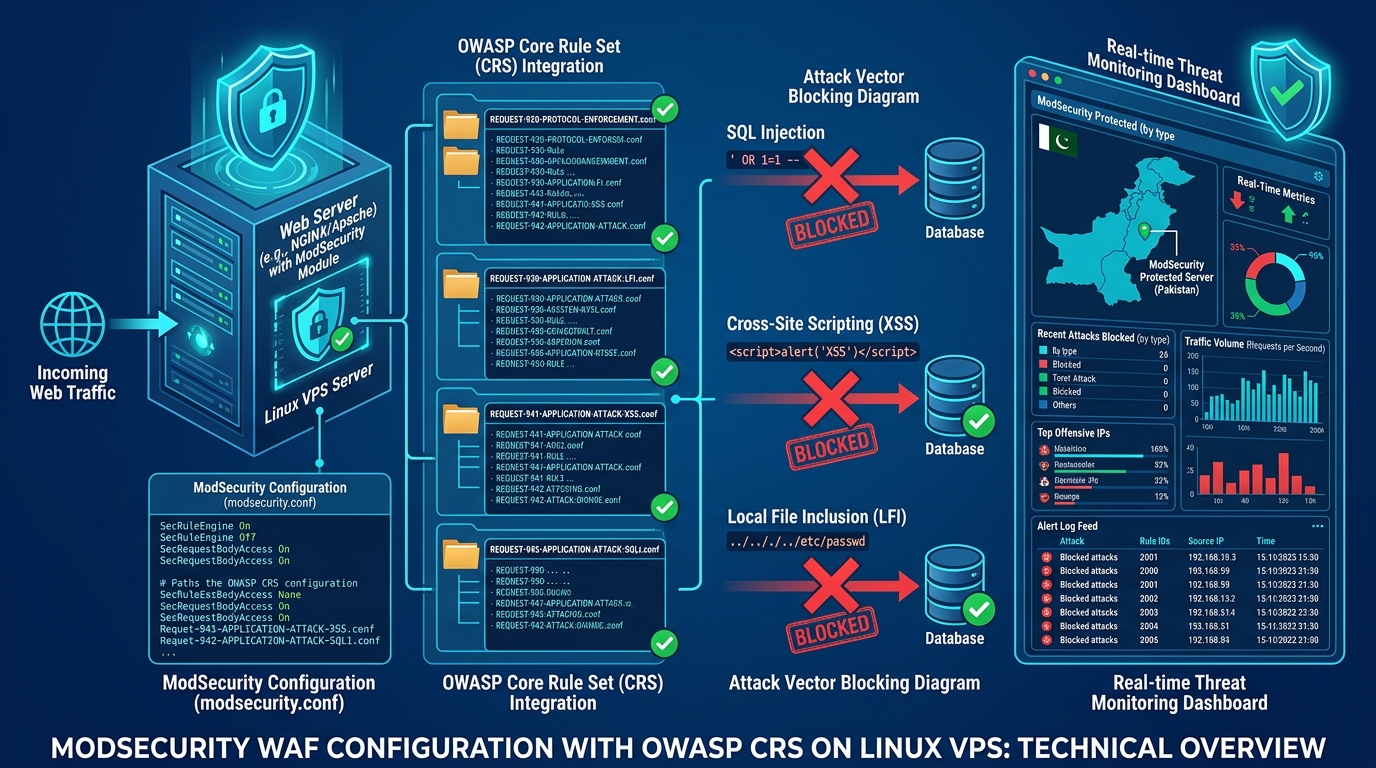
Deploying a Web Application Firewall (WAF) like ModSecurity with the OWASP Core Rule Set (CRS) is essential for protecting websites against SQL injection (SQLi), Cross-Site Scripting (XSS), and Remote Code Execution (RCE).
However, on live production systems—especially multi-tenant cPanel environments and busy WooCommerce stores running on Dedicated Servers in Pakistan—an out-of-the-box OWASP CRS deployment frequently triggers aggressive 403 Forbidden errors on completely legitimate user actions. A customer updating their bio, a merchant editing a product description with HTML formatting, or an admin saving a Gutenberg block can instantly be blocked by rule 941100 (XSS) or 942100 (SQLi).
Frustrated administrators often react by disabling ModSecurity globally, stripping away critical defenses.
There is a much better way. In this technical masterclass, we explore how to dissect ModSecurity audit logs, calculate anomaly scores, and write surgical rule exclusions that preserve 100% security without breaking legitimate user workflows.
Understanding the OWASP CRS Anomaly Scoring Model
Modern OWASP CRS does not immediately block requests on a single rule match. Instead, it uses collaborative anomaly scoring:
Inbound HTTP Request
         │
         ▼
[OWASP CRS Inspection Rules]
         │
         ├── Rule 941100 (Possible XSS) Matched? ──► Anomaly Score +5
         ├── Rule 920272 (Multiple Content-Type) Matched? ──► Anomaly Score +3
         │
         ▼
[Rule 949110: Inbound Anomaly Evaluation]
         │
         ├── Total Score (8) >= Inbound Threshold (5)?
         │          │
         │          └──► YES: [ACTION: 403 FORBIDDEN]
         │
         └──► NO: Forward Request to PHP-FPM / Upstream
By default, the critical inbound anomaly threshold is set to 5. A single critical rule match (which adds 5 points) triggers an immediate 403 block.
Step 1: Dissecting ModSecurity Audit Logs
When a legitimate user reports a 403 error, your first step is inspecting the ModSecurity audit log (usually located at /var/log/apache2/modsec_audit.log, /usr/local/apache/logs/modsec_audit.log, or /var/log/nginx/modsec_audit.log).
Search the log for the user’s IP address or the exact timestamp:
# Locate the blocking transaction
grep -A 30 "403" /var/log/apache2/modsec_audit.log | grep -E "(Message:|ModSecurity: Access denied)"
A typical false-positive log entry looks like this:
Message: [file "/etc/nginx/modsec/coreruleset-3.3.4/rules/REQUEST-941-APPLICATION-ATTACK-XSS.conf"] [line "120"] [id "941100"]
[msg "XSS Attack Detected via libinjection"] [data "Matched Data: <p>welcome found within ARGS:post_content"]
[severity "CRITICAL"] [ver "OWASP_CRS/3.3.4"] [tag "application-multi"] [tag "language-multi"]
[tag "platform-multi"] [tag "attack-xss"] [tag "OWASP_CRS"] [tag "capec/1000/152/242"]

ModSecurity: Access denied with code 403 (phase 2).
Operator GE matched 5 at TX:anomaly_score. [file "/etc/nginx/modsec/coreruleset-3.3.4/rules/REQUEST-949-BLOCKING-EVALUATION.conf"]
[line "80"] [id "949110"] [msg "Inbound Anomaly Score Exceeded (Total Score: 5)"]
Diagnostic Breakdown:
- Triggered Rule ID:
941100(XSS Attack Detected via libinjection) - Target Variable:
ARGS:post_content - Matched String:
<p>welcome - Blocking Rule ID:
949110(Inbound Anomaly Score Exceeded)
The WordPress admin was merely publishing a blog post containing legitimate HTML <p> tags, which libinjection mistakenly classified as an XSS payload!
Step 2: Surgical Exclusion Methods (The Right Way)
Never disable the entire rule globally with SecRuleRemoveById 941100—doing so leaves every other form input on the entire website completely unprotected against real XSS attacks!
Instead, use one of the following targeted approaches:
Method A: Excluding a Specific Parameter on a Specific URI
If the false positive only occurs on WordPress’s REST API endpoint when saving posts:
Add this to your custom rules file (e.g., /etc/nginx/modsec/custom_exclusions.conf or /etc/apache2/conf.d/modsec/modsec_custom.conf):
# Exclude rule 941100 ONLY for the 'post_content' parameter on WordPress REST API
SecRule REQUEST_URI "@beginsWith /wp-json/wp/v2/posts" \
    "id:10001,\
    phase:1,\
    pass,\
    nolog,\
    ctl:ruleRemoveTargetById=941100;ARGS:post_content"
Method B: Excluding by Parameter Name Globally (Across a Single App)
If an eCommerce payment gateway callback sends structured serialized tokens in a parameter named gateway_payload:
# Prevent SQLi rules 942100 and 942140 from scanning gateway_payload
SecRuleUpdateTargetById 942100 "!ARGS:gateway_payload"
SecRuleUpdateTargetById 942140 "!ARGS:gateway_payload"
The exclamation mark (!) instructs ModSecurity to scan all incoming parameters except gateway_payload.
Step 3: Enabling OWASP CRS Application Request Exclusions
OWASP CRS ships with official, battle-tested pre-built exclusion packages for popular CMS platforms, including WordPress, Nextcloud, Drupal, and phpMyAdmin.
In your crs-setup.conf configuration file, look for the following directive:
# Enable WordPress rule exclusions
SecAction \
 "id:900130,\
  phase:1,\
  nolog,\
  pass,\
  t:none,\
  setvar:tx.crs_exclusions_wordpress=1"
Setting tx.crs_exclusions_wordpress=1 automatically handles Gutenberg REST API calls, Elementor JSON saves, and admin AJAX requests without requiring manual exclusions.
Step 4: Testing Rules in Detection-Only Mode
When rolling out ModSecurity updates on mission-critical Dedicated Servers, always run in observation mode before enforcing active drops:
# In modsecurity.conf
SecRuleEngine DetectionOnly
In DetectionOnly mode, ModSecurity evaluates all rules, logs matches to modsec_audit.log, but allows the traffic to pass through. Run in this mode for 48–72 hours, review the audit log for false positives, write your exclusions, and then switch to active blocking:
SecRuleEngine OnWith systematic audit log parsing and surgical ruleRemoveTargetById directives, you achieve robust perimeter security while maintaining an uninterrupted user experience.
Protect Your Web Infrastructure with NextGen Dedicated Servers
Run your enterprise web clusters, cPanel environments, and high-concurrency eCommerce platforms on dedicated bare-metal hardware. Backed by hardware DDoS mitigation, custom WAF tuning, and native Pakistani peering.
