
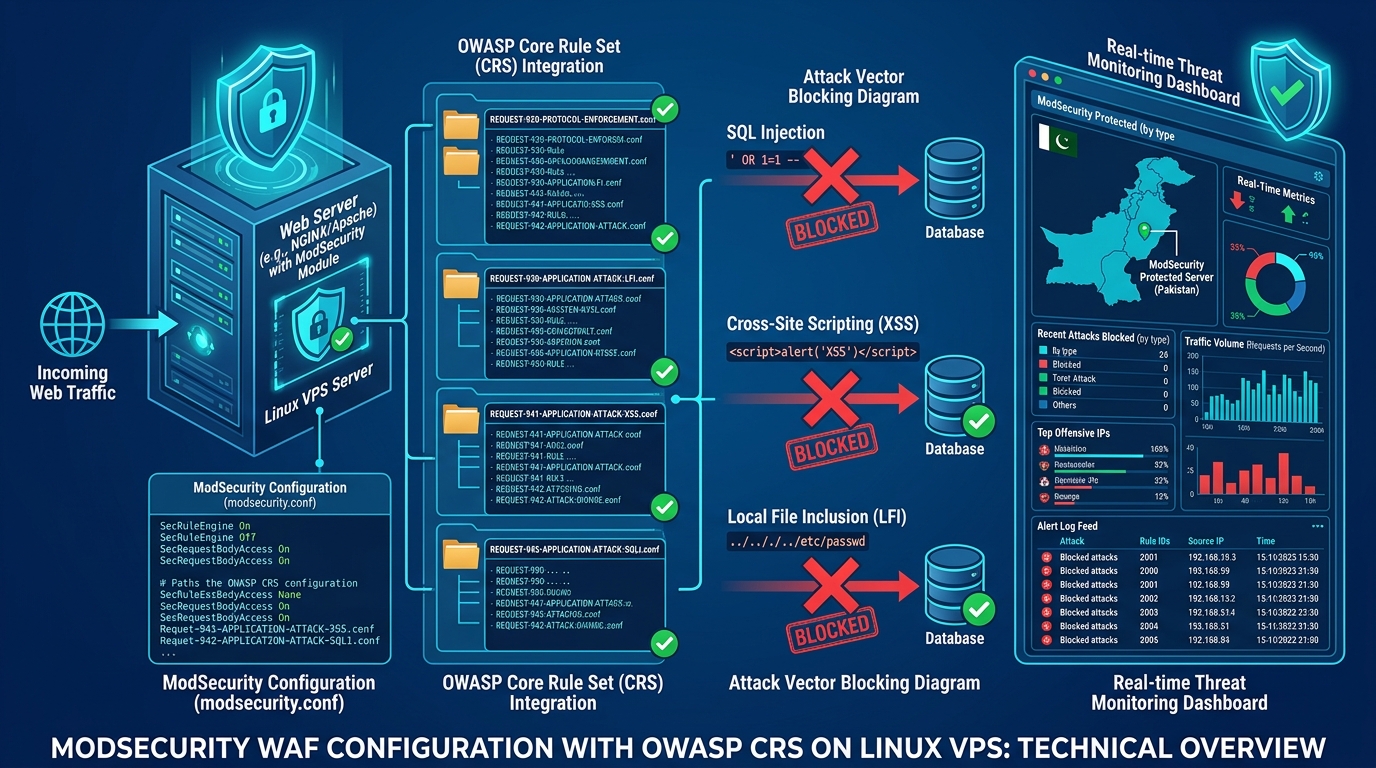
Deploying a Web Application Firewall (WAF) is essential for any production web platform operating in Pakistan today. Between automated SQL injection (SQLi) probes, Cross-Site Scripting (XSS) scanners, and Remote Code Execution (RCE) attempts, an unprotected web server is constantly under siege.
For system administrators running Apache, NGINX, or LiteSpeed on Linux, the industry standard is ModSecurity paired with the OWASP Core Rule Set (CRS v3/v4).
However, many engineers enable ModSecurity out-of-the-box and immediately run into a disaster: A flood of False Positives.
- Customers attempting to update their WooCommerce product catalog are abruptly blocked with
403 Forbidden. - Developers pushing code via WordPress Gutenberg editors or Elementor trigger false XSS detections.
- API webhooks from domestic payment processors (such as Easypaisa, JazzCash, or PayFast) are rejected due to strict content-type headers.
In frustration, inexperienced administrators simply disable ModSecurity completely, leaving their servers wide open to real exploits.
The professional approach is Anomaly Scoring Tuning and Rule Exclusion Mapping.
This comprehensive engineering guide explains how the OWASP CRS scoring engine operates, how to configure Paranoia Levels, and how to safely whitelist false positives without compromising defense on enterprise Dedicated Servers in Pakistan.
Understanding the Mechanics: Anomaly Scoring vs. Autonomous Mode
In legacy WAFs, rules operated in Autonomous Mode: if an incoming request matched a single signature (e.g., finding UNION SELECT inside a string), the WAF immediately blocked the connection.
Modern OWASP CRS operates on Collaborative Anomaly Scoring:
[Incoming HTTP Request]
          │
          ▼
   [OWASP CRS Rules Evaluate Payload]
   ├── Rule 942100 (SQLi probe detected) ──► Adds +5 to Anomaly Score
   ├── Rule 920270 (Missing User-Agent) ────► Adds +2 to Anomaly Score
   ├── Rule 930110 (Path Traversal attempt) ─► Adds +5 to Anomaly Score
          │
          ▼
   [Total Calculated Score: 12]
          │
          ▼ Compare against Inbound Anomaly Threshold (Default: 5)
   [12 >= 5: ACTION BLOCKED! -> Return HTTP 403 Forbidden]
Why Anomaly Scoring is Superior:
- Context-Aware Decisions: A single minor anomaly (such as an unusual HTTP header) adds only 2 points. If your inbound blocking threshold is 5, the user is not blocked.
- Definitive Attack Detection: A true attacker using multiple malicious payloads triggers multiple rules, quickly accumulating an anomaly score of 20 or 30, resulting in an instant, unambiguous block.
Step-by-Step Configuration: Tuning the Core Rule Set
1. Configuring Anomaly Thresholds (crs-setup.conf)
Open your crs-setup.conf configuration file to adjust your sensitivity thresholds:
# /etc/nginx/modsec/crs-setup.conf or /etc/apache2/modsecurity.d/crs-setup.conf

# 1. Inbound Anomaly Threshold (Default: 5 for blocking mode)
# In production staging, set to 10 or 15 initially to observe real traffic
SecAction \
 "id:900110,\
  phase:1,\
  nolog,\
  pass,\
  t:none,\
  setvar:tx.inbound_anomaly_score_threshold=5,\
  setvar:tx.outbound_anomaly_score_threshold=4"
2. Selecting the Proper Paranoia Level (PL)
OWASP CRS provides four Paranoia Levels (PL 1 through PL 4):
- PL 1 (Default - Recommended for Production): Covers baseline OWASP Top 10 vulnerabilities (SQLi, XSS, RCE, LFI) with virtually zero false positives.
- PL 2: Adds strict HTTP protocol enforcement and advanced encoding checks (Ideal for banking and sensitive government portals).
- PL 3: Enforces strict regex character whitelisting on all input fields.
- PL 4: Extreme paranoia. Assumes all input is hostile. Only recommended for military or high-security intelligence intranets.
# Set Paranoia Level to 1 for high-traffic e-commerce and WordPress
SecAction \
 "id:900000,\
  phase:1,\
  nolog,\
  pass,\
  t:none,\
  setvar:tx.paranoia_level=1"
Eliminating WordPress & WooCommerce False Positives
WordPress administrators frequently encounter false positives when saving complex blog posts containing code blocks or HTML formatting:
1. Enabling Native CRS Application Rule Exclusions
OWASP CRS includes built-in exclusion packages for popular CMS platforms. To activate the native WordPress rule exclusion package, edit crs-setup.conf:
# Enable built-in WordPress rule exclusions
SecAction \
 "id:900130,\
  phase:1,\
  nolog,\
  pass,\
  t:none,\
  setvar:tx.crs_exclusions_wordpress=1"
This single directive automatically whitelists known Gutenberg JSON payloads, Elementor Ajax requests, and core REST API calls!
2. Writing Targeted Rule Whitelists (REQUEST_URI and ARGS)
If a custom plugin or payment gateway continues triggering a false alarm, never disable the rule globally. Instead, whitelist the specific Rule ID for that specific URL endpoint:
# /etc/nginx/modsec/rules/custom_exclusions.conf

# Whitelist Rule 942100 (SQLi false positive) specifically on the WooCommerce checkout API
SecRule REQUEST_URI "@beginsWith /wc-api/v3/" \
    "id:10001,\
     phase:2,\
     pass,\
     nolog,\
     ctl:ruleRemoveById=942100"

# Whitelist false XSS triggers (Rule 941100) on WordPress admin AJAX
SecRule REQUEST_URI "@beginsWith /wp-admin/admin-ajax.php" \
    "id:10002,\
     phase:2,\
     pass,\
     nolog,\
     ctl:ruleRemoveTargetById=941100;ARGS:content"
Diagnosing ModSecurity Blocks via the Audit Log
When a legitimate user reports a 403 Forbidden error, locate the exact rule violation inside /var/log/modsec_audit.log:
# Search audit log for a specific client IP address
grep -A 20 "119.160.xxx.xxx" /var/log/modsec_audit.log
You will see the structured audit entry:
Message: [file ".../rules/REQUEST-942-APPLICATION-ATTACK-SQLI.conf"] [line "45"]
[id "942100"] [msg "SQL Injection Attack Detected via libinjection"]
[data "Matched Data: 1' or '1'='1 found within ARGS:filter_sku"]
[severity "CRITICAL"] [ver "OWASP_CRS/3.3.2"] [maturity "9"] [accuracy "9"]
[tag "application-multi"] [tag "language-multi"] [tag "platform-multi"]
The log gives you:
- The exact Rule ID:
942100 - The offending parameter:
ARGS:filter_sku - The payload that triggered it:
1' or '1'='1
With this data, you can immediately determine whether it was a real injection exploit or a harmless formatting quirk, allowing you to craft a surgical exclusion rule in seconds!
Bare-Metal Performance for CPU-Intensive WAFs
Evaluating hundreds of complex regular expressions across thousands of concurrent HTTP requests is extremely CPU-intensive. On multi-tenant cloud instances or budget shared hosting, running a deep WAF like ModSecurity can introduce 30ms to 80ms of processing latency, spiking CPU load to 100%.
Running ModSecurity on dedicated bare-metal hardware with unshared AMD EPYC or Intel Xeon cores ensures that your traffic is inspected in under 2 milliseconds, keeping your applications both impenetrable and blazingly fast.
Explore Nextgen’s high-performance bare-metal Dedicated Servers and locally hosted Dedicated Servers in Pakistan.
Defend Your Web Platforms with Nextgen Bare-Metal
Protect your applications from modern cyber threats without sacrificing performance. Deploy enterprise ModSecurity and WAF clusters on dedicated hardware with 99.9% uptime SLA in Pakistan.
