
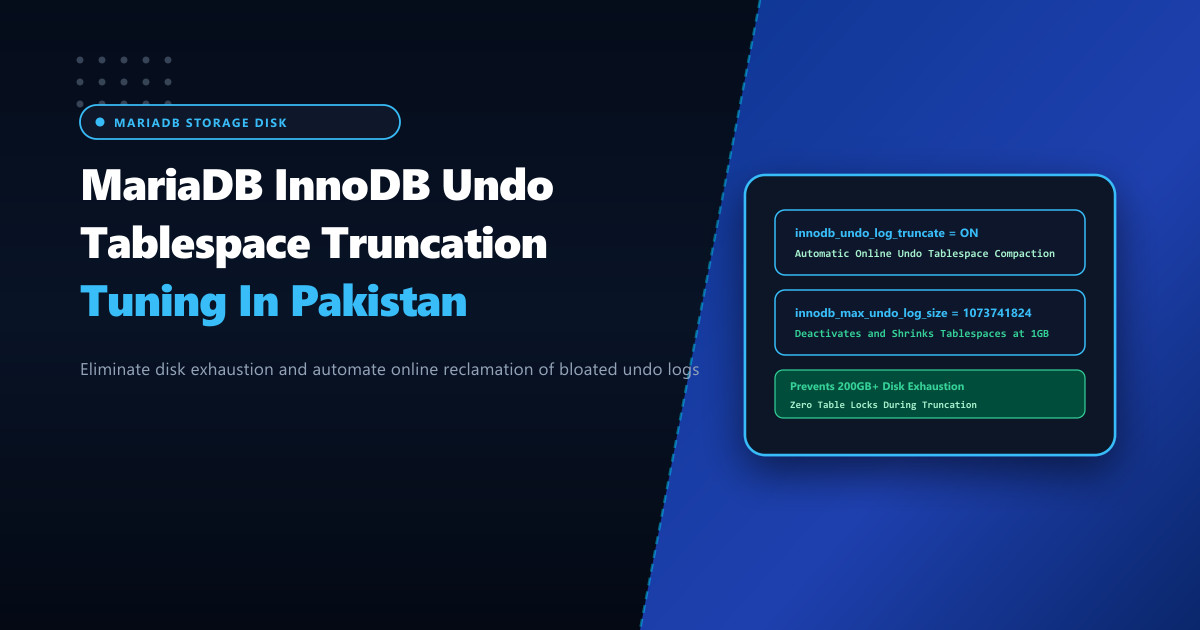
Database administrators operating large ecommerce, telecom billing, or ERP systems in Pakistan regularly confront an alarming mystery: why is physical disk storage rapidly disappearing when table rows are not growing at that rate?
A routine inspection of the MariaDB data directory (/var/lib/mysql) reveals files named undo001, undo002, or the legacy shared system tablespace ibdata1 ballooning to 80GB, 150GB, or even 400GB. In extreme cases, the disk hits 100% full capacity, immediately forcing MariaDB to abort with:
[ERROR] InnoDB: The table or tablespace 'undo001' is out of space.
[ERROR] Disk is full writing './undo001' (Errcode: 28 "No space left on device"). Waiting for someone to free space...
The underlying culprit is uncollected InnoDB Undo Logs. When long-running reporting queries, batch database exports, or abandoned transactional locks prevent the InnoDB purge threads from recycling historical version records, undo logs continuously expand.
By hosting core database services on bare-metal Dedicated Servers, system architects can configure separate undo tablespaces, enable dynamic online undo truncation, and prevent disk bloat without taking the database offline.
What Undo Logs Do and Why They Bloat
InnoDB relies on Multi-Version Concurrency Control (MVCC) to provide consistent ACID transactional snapshots:
- Modifications: When a transaction updates or deletes a row, the previous version of that row is written into an Undo Log.
- Snapshot Reads: Other concurrent transactions reading the data view the older version stored in the undo log.
- The Purge Thread: Once all transactions that started prior to the modification have committed, the undo log records become obsolete and eligible for deletion by the background purge threads.
Long-Running Query (mysqldump / Financial Report Running for 4 Hours)
                            │
                            ▼ (Holds Earliest Read View Open)
Transaction 1 Committed ──► Undo Log Kept!
Transaction 2 Committed ──► Undo Log Kept!
Transaction 10,000 Comm ──► Undo Log Kept!
Result: Purge thread is BLOCKED from deleting old records.
Undo tablespaces expand continuously until physical disk fills up!
The Legacy Trap: Undo Logs Inside ibdata1
In legacy MySQL 5.5 and default MariaDB setups, undo logs were stored inside the shared system tablespace (ibdata1).
- The Fatal Flaw of
ibdata1: Onceibdata1expands on disk, InnoDB can never shrink it! Even after old undo logs are purged, the empty space remains locked inside the file. The only way to reclaim the space was to execute a fullmysqldump, wipe/var/lib/mysql, and re-import all data. - The Modern Solution: Separate dedicated Undo Tablespaces (
undo001,undo002, etc.) that support dynamic online truncation.
Step 1: Diagnosing Undo Log Bloat & History List Length
Check your MariaDB server’s undo tablespace status and History List Length (HLL):
SHOW ENGINE INNODB STATUS\GUnder the TRANSACTIONS section, inspect:
History list length: Total number of unpurged undo log pages.- Normal healthy HLL: Under 5,000.
- Severe bloat / Long-running query present: Exceeds 500,000 to 2,000,000+.
Identify the blocking long-running transaction:
-- Find transactions open for more than 300 seconds
SELECT
    trx_id,
    trx_state,
    trx_started,
    TIMESTAMPDIFF(SECOND, trx_started, NOW()) AS duration_sec,
    trx_query
FROM information_schema.innodb_trx
WHERE TIMESTAMPDIFF(SECOND, trx_started, NOW()) > 300;
Step 2: Configuring Dedicated Undo Tablespaces & Auto-Truncation
Configure MariaDB to maintain dedicated undo tablespaces and automatically shrink them back to baseline size once they exceed a defined threshold (e.g. 1GB).
Add to /etc/my.cnf.d/server.cnf (under [mariadb] or [mysqld]):
# /etc/my.cnf.d/server.cnf - InnoDB Undo Tablespace Truncation

[mariadb]
# Dedicated undo tablespaces (Minimum 2 required for truncation rotation)
innodb_undo_tablespaces = 3

# Directory location for undo tablespaces (can be mapped to high-speed NVMe)
innodb_undo_directory = /var/lib/mysql

# Enable automatic online truncation of oversized undo tablespaces
innodb_undo_log_truncate = ON

# Maximum size threshold before truncation is triggered (Default 1GB = 1073741824 bytes)
innodb_max_undo_log_size = 1073741824

# Dedicated purge thread parallelism
innodb_purge_threads = 4

# Number of purge iterations between undo log truncation evaluations
innodb_purge_rseg_truncate_frequency = 128
Step 3: Applying Truncation Settings Dynamically
If your server already utilizes dedicated undo tablespaces, you can enable truncation immediately without restarting MariaDB:
-- Enable online auto-truncation dynamically
SET GLOBAL innodb_undo_log_truncate = ON;
SET GLOBAL innodb_max_undo_log_size = 1073741824;
SET GLOBAL innodb_purge_rseg_truncate_frequency = 128;
Once enabled:
- MariaDB marks
undo001as inactive. - Inbound undo records are diverted to
undo002. - The purge thread cleans active references in
undo001. - The physical
undo001file on disk is truncated back to its initial 10MB baseline size. - The process rotates continuously across available undo tablespaces.
Step 4: Monitoring Undo Truncation Metrics
Inspect information schema status to verify that MariaDB is actively truncating bloated tablespaces:
SELECT
    NAME,
    COUNT
FROM information_schema.INNODB_METRICS
WHERE NAME LIKE '%undo_truncate%';
Outputs include:
undo_truncate_count: Number of completed online tablespace truncations.undo_truncate_active: Flag indicating if an active truncation cycle is in progress.
Hosting enterprise databases on bare-metal Dedicated Servers in Pakistan provides the dedicated high-IOPS NVMe storage, fast background purge threads, and operational headroom necessary to maintain uninterrupted transactional throughput without unexpected disk exhaustion.
Optimize Your Database Infrastructure with NextGen Dedicated Servers
Eliminate disk exhaustion, purge stalls, and storage bottlenecks. Run mission-critical MariaDB, MySQL, and PostgreSQL workloads on high-IOPS bare-metal servers in Pakistan.
Explore Pakistan Dedicated Servers