
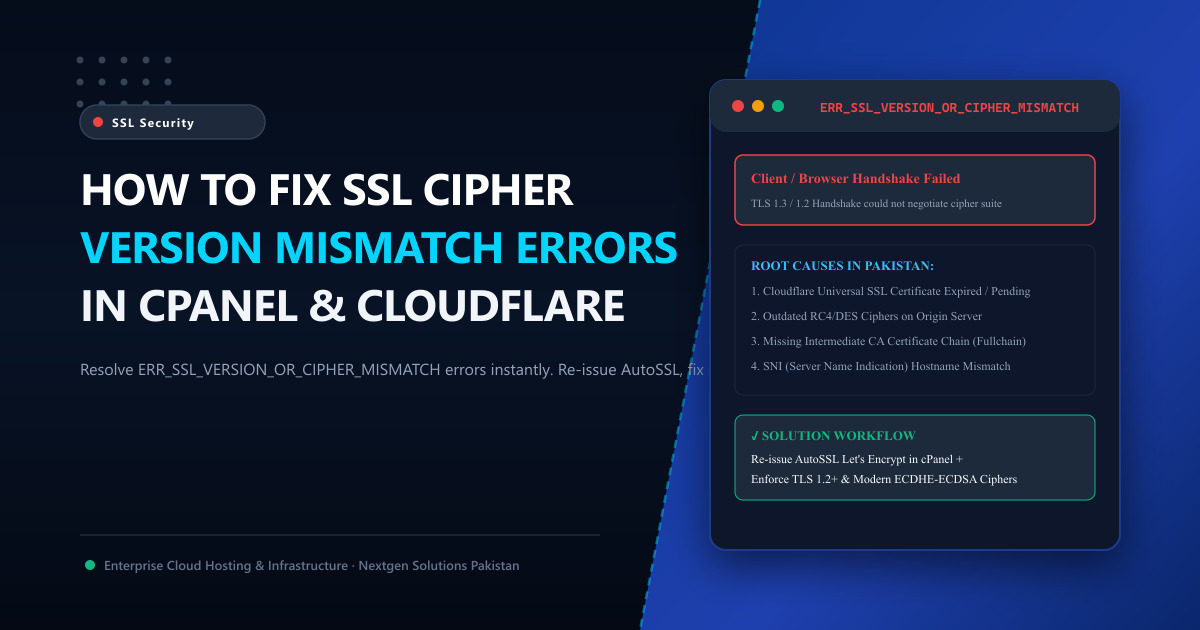
Few browser errors destroy user trust faster than the dreaded gray security screen:
This site can’t provide a secure connection
ERR_SSL_VERSION_OR_CIPHER_MISMATCH
The client and server don’t support a common SSL protocol version or cipher suite.
When a potential client, customer, or banking partner in Pakistan encounters this error, their browser immediately blocks access to your website. Worse, unlike basic expired certificate warnings, visitors cannot simply click “Proceed Anyway”—the browser terminates the connection completely at the cryptographic handshake layer.
In this deep diagnostic guide, we explain the cryptographic mechanics behind cipher mismatches, uncover why they frequently plague Pakistani websites utilizing cPanel and Cloudflare, and provide exact, actionable fixes to restore instant HTTPS connectivity.
🔐 What Causes an SSL Version or Cipher Mismatch?
During an HTTPS connection, your web browser and the destination web server perform an encrypted TLS Handshake:
[ Client / Browser ]                                  [ Web Server / Edge Proxy ]
       │                                                          │
       ├──── Client Hello (Supported TLS versions & Ciphers) ────►│
       │                                                          │
       │◄─── Server Hello (Selected Cipher Suite & Certificate) ──┤
       │                                                          │
   [ VERIFY ] ─── Handshake Complete: Symmetric Key Established ──┘
The ERR_SSL_VERSION_OR_CIPHER_MISMATCH error occurs at step 2 when:
- No Common Encryption Language: The server only supports deprecated, insecure ciphers (such as RC4, 3DES, or TLS 1.0/1.1) which modern browsers have permanently banned.
- Missing Certificate Chain: The server presents the leaf domain certificate but fails to present the intermediate Certificate Authority (CA) bundle.
- Cloudflare Universal SSL Delay: The domain was recently pointed to Cloudflare nameservers, but Cloudflare’s Edge CA has not yet provisioned the Universal SSL edge certificate.
- SNI (Server Name Indication) Failure: The server hosting multiple domains on a shared IP fails to map the request to the correct SSL virtual host.
🛠️ Solution 1: Cloudflare Universal SSL Provisioning Fix
If your domain routes through Cloudflare, 90% of cipher mismatch errors stem from edge certificate provisioning delays:
Step 1: Check Universal SSL Status
- Log into your Cloudflare dashboard.
- Navigate to SSL/TLS ➔ Edge Certificates.
- Scroll down to the Universal SSL section.
- If the status displays
Pending ValidationorCertificate Deactivated:- Toggle Disable Universal SSL at the bottom of the page.
- Wait 5 minutes.
- Toggle Enable Universal SSL back to ON.
- This forces Cloudflare’s automated pipeline to re-issue an ECDSA/RSA edge certificate through Let’s Encrypt or Google Trust Services within 15 minutes.
[!TIP] Ensure your SSL encryption mode in Cloudflare is set to “Full (strict)” and that your origin server has a valid certificate installed. Setting it to “Flexible” can trigger insecure redirect loops.
🖥️ Solution 2: Re-Issuing AutoSSL in cPanel
If your website is hosted directly on a cPanel server without Cloudflare, the origin certificate is likely missing or corrupt:
Step 1: Run AutoSSL Check
- Log into cPanel.
- Navigate to Security ➔ SSL/TLS Status.
- Locate your primary domain name and any subdomains (
www,mail,cpanel). - Select all checkboxes and click the blue Run AutoSSL button.
- Wait 60 to 120 seconds while cPanel contacts Sectigo or Let’s Encrypt, completes HTTP-01 domain DCV verification, and binds the newly issued private key and
.crtbundle to Apache.
Step 2: Clear SSL State in Windows & Browser
Even after your server updates its certificate, your local PC may cache the failed handshake:
- In Google Chrome: Navigate to
chrome://net-internals/#hsts, enter your domain in “Delete domain security policies”, and press Delete. - In Windows: Open the Start Menu, search for Internet Options, go to the Content tab, and click “Clear SSL State”.
⚙️ Solution 3: Hardening TLS Versions & Cipher Suites (Nginx & Apache)
If you manage a VPS or dedicated server, ensure your web server configuration is not attempting to serve obsolete TLS 1.0 or TLS 1.1 protocols.
For Nginx (/etc/nginx/nginx.conf):
Ensure your SSL protocols and modern cipher suites match industry best practices:
# Enforce modern TLS protocols only
ssl_protocols TLSv1.2 TLSv1.3;

# Modern ECDHE Cipher Suite
ssl_ciphers 'ECDHE-ECDSA-AES128-GCM-SHA256:ECDHE-RSA-AES128-GCM-SHA256:ECDHE-ECDSA-AES256-GCM-SHA384:ECDHE-RSA-AES256-GCM-SHA384:DHE-RSA-AES128-GCM-SHA256:DHE-RSA-AES256-GCM-SHA384';
ssl_prefer_server_ciphers off;

# Enable Session Caching & OCSP Stapling
ssl_session_cache shared:SSL:10m;
ssl_session_timeout 1d;
ssl_stapling on;
ssl_stapling_verify on;
Reload Nginx:
sudo nginx -t && sudo systemctl reload nginx🏢 Why Cloud Infrastructure Stability Matters for SSL
On low-end shared hosting environments with hundreds of tenants sharing an ancient, unpatched Apache build, automated SSL renewal cron jobs frequently fail due to disk quota exhaustion or permission locks on /var/cpanel/ssl/.
By upgrading your agency’s web fleet to isolated Cloud VPS in Pakistan or bare-metal Dedicated Servers:
- You receive an isolated static dedicated IPv4 address, eliminating multi-tenant SNI routing conflicts.
- Enjoy modern TLS 1.3 and HTTP/3 support powered by LiteSpeed Enterprise and high-speed NVMe storage.
- Automated 24/7 SSL monitoring ensures your certificates never silently expire.
📚 Related Technical Architecture Guides & Reading
- How to Use cPanel to Manage Your Web Hosting: The Practical Masterclass – Managing domains, DNS records, and SSL certificates with zero stress.
- How to Fix 504 Gateway Timeout Errors in WordPress – Tune timeouts, resolve database locks, and fix server performance.
- How to Achieve 100% cPanel Email Deliverability: SPF, DKIM & DMARC – Stop corporate emails from landing in client spam folders.
Deploy Secure, High-Speed Cloud Hosting in Pakistan
Say goodbye to SSL cipher errors and browser warnings. Nextgen provides turnkey Cloud VPS and bare-metal dedicated servers with automated TLS 1.3 encryption, free lifetime SSL certificates, and 24/7 sysadmin monitoring in Tier-3 Islamabad datacenters.
