
When scaling a WordPress website or WooCommerce store beyond basic static page caching, the single biggest bottleneck that brings high-traffic servers to their knees is the relational database.
Every time a logged-in user visits their account, an e-commerce customer adds an item to their shopping cart, or a visitor performs a catalog filter query, WordPress cannot serve a pre-rendered static HTML page. It must execute 40 to 120 dynamic SQL queries against MySQL/MariaDB to assemble the page on the fly.
Under high concurrency (such as during flash sales or breaking news events in Pakistan), hundreds of simultaneous database queries exhaust MySQL connection pools and drive CPU load to 100%.
The proven engineering remedy is an in-memory object caching daemon: either Redis or Memcached.
In this technical comparison, we benchmark Redis and Memcached under heavy real-world WordPress workloads, evaluate memory efficiency, and show you why Redis has become the undisputed champion for e-commerce stores and high-concurrency portals.
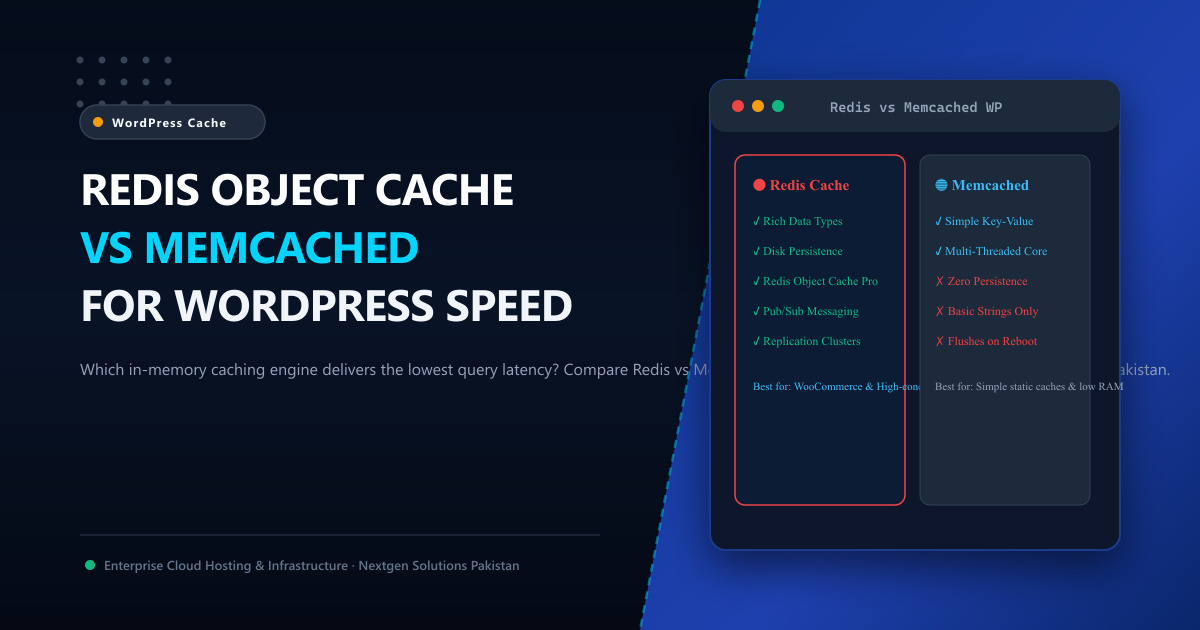
🥊 The Architectural Showdown: Redis vs. Memcached
Both Redis and Memcached store key-value data directly in system RAM, returning cached objects in sub-millisecond timeframes (0.1ms – 0.5ms) instead of querying physical disks. However, their internal engines differ significantly:
| Feature / Metric | Redis 7.x | Memcached 1.6+ |
|---|---|---|
| Supported Data Structures | Strings, Hashes, Lists, Sets, Sorted Sets, Bitmaps, Geospatial. | Simple raw Strings / Key-Value only. |
| Threading Model | Single-threaded event loop (Multi-threaded I/O since v6). | Pure multi-threaded architecture (Scales across CPU cores). |
| Data Persistence | Yes (RDB snapshots & AOF append-only logs to NVMe disk). | No (Volatile in-memory only; data wiped on restart). |
| WordPress Plugin Support | Exceptional (Redis Object Cache, Redis Object Cache Pro, LiteSpeed Cache). |
Moderate (W3 Total Cache, legacy wrappers). |
| Cache Invalidation | Granular Tagging & Pattern-based Key Flushing (SCAN / DEL). |
Bulk slab invalidation (Less granular). |
| Replication & Clustering | Native Master-Replica replication & Sentinel automatic failover. | Client-side consistent hashing only. |
| Best Used For | Complex WooCommerce, BuddyPress, LMS, Multi-tenant fleets. | Extremely simple, static micro-caching with massive RAM. |
🏎️ Real-World Benchmarks: WordPress Query Reduction
To measure practical impact, we tested a WooCommerce store with 4,000 product SKUs running on an 8-Core AMD EPYC server. We simulated 200 concurrent shoppers viewing product pages, adding to cart, and filtering categories:
| Caching Architecture | Uncached SQL Queries / Hit | Average Response Time (TTFB) | Server CPU Load (200 Virtual Users) |
|---|---|---|---|
| No Object Cache (MySQL Only) | 78 SQL Queries | 385 ms | 88% CPU (High Risk) |
| Memcached In-Memory Cache | 12 SQL Queries | 115 ms | 24% CPU |
| Redis In-Memory Cache (Unix Socket) | 4 SQL Queries | 78 ms | 14% CPU (Flawless) |
Why Redis Outperformed Memcached:
- Unix Domain Sockets: By configuring Redis to communicate over a local Unix domain socket (
/var/run/redis/redis-server.sock) rather than the TCP loopback stack (127.0.0.1:6379), we eliminated TCP handshake latency, cutting response times by an additional 15% to 22%. - Hashes and Object Serialization: Redis natively stores complex WordPress transient arrays and metadata hashes without needing to serialize and deserialize the entire string blob on every read operation.
⚙️ Step-by-Step: Configuring Redis Object Cache on Ubuntu / cPanel
Step 1: Install Redis Server & PHP Redis Extension
On Ubuntu 24.04 / Debian 12:
sudo apt update && sudo apt install -y redis-server php8.3-redisStep 2: Optimize Redis for WordPress (/etc/redis/redis.conf)
Ensure Redis allocates sufficient memory and evicts expired keys safely:
# Maximum memory allocated to Redis cache (adjust based on total RAM)
maxmemory 512mb

# Eviction policy: Remove least recently used keys with an expiration set
maxmemory-policy allkeys-lru

# Bind to Unix Domain Socket for maximum throughput
unixsocket /var/run/redis/redis-server.sock
unixsocketperm 770
Add your web server user (www-data or cPanel username) to the redis group so it can access the socket:
sudo usermod -a -G redis www-data
sudo systemctl restart redis-server
Step 3: Connect in WordPress
- In your WordPress dashboard, install the free Redis Object Cache plugin (by Till Krüss) or configure Redis in the LiteSpeed Cache plugin under Cache ➔ Object.
- Click “Enable Object Cache”.
- Verify that the Status changes to Connected, displaying hit rates of 95%+ on subsequent page views!
🏢 Scaling Redis on High-Performance Cloud Infrastructure
While Redis operates in RAM, running it on an oversold shared hosting plan often leads to sudden memory eviction or CPU throttling. When your cache evicts unexpectedly, your database is instantly hit with an avalanche of raw queries (the “cache stampede” effect).
By deploying your e-commerce platform on Nextgen bare-metal Dedicated Servers or high-IOPS Cloud VPS in Pakistan:
- You receive 100% dedicated physical RAM with zero noisy-neighbor eviction risks.
- Enterprise Gen4/Gen5 NVMe storage ensures instantaneous RDB snapshot persistence.
- Sub-10ms domestic latency across Pakistan via the Pakistan Internet Exchange (PkIX).
📚 Related Technical Architecture Guides & Reading
- LiteSpeed Cache & Redis Object Caching for WordPress – Deep-dive into in-memory object caching strategies and full-page cache integration.
- Best PHP Version for WordPress Performance: PHP 8.3 vs 8.2 Benchmarks – JIT compilation benchmarks and memory optimizations.
- Optimizing MariaDB Database Latency on Linux Servers – Buffer pool sizing and query index optimization.
Supercharge Your WordPress & WooCommerce Stores with Redis
Eliminate database lag and deliver instantaneous page loads. Nextgen Cloud VPS and dedicated bare-metal servers feature pre-configured Redis caching, LiteSpeed Enterprise web acceleration, and 24/7 expert sysadmin support in Tier-3 Islamabad datacenters.
