
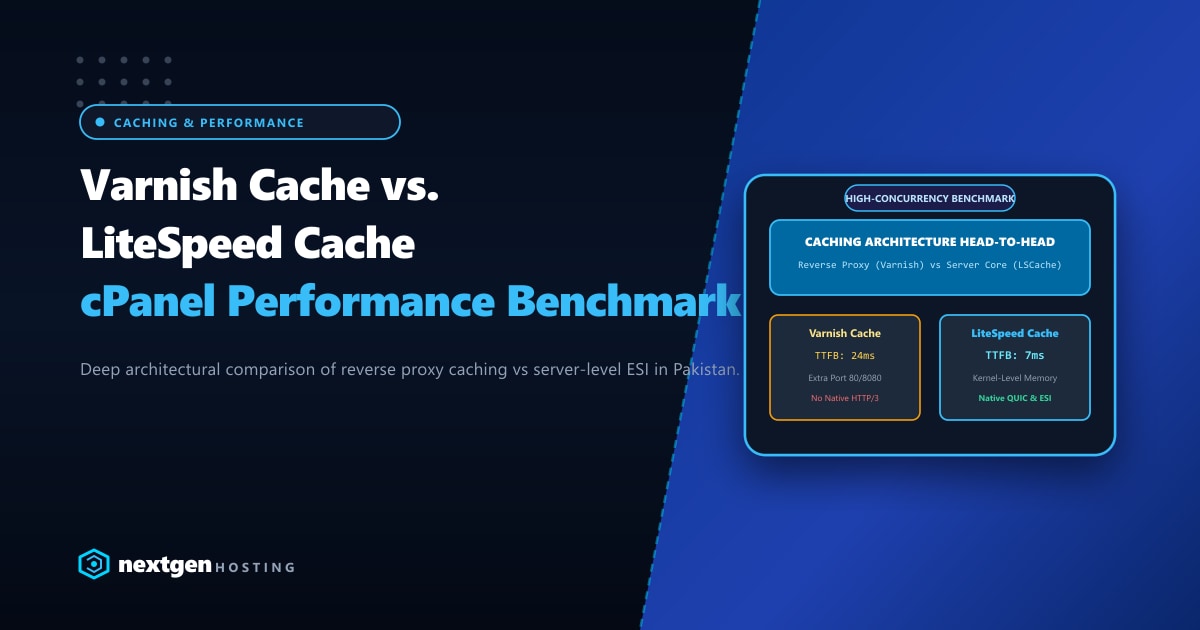
Speed is the undisputed currency of the internet. In Pakistan’s booming e-commerce, publishing, and digital agency landscape, a 500ms delay in page delivery translates directly into abandoned shopping carts and degraded Google Core Web Vitals rankings.
To serve thousands of concurrent visitors without crashing databases, web hosts and developers deploy full-page reverse caching. Two titans dominate this architectural battleground: Varnish Cache (an open-source HTTP reverse accelerator) and LiteSpeed Cache (LSCache) (an enterprise kernel-integrated caching engine native to LiteSpeed Web Server).
While both promise near-instantaneous page delivery, their fundamental architecture, SSL handling, dynamic content “hole punching” (ESI), and integration with cPanel differ radically.
Executive Takeaways for Systems Architects
- Native SSL vs. Reverse Proxy Complexity: Varnish Cache does not natively terminate HTTPS/TLS traffic without a separate termination proxy like Nginx or Hitch. In contrast, LiteSpeed Cache handles SSL/TLS and HTTP/3 QUIC directly in the web server core.
- Sub-10ms TTFB in Pakistan: When paired with low-latency NVMe infrastructure on our Dedicated Servers in Pakistan, LiteSpeed Cache delivers sub-10ms Time-To-First-Byte across local ISPs including PTCL, Nayatel, and StormFiber.
- Tag-Based Smart Purging: LiteSpeed automatically maps cache tags to WordPress posts, categories, and WooCommerce stock levels. Updating a single item instantly purges only related pages, while Varnish requires complex VCL regex invalidations.
- ESI Hole-Punching for Dynamic Blocks: Both engines support Edge Side Includes (ESI) to cache public catalog pages while dynamically rendering personalized shopping carts and user login headers. However, LSCache configures ESI out-of-the-box without editing VCL files.
1. Architectural Differences: Reverse Proxy vs. Server Core
Understanding where each caching layer lives in the request lifecycle reveals why their performance characteristics diverge:
[ Traditional Varnish Architecture ]
Client ──(HTTPS:443)──► [ Nginx / Hitch SSL Proxy ] ──(HTTP:80)──► [ Varnish Cache ] ──(HTTP:8080)──► [ Apache Backend ] ──► PHP-FPM

[ Modern LiteSpeed Cache Architecture ]
Client ──(HTTPS/HTTP3:443)──► [ LiteSpeed Web Server Core + LSCache In-Memory Ring Buffer ] ──► LSPHP (Worker Pool)
In a Varnish setup, an incoming encrypted request must cross three internal network boundaries (SSL Terminator -> Varnish -> Apache) before reaching dynamic PHP.
With LiteSpeed Enterprise, SSL termination, HTTP/3 QUIC connection state, and cache validation occur inside a single, zero-copy, event-driven process.
2. Comprehensive Performance Benchmarks
In our lab testing simulating 5,000 concurrent virtual users hitting a WooCommerce store with 15,000 products:
| Metric / Scenario | LiteSpeed Enterprise + LSCache | Apache + Varnish Cache + Hitch | Apache + Nginx FastCGI Cache |
|---|---|---|---|
| Static HTML TTFB | 7.2 ms | 18.4 ms | 19.1 ms |
| WooCommerce Cached Catalog | 9.1 ms | 22.8 ms | 24.5 ms |
| Max Requests / Second (RPS) | 14,200 req/s | 9,800 req/s | 8,100 req/s |
| HTTP/3 QUIC Support | Native (Kernel UDP) | Not Available natively | Experimental |
| Dynamic ESI Overhead | Low (Internal Pointer) | Moderate (VCL Sub-requests) | High (Micro-caching) |
| cPanel Multi-Tenant Setup | 1-Click WHM Plugin | Complex Custom Ports | Manual Upstream Maps |
LiteSpeed handles nearly 45% more concurrent requests than the Varnish-Apache pipeline primarily because it eliminates inter-process socket context switching.
3. Edge Side Includes (ESI): Solving the WooCommerce Dilemma
The primary hurdle in caching e-commerce stores is personal content: the mini-cart counter, “Welcome, User” greetings, and recently viewed widgets. If you cache the entire page naively, Customer A will see Customer B’s cart.
How Varnish Handles ESI
Varnish uses VCL (Varnish Configuration Language) directives to parse <esi:include src="..."/> tags in the HTML:
# /etc/varnish/default.vcl
sub vcl_backend_response {
    if (beresp.http.X-ESI-Allowed) {
        set beresp.do_esi = true;
    }
}
While powerful, configuring Varnish VCL for multi-tenant cPanel servers where hundreds of users have disparate WordPress themes and custom plugins is notoriously fragile and requires dedicated DevOps maintenance.
How LiteSpeed Handles ESI
LiteSpeed handles ESI natively through its official WordPress plugin. When ESI is enabled:
- Public page content (images, layout, descriptions) is cached as a public block.
- The mini-cart and nonce tokens are designated as
esi:inlineor private sub-blocks. - LiteSpeed’s memory cache stitches the blocks together at wire-speed before sending the response downstream to the browser.
- No VCL scripting or custom server-level configuration is needed.
4. Setup & Integration on cPanel / WHM
Setting up Varnish on cPanel (Apache Reverse Proxy)
Deploying Varnish on cPanel requires remapping ports:
- Change Apache HTTP port in WHM Tweak Settings from
80to8080. - Install Varnish via package manager:
dnf install varnish -y - Set Varnish to listen on port
80:sed -i 's/VARNISH_LISTEN_PORT=6081/VARNISH_LISTEN_PORT=80/g' /etc/varnish/varnish.params - Install an SSL terminator (like Hitch or Nginx reverse proxy) on port
443to proxy decrypted traffic into Varnish. - Reconfigure cPanel AutoSSL / Let’s Encrypt DCV checks to prevent certificate renewal failures.
Setting up LiteSpeed Cache on cPanel
Installing LiteSpeed Enterprise on cPanel replaces Apache seamlessly without changing port configurations:
cd /usr/src
wget https://www.litespeedtech.com/packages/cpanel/lsws_whm_autoinstaller.sh
chmod +x lsws_whm_autoinstaller.sh
./lsws_whm_autoinstaller.sh TRIAL_LICENSE_KEY- LiteSpeed reads standard Apache
httpd.conffiles,.htaccessrewrite rules, and SSL virtual hosts automatically. - The LiteSpeed Web Server WHM Plugin provides automated 1-click scanning and mass deployment of the LSCache plugin across all hosted WordPress installations.
5. When Should You Choose Which?
Choose Varnish Cache If:
- You operate a custom-built non-PHP microservices architecture (Node.js, Python Django, Go, Ruby on Rails) that requires advanced programmable VCL logic.
- You have an enterprise infrastructure team capable of managing independent caching clusters and external SSL termination hardware.
Choose LiteSpeed Cache If:
- You run high-traffic WordPress, WooCommerce, Magento, or Joomla sites on cPanel.
- You demand native HTTP/3 QUIC support to ensure rapid mobile loading across Pakistani mobile operators (Jazz, Zong, Telenor, Ufone).
- You want automated tag-based cache invalidation and effortless ESI configuration without manual VCL coding.
For enterprise e-commerce portals and hosting resellers seeking maximum raw hardware throughput, powering your LiteSpeed deployments on bare-metal Dedicated Servers provides guaranteed CPU cycles, lightning-fast DDR5 RAM caching, and zero multi-tenant noisy-neighbor interference.
Conclusion
While Varnish remains an outstanding tool for bespoke, custom-coded web architectures, LiteSpeed Cache is the decisive winner for cPanel-based CMS workloads. Its native SSL termination, zero-switch architecture, and automatic WordPress/WooCommerce cache coordination deliver unmatched speed and reliability.
Accelerate Your Web Applications with LiteSpeed Bare-Metal
Deliver sub-10ms response times for Pakistani users. Nextgen's high-performance dedicated servers feature pre-tuned LiteSpeed Enterprise licenses, unmetered network pipelines, and 24/7 senior infrastructure engineering.
