
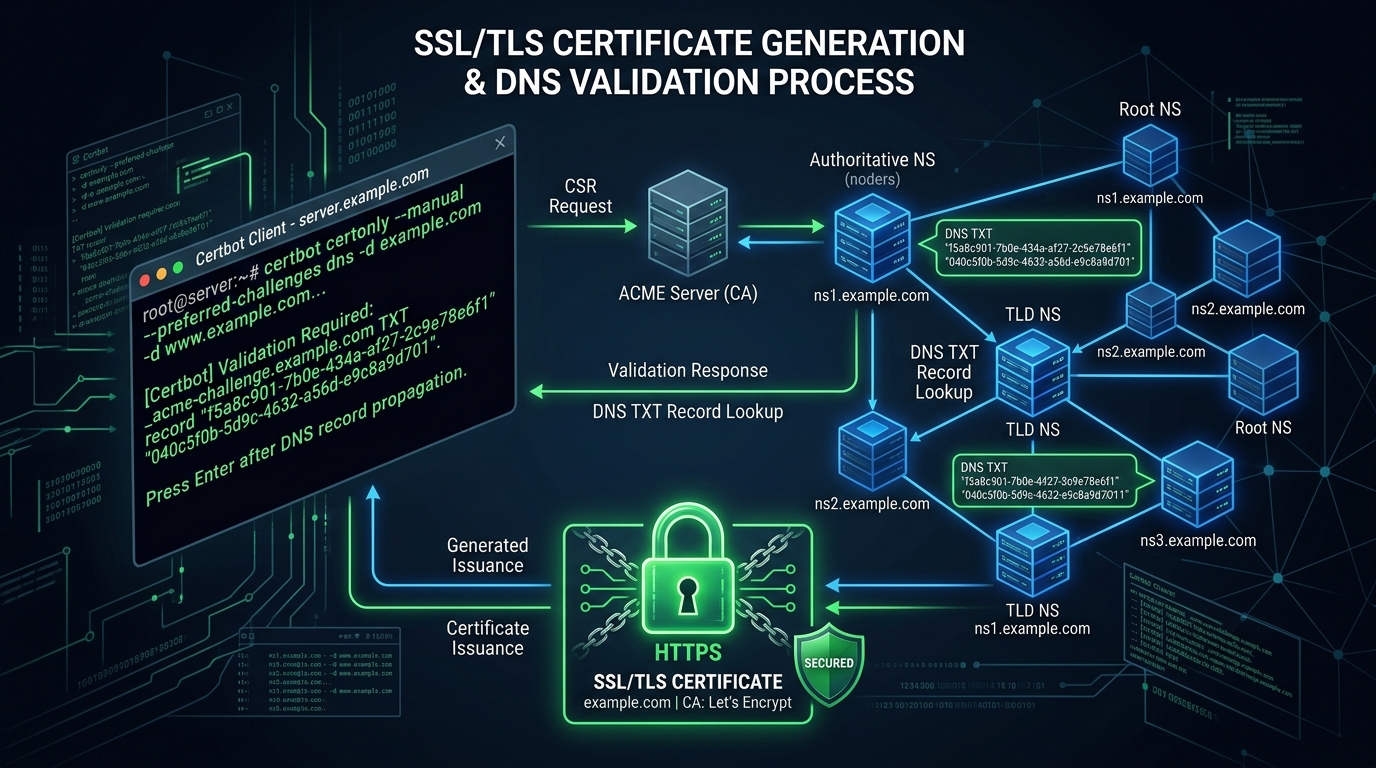
In the modern web ecosystem, operating a website without HTTPS encryption is no longer an option. Google Chrome, Safari, and Firefox display prominent “Not Secure” warnings on unencrypted HTTP connections, and search engines penalize unencrypted domains in organic rankings.
For Pakistani enterprises, banks, and eCommerce platforms handling customer credit cards, CNIC numbers, or login credentials, transport layer security is mandatory.
However, navigating the SSL landscape can be confusing. What is the actual cryptographic difference between a free Let’s Encrypt certificate and a commercial $300/year Extended Validation (EV) certificate? When should you deploy a Wildcard certificate? And how can system administrators automate SSL renewals so sites never face expired certificate outages?
In this practical technical guide, we break down SSL/TLS certificate architectures, compare validation levels, and demonstrate automated Certbot deployment on Cloud VPS and Dedicated Servers in Pakistan.
The Cryptographic Reality: Do Paid SSLs Encrypt “Better” Than Free Ones?
One of the most persistent misconceptions in web hosting is that expensive commercial SSL certificates provide “stronger encryption” than free Let’s Encrypt certificates.
Cryptographically, this is completely false.
Every modern SSL certificate—whether issued for free by Let’s Encrypt or sold by DigiCert or Sectigo—uses the exact same cryptographic algorithms:
- Public Key Algorithms: RSA 2048-bit / 4096-bit or Elliptic Curve Cryptography (ECDSA P-256 / P-384).
- Symmetric Ciphers: AES-128-GCM, AES-256-GCM, or ChaCha20-Poly1305.
- Protocol: TLS 1.2 and TLS 1.3.
The difference between SSL certificates lies entirely in identity verification, warranty liability, and administrative features—not the strength of the mathematical encryption.
Validation Levels Compared: DV vs OV vs EV
[SSL Validation Hierarchy]
Domain Validation (DV) ──► Automated DNS/HTTP-01 check (Encrypts session; no identity check)
         │
Organization Validation (OV) ──► Legal business registry check (Displays corporate name in cert)
         │
Extended Validation (EV) ──► Rigorous audit of business existence, physical address, and phone| Certificate Type | Validation Process | Issuance Time | Warranty Protection | Best For |
|---|---|---|---|---|
| Domain Validation (DV) | Automated automated check via email, HTTP, or DNS | 2–5 Minutes | $0 – $10,000 | Blogs, portfolios, standard web applications |
| Organization Validation (OV) | Verification of corporate registration documents | 1–3 Business Days | $50,000 – $1,000,000 | Mid-market businesses, universities, corporate portals |
| Extended Validation (EV) | Exhaustive legal, operational & physical verification | 3–7 Business Days | Up to $1,750,000+ | Financial institutions, banks, government ministries |
Understanding Single-Domain, Multi-Domain (SAN) & Wildcard Certificates
Beyond validation levels, SSL certificates differ by coverage scope:
- Single-Domain Certificate: Protects one fully qualified domain name (FQDN), such as
example.pkandwww.example.pk. - Wildcard Certificate (
*.example.pk): Protects an unlimited number of first-level subdomains under a single root domain (e.g.,api.example.pk,blog.example.pk,shop.example.pk). - Multi-Domain / SAN Certificate: Protects multiple distinct domain names under a single certificate file (e.g.,
company.pk,company.com,company-store.com).
Step-by-Step Implementation: Automated Let’s Encrypt via Certbot & Nginx
For modern applications on Linux servers, managing SSL manually is obsolete. Using Certbot via the ACME protocol automates issuance, web server installation, and renewal before expiration.
1. Install Certbot and Nginx Plugin on Ubuntu / Debian
sudo apt update
sudo apt install certbot python3-certbot-nginx -y
2. Obtain and Install Certificate Automatically
Run Certbot to inspect your Nginx configuration, issue the certificate, and update SSL directives automatically:
sudo certbot --nginx -d yourdomain.pk -d www.yourdomain.pkCertbot completes the HTTP-01 challenge, saves the certificates in /etc/letsencrypt/live/yourdomain.pk/, and updates your Nginx configuration to enforce HTTP-to-HTTPS redirection.
Hardening TLS 1.3 & Modern Ciphers in Nginx
To achieve an A+ Rating on Qualys SSL Labs, configure modern TLS parameters in your Nginx server block:
# /etc/nginx/conf.d/ssl-hardening.conf
ssl_protocols TLSv1.2 TLSv1.3;
ssl_prefer_server_ciphers off;
ssl_ciphers "ECDHE-ECDSA-AES128-GCM-SHA256:ECDHE-RSA-AES128-GCM-SHA256:ECDHE-ECDSA-AES256-GCM-SHA384:ECDHE-RSA-AES256-GCM-SHA384:ECDHE-ECDSA-CHACHA20-POLY1305:ECDHE-RSA-CHACHA20-POLY1305";

# Enable HTTP Strict Transport Security (HSTS)
add_header Strict-Transport-Security "max-age=63072000; includeSubDomains; preload" always;

# Enable OCSP Stapling (Speeds up initial TLS handshake)
ssl_stapling on;
ssl_stapling_verify on;
resolver 1.1.1.1 8.8.8.8 valid=300s;
resolver_timeout 5s;
Reload Nginx:
sudo nginx -t && sudo systemctl reload nginxTesting Automated Renewal
Let’s Encrypt certificates are valid for 90 days. Certbot installs a systemd timer (certbot.timer) that runs twice daily to renew certificates expiring within 30 days.
Verify that the dry-run renewal test succeeds:
sudo certbot renew --dry-runExpected output:
Congratulations, all simulated renewals succeeded:
  /etc/letsencrypt/live/yourdomain.pk/fullchain.pem (success)
Pairing hardened TLS 1.3 configurations with local hosting on Dedicated Servers delivers fast handshakes and enterprise-grade data protection for your visitors.
Deploy Encrypted Web Infrastructure with NextGen
Protect your users and boost search rankings with enterprise SSL deployment. NextGen Cloud VPS and Dedicated Servers include automated AutoSSL, HTTP/2 and HTTP/3 support, and 24/7 technical support in Pakistan.
