
Nothing paralyzes an enterprise faster than transactional emails landing in the spam folder—or bouncing outright. Whether you send invoice notifications, password resets, or order confirmations, major mailbox providers like Google (Gmail), Yahoo, and Microsoft (Outlook/Office 365) enforce unforgiving email authentication rules.
Under updated global sender mandates, any domain sending emails without verifiable SPF, 2048-bit DKIM, and a published DMARC policy is either immediately quarantined into the Junk folder or outright rejected with SMTP error code 550 5.7.26.
For organizations running their own mail servers on Postfix or cPanel Exim in Pakistan, building a bulletproof sender reputation requires rigorous DNS alignment, cryptographic key management, and matching reverse DNS records.
Executive Takeaways for Email Engineers
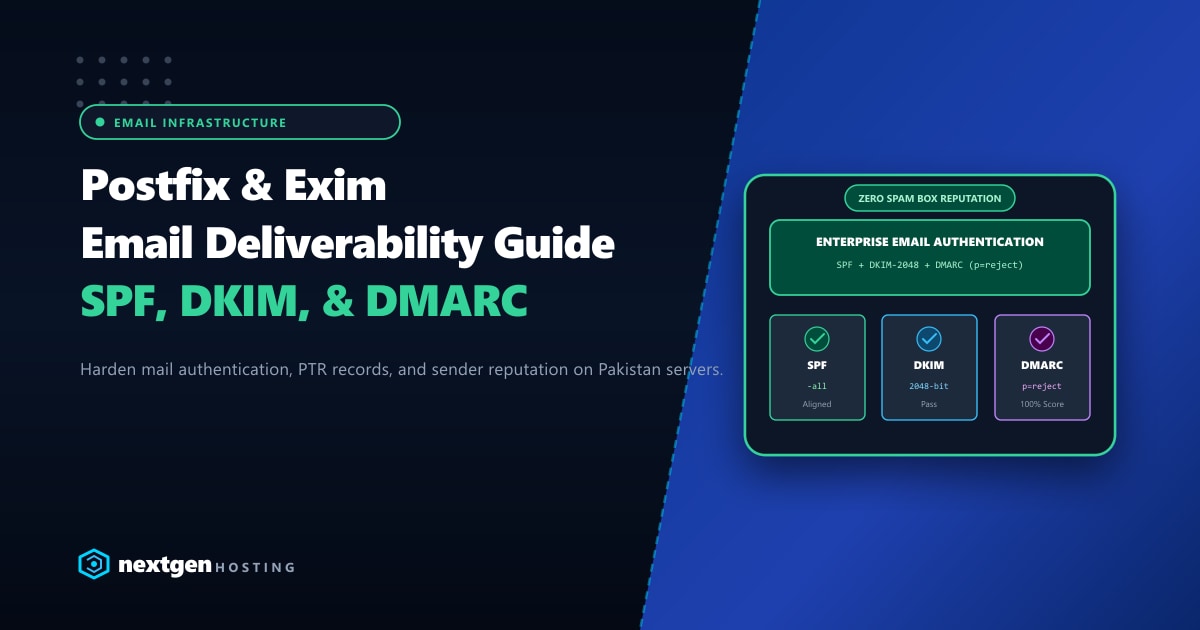
- The Mandatory Triad: SPF declares authorized IP addresses, DKIM cryptographically seals email headers and body contents with private/public key pairs, and DMARC dictates how receivers handle failures.
- The 2048-Bit DKIM Imperative: Legacy 1024-bit DKIM keys are considered deprecated by major providers. All new mail configurations must utilize 2048-bit RSA keys.
- PTR (Reverse DNS) Alignment: Your server's public IP address must resolve back to the exact Fully Qualified Domain Name (FQDN) specified in the SMTP HELO/EHLO handshake.
- Dedicated Clean IP Space: Shared hosting mail queues often suffer from neighboring spammers. Upgrading to our isolated Dedicated Servers in Pakistan guarantees pristine, unblacklisted static IP addresses and customizable rDNS records.
1. Step 1: Crafting an Ironclad SPF Record
Sender Policy Framework (SPF) tells receiving mail servers which IP addresses are authorized to send email on behalf of your domain.
Optimal Strict SPF Syntax
Add a DNS TXT record for @ (your root domain):
v=spf1 ip4:103.xxx.xxx.10 ip4:103.xxx.xxx.11 include:_spf.google.com -allBreakdown of SPF Directives:
v=spf1: Identifies the record as SPF Version 1.ip4:103.xxx.xxx.10: Explicitly permits your primary mail server IP.include:_spf.google.com: Permits Google Workspace if you use hybrid corporate routing.-all(Hard Fail): Critical! Rejects any email originating from an IP not listed in this record. Avoid using~all(Soft Fail) once your infrastructure is stable, as modern spam filters penalize soft fail configurations.
Caution: Keep DNS lookups under 10. The SPF standard limits nested
include,a,mx, andredirectmechanisms to 10 total queries. Exceeding this limit causesSPF PermErrorand drops your mail score.
2. Step 2: Generating & Deploying 2048-Bit DKIM Keys
DomainKeys Identified Mail (DKIM) adds an encrypted digital signature (DKIM-Signature) to every outgoing email. The receiving server uses your public key published in DNS to verify that the message was not forged or altered in transit.
On cPanel / WHM (Exim Mail Server)
cPanel generates DKIM keys automatically, but older accounts may still have legacy 1024-bit keys.
- Connect to your server as root via SSH.
- Check the existing key size:
openssl rsa -in /var/cpanel/domain_keys/private/yourdomain.com -text -noout | grep "RSA Key" - If it displays 1024 bit, regenerate a 2048-bit key using cPanel scripts:
/scripts/rebuild_installed_hostnames_resolv_conf /usr/local/cpanel/bin/dkim_keys_install --domain=yourdomain.com --bits=2048 - In cPanel, navigate to Email Deliverability to inspect the published public key record.
On Plain Linux (Postfix + OpenDKIM)
For custom Postfix deployments:
# Install OpenDKIM
dnf install opendkim opendkim-tools -y

# Generate 2048-bit key pair
mkdir -p /etc/opendkim/keys/yourdomain.com
opendkim-genkey -b 2048 -d yourdomain.com -s default -D /etc/opendkim/keys/yourdomain.com/
chown -R opendkim:opendkim /etc/opendkim/keys/yourdomain.com
The public key is saved in /etc/opendkim/keys/yourdomain.com/default.txt. Publish this record in your DNS:
- Host / Name:
default._domainkey.yourdomain.com - Type:
TXT - Value:
v=DKIM1; k=rsa; p=MIIBIjANBgkqhkiG9w0BAQEFAAOCAQ8AMIIBCgKCAQEA...
Pro-Tip for Long DKIM Keys: 2048-bit keys exceed the standard 255-character string limit for a single DNS TXT record. Split the key string into two concatenated quoted strings inside your DNS zone file:
("v=DKIM1; k=rsa; p=part1..." "part2...").
3. Step 3: Enforcing a Strict DMARC Policy
DMARC (Domain-based Message Authentication, Reporting, and Conformance) bridges SPF and DKIM. It instructs receiving mailboxes what to do when authentication fails and where to send diagnostic failure reports.
The Progressive DMARC Deployment Roadmap
Do not immediately enforce p=reject on day one without testing, or you risk dropping legitimate emails. Follow this phased rollout:
Phase 1: Monitoring Mode (Week 1–2)
Collect reports to identify all sending services (CRM, website, newsletter tool):
v=DMARC1; p=none; sp=none; pct=100; rua=mailto:[email protected];Phase 2: Quarantine Mode (Week 3–4)
Direct unauthenticated emails to the Spam/Junk folder:
v=DMARC1; p=quarantine; sp=quarantine; pct=100; rua=mailto:[email protected];Phase 3: Complete Rejection (Enterprise Production)
Completely reject unauthorized emails at the SMTP gateway:
v=DMARC1; p=reject; sp=reject; pct=100; rua=mailto:[email protected]; ruf=mailto:[email protected]; aspf=s; adkim=s;p=reject: Instructs Google and Microsoft to drop non-compliant emails immediately.aspf=s: Enforces strict SPF domain alignment (the Header-From must match the Return-Path envelope).adkim=s: Enforces strict DKIM domain alignment.
4. Step 4: Configuring Matching Reverse DNS (PTR Record)
When your mail server connects to Gmail on port 25, Gmail performs an immediate reverse DNS lookup on your sending IP address:
Server IP: 103.xxx.xxx.10  ──(PTR Lookup)──►  mail.yourdomain.com
                                                    │
                                           (Forward A Record)
                                                    ▼
                                              103.xxx.xxx.10 (Match Verified!)
If the PTR record does not exist or points to a generic datacenter hostname (like server123.datacenter.net), Gmail will throttle or drop your messages.
How to Verify Your Server PTR Record
Run dig from your local terminal:
dig -x 103.xxx.xxx.10 +shortExpected output:
mail.yourdomain.com.If this returns an incorrect hostname, request a Custom PTR Record update from your hosting provider or set it in your Nextgen Client Portal.
5. Verifying Authentication Headers in Real Emails
Send a test email from your server to a Gmail account. In Gmail:
- Open the received message.
- Click the three dots (More options) and select Show Original.
- Inspect the top summary panel:
SPF:    PASS with IP 103.xxx.xxx.10 (Learn more)
DKIM:   PASS with domain yourdomain.com (Learn more)
DMARC:  PASS (Learn more)
If all three metrics display a green PASS, your email authentication is 100% compliant with global sender standards.
Enterprise Dedicated Mail Infrastructure
Shared email pools are susceptible to blacklisting caused by other tenants sending bulk marketing blasts or compromised scripts. When corporate communications and transactional reliability are paramount, hosting your email servers on unshared Dedicated Servers ensures complete control over IP reputation, dedicated port 25 routing, and high-volume delivery speeds.
Stop Landing in Spam: Get Dedicated Clean IP Space
Protect your corporate email reputation with Nextgen's enterprise dedicated servers. Clean IP allocations with custom reverse DNS (PTR), automated DKIM management, and 24/7 senior mail server administration.
