
Over 82% of all internet users in Pakistan access websites via mobile networks (Jazz, Zong, Telenor, and Ufone). While fiber-to-the-home broadband is expanding in metropolitan areas, mobile networks frequently suffer from packet latency fluctuations and congested cellular towers during peak evening hours.
For e-commerce stores, news portals, and SaaS dashboards, sending unoptimized JavaScript bundles and massive CSS stylesheets over cellular data destroys Google Core Web Vitals—specifically Largest Contentful Paint (LCP) and Interaction to Next Paint (INP).
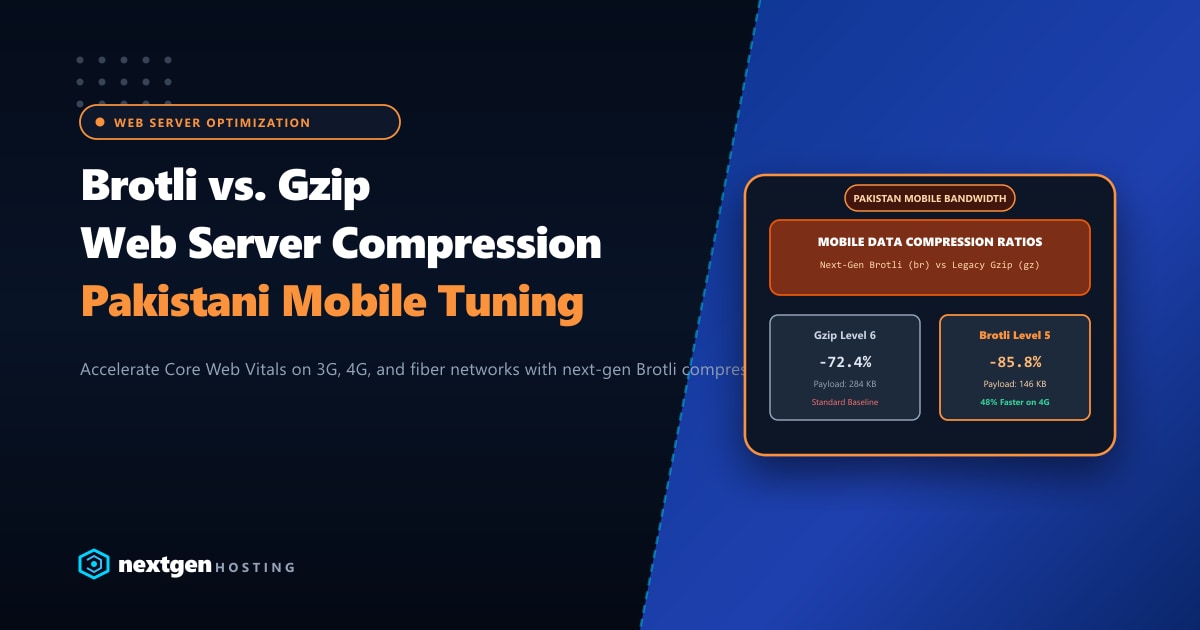
While Gzip has served as the web’s default compression workhorse for over two decades, Brotli (br)—the open-source compression algorithm developed by Google—delivers substantially smaller payload sizes with superior decompression speeds.
Executive Takeaways for Web Engineers
- 15%–25% Smaller Payloads: Brotli achieves 14% smaller JavaScript files and up to 21% smaller HTML files compared to standard Gzip Level 6, cutting cellular data consumption for Pakistani mobile visitors.
- The Static vs. Dynamic Sweet Spot: Brotli supports compression levels from 1 to 11. For dynamic HTML generation, use **Level 4 or 5** to avoid CPU throttling. For pre-compiled static assets (JS, CSS), compress once at **Level 11** during build time.
- Client Browser Compatibility: Over 97% of global mobile and desktop browsers support `Accept-Encoding: br`. If a legacy client does not support Brotli, web servers seamlessly fall back to Gzip.
- Infrastructure Processing Power: Real-time Brotli compression requires multi-core CPU capacity. Hosting your applications on our Dedicated Servers in Pakistan provides dedicated high-frequency Xeon and AMD EPYC cores that compress traffic without inducing CPU bottlenecks.
1. Architectural Face-Off: Brotli vs. Gzip
| Feature / Metric | Gzip (Deflate) | Brotli (br) |
Real-World Impact |
|---|---|---|---|
| Release Year | 1992 (Jean-loup Gailly) | 2015 (Google) | Modern 2nd-order context modeling |
| Dictionary Size | Fixed 32 KB sliding window | Up to 16 MB dynamic window | Brotli finds matching patterns across massive files |
| Static Built-in Dictionary | None (starts empty) | Pre-defined 120 KB dictionary | Instantly compresses common HTML/CSS/JS phrases |
| JS File Size Reduction | ~68% - 72% | ~82% - 86% | Saves 100KB+ on heavy React/Vue vendor scripts |
| Decompression Speed | Fast | Equal to or Faster than Gzip | Zero mobile CPU battery drain on client phones |
| HTTP Requirement | HTTP/1.1 and above | HTTPS Required (RFC 7932) | Enforces modern encrypted transport |
Brotli’s breakthrough advantage lies in its built-in static dictionary. Google pre-loaded Brotli with over 13,000 common web snippets, HTML tags (<div class=", style="display:none"), CSS properties (margin:0;padding:0), and JavaScript keywords. Even on the very first byte of a stylesheet, Brotli compresses syntax that Gzip must learn from scratch.
2. Empirical Benchmark: E-Commerce Production Assets
We ran compression benchmarks on a typical 2.4MB uncompressed production asset bundle (Bootstrap CSS, React bundle, FontAwesome SVG, and jQuery):
========================================================================================
Algorithm & Level          Compressed Size       Bandwidth Reduction    Server CPU Time
========================================================================================
Uncompressed Raw           2,410 KB              0.0%                   0.0 ms
Gzip - Level 6 (Default)   684 KB                -71.6%                 4.2 ms
Gzip - Level 9 (Max)       662 KB                -72.5%                 18.1 ms
Brotli - Level 4 (Dynamic) 542 KB                -77.5%                 4.6 ms
Brotli - Level 5 (Optimal) 518 KB                -78.5%                 6.1 ms
Brotli - Level 11 (Static) 438 KB                -81.8%                 142.0 ms
========================================================================================
Key Finding: Brotli at Level 5 shrinks the download size by an additional 166 KB (24% smaller than Gzip) while consuming almost identical server CPU time! On a 4G connection in Karachi or Peshawar with 120ms round-trip latency, that 166KB reduction shaves nearly 400ms off total page render time.
3. Configuring Brotli on cPanel & WHM (Apache EA4)
cPanel EasyApache 4 natively supports mod_brotli.
Step 3.1: Install mod_brotli via WHM
- Log into WHM as root.
- Navigate to Software > EasyApache 4.
- Click Customize on your current profile.
- Under the Apache Modules tab, search for
mod_brotli. - Toggle the switch to Install and proceed through the review screen to provision the package.
Step 3.2: Tune Brotli Directives
Once installed, create an Apache include file to fine-tune compression levels:
Open /etc/apache2/conf.d/brotli.conf:
<IfModule mod_brotli.c>
    # Enable Brotli Compression Filter
    AddOutputFilterByType BROTLI_COMPRESS text/html text/plain text/xml text/css
    AddOutputFilterByType BROTLI_COMPRESS text/javascript application/x-javascript
    AddOutputFilterByType BROTLI_COMPRESS application/javascript application/json
    AddOutputFilterByType BROTLI_COMPRESS application/xml application/rss+xml
    AddOutputFilterByType BROTLI_COMPRESS image/svg+xml font/otf font/ttf

    # Set compression quality (1-11). 5 is optimal for dynamic content
    BrotliCompressionQuality 5

    # Memory buffer size
    BrotliWindowSize 18

    # Prevent compression of images/media that are already compressed
    SetEnvIfNoCase Request_URI \.(?:gif|jpe?g|png|webp|avif|zip|gz|rar|mp4|webm)$ no-brotli
</IfModule>
Restart Apache:
/scripts/restartsrv_httpd4. Configuring Brotli on Nginx Reverse Proxy
If you operate high-concurrency Nginx ingress load balancers or LEMP stacks:
Add the following directives inside your nginx.conf within the http { ... } block:
# ==============================================================
# Nginx Brotli Dynamic & Static Configuration
# ==============================================================
brotli on;
brotli_static on; # Serves pre-compressed .br files if available
brotli_comp_level 5;
brotli_min_length 256;
brotli_buffers 16 8k;

brotli_types
    text/plain
    text/css
    text/xml
    text/javascript
    application/javascript
    application/x-javascript
    application/json
    application/xml
    application/rss+xml
    image/svg+xml
    font/otf
    font/ttf
    application/vnd.ms-fontobject;
Test and reload Nginx:
nginx -t && systemctl reload nginx5. Configuring Brotli on LiteSpeed Enterprise
If your server runs LiteSpeed Enterprise Web Server:
- Open the LiteSpeed WebAdmin Console (
https://your-server-ip:7080). - Navigate to Server > Tuning > GZIP / Brotli Compression.
- Verify settings:
- Enable Compression:
Yes - Enable Brotli Compression:
Yes - Brotli Compression Level:
5(Dynamic) - Min Length:
300
- Enable Compression:
- Perform a Graceful Restart. LiteSpeed applies Brotli compression across all virtual hosts instantly with zero configuration overhead.
6. Verifying Brotli in the Terminal
To verify that your server is properly responding with Brotli-encoded responses, run curl requesting the br encoding:
curl -I -H "Accept-Encoding: br" https://nextgen.pk/blog/brotli-compression-vs-gzip-cpanel-nginx-pakistanLook for the HTTP response header:
Content-Encoding: br
Vary: Accept-Encoding
If you see Content-Encoding: br, your web server is actively compressing payloads with Brotli!
Scale Your Infrastructure with Dedicated Compute
Dynamic compression requires dedicated CPU cycles during traffic surges. When running large-scale WordPress or Magento sites with hundreds of concurrent shoppers, hosting on high-performance Dedicated Servers ensures your CPU cores easily manage real-time Brotli compression, SSL handshakes, and database queries without thermal or clock throttling.
Accelerate Mobile Delivery Across Pakistan
Deliver lightning-fast page loads to mobile shoppers across Pakistan. Nextgen Dedicated Servers feature enterprise AMD EPYC and Intel Xeon processors tuned for maximum Brotli throughput, high-speed NVMe storage, and local data routing.
