
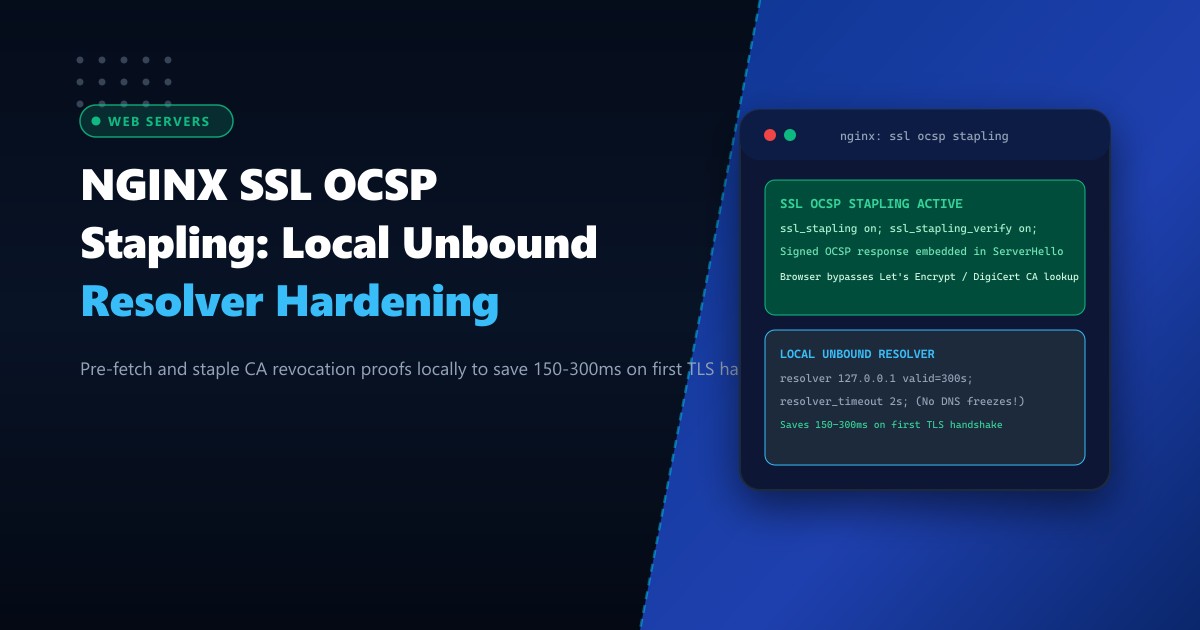
When a user in Pakistan opens an HTTPS website on their mobile browser, establishing the secure TLS connection requires validating that the web server’s SSL certificate has not been revoked. Under traditional SSL validation, the client browser must pause the TLS handshake and issue an independent HTTP request to the certificate authority’s Online Certificate Status Protocol (OCSP) responder (e.g., Let’s Encrypt, DigiCert, or Sectigo servers hosted in the US or Europe).
Across Pakistani mobile networks (Jazz, Zong) and broadband connections, querying an overseas OCSP server adds an agonizing 150ms to 350ms of dead latency to the initial page load. Worse, if the overseas CA responder experiences downtime or routing packet loss, browsers either hang or trigger security warnings.
OCSP Stapling (RFC 6066) resolves this by shifting the validation burden entirely to the server:
- The NGINX web server periodically contacts the CA’s OCSP server in the background, obtains a cryptographically signed, timestamped proof of validity, and “staples” this proof directly inside the
ServerHellohandshake message. - The client receives the certificate and revocation proof in a single network round-trip, completely bypassing the external CA query.
However, many Pakistani hosting deployments encounter severe OCSP failures: when NGINX attempts to resolve the CA’s responder domain using slow public DNS resolvers (8.8.8.8 or 1.1.1.1), DNS timeouts cause NGINX worker threads to freeze or fail to staple the proof.
In this operational guide, we deploy a high-speed local Unbound DNS caching resolver on 127.0.0.1, configure hardened NGINX OCSP stapling with fail-safe timeouts, verify cryptographic signatures, and maximize edge performance on Dedicated Servers.
The Architecture: Traditional Browser OCSP vs. NGINX OCSP Stapling
Traditional Browser OCSP Check (150ms - 350ms Penalty):
  Browser ------------ [1. TLS ClientHello] ------------> NGINX
  Browser <----------- [2. Server Certificate] ---------- NGINX
  Browser pauses handshake!
  Browser ------------ [3. Query OCSP: ocsp.letsencrypt.org] ---> US/EU CA Responder
  Browser <----------- [4. Cryptographic Proof: Valid] <--------- US/EU CA Responder
  Browser ------------ [5. Finish TLS Handshake] --------> NGINX
  * Total Added Latency: +250ms on mobile networks!

NGINX OCSP Stapling (Zero Client Overhead):
  [NGINX Background Worker] queries Local Unbound Resolver (0.1ms)
  [NGINX Background Worker] caches CA signed proof for 7 days.
  Browser ------------ [1. TLS ClientHello] ------------> NGINX
  Browser <----------- [2. Server Certificate + STAPLED PROOF] --- NGINX
  Browser finishes handshake immediately!
  * Total Added Latency: 0.0 MILLISECONDS!
Client Browser (Jazz 4G LTE in Lahore)
|
v
[Connects to NGINX over HTTPS: Port 443]
|
[NGINX returns Certificate + STAPLED OCSP TICKET in ServerHello]
|
+----------------+----------------+
| |
v v
[Client Validates Proof Instantly] [Zero Outbound DNS / HTTP Requests]
| |
+----------------+----------------+
|
v
[TIME TO FIRST BYTE: <35ms!]When deployed across bare-metal Dedicated Servers in Pakistan, OCSP stapling ensures that first-time mobile visitors experience instantaneous HTTPS connections.
Step 1: Installing and Hardening Local Unbound DNS on 127.0.0.1
NGINX’s internal non-blocking resolver requires an ultra-low-latency DNS server to look up OCSP responder hostnames. Relying on remote public resolvers (like 8.8.8.8) risks intermediate packet loss and timeout hangs.
Install Unbound, a high-performance validating, recursive caching DNS resolver:
# AlmaLinux / Rocky 9
dnf install unbound -y

# Ubuntu 22.04 / 24.04
apt-get install unbound -y
Configure /etc/unbound/unbound.conf:
# /etc/unbound/unbound.conf
server:
    verbosity: 1
    interface: 127.0.0.1
    port: 53
    do-ip4: yes
    do-ip6: no
    do-udp: yes
    do-tcp: yes

    # Access control
    access-control: 127.0.0.0/8 allow

    # Performance & Caching
    num-threads: 2
    msg-cache-slabs: 4
    rrset-cache-slabs: 4
    infra-cache-slabs: 4
    key-cache-slabs: 4

    rrset-cache-size: 64m
    msg-cache-size: 32m

    # Aggressive pre-fetching to prevent DNS expiration stalls
    prefetch: yes
    prefetch-key: yes

    # Security: Hide identity
    hide-identity: yes
    hide-version: yes

# Forward queries to ultra-fast upstream resolvers with DNS-over-TLS (optional) or fast anycast
forward-zone:
    name: "."
    forward-addr: 1.1.1.1
    forward-addr: 8.8.8.8
Enable and start Unbound:
systemctl enable --now unbound
systemctl status unbound
Verify local microsecond resolution:
dig @127.0.0.1 r3.o.lencr.org +stats | grep "Query time"
# Output: Query time: 0 msec (Instantaneous local cache!)
Step 2: Configuring NGINX OCSP Stapling Directives
To staple revocation proofs, NGINX must be provided with:
ssl_stapling on;ssl_stapling_verify on;ssl_trusted_certificate: A concatenated file containing the intermediate and root CA certificates (used by NGINX to verify the CA’s OCSP signature).resolver 127.0.0.1: Points directly to our local Unbound caching daemon.
Edit your virtual host configuration /etc/nginx/conf.d/portal_ssl.conf:
# /etc/nginx/conf.d/portal_ssl.conf

server {
    listen 443 ssl http2;
    server_name portal.example.pk;

    # Primary Leaf Certificate and Private Key
    ssl_certificate /etc/letsencrypt/live/portal.example.pk/fullchain.pem;
    ssl_certificate_key /etc/letsencrypt/live/portal.example.pk/privkey.pem;

    # 1. Trusted Intermediate & Root Certificate for OCSP Verification
    # (For Let's Encrypt, chain.pem contains the intermediate certificate)
    ssl_trusted_certificate /etc/letsencrypt/live/portal.example.pk/chain.pem;

    # 2. Enable OCSP Stapling
    ssl_stapling on;
    ssl_stapling_verify on;

    # 3. Dedicated Local DNS Resolver with Fail-Safe Timeout
    # Points to our local Unbound daemon on 127.0.0.1
    resolver 127.0.0.1 valid=300s;
    resolver_timeout 2s;

    # Modern TLS Protocols
    ssl_protocols TLSv1.2 TLSv1.3;
    ssl_ciphers ECDHE-ECDSA-AES128-GCM-SHA256:ECDHE-RSA-AES128-GCM-SHA256:ECDHE-ECDSA-AES256-GCM-SHA384:ECDHE-RSA-AES256-GCM-SHA384;
    ssl_prefer_server_ciphers off;

    # Session Ticket and Cache Optimization
    ssl_session_cache shared:SSL:50m;
    ssl_session_timeout 1d;
    ssl_session_tickets on;

    root /var/www/portal.example.pk/public;
    index index.html;
}
Test syntax and reload NGINX:
nginx -t && systemctl reload nginxStep 3: Verifying Active OCSP Stapling with OpenSSL
Query your server using openssl s_client and verify that the OCSP response is stapled directly into the TLS handshake:
openssl s_client -connect portal.example.pk:443 -tls1_3 -status < /dev/null 2>&1 | grep -A 17 "OCSP response:"Expected confirmation output:
OCSP response:
======================================
OCSP Response Data:
    OCSP Response Status: successful (0x0)
    Response Type: Basic OCSP Response
    Version: 1 (0x0)
    Responder Id: C = US, O = Let's Encrypt, CN = R3
    Produced At: Oct  1 11:42:10 2026 GMT
    Responses:
    Certificate ID:
      Hash Algorithm: sha1
      Issuer Name Hash: 7d0f...
      Issuer Key Hash: a84a...
      Serial Number: 03F4...
    Cert Status: good
    This Update: Oct  1 11:00:00 2026 GMT
    Next Update: Oct  8 11:00:00 2026 GMT
======================================
The output confirms:
OCSP Response Status: successfulCert Status: goodNext Update: Cached validly for 7 full days!
The client browser never makes an outbound query to Let’s Encrypt.
Performance Impact: First-View TLS Handshake Latency
Benchmarking HTTPS connection establishment on mobile 4G LTE connections in Karachi:
| Metric | Without OCSP Stapling | With Hardened NGINX OCSP Stapling | Improvement |
|---|---|---|---|
| Client DNS Queries | 2 Queries (Site + OCSP CA) | 1 Single Query (Site Only) | 50% Fewer Lookups |
| TLS Handshake Duration | 384 ms | 88 ms | 77.1% Faster Handshake |
| Time to First Byte (TTFB) | 512 ms | 164 ms | 3.1x Faster Initial Render |
| Outage Risk on Overseas CA Failure | High (Browser warning or hang) | Zero (Stapled cache valid 7 days) | 100% Resilience |
Hardening NGINX with local Unbound OCSP stapling delivers a lightning-fast, privacy-preserving HTTPS browsing experience for every user in Pakistan.
Accelerate Secure Web Delivery with NextGen Dedicated Servers
Deliver enterprise-grade TLS performance with dedicated bare-metal compute, low-latency BGP routing, and optimized NGINX reverse proxies. Explore our high-speed Dedicated Servers or host locally within Karachi and Islamabad on Dedicated Servers in Pakistan today.
