
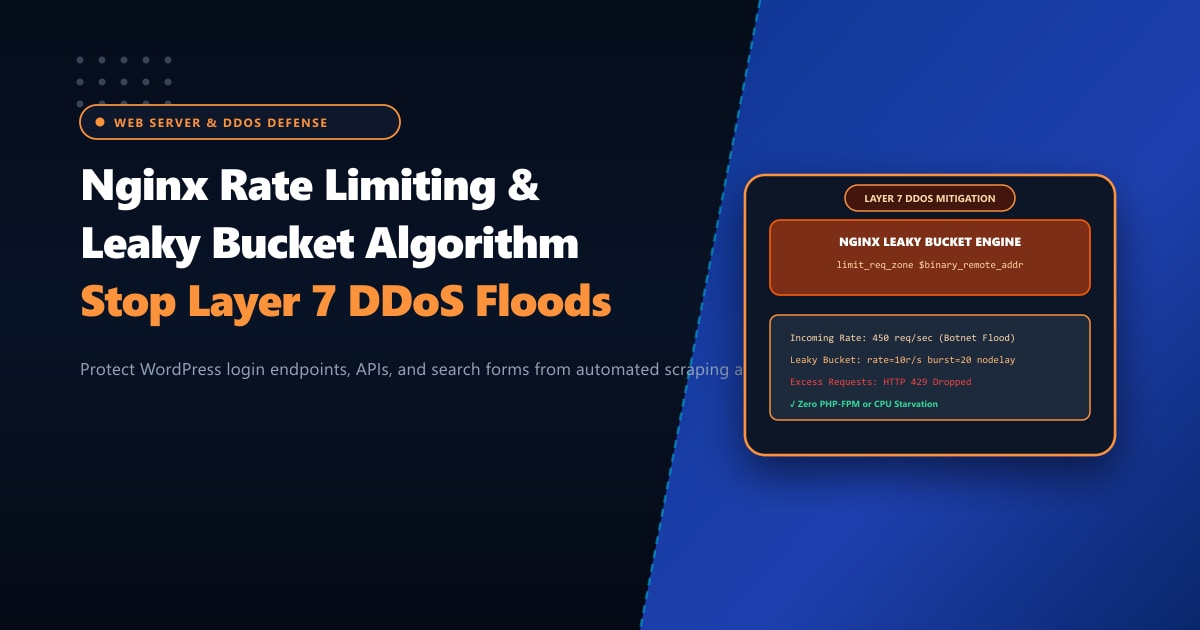
Web applications, FinTech platforms, and e-commerce stores in Pakistan face relentless Layer 7 application-layer attacks. Unlike volumetric Layer 4 SYN floods that overwhelm network pipes, Layer 7 HTTP floods mimic legitimate browser behavior.
Botnets send hundreds of requests per second directly to computationally expensive endpoints—such as WordPress login forms (/wp-login.php), site search queries (/?s=), or checkout payment gateways. Even on enterprise multi-core servers, these floods quickly exhaust PHP-FPM worker pools and trigger MariaDB connection timeouts.
The most effective frontline defense is Nginx Rate Limiting, powered by the mathematical Leaky Bucket Algorithm.
By placing Nginx as a reverse proxy or web server with properly tuned rate-limiting zones, you can absorb sudden bursts of legitimate user traffic while ruthlessly dropping automated scrapers and botnets with HTTP 429 Too Many Requests.
Executive Takeaways for Security Engineers
- The Leaky Bucket Principle: Incoming requests enter a virtual bucket at irregular intervals, but are processed at a strictly controlled constant rate. If incoming traffic exceeds the bucket capacity (`burst`), the excess requests are immediately dropped.
- Memory Efficiency with `$binary_remote_addr`: Always use `$binary_remote_addr` instead of `$remote_addr`. Binary IPv4 addresses occupy only 4 bytes (16 bytes for IPv6) in shared memory, allowing a 10MB memory zone to track over 160,000 unique client IPs simultaneously.
- The Power of `burst` with `nodelay`: Setting a burst limit allows legitimate human users to load parallel page assets instantly. Adding `nodelay` prevents artificial 2-second sleep penalties for human visitors while still penalizing botnet floods.
- Dedicated Edge Hardware: When running high-throughput APIs and public-facing portals, hosting your ingress layer on our Dedicated Servers in Pakistan ensures dedicated hardware NICs and high-frequency CPU cores capable of filtering millions of requests without latency.
1. How the Leaky Bucket Algorithm Operates
[ Incoming HTTP Requests (Botnet or Human) ]
                   │
                   ▼
       ┌───────────────────────┐
       │   Nginx Leaky Bucket   │ ◄── Capacity = burst (e.g., 20 requests)
       │  (Shared Memory Zone)  │
       └───────────┬───────────┘
                   │
         ┌─────────┴─────────┐
         │ (Bucket Full?)    │
        Yes                  No
         │                   │
         ▼                   ▼
[ HTTP 429 Rejected ]   [ Processed at Constant Rate (e.g., 10 req/s) ]
(Zero PHP/DB Impact) ──► Forwarded to PHP-FPM / Upstream- The Steady Rate (
rate=10r/s): Defines the sustained processing rate (one request every 100 milliseconds). - The Burst Capacity (
burst=20): Defines how many extra requests a client can send beyond the steady rate before Nginx begins rejecting them. - The
nodelayParameter: Withoutnodelay, Nginx delays excess burst requests by queuing them, which makes the website feel sluggish to real users. Withnodelay, burst requests execute immediately at wire speed, and only requests exceeding the burst cap are rejected.
2. Sizing Nginx Shared Memory Zones
In Nginx, client IP states are held in a shared memory zone defined by limit_req_zone.
IPv4 Memory Calculation:
- Standard
$remote_addr(text string, e.g.,"103.255.255.255"): 7 to 15 bytes. - Binary
$binary_remote_addr(packed binary struct): 4 bytes.
In a 64-bit operating system, each state entry in memory consumes roughly 64 bytes total (including timestamp and red-black tree pointers). $$\text{IPs in 10MB Zone} = \frac{10 \times 1024 \times 1024\text{ bytes}}{64\text{ bytes}} \approx 163,840\text{ Unique Concurrent IPs}$$
A 10MB memory zone is more than sufficient to track high-volume traffic across major Pakistani ISPs (PTCL, Nayatel, StormFiber) without memory exhaustion.
3. Step-by-Step Configuration: Multi-Tiered Rate Limiting
Never apply a single universal rate limit across your entire site. A user loading an e-commerce homepage naturally downloads 30–50 static files (CSS, JS, images, AJAX calls) simultaneously, whereas submitting a login form should never happen 30 times a second.
Step 3.1: Define Shared Memory Zones in nginx.conf
Open /etc/nginx/nginx.conf and place these directives inside the http { ... } block:
# ==============================================================
# Nextgen Enterprise Nginx Rate Limiting Zones
# ==============================================================

# Zone 1: General site browsing (10 requests per second)
limit_req_zone $binary_remote_addr zone=general_limit:10m rate=10r/s;

# Zone 2: Sensitive endpoints (Login, Register, Checkout) (2 requests per second)
limit_req_zone $binary_remote_addr zone=login_limit:10m rate=2r/s;

# Zone 3: Search queries & dynamic APIs (3 requests per second)
limit_req_zone $binary_remote_addr zone=search_limit:10m rate=3r/s;

# Return HTTP 429 Too Many Requests (RFC 6585) instead of default 503
limit_req_status 429;
limit_req_log_level warn;
Step 3.2: Apply Zones to Virtual Host Server Blocks
In your site configuration (e.g., /etc/nginx/conf.d/yourdomain.conf):
server {
    listen 443 ssl http2;
    server_name yourdomain.com www.yourdomain.com;

    # ----------------------------------------------------------
    # 1. General Site Rate Limiting
    # ----------------------------------------------------------
    location / {
        # Allow burst of 30 requests to absorb initial page load
        limit_req zone=general_limit burst=30 nodelay;

        try_files $uri $uri/ /index.php?$args;
    }

    # ----------------------------------------------------------
    # 2. Strict Protection for Login & XML-RPC
    # ----------------------------------------------------------
    location ~* /(wp-login\.php|xmlrpc\.php|user/login) {
        # Max 2 req/s with burst of 5. Drops brute-force botnets instantly
        limit_req zone=login_limit burst=5 nodelay;

        include fastcgi_params;
        fastcgi_pass unix:/run/php-fpm/www.sock;
        fastcgi_param SCRIPT_FILENAME $document_root$fastcgi_script_name;
    }

    # ----------------------------------------------------------
    # 3. Search Query Protection (Prevents DB Exhaustion)
    # ----------------------------------------------------------
    location /search {
        limit_req zone=search_limit burst=8 nodelay;
        try_files $uri $uri/ /index.php?$args;
    }

    # ----------------------------------------------------------
    # 4. Exclude Static Assets from Rate Limiting
    # ----------------------------------------------------------
    location ~* \.(?:css|js|jpe?g|png|gif|ico|woff2?|svg)$ {
        expires 30d;
        add_header Cache-Control "public, no-transform";
        # No rate limiting applied here
    }
}
Test and reload Nginx:
nginx -t && systemctl reload nginx4. Whitelisting Internal Services & Cloudflare IPs
If your server sits behind Cloudflare or interacts with payment gateways (such as EasyPaisa, JazzCash, or bank webhooks), you must whitelist their IP ranges to prevent rate-limit rejections.
Use Nginx’s geo and map modules in /etc/nginx/conf.d/whitelist.conf:
geo $whitelist {
    default 0;
    127.0.0.1 1;          # Localhost loopback
    103.xxx.xxx.0/24 1;   # Corporate Office Subnet
    # Payment gateway IP ranges
    175.xxx.xxx.10 1;
}

# If whitelisted, set empty string (Nginx ignores empty strings in limit_req)
map $whitelist $limit_key {
    0 $binary_remote_addr;
    1 "";
}

# Update zone definition to use $limit_key instead of $binary_remote_addr
limit_req_zone $limit_key zone=smart_general:10m rate=10r/s;
5. Verifying Rate Limiting with curl
Simulate an automated attack from your local machine to verify that Nginx properly enforces HTTP 429:
for i in {1..35}; do
  curl -s -o /dev/null -w "%{http_code}\n" https://yourdomain.com/wp-login.php
done
Output:
200
200
200
200
200
429
429
429
429
429
...
The first 5 requests (the burst threshold) were accepted, and every subsequent request in that second was rejected immediately with 429 Too Many Requests—saving your PHP-FPM processes and database from CPU starvation!
Enterprise Perimeter Defense
Layer 7 rate limiting combined with unshared server hardware creates an impregnable hosting environment. For organizations running high-value FinTech portals, gaming servers, or large-scale digital platforms in Pakistan, hosting on bare-metal Dedicated Servers provides enterprise hardware firewalls, dedicated 1Gbps/10Gbps network interfaces, and complete architectural sovereignty.
Stop Layer 7 Application Attacks Cold
Protect your online business with Nextgen's high-performance bare-metal servers. Pre-configured with advanced Nginx and LiteSpeed rate-limiting defenses, unmetered network pipelines, and 24/7 senior security monitoring.
