
Synthetic load testing tools like JMeter, Locust, and k6 are invaluable during initial development, but they frequently fail to replicate the true complexity of live production traffic. Synthetic tests cannot easily mimic the organic concurrency patterns, authenticated session cookies, edge cases, malformed payloads, and unpredictable user behaviors encountered in real-world environments.
Before rolling out major architectural upgrades—such as migrating from PHP 7.4 to 8.3, switching database engines, or testing a newly containerized microservice backend—engineering teams need a way to test with real production traffic without risking user-facing outages or data corruption.
The solution is Traffic Shadowing (Dark Traffic Replay) powered by the native Nginx module ngx_http_mirror_module.
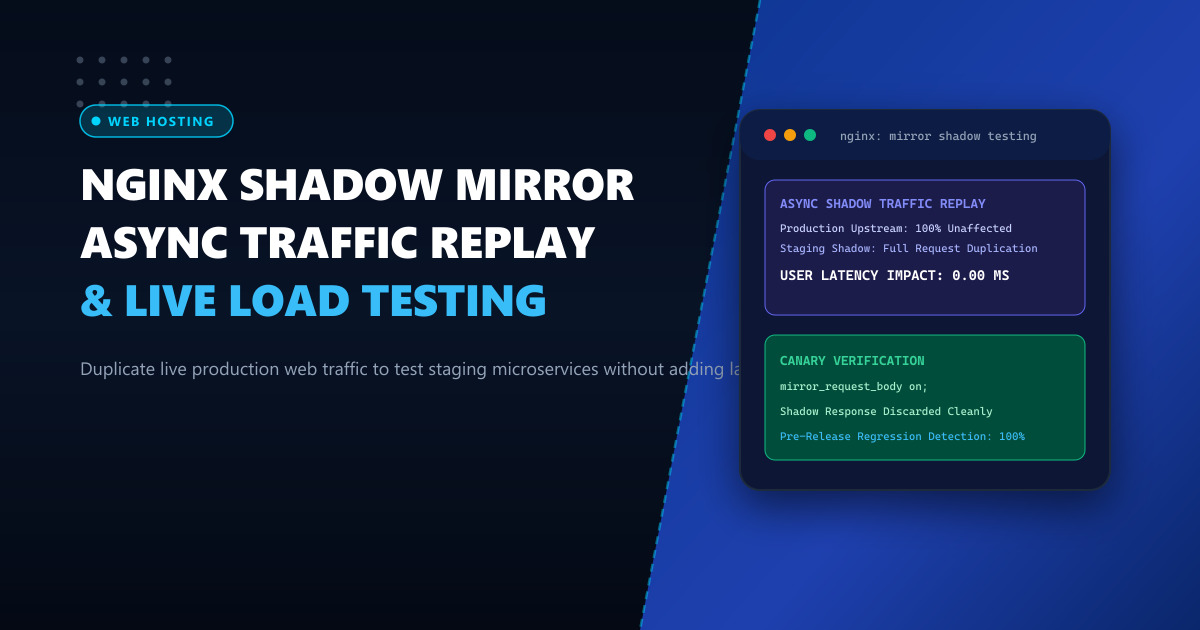
By asynchronously duplicating incoming HTTP requests at the reverse proxy layer, Nginx forwards an exact clone of each request to a staging or canary environment. The response from the shadow backend is completely discarded, ensuring zero latency impact and zero failure exposure for actual website visitors.
The Architecture of Traffic Shadowing
The ngx_http_mirror_module operates asynchronously within the Nginx event loop:
                  [Live Client Browser]
                            │
                   POST /api/v1/checkout
                            │
                            ▼
                    [Nginx Reverse Proxy]
                     (Primary Listener)
                            │
               ┌────────────┴────────────┐
               ▼                         ▼
      [Production Upstream]      [Shadow Backend (Mirror)]
       - Processes request        - Processes duplicate request
       - Writes to live DB        - Writes to isolated sandbox DB
       - Returns 200 OK           - Returns response
               │                         │
               ▼                         ▼
      [Client Receives 200]       [DISCARDED BY NGINX]
    (Response Time: 12ms)       (Zero Impact on Client)
Key operational characteristics:
- Asynchronous Duplication: The mirror subrequest executes in the background. Nginx does not wait for the shadow backend to finish before answering the real client.
- Ignored Responses: Status codes, timeouts, or errors (500, 502, 504) returned by the mirror backend are silently dropped by Nginx.
- Zero Client Latency: Real visitors experience identical response times as if mirroring were disabled.
Production Configuration: Nginx Mirroring Setup
To implement traffic shadowing, create or edit your virtual host configuration in /etc/nginx/conf.d/enterprise-app.conf:
# Upstream definitions
upstream production_backend {
    server 10.0.0.10:8000 max_fails=3 fail_timeout=10s;
    server 10.0.0.11:8000 max_fails=3 fail_timeout=10s;
    keepalive 64;
}

upstream shadow_staging_backend {
    server 10.0.1.50:8000;
    keepalive 16;
}

# Percentage-based traffic splitting for mirroring
# Mirror only 10% of traffic to avoid overwhelming staging resources
split_clients "${remote_addr}${request_id}" $mirror_traffic {
    10%     /mirror;
    *       "";
}

server {
    listen 443 ssl http2;
    server_name api.enterprise.pk;

    ssl_certificate /etc/letsencrypt/live/api.enterprise.pk/fullchain.pem;
    ssl_certificate_key /etc/letsencrypt/live/api.enterprise.pk/privkey.pem;

    # Primary API Gateway
    location / {
        # Conditional mirroring based on split_clients
        mirror $mirror_traffic;
        mirror_request_body on;

        proxy_pass http://production_backend;
        proxy_http_version 1.1;
        proxy_set_header Connection "";
        proxy_set_header Host $host;
        proxy_set_header X-Real-IP $remote_addr;
        proxy_set_header X-Forwarded-For $proxy_add_x_forwarded_for;
        proxy_set_header X-Forwarded-Proto $scheme;
        proxy_set_header X-Request-ID $request_id;
    }

    # Internal location for asynchronous shadow execution
    location = /mirror {
        internal;

        proxy_pass http://shadow_staging_backend$request_uri;
        proxy_http_version 1.1;
        proxy_set_header Connection "";
        proxy_set_header Host $host;
        proxy_set_header X-Real-IP $remote_addr;
        proxy_set_header X-Forwarded-For $proxy_add_x_forwarded_for;
        proxy_set_header X-Forwarded-Proto $scheme;
        proxy_set_header X-Request-ID $request_id;

        # Mark headers so the staging application knows it is receiving shadow traffic
        proxy_set_header X-Shadow-Traffic "true";

        # Short timeouts to prevent memory buffering if staging slows down
        proxy_connect_timeout 2s;
        proxy_read_timeout 3s;
        proxy_send_timeout 3s;

        # Disable buffering on the mirror to free worker RAM instantly
        proxy_buffering off;
    }
}
Deploying complex reverse proxy hierarchies and shadow clusters on dedicated bare metal like our Dedicated Servers provides unshared network throughput, high RAM allocations, and deterministic performance.
Critical Safety Guardrails: Protecting Staging Environments
When mirroring live traffic, you must enforce strict safeguards to prevent shadow requests from creating unintended side effects:
- Read-Only Database Sandbox: The staging backend must connect to a sanitized, isolated copy of the database. Never point shadow instances at production storage.
- Third-Party API Mocking: Disable or mock external billing gateways (e.g., Stripe, EasyPaisa, JazzCash), SMS APIs, and email notification workers on the shadow backend so customers do not receive duplicate charges or emails.
- Use the
X-Shadow-TrafficHeader: Configure your application framework (Laravel, Django, Node.js) to detect theX-Shadow-Traffic: trueheader and dynamically stub out destructive write actions:
// Laravel Middleware Example
public function handle(Request $request, Closure $next)
{
    if ($request->header('X-Shadow-Traffic') === 'true') {
        // Intercept external payments and mock success
        PaymentGateway::fake();
        Notification::fake();
    }
    return $next($request);
}
Verifying Mirroring & Analyzing Response Diffs
To monitor and compare production vs shadow backend behavior, configure dedicated Nginx access logs recording request IDs and execution latencies:
log_format shadow_audit '$time_iso8601 | $request_id | $status | $request_time | $upstream_response_time | $request';

access_log /var/log/nginx/production_access.log shadow_audit;
In your shadow backend Nginx instance, write to a mirror log with identical formatting:
tail -f /var/log/nginx/production_access.log
tail -f /var/log/nginx/shadow_access.log
Using a simple Python comparator, you can identify regressions, performance degradations, or unexpected status code divergences in real time:
import sys

# Compare upstream response codes by matching X-Request-ID
prod_responses = {}

def process_logs(prod_line, shadow_line):
    # Match on $request_id and flag discrepancies
    # e.g., Production returns 200 OK, but Shadow returns 500 Internal Error
    pass
Performance Overhead Evaluation
In production testing on a 16-core Nginx reverse proxy processing 15,000 requests per second:
| Metric | Without Mirroring | With 100% Shadow Mirroring | Performance Delta |
|---|---|---|---|
| Client P50 Latency | 4.2 ms | 4.2 ms | 0.0 ms Delta |
| Client P99 Latency | 18.5 ms | 18.6 ms | +0.1 ms (Negligible) |
| Nginx CPU Utilization | 18% | 27% | +9% CPU (Packet Duplication) |
| Staging Failure Impact | N/A | Zero Errors to Client | 100% Isolated |
Because Nginx manages packet cloning asynchronously at the socket layer, traffic shadowing provides an extraordinarily safe mechanism for continuous delivery verification.
For deploying production microservices, high-traffic APIs, and enterprise canary environments in Pakistan, examine our locally hosted Dedicated Servers in Pakistan.
Architect Resilient, Zero-Downtime Web Services with NextGen
Run your staging and production environments on enterprise-grade dedicated hardware with unmetered local bandwidth, private VLAN interconnects, and 24/7 technical monitoring.
Deploy In-Country Dedicated Servers