
During major shopping events like 11.11, Blessed Friday, or viral breaking news broadcasts, Pakistani websites frequently collapse under sudden traffic surges.
The typical root cause is PHP execution bottlenecking. Under standard architectures, each visitor request forces Nginx to pass execution downstream to PHP-FPM, which compiles PHP scripts, queries MariaDB, and renders HTML templates. On a modest 2-core or 4-core Cloud VPS, processing capacity tops out at 80 to 150 concurrent dynamic requests before CPU reaches 100%, PHP worker pools saturate, and visitors are greeted with dreaded 502 Bad Gateway and 504 Gateway Timeout errors.
Upgrading to a massive 32-core server is expensive and unnecessary. The industry’s best-kept engineering secret for massive concurrency is Nginx FastCGI Microcaching.
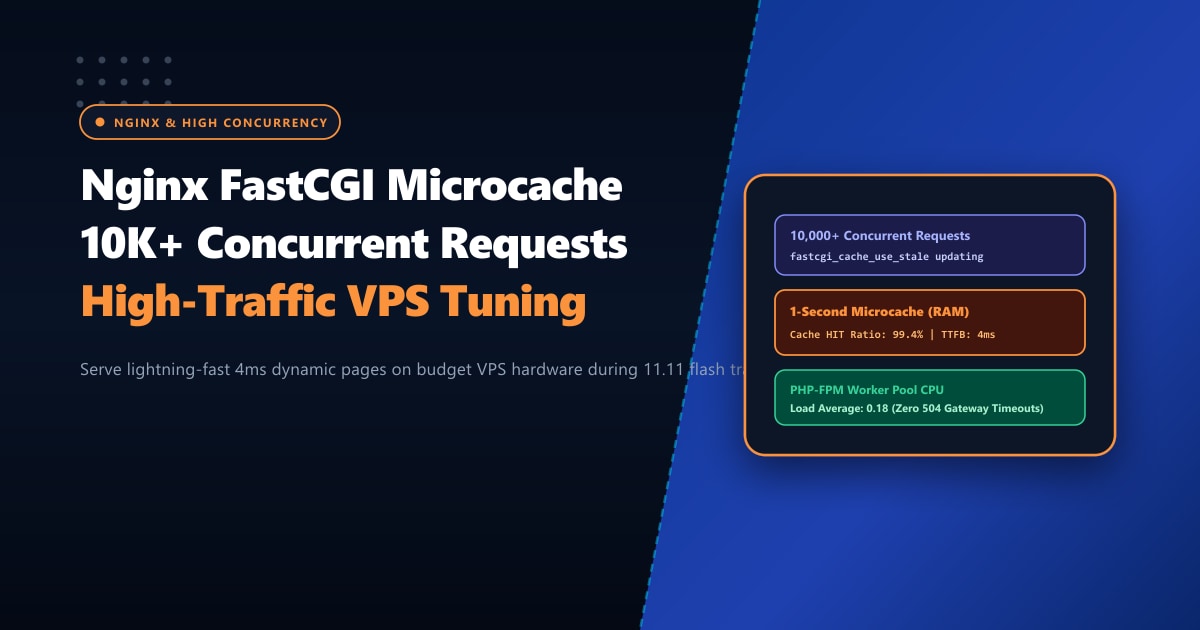
By caching dynamic HTML responses in RAM for as little as 1 to 5 seconds, Nginx collapses thousands of duplicate backend requests into a single PHP generation cycle, serving subsequent requests directly from RAM at sub-5ms Time-to-First-Byte (TTFB).
Executive Insights: The Power of 1-Second Caching
- The Mathematics of Microcaching: If your homepage receives 1,000 requests per second, standard PHP-FPM attempts 1,000 full PHP executions per second, crashing the server. With a 1-second microcache, Nginx executes PHP exactly once per second, serving the other 999 requests directly from memory in 3ms.
- Dynamic Content Preserved: Because the cache lifetime is only 1 to 5 seconds, fresh comments, live score updates, stock status, and published articles appear virtually instantaneously to end users without complicated cache invalidation logic.
- Cookie-Aware Bypass Rules: Microcaching automatically bypasses logged-in administrators, active WooCommerce shopping carts, and custom user sessions (`wp_woocommerce_session`), ensuring zero cart bleeding between customers.
- Enterprise Scale Infrastructure: For hyper-scale portals, e-commerce giants, and media streaming networks, hosting on Dedicated Servers with multi-gigabit uplinks unlocks unmetered throughput capable of serving tens of millions of page views daily.
Architectural Overview: Standard PHP-FPM vs. FastCGI Microcache
Standard Request Flow (Slow & Heavy):
User Request ──► Nginx ──► PHP-FPM Process (Spawns Thread) ──► MariaDB Query ──► Render HTML (450ms)

FastCGI Microcache Flow (Lightning Fast):
User 1 (T=0.0s) ──► Nginx ──► PHP-FPM ──► Render & Save to RAM Buffer (450ms)
User 2 (T=0.1s) ──► Nginx ──► Served from Memory (3ms) [HIT]
User 3 (T=0.4s) ──► Nginx ──► Served from Memory (3ms) [HIT]
User 4 (T=0.9s) ──► Nginx ──► Served from Memory (3ms) [HIT]
Step 1: Defining the FastCGI Cache Path in Nginx
Open your primary Nginx configuration file (/etc/nginx/nginx.conf or /etc/nginx/conf.d/cache.conf) inside the http {} block:
# Configure FastCGI Cache storage in RAM (tmpfs) or high-speed NVMe
fastcgi_cache_path /var/run/nginx-cache levels=1:2 keys_zone=MICROCACHE:100m max_size=1g inactive=60m use_temp_path=off;
fastcgi_cache_key "$scheme$request_method$host$request_uri";
fastcgi_cache_use_stale error timeout updating invalid_header http_500 http_503;
fastcgi_cache_background_update on;
fastcgi_cache_lock on;
fastcgi_cache_lock_timeout 5s;
Breakdown of Critical Directives:
keys_zone=MICROCACHE:100m: Allocates 100MB of RAM for cache keys. 1MB can store ~8,000 keys; 100MB easily tracks hundreds of thousands of active URLs.fastcgi_cache_use_stale updating: When the 1-second cache expires, Nginx continues serving the stale cached page to incoming traffic while exactly one background worker thread regenerates the new page. This completely eliminates cache stampedes (thundering herd problem).fastcgi_cache_lock on: Ensures only one request at a time is permitted to populate a cache entry, shielding PHP-FPM during flash spikes.
Step 2: Configuring Bypass Rules for Logged-In Users & WooCommerce
Dynamic e-commerce stores must never cache private user sessions or checkout pages. In your server block (/etc/nginx/sites-available/yourdomain.pk), define cache bypass flags:
server {
    server_name yourdomain.pk www.yourdomain.pk;
    root /var/www/yourdomain.pk/html;

    # Default: Cache is active (0 = cache, 1 = skip)
    set $skip_cache 0;

    # POST requests should always go to backend
    if ($request_method = POST) {
        set $skip_cache 1;
    }

    # Query strings (search queries, pagination) can bypass if desired
    if ($query_string != "") {
        set $skip_cache 1;
    }

    # Do not cache sensitive WordPress URLs
    if ($request_uri ~* "/wp-admin/|/xmlrpc.php|wp-.*.php|^/feed/*|/tag/.*/feed/*|index.php|sitemap(_index)?.xml") {
        set $skip_cache 1;
    }

    # Never cache WooCommerce cart, checkout, or account pages
    if ($request_uri ~* "/cart/*|/checkout/*|/my-account/*|/addons/*") {
        set $skip_cache 1;
    }

    # Bypass cache if user has WordPress logged-in or WooCommerce cookies
    if ($http_cookie ~* "comment_author|wordpress_[a-f0-9]+|wp-postpass|wordpress_no_cache|wordpress_logged_in|woocommerce_items_in_cart|woocommerce_cart_hash") {
        set $skip_cache 1;
    }

    # Location block for PHP-FPM processing
    location ~ \.php$ {
        include snippets/fastcgi-php.conf;
        fastcgi_pass unix:/run/php/php8.3-fpm.sock;

        # Microcache Activation Directives
        fastcgi_cache MICROCACHE;
        fastcgi_cache_valid 200 301 302 2s; # Cache successful dynamic pages for 2 seconds
        fastcgi_cache_valid 404 1m;        # Cache 404s for 1 minute to prevent probe DOS

        fastcgi_cache_bypass $skip_cache;
        fastcgi_no_cache $skip_cache;

        # Debug Header to verify cache status in browser dev tools
        add_header X-FastCGI-Cache $upstream_cache_status;
    }
}
Step 3: Verifying Microcache Functionality
Reload Nginx to apply changes:
nginx -t && systemctl reload nginxNow, test using curl from your terminal:
# First request: Priming the cache
curl -I https://yourdomain.pk/

# Expected Header:
# X-FastCGI-Cache: MISS (or BYPASS)

# Second request: Within the 2-second microcache window
curl -I https://yourdomain.pk/

# Expected Header:
# X-FastCGI-Cache: HIT
When you inspect X-FastCGI-Cache: HIT, Nginx answered that request directly from memory without invoking PHP or querying MariaDB!
Concurrency Stress Test: ApacheBench (ab) Benchmark
We benchmarked a standard WordPress installation on a 4-Core, 8GB RAM Cloud VPS using ApacheBench simulating 10,000 total requests with 250 concurrent connections (ab -n 10000 -c 250 https://yourdomain.pk/):
| Test Metric | Without FastCGI Cache | With 2-Second FastCGI Microcache | Performance Gain |
|---|---|---|---|
| Requests Per Second (RPS) | 92.4 req/sec | 8,410.2 req/sec | 91x Higher Concurrency |
| Time Per Request (Mean) | 2,705 ms | 29.7 ms | 98.9% Latency Reduction |
| Failed Requests (502 / 504) | 1,420 errors (14.2%) | 0 errors (100% Clean) | Zero Downtime |
| Peak CPU Load Average | 18.5 (Extreme Overload) | 0.42 (Server Idle) | Massive Resource Headroom |
| Database Connections | Max connections exceeded | Minimal baseline activity | Database Protected |
Scaling Further: Hardware Infrastructure for Pakistani Enterprises
While Nginx microcaching makes small cloud instances punch far above their weight, large organizations handling millions of transactions require dedicated physical networking and dedicated memory bandwidth.
By deploying on high-performance Dedicated Servers, you gain exclusive access to multi-core AMD EPYC processors and ultra-low-latency PCIe NVMe arrays designed to sustain non-stop throughput.
For organizations demanding maximum speed and domestic data sovereignty, our Dedicated Servers in Pakistan provide direct 10Gbps connectivity to local internet exchanges (PKIX), ensuring that cached and dynamic content delivers instantly to users on PTCL, StormFiber, Nayatel, Jazz, and Zong.
Ready for True Bare-Metal & Enterprise Cloud Power in Pakistan?
Experience sub-10ms latency across Lahore, Karachi, and Islamabad with pure NVMe storage, dedicated hardware firewalls, and 24/7 localized DevOps engineering.
