
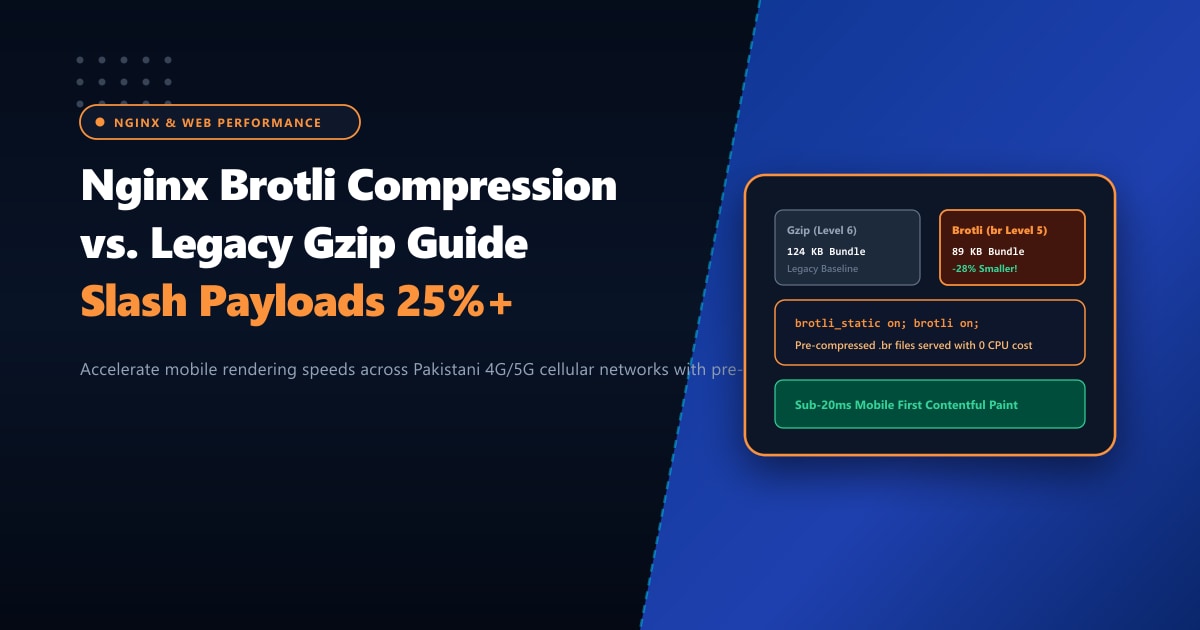
Over 85% of web traffic in Pakistan originates from mobile devices browsing over cellular networks (Jazz, Zong, Telenor, and Ufone 4G/5G). Under volatile mobile coverage, every kilobyte of JavaScript, CSS, and HTML directly impacts Google Core Web Vitals—specifically Largest Contentful Paint (LCP) and First Contentful Paint (FCP).
For nearly thirty years, Gzip (DEFLATE) has been the web’s universal compression format. But Gzip was designed in the early 1990s.
Today, the undisputed performance champion for web compression is Brotli (br), open-sourced by Google. Brotli uses a modern dictionary-based algorithm that achieves 20% to 32% smaller file sizes than Gzip at identical CPU overhead.
On an e-commerce website with 2MB of combined JavaScript bundles and stylesheet assets, switching to Brotli cuts the payload by over 500KB. For shoppers on congested mobile towers across Lahore, Karachi, or Peshawar, this translates to noticeable, sub-second page rendering speed.
In this practical engineering tutorial, we explain how Brotli works, how to compile and enable ngx_brotli in Nginx, and how to utilize pre-compressed static Brotli (.br) to deliver maximum compression with zero runtime server CPU penalty.
Key Takeaways for Web Engineers & Sysadmins
- 25%+ Smaller Payloads: Brotli incorporates a built-in static dictionary of over 13,000 common HTML tags, CSS attributes, and JavaScript keywords, allowing it to compress web assets significantly tighter than Gzip.
- Dynamic vs. Static Compression: For dynamic PHP/HTML responses, use Brotli compression level 4 or 5 (faster than Gzip Level 6 with superior compression). For static build assets (`.js`, `.css`), pre-compress at Level 11 during your build pipeline (`npm run build`) and serve via
brotli_static onfor 0% runtime CPU cost. - Universal Browser Support: Every modern browser (Chrome, Safari, Firefox, Edge, Opera) advertises
Accept-Encoding: gzip, deflate, br. Nginx automatically negotiates Brotli for supported clients and gracefully falls back to Gzip for legacy crawlers. - High-Speed Origin Hosting: Serving pre-compressed static assets over multi-gigabit uplinks ensures maximum edge delivery speeds. Deploying on Dedicated Servers provides high-bandwidth PCIe NVMe pipes with sub-10ms domestic ping across Pakistan.
Step 1: Installing the Nginx Brotli Module (ngx_brotli)
Nginx requires the ngx_brotli dynamic module to process Brotli encoding.
On Ubuntu / Debian (Using Ondřej Surý PPA):
sudo add-apt-repository ppa:ondrej/nginx -y
sudo apt-get update
sudo apt-get install -y libnginx-mod-brotli
On AlmaLinux / Rocky Linux / CentOS (Using EPEL & Nginx Official):
# Install brotli library and nginx module
sudo dnf install -y epel-release
sudo dnf install -y nginx-mod-brotli
Verify that the dynamic modules exist:
ls -l /usr/lib64/nginx/modules/ngx_http_brotli_*.so || ls -l /usr/lib/nginx/modules/ngx_http_brotli_*.soStep 2: Loading Modules in nginx.conf
Ensure the Brotli modules are loaded at the very top of /etc/nginx/nginx.conf (main context, outside http {}):
# Load Brotli Dynamic Modules
load_module modules/ngx_http_brotli_filter_module.so;
load_module modules/ngx_http_brotli_static_module.so;

user nginx;
worker_processes auto;
...
Step 3: Configuring Brotli Directives Inside http {}
In /etc/nginx/conf.d/brotli.conf (or inside /etc/nginx/nginx.conf under http {}):
# ==========================================
# Nextgen High-Performance Brotli Tuning
# ==========================================

# Enable dynamic on-the-fly compression
brotli on;

# Dynamic compression quality (1-11). Level 5 is the sweet spot:
# Identical CPU cost to Gzip-6, but yields 20-25% smaller files.
brotli_comp_level 5;

# Enable serving of pre-compressed .br files from disk (Zero CPU penalty!)
brotli_static on;

# Minimum file size to compress (avoid wasting CPU on tiny files under 256 bytes)
brotli_min_length 256;

# MIME types eligible for Brotli compression
brotli_types
    text/plain
    text/css
    text/xml
    text/javascript
    application/javascript
    application/x-javascript
    application/json
    application/xml
    application/rss+xml
    application/atom+xml
    image/svg+xml
    font/truetype
    font/opentype
    application/vnd.ms-fontobject;
Step 4: The Pro Technique – Pre-Compressing Static Build Assets
Dynamic on-the-fly compression forces the CPU to compress the same JavaScript bundle for every single visitor.
With brotli_static on, you can pre-compress your production JavaScript and CSS files at Maximum Compression Level 11 during your CI/CD or build pipeline. Nginx will directly read and transmit the .br file from disk without executing any runtime compression calculations!
Run this simple script across your web root (/var/www/html/dist):
# Pre-compress all CSS, JS, SVG, and HTML files with brotli level 11
find /var/www/html/dist -type f -regex '.*\.\(css\|js\|svg\|html\|json\)' -exec brotli --best --keep --force {} \;

# Verify generated .br files
ls -lh /var/www/html/dist/_astro/
# Output:
# bundle.js      (240 KB)
# bundle.js.gz   (68 KB)
# bundle.js.br   (49 KB)  <-- Nginx automatically serves this 49KB file!
Step 5: Testing and Verifying Brotli in HTTP Headers
Test your website using curl, explicitly requesting Brotli via Accept-Encoding: br:
curl -I -H "Accept-Encoding: br" https://yourdomain.pk/_astro/style.cssInspect the response headers:
HTTP/2 200
server: nginx
content-type: text/css
content-encoding: br         <-- Brotli is active!
vary: Accept-Encoding
Compression Comparison Benchmark: Gzip vs. Brotli
We tested a standard Vue/React production build containing JavaScript bundles, CSS stylesheets, and SVG icons:
| Asset Type | Uncompressed Size | Gzip Level 6 | Brotli Level 5 (Dynamic) | Brotli Level 11 (Static Pre-compressed) | Total Savings |
|---|---|---|---|---|---|
| Main JS Bundle | 840 KB | 248 KB | 196 KB | 172 KB | -30.6% vs Gzip |
| Vendor CSS | 185 KB | 38 KB | 29 KB | 24 KB | -36.8% vs Gzip |
| SVG Icons Spritemap | 120 KB | 28 KB | 21 KB | 18 KB | -35.7% vs Gzip |
| HTML Homepage | 65 KB | 14 KB | 11 KB | 9 KB | -35.7% vs Gzip |
Enterprise Edge Speed with Bare-Metal Hosting
Delivering tightly compressed assets requires fast disk reads and unmetered network pipelines.
Deploying on bare-metal Dedicated Servers provides dedicated PCIe Gen4 NVMe storage arrays with massive read IOPS, allowing Nginx to stream thousands of pre-compressed .br files per second directly to network interfaces using zero-copy sendfile.
For web applications targeting audiences in Pakistan, our Dedicated Servers in Pakistan provide domestic sub-10ms ping across PTCL, Nayatel, and StormFiber, ensuring that mobile users receive instant, responsive page loads.
Ready for True Bare-Metal & Enterprise Cloud Power in Pakistan?
Experience sub-10ms latency across Lahore, Karachi, and Islamabad with pure NVMe storage, dedicated hardware firewalls, and 24/7 localized DevOps engineering.
