
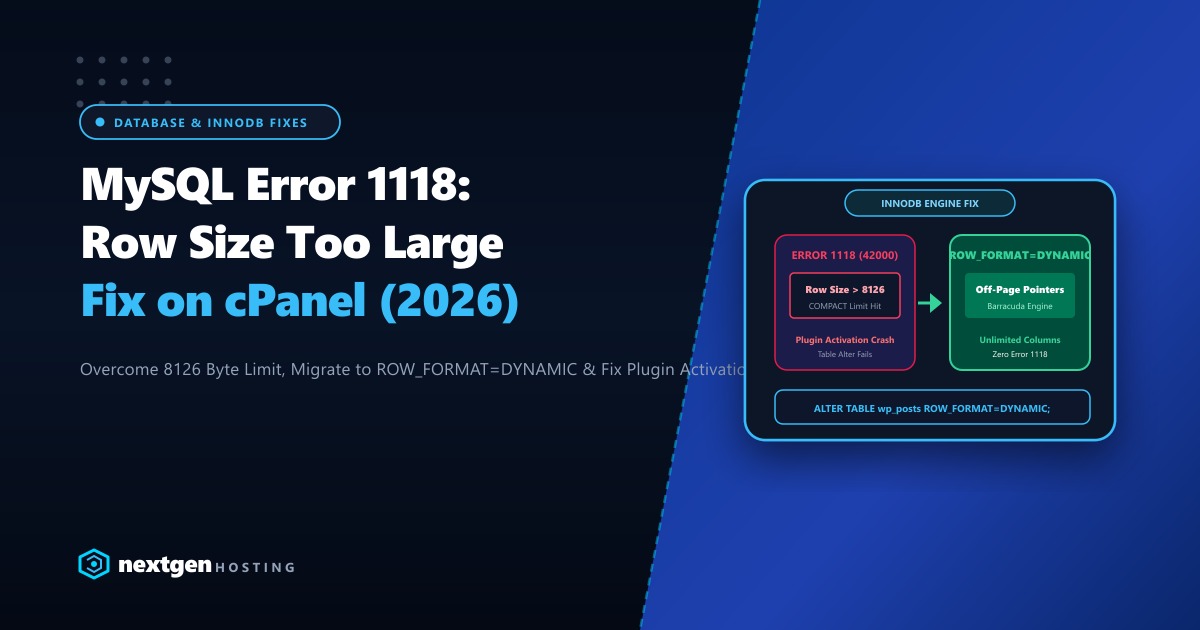
You install a new WordPress plugin, activate a complex WooCommerce extension, or run a database migration script on your cPanel server in Pakistan, and suddenly execution halts with a cryptic database error:
ERROR 1118 (42000) at line 412: Row size too large (> 8126).
Changing some columns to TEXT or BLOB may help. In current row format,
BLOB prefix of 768 bytes is stored inline.
Your plugin installation fails, your database restore breaks midway, and your website dashboard displays database error warnings.
Why does this happen? Because your MySQL or MariaDB table has breached InnoDB’s physical page architecture limits.
In default 16KB InnoDB storage page configurations, a single database row cannot exceed 8,126 bytes of inline data. When a WordPress table contains dozens of VARCHAR(255) columns—especially under modern utf8mb4 encoding (where each character consumes up to 4 bytes)—the table structure physically overflows the storage block.
Here is our complete engineering guide to resolving Error 1118 permanently in MySQL 8.4 and MariaDB on cPanel in 2026.
Executive Error 1118 Takeaways
- The 8,126-Byte Math: InnoDB storage pages are 16KB (16,384 bytes). InnoDB requires that at least two rows fit into each page, leaving approximately 8,126 bytes per row for data and internal headers.
- The utf8mb4 Factor: A
VARCHAR(255)column in UTF-8 takes up to255 * 4 = 1,020 bytes. Having just eight such columns can push an entire table over the physical inline limit! - The Definitive Fix (ROW_FORMAT=DYNAMIC): Migrating legacy tables from
COMPACTtoDYNAMICformat stores only a compact 20-byte pointer inline for long strings, moving the actual content off-page into overflow blocks. - Dedicated Database Power: High-column tables and complex relational schemas require ample database buffer memory to manage off-page pointer traversals without disk I/O penalties.
1. The Immediate Fix: Converting the Table to ROW_FORMAT=DYNAMIC
The modern, permanent architectural solution is to convert the problematic table to the DYNAMIC row format:
Connect to your database via phpMyAdmin in cPanel or directly via SSH MySQL CLI:
-- Convert the failing table to DYNAMIC format
ALTER TABLE wp_posts ROW_FORMAT=DYNAMIC;

-- Or if the error occurred on a plugin table (e.g. form builder or WooCommerce)
ALTER TABLE wp_form_fields ROW_FORMAT=DYNAMIC;
Why ROW_FORMAT=DYNAMIC Solves the Issue:
In legacy COMPACT or REDUNDANT row formats, MySQL stores the first 768 bytes of every text or blob column directly inline on the main storage page.
In DYNAMIC format (standard since MySQL 5.7 and MariaDB 10.3), MySQL stores only a 20-byte pointer inline and moves the entire variable-length data to an external overflow page—instantly freeing thousands of bytes of inline row capacity!
2. Converting All Tables in a Database Simultaneously
If you are restoring an older database dump containing dozens of legacy tables:
Run this automated SQL generator in phpMyAdmin or terminal to output conversion commands for all tables in your database:
SELECT CONCAT('ALTER TABLE `', table_name, '` ROW_FORMAT=DYNAMIC;') AS sql_command
FROM information_schema.tables
WHERE table_schema = 'your_cpanel_dbname'
  AND row_format != 'Dynamic';
Copy the generated list of ALTER TABLE statements and execute them in one batch. All tables will modernize to the DYNAMIC engine format in seconds.
3. Temporary Server-Wide Fix via WHM (Disabling InnoDB Strict Mode)
If you are importing a large .sql backup file or running an automated plugin installer that creates legacy tables:
- Log into WHM as
root. - Navigate to Service Configuration > MySQL / MariaDB Configuration.
- In the configuration file, or dynamically via terminal:
-- Disable innodb_strict_mode temporarily for the current session
SET GLOBAL innodb_strict_mode = 0;
With innodb_strict_mode = 0, MySQL converts row size errors from fatal blocking exceptions into non-fatal warnings, allowing your database import or plugin installation to complete successfully.
Security Best Practice: Once your import finishes, always convert the tables to ROW_FORMAT=DYNAMIC and re-enable innodb_strict_mode = 1.
4. Column Sizing Best Practices (Preventing the Error in Custom Code)
If you develop custom WordPress plugins, Laravel models, or database schemas:
- Avoid
VARCHAR(255)Blindly: If a field only stores phone numbers, postal codes, or status flags, useVARCHAR(50)orVARCHAR(20). - Convert Long Text to
MEDIUMTEXT: For rich text descriptions or JSON payloads, useTEXTorMEDIUMTEXTrather than wideVARCHARfields. - Use
utf8mb4_unicode_520_ci: Ensures full emoji and multi-lingual support while maintaining predictable indexing boundaries.
5. Enterprise Infrastructure for Demanding Database Workloads
Storing overflow pages off-page with ROW_FORMAT=DYNAMIC solves the physical row boundary limit, but it means complex SELECT queries across multi-column tables must follow external storage pointers across disk blocks.
On slow shared hosting with traditional SATA disks or entry-level cloud VMs, following off-page pointers introduces noticeable disk read latency and slows down page rendering.
Our global Dedicated Servers provide pure bare-metal AMD EPYC processors, 128GB+ DDR5 ECC memory, and enterprise PCIe Gen4 NVMe arrays in RAID 10, ensuring that off-page data blocks remain cached in high-speed RAM with sub-millisecond retrieval times.
For Pakistani enterprises, national banking applications, and major retail portals requiring local data residency and low latency across domestic networks, our Dedicated Servers in Pakistan provide local Karachi and Lahore co-location, dedicated IP pools, and local PKR billing with 24/7 dedicated engineering support.
6. Verifying Table Status After Modernization
Confirm that your tables are operating in DYNAMIC format by querying the MySQL information schema:
SELECT table_name, row_format, engine, data_length, index_length
FROM information_schema.tables
WHERE table_schema = 'your_cpanel_dbname'
  AND table_name = 'wp_posts';
Look for ROW_FORMAT: Dynamic in the output. The table is now fully compliant with modern storage engine standards, completely immune to Error 1118, and ready to scale with zero database crashes!
Accelerate Your Database Infrastructure on High-Speed NVMe
Say goodbye to database row errors and query bottlenecks. Deploy your mission-critical applications on Nextgen's high-speed cloud and dedicated bare-metal servers in Pakistan.
