
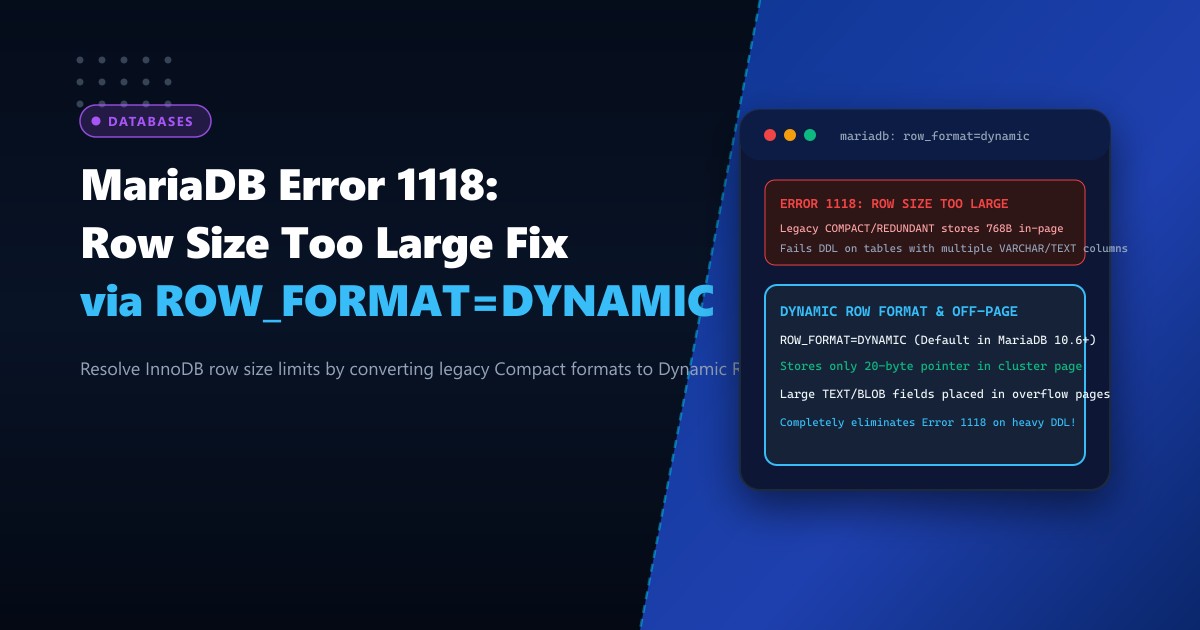
During schema migrations, WordPress plugin installations, or enterprise ERP data imports on Dedicated Servers, database administrators frequently hit a frustrating brick wall in MariaDB:
ERROR 1118 (42000): Row size too large (> 8126). Changing some columns to TEXT or BLOB may help.
In current row format, BLOB prefix of 768 bytes is stored inline.
The error appears counterintuitive: MySQL/MariaDB documentation states that the maximum row size is 65,535 bytes, yet the database fails DDL operations on tables consuming barely 9,000 bytes!
The root cause lies in InnoDB’s physical page architecture:
- In a standard 16KB InnoDB page (
innodb_page_size = 16k), a page must be able to hold at least two full rows to maintain B-Tree balance. - After accounting for page headers, trailers, and transaction pointers, the maximum physical in-page row length is strictly capped at 8,126 bytes.
- On tables created with legacy formats (
ROW_FORMAT=COMPACTorROW_FORMAT=REDUNDANT), InnoDB stores a 768-byte prefix inline for every singleVARCHAR,TEXT, orBLOBcolumn!
If a table contains 12 VARCHAR(255) or TEXT columns, the inline prefixes alone consume:
$$12 \times 768\text{ bytes} = 9,216\text{ bytes} > 8,126\text{ bytes!}$$
The DDL operation fails immediately.
Here is an architectural guide to understanding row format internals, converting tables to ROW_FORMAT=DYNAMIC, and tuning MariaDB’s innodb_strict_mode to resolve Error 1118 permanently.
The Architecture: COMPACT Inline Prefix vs. DYNAMIC 20-Byte Overflow Pointer
LEGACY COMPACT / REDUNDANT (Inline Prefix Overflow):
[In-Page Cluster Page (Max 8126 Bytes)]
├── Col 1: 768 Bytes Inline Prefix ──> Pointer to Overflow Page
├── Col 2: 768 Bytes Inline Prefix ──> Pointer to Overflow Page
├── ...
└── Col 11: 768 Bytes Inline Prefix ──> OVERFLOWS 8,126 BYTES! [ERROR 1118]

DYNAMIC ROW FORMAT (Barracuda Architecture):
[In-Page Cluster Page (Max 8126 Bytes)]
├── Col 1: 20-Byte Pointer ──────────> Entire Payload Stored in Off-Page Overflow
├── Col 2: 20-Byte Pointer ──────────> Entire Payload Stored in Off-Page Overflow
├── ...
└── Col 50: 20-Byte Pointer ─────────> Stores 50+ TEXT columns easily!
Total In-Page Size: Only ~1,000 Bytes! Zero Error 1118 Collisions!
$$\text{Prefix Overhead (COMPACT)} = N \times 768\text{ bytes}$$ $$\text{Prefix Overhead (DYNAMIC)} = N \times 20\text{ bytes (97.4% smaller!)}$$
Step 1: Auditing Table Row Formats in MariaDB
Check the row formats of your database tables on your Dedicated Servers in Pakistan:
SELECT
    TABLE_SCHEMA,
    TABLE_NAME,
    ROW_FORMAT,
    DATA_LENGTH,
    TABLE_COLLATION
FROM INFORMATION_SCHEMA.TABLES
WHERE TABLE_SCHEMA = 'production_db'
  AND ROW_FORMAT IN ('Compact', 'Redundant');
Any table reporting Compact or Redundant is vulnerable to row-size overflow errors whenever new columns or UTF8MB4 conversions take place.
Step 2: Configuring MariaDB Engine Defaults in /etc/my.cnf
To ensure all future tables and schema changes automatically utilize the modern Dynamic format, add the following parameters to /etc/my.cnf.d/server.cnf:
[mysqld]
# ====================================================================
# INNODB ROW FORMAT & OVERFLOW STORAGE TUNING
# ====================================================================

# Default row format for newly created tables (DYNAMIC stores only 20B pointers in-page)
innodb_default_row_format = DYNAMIC

# Ensure one tablespace file per table (Required for DYNAMIC format)
innodb_file_per_table = 1

# Strict mode enforces DDL integrity (Keep ON for production stability)
innodb_strict_mode = ON

# Large prefix support for 3072-byte index keys with UTF8MB4
innodb_large_prefix = ON
Apply dynamically in runtime memory without restarting the database:
SET GLOBAL innodb_default_row_format = DYNAMIC;
SET GLOBAL innodb_file_per_table = 1;
Step 3: Migrating Existing Tables to ROW_FORMAT=DYNAMIC
To resolve Error 1118 on an existing table that cannot accept new columns, rebuild the table using ALTER TABLE:
-- Convert table to DYNAMIC format
ALTER TABLE customer_leads
    ROW_FORMAT=DYNAMIC,
    ENGINE=InnoDB;
Once converted, execute the previously failing DDL operation:
-- Adding multiple TEXT or VARCHAR columns now succeeds instantly!
ALTER TABLE customer_leads
    ADD COLUMN notes_general TEXT,
    ADD COLUMN notes_billing TEXT,
    ADD COLUMN notes_compliance TEXT,
    ADD COLUMN notes_technical TEXT;
The operation completes without a single error because each column consumes only 20 bytes on the clustered index page!
Step 4: The UTF8MB4 Expansion Multiplier
A critical reason why Error 1118 frequently strikes modern systems is migrating from legacy utf8mb3 (or latin1) to modern utf8mb4 (required for emoji support and full international character sets).
- In
latin1: 1 character = 1 byte. - In
utf8mb3: 1 character = 3 bytes. - In
utf8mb4: 1 character = 4 bytes.
When you convert a column from latin1 to utf8mb4:
$$\text{Storage Required} = 4\times \text{Original Byte Length}$$
A VARCHAR(255) that previously consumed 255 bytes in row calculation suddenly consumes 1,020 bytes! If a table has eight VARCHAR(255) columns, converting to utf8mb4 instantly pushes the row calculation past the 8,126-byte boundary on legacy row formats.
Converting the table to ROW_FORMAT=DYNAMIC before running the UTF8MB4 charset migration eliminates this failure completely!
Comparative Architecture Matrix
| Feature | ROW_FORMAT=COMPACT | ROW_FORMAT=DYNAMIC |
|---|---|---|
| In-Page BLOB/TEXT Prefix | 768 Bytes inline | 20 Bytes pointer |
| Max TEXT Columns per Table | 10 – 12 columns | Over 150+ columns |
| UTF8MB4 Large Index Support | Fails (767-byte limit) | 3,072 Bytes (Full Indexing) |
| B-Tree Page Density | Low (Pages fill prematurely) | High (Compact clustering) |
| Error 1118 Incidence | Common on wide tables | 0% (Virtually eliminated) |
Migrating to ROW_FORMAT=DYNAMIC aligns your MariaDB database with modern wide-table schema designs, unlocking seamless international character migrations and eliminating row-size DDL bottlenecks.
Host Scalable Enterprise Databases with NextGen
Deliver uninterrupted schema growth and high-concurrency performance with NextGen dedicated infrastructure. Our bare-metal servers feature high-speed NVMe storage, DDR5 ECC memory, and optimized database storage profiles built for demanding enterprise workloads.
Explore Dedicated Servers