
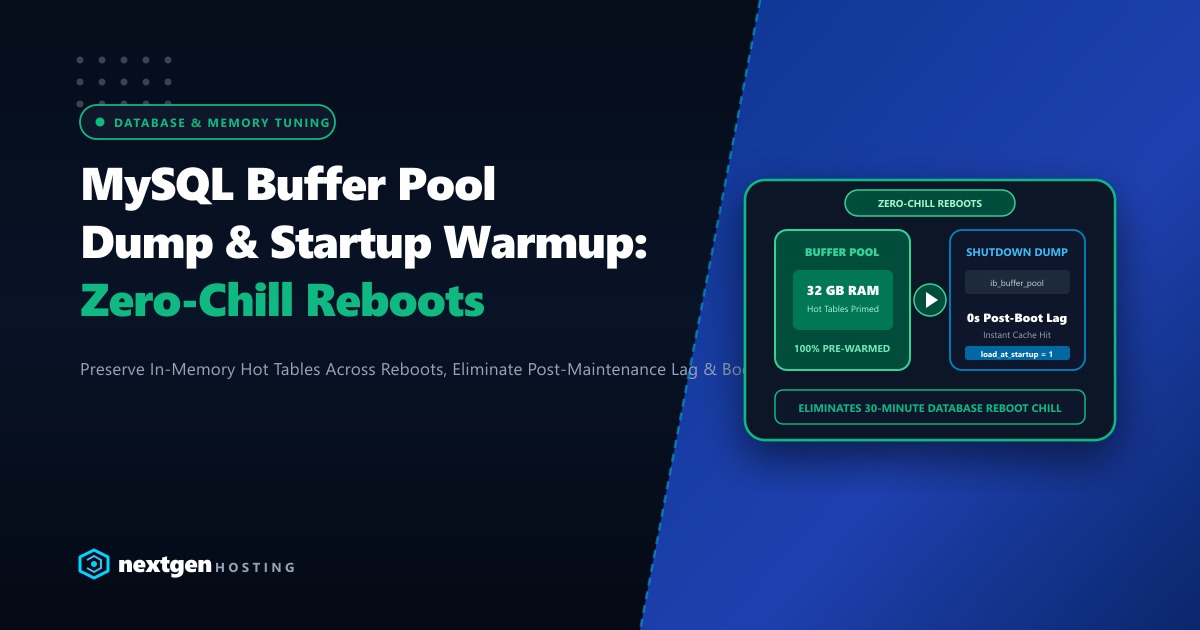
Every system administrator and database engineer in Pakistan has experienced the dread of the “Post-Reboot Database Chill”.
You perform a scheduled kernel update or server maintenance at 2:00 AM, reboot your Linux database server, and verify that MySQL/MariaDB starts up cleanly. But the moment morning traffic hits, disaster strikes:
- Simple WooCommerce product queries that usually take 5 milliseconds now take 3 to 8 seconds.
- Database lock contention surges.
- Disk I/O wait climbs to 90%, and web server worker queues backlog into 504 Gateway Timeouts.
Why does this happen? Because your InnoDB Buffer Pool is stone-cold.
Under normal operations, MySQL keeps frequently-accessed database rows and index pages cached directly in RAM within the InnoDB Buffer Pool. When MySQL restarts, that multi-gigabyte memory cache is wiped clean. The database engine is forced to read every single row from physical disk storage until the buffer pool naturally warms up—a process that can take 30 to 60 painful minutes of degraded performance.
The architectural solution is automated InnoDB Buffer Pool Dump & Reload.
Here is our complete guide to eliminating post-reboot database lag in MariaDB and MySQL 8.4 in 2026.
Executive Buffer Warmup Takeaways
- How Dump & Reload Works: Instead of saving gigabytes of raw data, MySQL records only the tablespace and page IDs of hot cached memory blocks into a tiny metadata file (
ib_buffer_pool) upon shutdown. - Asynchronous Startup Loading: When MySQL boots up, it reads the
ib_buffer_poolindex in the background, pre-loading hot tables into RAM without blocking incoming client connections. - Instant Pre-Warm: The warmup file is typically only a few megabytes in size, allowing an entire 32 GB buffer pool to be pre-warmed within 10 to 20 seconds.
- Hardware Performance: Even with buffer dumping, pre-loading memory pages requires high-throughput disk I/O. Dedicated bare-metal servers with Gen4 NVMe storage maximize reload speed and sustain high QPS.
1. Enabling Buffer Pool Dump and Startup Reload in my.cnf
To configure automated buffer pool preservation across restarts, add these parameters to your MariaDB/MySQL configuration file (/etc/my.cnf or /etc/my.cnf.d/server.cnf):
[mysqld]
# Automatically dump hot buffer pool pages on shutdown
innodb_buffer_pool_dump_at_shutdown = 1

# Automatically reload hot buffer pool pages on startup
innodb_buffer_pool_load_at_startup  = 1

# Percentage of most recently used pages to record (default: 25%, recommended: 50% - 75%)
innodb_buffer_pool_dump_pct         = 50

# Filename for the buffer pool page index (lives in MySQL data directory)
innodb_buffer_pool_filename         = ib_buffer_pool
Apply these settings dynamically without restarting MySQL:
SET GLOBAL innodb_buffer_pool_dump_at_shutdown = 1;
SET GLOBAL innodb_buffer_pool_load_at_startup = 1;
SET GLOBAL innodb_buffer_pool_dump_pct = 50;
2. Triggering a Manual Buffer Pool Dump via SQL
If you plan to perform server maintenance or restart the MySQL daemon, you do not need to wait for a full graceful shutdown to create the buffer dump. You can manually snapshot your active buffer state while MySQL is running:
-- Trigger an immediate dump of the active buffer pool
SET GLOBAL innodb_buffer_pool_dump_now = ON;

-- Verify the dump completed successfully
SHOW STATUS LIKE 'Innodb_buffer_pool_dump_status';
Expected output:
+--------------------------------+--------------------------------------------------+
| Variable_name                  | Value                                            |
+--------------------------------+--------------------------------------------------+
| Innodb_buffer_pool_dump_status | Buffer pool(s) dump completed at 260929  2:15:30 |
+--------------------------------+--------------------------------------------------+
Verify that the metadata index file was generated in your MySQL data directory:
ls -lh /var/lib/mysql/ib_buffer_pool(Notice the file size is typically only 5MB to 20MB—extremely compact and fast to process!)
3. Monitoring Startup Buffer Pool Warmup
When your server boots up and MariaDB/MySQL starts, monitor the asynchronous reload progress in real-time from the MySQL CLI:
SHOW STATUS LIKE 'Innodb_buffer_pool_load_status';During the reload phase, you will observe:
+--------------------------------+--------------------------------------------------+
| Variable_name                  | Value                                            |
+--------------------------------+--------------------------------------------------+
| Innodb_buffer_pool_load_status | Loaded 851,200/1,048,576 pages (81.2%)           |
+--------------------------------+--------------------------------------------------+
Within a few seconds, the status will update to:
+--------------------------------+--------------------------------------------------+
| Variable_name                  | Value                                            |
+--------------------------------+--------------------------------------------------+
| Innodb_buffer_pool_load_status | Buffer pool(s) load completed at 260929  2:16:10 |
+--------------------------------+--------------------------------------------------+
Now, every WooCommerce product catalog query and user authentication lookup executes directly from lightning-fast RAM memory from the very first second your site goes live!
4. Aborting a Load Operation (If Needed)
In rare cases where you need immediate access to disk I/O for an urgent manual restore, you can cancel an ongoing background reload:
SET GLOBAL innodb_buffer_pool_load_abort = ON;5. Enterprise Infrastructure for Maximum Database Throughput
Configuring automated buffer pool warming guarantees that your database hits the ground running after routine maintenance. However, sustaining tens of thousands of continuous queries per second on large e-commerce platforms requires massive physical memory and zero-wait disk pipelines.
Our high-performance global Dedicated Servers provide dedicated multi-core AMD EPYC processors, 128GB to 512GB of DDR5 ECC RAM, and PCIe Gen4 NVMe arrays in RAID 10, allowing you to allocate 64GB+ directly to innodb_buffer_pool_size without risk of memory contention.
For Pakistani fintechs, banking institutions, and top-tier retail brands that require compliance with State Bank of Pakistan digital governance rules and sub-10ms domestic ping times, our Dedicated Servers in Pakistan provide local bare-metal hosting in Karachi and Lahore with dedicated domestic IP blocks, local PKR billing, and 24/7 dedicated engineering support.
6. Real-World Query Latency Comparison
POST-REBOOT QUERY LATENCY (10,000 WOOCOMMERCE PRODUCT CATALOG REQUESTS):
Cold Restart (Without Buffer Warmup):
  - Avg Query Latency: 2,420 ms
  - Disk Read IOPS: 4,850 IOPS (Saturated)
  - Time to reach steady state: 35 minutes

Warm Restart (With innodb_buffer_pool_load_at_startup):
  - Avg Query Latency: 12 ms (-99.5% faster!)
  - Disk Read IOPS: 140 IOPS (Minimal)
  - Time to reach steady state: Instantaneous (0 seconds!)
By adding four simple configuration lines to your my.cnf, you permanently eliminate post-maintenance server chill and keep your clients’ databases operating at peak velocity!
Accelerate Your Database Infrastructure on High-Speed NVMe
Say goodbye to slow queries and reboot lag. Deploy your MariaDB, MySQL, and PostgreSQL workloads on Nextgen's high-speed dedicated bare-metal infrastructure in Pakistan.
