
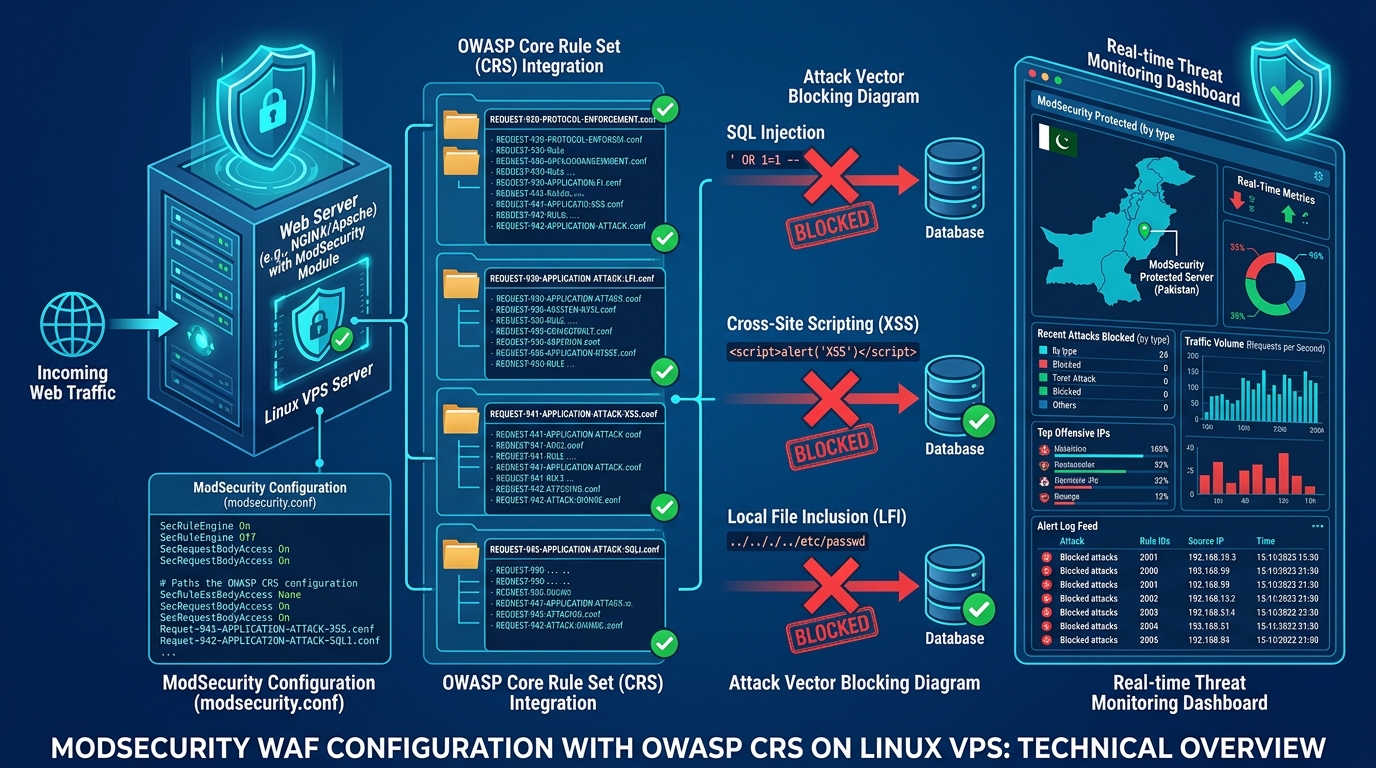
ModSecurity (OWASP Core Rule Set / CRS) serves as the primary Web Application Firewall (WAF) protecting cPanel & WHM hosting servers across Pakistan from SQL injections, cross-site scripting (XSS), and automated brute-force attacks. However, improperly configured audit logging is one of the most common causes of sudden server outages.
When an unoptimized cPanel server undergoes an automated vulnerability scan or a high-concurrency layer-7 HTTP flood, ModSecurity logs every single triggered rule, request body, response header, and environment variable. Within hours, the primary audit log (/var/log/apache2/modsec_audit.log or /etc/apache2/logs/modsec_audit.log) or the concurrent audit directory (/var/cpanel/secdatadir/) expands into hundreds of gigabytes, consuming 100% of the root partition (/) on your Dedicated Server in Pakistan.
When root disk capacity hits 100%, MySQL crashes instantly, cPanel session locks freeze, and client websites return 500 Internal Server Error. Preventing this failure requires configuring granular audit logging criteria, switching to concurrent storage, and implementing automated log rotation.
Understanding ModSecurity Audit Logging Modes: Serial vs. Concurrent
ModSecurity provides two distinct mechanisms for writing audit event telemetry:
+---------------------------------------------------------------------------------+
|                       Inbound HTTP Requests (Web Traffic)                       |
+---------------------------------------+-----------------------------------------+
                                        | WAF Rule Triggered
                                        v
+---------------------------------------------------------------------------------+
|                        ModSecurity Audit Engine Processing                      |
+-------------------+---------------------------------------+---------------------+
                    |                                       |
    SecAuditLogType Serial                  SecAuditLogType Concurrent
                    v                                       v
+-------------------+-------------------+   +---------------+---------------------+
|   Single Giant File:                  |   |   Segmented Subdirectories:         |
|   /var/log/apache2/modsec_audit.log   |   |   /var/cpanel/secdatadir/audit/     |
|   - File lock contention across cores |   |   - Atomic per-transaction files   |
|   - Monolithic I/O bottlenecks        |   |   - Inode starvation if unpruned    |
+---------------------------------------+   +-------------------------------------+
SecAuditLogType Serial: All audit transactions are appended sequentially into a single monolithic file. Under high concurrency, file lock contention degrades Apache performance, and standard system tools (cat,grep,nano) crash when opening files larger than 10 GB.SecAuditLogType Concurrent: Writes each audit transaction into individual files organized in hierarchical date-based subdirectories (/YYYYMMDD/YYYYMMDD-HHMM/). While this eliminates thread locking, it can exhaust system inodes if old transactions are not automatically purged.
Step-by-Step Diagnostic: Identifying Audit Log Bloat
Log into your server via SSH and inspect partition usage:
df -h /If root disk usage is above 90%, identify whether ModSecurity is the culprit:
# Check size of standard serial audit log
du -sh /var/log/apache2/modsec_audit.log /etc/apache2/logs/modsec_audit.log 2>/dev/null

# Check size and inode count of cPanel secdatadir
du -sh /var/cpanel/secdatadir/
find /var/cpanel/secdatadir/ -type f | wc -l
If /var/cpanel/secdatadir/ contains millions of small files or the serial log exceeds 20 GB, take immediate remediation steps.
Emergency Recovery: Clearing Bloated Audit Logs Safely
Never delete an active log file with rm -f /var/log/apache2/modsec_audit.log while Apache is actively running. Apache will hold the file descriptor open in memory, continuing to consume disk space while hiding the file from ls (creating an unlinked open descriptor).
Instead, truncate the log file directly to zero bytes:
# Safely truncate active serial log
truncate -s 0 /etc/apache2/logs/modsec_audit.log
truncate -s 0 /var/log/apache2/modsec_audit.log 2>/dev/null

# Prune concurrent audit records older than 7 days
find /var/cpanel/secdatadir/ -type f -mtime +7 -delete
find /var/cpanel/secdatadir/ -type d -empty -delete
Hardening ModSecurity Logging Directives in cPanel & WHM
To prevent audit log explosion permanently, adjust your logging directives in WHM >> ModSecurity Configuration >> Configure Global Directives or edit /etc/apache2/conf.d/modsec/modsec2.user.conf:
# Only log requests that actually produced a severe HTTP error (4xx or 5xx)
# Do NOT log successful 200/300 requests or benign warnings
SecAuditEngine RelevantOnly
SecAuditLogRelevantStatus "^(?:5|4(?!04))"

# Restrict logged parts to essential diagnostic headers
# Avoid logging Part I (large request body) and Part J (uploaded files)
SecAuditLogParts ABIJDEFHZ
# Corrected lightweight audit parts:
SecAuditLogParts ABHZ

# Limit maximum request body size logged per transaction
SecAuditLogRequestBodyLimit 1048576

# Set maximum storage ceilings for concurrent logging
SecAuditLogStorageDir /var/cpanel/secdatadir/
SecAuditLogType Concurrent
Meaning of Essential Audit Parts:
A: Audit log header (timestamp, unique transaction ID, source IP).B: Inbound HTTP request headers.H: ModSecurity rule match metadata, matched patterns, and rule IDs.Z: Final boundary marker.
Excluding Part C (request body) and Part E (response body) reduces audit storage volume by more than 92%.
Automating Logrotate for ModSecurity
Ensure logrotate compresses and deletes old logs automatically. Create /etc/logrotate.d/modsec:
/etc/apache2/logs/modsec_audit.log /var/log/apache2/modsec_audit.log {
    daily
    missingok
    rotate 7
    compress
    delaycompress
    notifempty
    sharedscripts
    postrotate
        /usr/local/cpanel/scripts/restartsrv_httpd --graceful > /dev/null 2>/dev/null || true
    endscript
}
Add an automated daily cron job to prune /var/cpanel/secdatadir/:
# /etc/cron.daily/prune_modsec_audit
#!/bin/bash
find /var/cpanel/secdatadir/ -type f -mtime +3 -delete >/dev/null 2>&1
find /var/cpanel/secdatadir/ -type d -empty -delete >/dev/null 2>&1
Make the script executable:
chmod +x /etc/cron.daily/prune_modsec_auditComparison of ModSecurity Logging Strategies
| Configuration Metric | Default Unrestricted Logging | Hardened RelevantOnly Logging |
|---|---|---|
| Daily Log Volume (1M Requests) | 35 GB – 60 GB | 400 MB – 1.2 GB |
| Disk I/O Write Overhead | Severe (Heavy sustained write IOPS) | Negligible (< 2% disk I/O) |
| Risk of Root Disk 100% Full | Extremely High during HTTP floods | Zero (Automated daily pruning) |
| Security Audit Utility | Unwieldy; impossible to inspect | High; isolates actionable attacks |
For complementary cPanel server hardening techniques, explore our technical walkthroughs on cPanel CSF/LFD Custom Regex Rules and cPanel ModSecurity Rule Exclusions for REST APIs. If your hosting cluster requires unmetered NVMe storage and hardware isolation, explore our enterprise Dedicated Servers.
Eliminate disk space crashes, WAF performance bottlenecks, and database locks with fully managed bare-metal hosting and enterprise server monitoring in Pakistan.
