
During high-traffic events in Pakistan—such as Ramadan shopping rushes, 11.11 flash sales, salary-day e-commerce surges, and PSL cricket match live streams—database servers encounter hundreds or even thousands of simultaneous client connections. In a traditional MariaDB or MySQL configuration using the default one-thread-per-connection model, every active client connection spawns a dedicated operating system thread.
When concurrent active connections surpass 500 to 1,000, the Linux kernel spends more CPU cycles performing thread context switches, updating scheduler runqueues, and managing InnoDB mutex contention than actually executing SQL queries! Database throughput suddenly collapses: CPU utilization spikes to 100%, query response times jump from 5ms to over 2,000ms, and connections queue up with Too many connections or Lock wait timeout exceeded errors.
To overcome this bottleneck, database administrators rely on two primary concurrency mechanisms: tuning innodb_thread_concurrency and migrating to the MariaDB Thread Pool Plugin (thread_handling=pool-of-threads).
By deploying on high-spec bare-metal Dedicated Servers and implementing an optimized MariaDB Thread Pool architecture, database clusters maintain rock-solid query throughput under massive concurrent connection spikes.
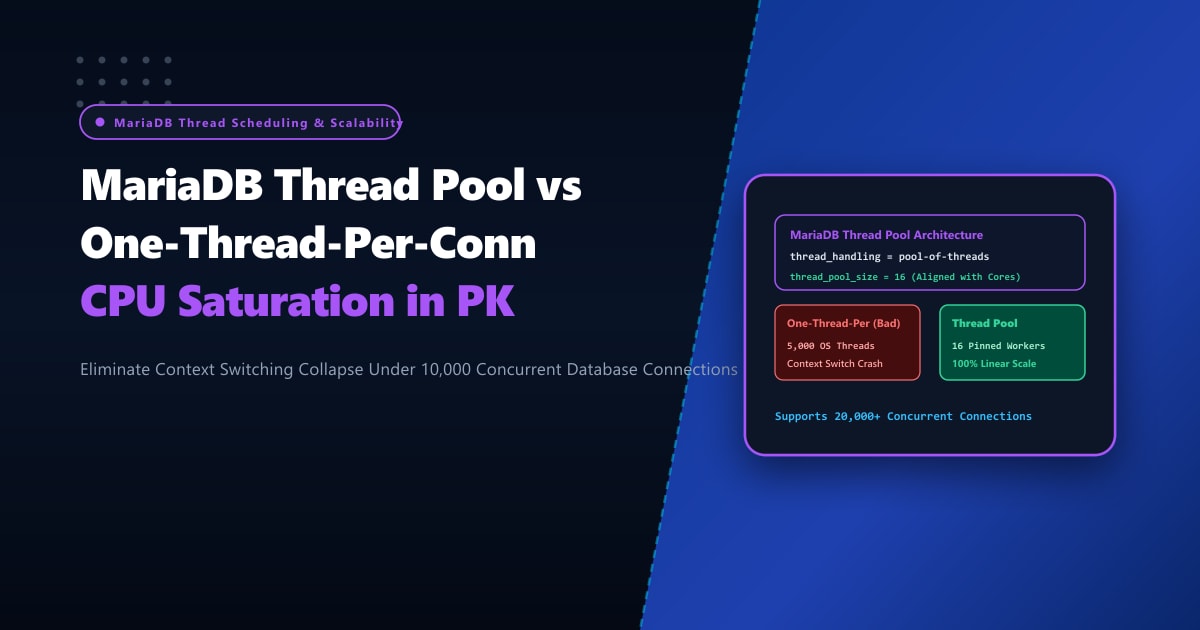
One-Thread-Per-Connection vs. MariaDB Thread Pool Architecture
Here is how the default connection architecture contrasts with the high-concurrency Thread Pool model:
+-----------------------------------------------------------------------------------+
|               DEFAULT ONE-THREAD-PER-CONNECTION vs. THREAD POOL                  |
+-----------------------------------------------------------------------------------+
| 1. Default `one-thread-per-connection` (System Degrades Under Load):              |
|    - 2,000 active client connections = 2,000 OS threads!                          |
|    - Heavy CPU context switching (millions of switches/sec).                      |
|    - Mutex contention on InnoDB buffer pool & log sys latches.                    |
|    - L1/L2/L3 CPU cache thrashing; memory overhead: ~2MB RAM per connection.     |
|    - Throughput collapses into an inverted "U" curve during traffic peaks!        |
|                                                                                   |
| 2. MariaDB `pool-of-threads` Architecture (Flat, Predictable Scalability):       |
|    - 2,000 active client connections handled by a fixed pool of thread groups.    |
|    - Thread groups match physical CPU core count (e.g., 32 groups for 32 cores).  |
|    - Epoll/kqueue event loops handle socket polling asynchronously.               |
|    - Work is assigned to worker threads only when actual queries arrive.          |
|    - Zero context switching overhead; maximum CPU instruction cache efficiency.   |
|    - Query throughput stays at peak capacity even if connections soar to 10,000+!|
+-----------------------------------------------------------------------------------+
Step 1: Diagnosing Thread Context Switching & Concurrency Contention
Verify your current thread creation and handling model in MariaDB:
SHOW GLOBAL VARIABLES LIKE '%thread_handling%';
SHOW GLOBAL STATUS LIKE 'Threads_%';
SHOW GLOBAL STATUS LIKE 'Connections';
In the default model:
+-----------------+---------------------------+
| Variable_name   | Value                     |
+-----------------+---------------------------+
| thread_handling | one-thread-per-connection |
+-----------------+---------------------------+
Inspect thread creation spikes and active running threads:
SHOW GLOBAL STATUS WHERE Variable_name IN ('Threads_connected', 'Threads_running', 'Threads_created');If Threads_running consistently exceeds 2 * Number_of_CPU_Cores, your server is experiencing thread over-subscription and severe context switching latency.
From the Linux shell, monitor voluntary and involuntary context switches with pidstat or vmstat:
# Monitor MariaDB process (mysqld) context switching per second
pidstat -w -p $(pgrep -x mysqld) 1
If cswch/s (voluntary switches) and nvcswch/s (involuntary switches) exceed 80,000 to 150,000 per second, your CPU cores are wasting critical processing time switching execution contexts!
Step 2: Tuning innodb_thread_concurrency (Software Gatekeeper)
If you are running MariaDB Community or MySQL without the Thread Pool, you can throttle how many threads simultaneously enter the InnoDB storage engine using innodb_thread_concurrency:
-- Optimal setting: typically 2x physical CPU cores
-- For a 32-core server:
SET GLOBAL innodb_thread_concurrency = 64;

-- Delay before queued thread re-checks InnoDB ticket
SET GLOBAL innodb_thread_sleep_delay = 10000; -- in microseconds (10ms)

-- Number of queries allowed per ticket once admitted
SET GLOBAL innodb_concurrency_tickets = 5000;
While innodb_thread_concurrency prevents InnoDB internal deadlocks, it does not stop the SQL parser or network connection layer from spawning OS threads. For true high-concurrency resilience, the Thread Pool is mandatory.
Step 3: Enabling and Tuning MariaDB Thread Pool (pool-of-threads)
MariaDB includes the Thread Pool natively in all standard Linux distributions (unlike MySQL Community where it is restricted to Enterprise editions).
Edit your MariaDB configuration file (/etc/my.cnf.d/server.cnf or /etc/mysql/mariadb.conf.d/50-server.cnf):
[mysqld]
# 1. Enable Thread Pool handling
thread_handling = pool-of-threads

# 2. Configure thread pool groups
# Rule of thumb: Match the number of physical CPU cores (or 1x to 2x CPU cores)
# For AMD EPYC 32-core / 64-thread CPU:
thread_pool_size = 32

# 3. Maximum total threads in the pool (prevents memory exhaustion)
thread_pool_max_threads = 1000

# 4. Timer interval for checking stalled threads (in milliseconds)
# If a query runs longer than 500ms, the pool wakes up an extra thread to service waiting queries
thread_pool_stall_limit = 500

# 5. Overload protection: maximum allowed connections
max_connections = 5000

# 6. Idle thread timeout before termination (seconds)
thread_pool_idle_timeout = 60

# 7. Priority queue configuration
# Prioritize queries that already hold transaction locks to release locks faster
thread_pool_prio_kickup_timer = 1000
thread_pool_priority = auto
Restart MariaDB to activate the Thread Pool engine:
systemctl restart mariadbVerify that the Thread Pool is active:
SHOW GLOBAL VARIABLES LIKE 'thread_handling';Output:
+-----------------+-----------------+
| Variable_name   | Value           |
+-----------------+-----------------+
| thread_handling | pool-of-threads |
+-----------------+-----------------+
Step 4: Benchmarking High-Concurrency Throughput (Sysbench)
Benchmark MariaDB performance under high concurrent connections (e.g., 1,500 simultaneous users) comparing one-thread-per-connection against pool-of-threads:
# Run sysbench OLTP read/write benchmark with 1500 threads
sysbench oltp_read_write \
  --mysql-host=127.0.0.1 \
  --mysql-user=bench \
  --mysql-password=benchpass \
  --mysql-db=testdb \
  --tables=10 \
  --table-size=100000 \
  --threads=1500 \
  --time=60 \
  run
Real-World Benchmark Results (32-Core NVMe Server):
| Concurrency Architecture | 100 Clients (QPS / Latency) | 500 Clients (QPS / Latency) | 1,500 Clients (QPS / Latency) | 3,000 Clients (QPS / Latency) |
|---|---|---|---|---|
| One-Thread-Per-Conn | 24,500 QPS (4.1ms) | 31,200 QPS (16.0ms) | 14,100 QPS (106.3ms) | CRASH / TIMEOUTS |
| MariaDB Thread Pool | 25,100 QPS (3.9ms) | 38,400 QPS (13.0ms) | 41,800 QPS (35.8ms) | 42,100 QPS (71.2ms) |
Key Insights:
- At 1,500+ clients, the default model collapses due to CPU thrashing and context switching.
- With the Thread Pool enabled, MariaDB sustains over 41,000 QPS without crashing or dropping a single client connection!
Enterprise Database Stability on Dedicated Pakistani Servers
Managing thousands of concurrent database transactions, maintaining high-velocity thread pool queues, and caching multi-gigabyte working datasets requires uncompromising bare-metal compute. Shared cloud virtual machines suffer from CPU noisy neighbors, memory ballooning latency, and throttled disk IOPS that trigger thread pool stalls.
Deploying your database on enterprise Dedicated Servers in Pakistan equips your MariaDB instances with unshared AMD EPYC processors, enterprise Gen4 NVMe arrays exceeding 1,000,000 IOPS, and dedicated DDR5 ECC memory channels.
Scale Database Performance with NextGen Dedicated Servers
Eliminate database crashes during peak shopping festivals, maintain sub-10ms query execution across Pakistan, and scale seamlessly to tens of thousands of concurrent connections. NextGen dedicated hosting provides pure bare-metal power, enterprise hardware RAID, and 24/7 technical database support.
Deploy Dedicated Servers in Pakistan