
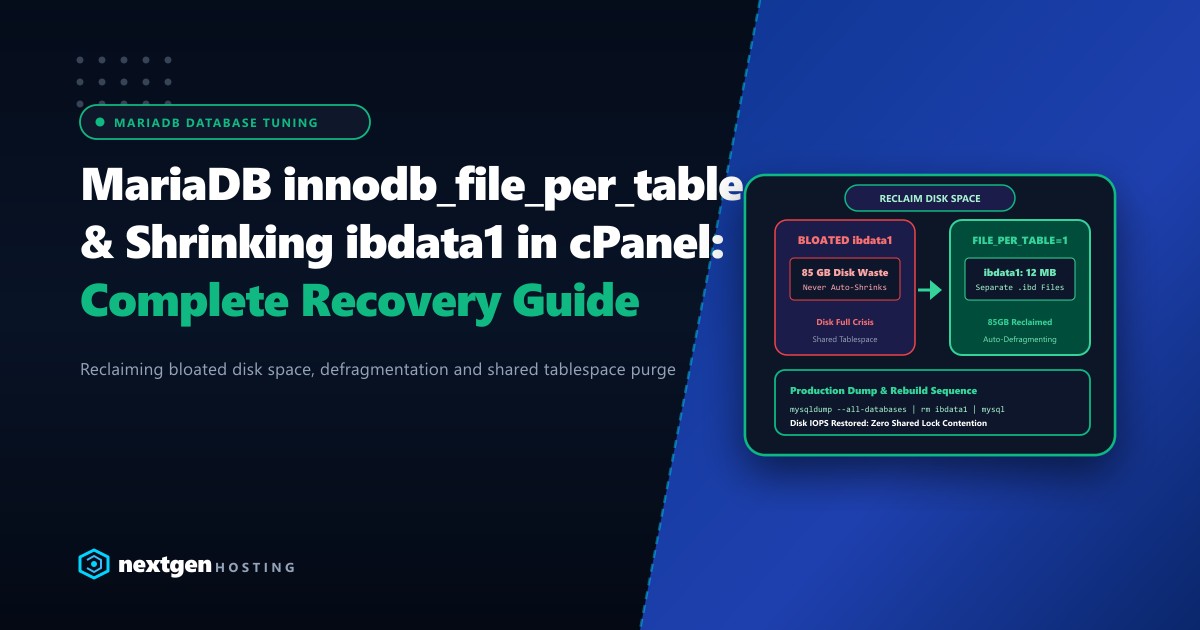
One of the most frustrating storage emergencies on a Linux cPanel server running MariaDB or MySQL is the relentless growth of the ibdata1 file located inside /var/lib/mysql/.
An administrator logs in to investigate a “Disk 100% Full” alert, only to discover that ibdata1 has ballooned to 60GB, 100GB, or even 200GB. They delete gigabytes of old customer backups and run DROP TABLE on massive logging tables, expecting the disk space to free up immediately.
Instead, the disk usage remains completely unchanged. ibdata1 stays massive.
This architectural guide explains why ibdata1 behaves this way, how innodb_file_per_table resolves it permanently, and the exact step-by-step production procedure to safely shrink ibdata1 and reclaim every gigabyte of wasted storage.
Executive Summary: The ibdata1 Storage Conundrum
- The Auto-Extend Trap:
ibdata1is the shared InnoDB system tablespace. While it automatically expands when tables or undo logs require space, it can never shrink on disk automatically, even after deleting all table data. - Internal Fragmentation: Deleted records only mark internal pages as "reusable" inside
ibdata1. That disk space is held captive by the file and never returned to the Linux OS filesystem. - innodb_file_per_table: Enabling this directive ensures that every table receives its own isolated
.ibdfile in/var/lib/mysql/dbname/, allowingOPTIMIZE TABLEto reclaim disk space immediately. - The Only Way to Shrink: The only supported method to reduce the physical size of
ibdata1is to dump all databases, stop MySQL/MariaDB, delete the oldibdata1file, and restore the databases.
Why Doesn’t ibdata1 Shrink Automatically?
In the early days of MySQL, all InnoDB tables, indexes, data dictionaries, and undo logs were stored in a single monolithic shared file: ibdata1.
LEGACY INNODB SHARED TABLESPACE (innodb_file_per_table = 0):
/var/lib/mysql/ibdata1 (85 GB)
+-------------------------------------------------------------+
| Table A (10GB) | Table B (40GB) | Undo Logs (20GB) | Unused |
+-------------------------------------------------------------+
* Even if you DELETE Table B, ibdata1 remains 85 GB on the filesystem!

MODERN SEPARATE TABLESPACES (innodb_file_per_table = 1):
/var/lib/mysql/
  ├── ibdata1 (12 MB - System Dictionary & Undo Only)
  ├── db_clientA/
  │     ├── wp_posts.ibd (120 MB)
  │     └── wp_options.ibd (8 MB)
  └── db_clientB/
        └── orders.ibd (450 MB) -> Can be defragmented independently!
When you delete rows or drop tables inside a shared tablespace, InnoDB marks the freed blocks as available for future writes within that file. However, the operating system kernel cannot shrink the allocated file size without recreating the tablespace from scratch.
Pre-Flight Check: Inspecting Your MySQL Configuration
Connect to your server via SSH as root and check if innodb_file_per_table is currently active:
# Log into MariaDB / MySQL
mysql -u root -p

# Check the directive status
SHOW GLOBAL VARIABLES LIKE 'innodb_file_per_table';
If it returns OFF, all newly created tables are still writing directly into ibdata1.
Check the physical size of your database files:
ls -lh /var/lib/mysql/ibdata1
# Example output:
# -rw-r----- 1 mysql mysql 84G Sep 29 04:12 /var/lib/mysql/ibdata1
The Complete Production Procedure to Shrink ibdata1
[!WARNING] This procedure involves taking down the database service, deleting the shared tablespace, and restoring from a dump. Always take a complete snapshot of your server or VPS before beginning.
Step 1: Dump All Databases to a Compressed Archive
Export every database, user privilege, and schema into a single verified SQL dump:
# Create a secure scratch directory
mkdir -p /root/db_backup
cd /root/db_backup

# Dump all databases with complete routines, triggers, and events
mysqldump --all-databases \
  --routines \
  --triggers \
  --events \
  --single-transaction \
  --quick \
  --max_allowed_packet=512M \
  -u root -p > alldatabases.sql

# Verify the dump file size and check for completeness
ls -lh alldatabases.sql
tail -n 20 alldatabases.sql | grep "Dump completed"
Step 2: Drop All User Databases
To ensure clean recreation, drop all databases except system schemas (mysql, information_schema, performance_schema, sys):
# Generate a script to drop all user databases
mysql -u root -p -BNe "SELECT CONCAT('DROP DATABASE \`', schema_name, '\`;') FROM information_schema.schemata WHERE schema_name NOT IN ('mysql', 'information_schema', 'performance_schema', 'sys');" > drop_all.sql

# Execute the drop script
mysql -u root -p < drop_all.sql
Step 3: Stop MySQL and Configure /etc/my.cnf
Stop the MariaDB/MySQL service:
# Stop the database service
systemctl stop mariadb || systemctl stop mysqld
Open /etc/my.cnf and verify/add these directives under the [mysqld] block:
[mysqld]
# Enable separate tablespace per table
innodb_file_per_table = 1

# Reset shared tablespace initial sizing
innodb_data_file_path = ibdata1:12M:autoextend

# Sizing buffer pool to match server RAM (e.g., 8GB)
innodb_buffer_pool_size = 8G
innodb_log_file_size = 512M
Step 4: Delete the Bloated ibdata1 and Log Files
Now that all data is safely preserved in alldatabases.sql, remove the bloated physical files:
cd /var/lib/mysql

# Remove the bloated shared tablespace and log files
rm -f ibdata1
rm -f ib_logfile*
Step 5: Start MySQL and Restore All Databases
When MySQL starts, it detects the missing ibdata1 and regenerates a fresh, clean file of only 12MB:
# Start the database service
systemctl start mariadb || systemctl start mysqld

# Verify the newly created file size
ls -lh /var/lib/mysql/ibdata1
# Output: -rw-r----- 1 mysql mysql 12M Sep 29 04:30 /var/lib/mysql/ibdata1

# Restore the complete database backup
mysql -u root -p < /root/db_backup/alldatabases.sql
Depending on the size of your databases, the restore process will recreate each table as its own clean, unfragmented .ibd file.
Future Maintenance: Reclaiming Space on .ibd Files
With innodb_file_per_table = 1 active, you will never need to rebuild ibdata1 again. Whenever a specific table accumulates bloat (e.g., after purging 500,000 spam comments or expired WooCommerce sessions), you can reclaim disk space immediately without restarting MySQL:
-- Reclaims disk space and returns it directly to the OS filesystem
OPTIMIZE TABLE my_database.wp_options;
For high-throughput enterprise databases, deploying on hardware with dedicated PCIe Gen4 NVMe arrays on bare-metal Dedicated Servers eliminates I/O wait times and supports massive multi-terabyte datasets. When managing database nodes for Pakistani financial services, corporate ERPs, and high-concurrency SaaS apps, choosing Dedicated Servers in Pakistan guarantees low latency, local compliance, and high IOPS bandwidth across domestic fiber routes.
Optimize Your Database Performance with Nextgen
Say goodbye to disk full panics and database bottlenecks. Nextgen Hosting delivers enterprise-grade MariaDB and MySQL database stacks with pure NVMe storage and 24/7 expert DBA support.
