
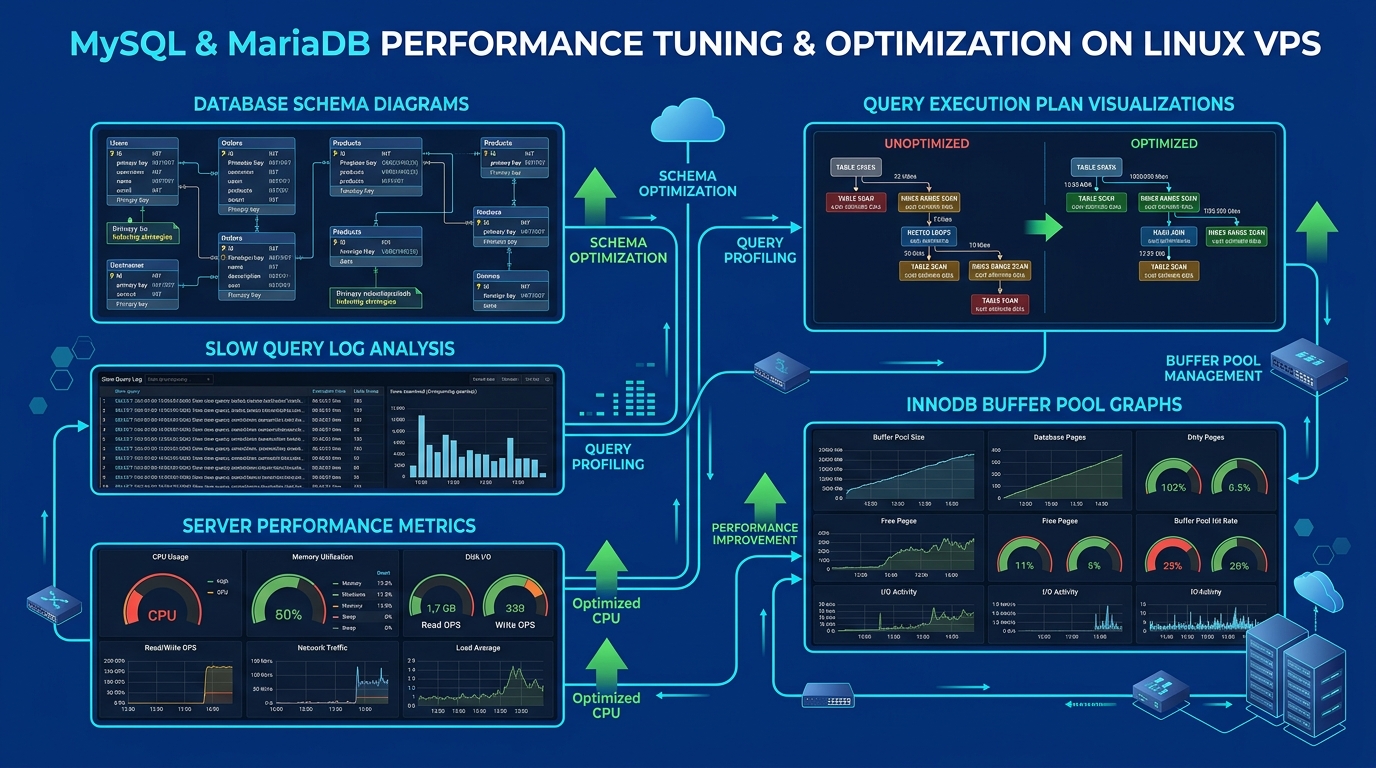
When web applications, high-concurrency eCommerce platforms, or multi-tenant cPanel environments begin slowing down in Pakistan, the root cause is rarely insufficient CPU clock speeds. Over 80% of application latency spikes trace directly back to default, unoptimized relational database configurations in MySQL or MariaDB.
Default database installations are designed to run safely on minimal legacy servers with as little as 512MB of RAM. When deployed on modern multi-core Cloud VPS instances or bare-metal servers, these default parameters constrain database throughput. The storage engine relies on excessive disk I/O, thread caches exhaust under concurrency surges, and connection pools become blocked behind table locks.
To achieve lightning-fast query execution and handle thousands of concurrent queries without degradation, you must systematically tune your database configuration.
In this comprehensive sysadmin masterclass, we explore how to optimize MySQL and MariaDB memory parameters, disk flush models, and query execution threads on Cloud VPS and Dedicated Servers in Pakistan.
Step 1: Sizing the InnoDB Buffer Pool (innodb_buffer_pool_size)
The InnoDB Buffer Pool is the single most critical parameter in MySQL and MariaDB performance. It acts as the in-memory cache for table data, secondary indexes, and undo logs:
Query Execution
       │
       ▼
[InnoDB Buffer Pool (RAM)] ──► Cache HIT? ──► Returns in <0.1ms! (Pure Memory Read)
       │
       └──► Cache MISS? ──► Physical NVMe/SSD Read ──► 100x slower latency!
If your buffer pool is smaller than your active working dataset, MySQL constantly evicts pages to read new ones from physical disk, causing high I/O wait and CPU spikes.
The Production Sizing Formula:
- On a Dedicated Database Server: Allocate 70% to 80% of total system RAM to
innodb_buffer_pool_size. - On a Shared Web & Database Server (e.g., standard cPanel VPS): Allocate 40% to 50% of total RAM, reserving remaining memory for Nginx/Apache, PHP-FPM, and Redis.
In /etc/my.cnf or /etc/my.cnf.d/server.cnf:
[mysqld]
# Example for an 8GB RAM Cloud VPS
innodb_buffer_pool_size = 4G

# Split buffer pool into multiple instances to eliminate mutex lock contention
innodb_buffer_pool_instances = 4

# Pre-load buffer pool pages on server restart for instant warm performance
innodb_buffer_pool_dump_at_shutdown = 1
innodb_buffer_pool_load_at_startup = 1
Step 2: Optimizing Transaction Log Flushing (innodb_flush_log_at_trx_commit)
By default, MySQL enforces strict ACID compliance (innodb_flush_log_at_trx_commit = 1), forcing the kernel to flush the redo log to physical disk after every single committed transaction:
# Production Tuning for High-Concurrency Web Workloads
innodb_flush_log_at_trx_commit = 2- Value = 1 (Default): Log flushed to physical disk on every commit. Strict ACID safety, but caps write throughput on heavy checkouts or bulk inserts.
- Value = 2 (Recommended for Web Performance): Log is written to the operating system buffer on commit and flushed to disk once per second. In the event of a MySQL daemon crash, zero transactions are lost. In the event of a catastrophic physical power outage, at most 1 second of transactions could be lost, while write throughput jumps by up to 400%!
Pair this with direct asynchronous disk I/O:
# Bypass operating system double-buffering on Linux
innodb_flush_method = O_DIRECT
Step 3: Thread Caching and Connection Concurrency
Creating a new operating system thread for every incoming MySQL connection consumes CPU cycles. When hundreds of visitors connect and disconnect rapidly, thread creation overhead degrades performance.
Configure the thread cache to reuse existing threads:
# Maintain up to 64 idle threads in memory ready for new connections
thread_cache_size = 64

# Cap max connections to prevent Out-Of-Memory (OOM) crashes
max_connections = 300

# Prevent idle connections from holding locks open indefinitely (5 minutes max)
wait_timeout = 300
interactive_timeout = 300
Step 4: Redo Log and IO Capacity for Fast NVMe Arrays
On modern PCIe Gen4 NVMe storage arrays:
# Redo log file size: Allows large write bursts before flushing dirty pages
innodb_log_file_size = 1G
innodb_log_buffer_size = 64M

# IO Capacity: Calibrated for enterprise NVMe SSDs
innodb_io_capacity = 2000
innodb_io_capacity_max = 4000
Verifying Cache Hit Ratios
After running your tuned database under typical load for 24 hours, check your InnoDB buffer pool hit efficiency via the MySQL shell:
SHOW GLOBAL STATUS LIKE 'Innodb_buffer_pool_read%';Calculate the Buffer Pool Hit Ratio: $$\text{Hit Ratio} = 100 - \left( \frac{\text{Innodb_buffer_pool_reads}}{\text{Innodb_buffer_pool_read_requests}} \times 100 \right)$$
On a properly sized database server, this ratio should exceed 99.5%.
By systematically sizing your InnoDB buffer pool, tuning log flush intervals, and enabling O_DIRECT, you eliminate database bottlenecks and maintain fast, reliable application response times on Dedicated Servers.
Run Your Databases on NextGen Bare Metal in Pakistan
Deliver sub-millisecond database queries for your mission-critical applications. NextGen Dedicated Servers and Cloud VPS feature pure PCIe Gen4 NVMe arrays, high-frequency AMD EPYC processors, and expert sysadmin support.
