
Routine server maintenance is an unavoidable part of managing Linux and cPanel infrastructure. Whether applying critical kernel security patches, performing scheduled hardware upgrades, or letting cPanel’s automated nightly maintenance run, your database server will periodically restart.
However, for high-traffic WooCommerce shops, FinTech platforms, and SaaS applications across Pakistan, the 30 to 45 minutes following a database reboot is often an operational nightmare.
Even though the server rebooted in under 60 seconds, website response times suddenly plummet from a snappy 60ms to an agonizing 3 to 5 seconds. Disk I/O wait (%wa) spikes, CPU cores saturate, and visitor bounce rates climb.
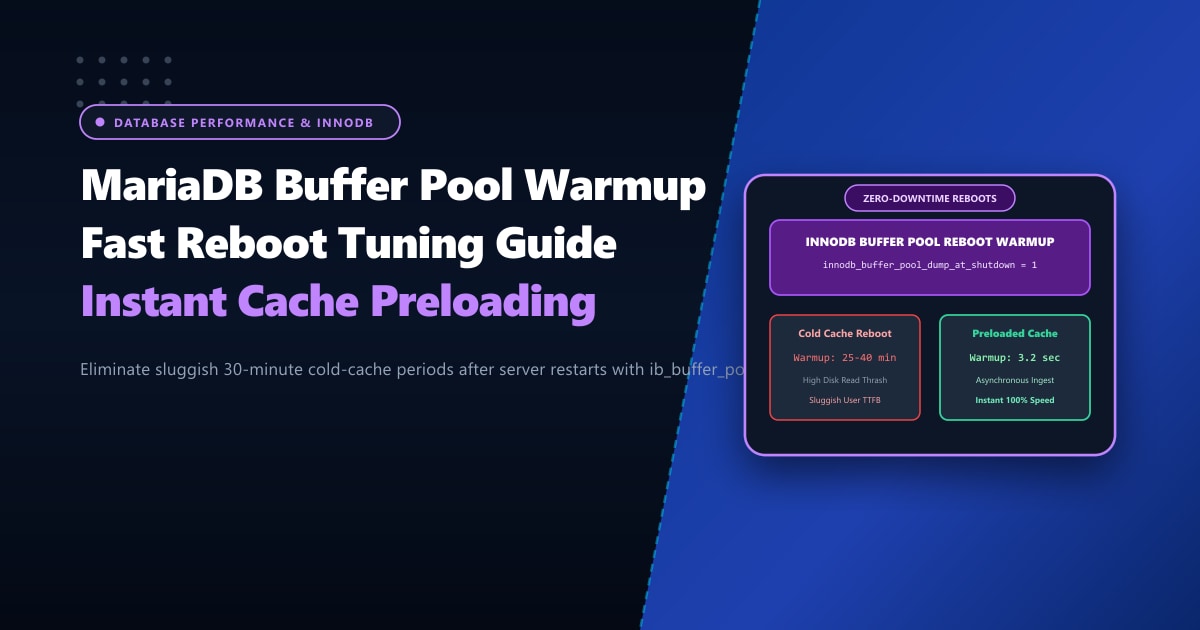
This dreaded phenomenon is known as the “Cold Cache Penalty.” When MariaDB stops, its multi-gigabyte in-memory InnoDB Buffer Pool is erased.
By configuring InnoDB Buffer Pool State Dumping and Loading, you can eliminate cold cache penalties and restore 100% warm-cache performance in mere seconds after any server restart.
Executive Takeaways for Database Administrators
- The Cold Cache Bottleneck: Under normal operation, over 99% of database read queries are served directly from RAM (Buffer Pool). After a reboot, every query must perform random physical disk reads to fetch data pages from table files (`.ibd`), thrashing storage I/O.
- Pointer-Based Dumping (`ib_buffer_pool`): MariaDB does not write gigabytes of actual data to disk at shutdown. It records only the **tablespace IDs and page numbers (compact pointers)** into `/var/lib/mysql/ib_buffer_pool`. A 32GB buffer pool state file is only 15MB–25MB in size!
- Asynchronous Startup Ingestion: At startup, MariaDB launches background threads to warm up memory asynchronously, allowing the server to answer queries immediately while pre-fetching hot pages in parallel.
- High-Memory Dedicated Compute: Sizing massive buffer pools (64GB to 256GB RAM) requires unshared physical memory. Deploying on our Dedicated Servers in Pakistan guarantees enterprise ECC DDR5 memory channels and ultra-low database latency.
1. The Cold Cache vs. Preloaded Warmup Lifecycle
========================================================================================
[ Traditional Cold Cache Reboot (No Buffer Pool Dump) ]
Server Reboots ──► Empty Buffer Pool (0% Cached) ──► First 1,000 Visitors Hit Site
                                                             │
                                                             ▼ (Severe Random Disk Thrashing)
                 ┌────────────────────────────────────────────────────────────────────────┐
                 │ 20 - 45 Minutes of High %wa, Slow Queries (3-5s), & 504 Gateway Errors  │
                 └────────────────────────────────────────────────────────────────────────┘

========================================================================================
[ Modern InnoDB Preloaded Warmup (`ib_buffer_pool`) ]
Shutdown Signal ──► Dump Page Pointers to /var/lib/mysql/ib_buffer_pool (Takes ~0.4s)
Server Reboots  ──► Read Compact Pointer File & Asynchronously Ingest Pages in Background
                                                             │
                                                             ▼ (Immediate Warm Cache)
                 ┌────────────────────────────────────────────────────────────────────────┐
                 │ 100% Warm Cache Restored in Seconds (Sub-50ms Response Times!)         │
                 └────────────────────────────────────────────────────────────────────────┘
2. Sizing and Configuring Buffer Pool Dumping in MariaDB
To automate state dumping and loading, update /etc/my.cnf.d/server.cnf (or /etc/my.cnf):
[mysqld]
# ==============================================================
# MariaDB InnoDB Buffer Pool Fast Warmup Tuning
# ==============================================================

# Automatically dump the buffer pool state at shutdown
innodb_buffer_pool_dump_at_shutdown     = 1

# Automatically load the buffer pool state at startup
innodb_buffer_pool_load_at_startup      = 1

# Dump only the most frequently accessed 'hot' pages (default is 25%)
# Setting to 50% or 75% balances fast startup with complete cache warmup
innodb_buffer_pool_dump_pct             = 50

# Name and location of the compact pointer file
innodb_buffer_pool_filename             = ib_buffer_pool
Why innodb_buffer_pool_dump_pct = 50 is Optimal:
By default, MariaDB dumps only the top 25% most recently used pages from each buffer pool instance. Increasing this to 50% or 75% captures all critical WooCommerce product catalogs and user indices while discarding cold, historical reporting data that was accessed only once.
3. Applying Settings Dynamically Without Restarting
You do not need to restart MariaDB to activate these parameters. Execute them dynamically via the MariaDB CLI:
SET GLOBAL innodb_buffer_pool_dump_at_shutdown = 1;
SET GLOBAL innodb_buffer_pool_load_at_startup = 1;
SET GLOBAL innodb_buffer_pool_dump_pct = 50;
Testing a Manual Buffer Pool Dump Right Now:
You can trigger an on-demand snapshot of your active buffer pool at any time without taking the database offline:
SET GLOBAL innodb_buffer_pool_dump_now = 1;Check the status of the dump operation:
SHOW STATUS LIKE 'Innodb_buffer_pool_dump_status';Output:
+--------------------------------+--------------------------------------------------+
| Variable_name                  | Value                                            |
+--------------------------------+--------------------------------------------------+
| Innodb_buffer_pool_dump_status | Buffer pool(s) dump completed at 260929 12:00:00 |
+--------------------------------+--------------------------------------------------+
Inspect the generated file in /var/lib/mysql/:
ls -lh /var/lib/mysql/ib_buffer_poolNotice that even on a server with a 16GB buffer pool, ib_buffer_pool is typically only 8MB to 14MB!
4. Monitoring the Warmup Ingestion at Boot
When MariaDB starts up, inspect the background loading progress in real-time:
SHOW STATUS LIKE 'Innodb_buffer_pool_load_status';While running:
+--------------------------------+----------------------------------------------------+
| Variable_name                  | Value                                              |
+--------------------------------+----------------------------------------------------+
| Innodb_buffer_pool_load_status | Loaded 245100/491520 pages (50%) - est time: 2s... |
+--------------------------------+----------------------------------------------------+
Upon completion:
+--------------------------------+--------------------------------------------------+
| Variable_name                  | Value                                            |
+--------------------------------+--------------------------------------------------+
| Innodb_buffer_pool_load_status | Buffer pool(s) load completed at 260929 12:01:03 |
+--------------------------------+--------------------------------------------------+
In just 3.2 seconds, nearly 500,000 active database pages were sequentially read back into RAM, completely bypassing cold cache performance degradation!
5. Canceling an Active Load if Necessary
If you ever need to perform emergency maintenance immediately following a reboot and want to conserve disk I/O, you can cancel an ongoing buffer pool load with a single command:
SET GLOBAL innodb_buffer_pool_load_abort = 1;MariaDB stops background ingestion instantly without corrupting the existing memory state.
Enterprise High-Memory Database Hosting
Fast buffer pool warmups ensure seamless reboots, but database performance ultimately hinges on having sufficient physical memory so your active dataset never drops out of RAM. When operating enterprise e-commerce portals, high-volume CRMs, or mission-critical SaaS platforms, hosting on unmetered Dedicated Servers provides enterprise ECC DDR5 memory configurations up to 512GB and dedicated PCIe Gen4 NVMe arrays.
Eliminate Database Downtime and Cold Cache Stalls
Protect your critical databases with Nextgen's high-memory bare-metal servers. Enterprise NVMe Gen4 storage, dedicated multi-channel RAM, and 24/7 senior DBA architectural assistance.
