
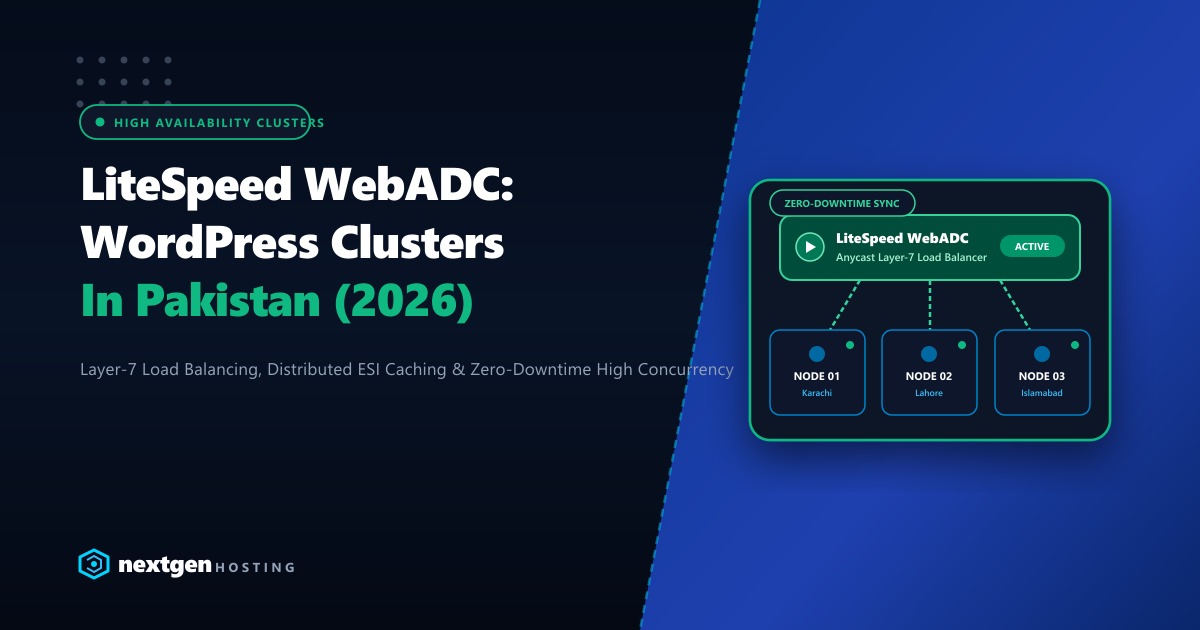
When a single WordPress server handles millions of monthly pageviews or faces intense flash-sale traffic during Pakistani festive seasons (like Blessed Friday or Eid shopping festivals), scaling vertically by adding CPU cores eventually hits a hard ceiling.
Database connection pools exhaust, PHP-FPM queues backlog, and a single server crash causes complete storefront blackout.
To achieve true five-nines (99.999%) uptime and handle tens of thousands of concurrent checkouts, enterprise brands transition to horizontal clustering powered by LiteSpeed WebADC (Web Application Delivery Controller).
Unlike generic load balancers (such as HAProxy or basic AWS ALB), LiteSpeed WebADC is built specifically to understand LiteSpeed Cache (LSCache) tags, HTTP/3 QUIC sessions, and Edge Side Includes (ESI)—allowing distributed backend nodes to share cache states and balance dynamic traffic seamlessly.
Here is how to design, deploy, and configure a LiteSpeed WebADC WordPress cluster in Pakistan for 2026.
LiteSpeed WebADC Cluster Highlights
- LSCache-Aware Layer-7 Routing: WebADC can cache static and dynamic pages at the load balancer level, serving up to 90% of requests directly from its Anycast edge without ever touching backend web nodes.
- Smart ESI Punching: For eCommerce sites, WebADC can assemble cached page templates with dynamic personalized widgets (like cart totals and login greetings) via Edge Side Includes (ESI) in real time.
- Zero-Downtime Rolling Maintenance: Take individual backend nodes offline for OS updates, PHP version upgrades, or plugin deployments while WebADC gracefully drains connections and reroutes users.
- Dedicated Infrastructure Requirement: Multi-node clusters require low-latency private interconnects (LAN/VLAN) between load balancers, web workers, and database replicas to prevent internal network latency penalties.
1. High-Availability Cluster Architecture Overview
A production enterprise cluster divides responsibilities across specialized tiers connected over a high-speed private local network:
                  [ Inbound Public Traffic (HTTP/3 QUIC) ]
                                    │
                                    ▼
                 ┌──────────────────────────────────────┐
                 │    LiteSpeed WebADC Load Balancer    │
                 │   (SSL Termination + LSCache Edge)   │
                 └──────────────────┬───────────────────┘
                                    │ Private 10Gbps VLAN
         ┌──────────────────────────┼──────────────────────────┐
         ▼                          ▼                          ▼
┌──────────────────┐       ┌──────────────────┐       ┌──────────────────┐
│ Web Node 01 (LS) │       │ Web Node 02 (LS) │       │ Web Node 03 (LS) │
│ (PHP 8.4 Engine) │       │ (PHP 8.4 Engine) │       │ (PHP 8.4 Engine) │
└────────┬─────────┘       └────────┬─────────┘       └────────┬─────────┘
         │                          │                          │
         └──────────────────────────┼──────────────────────────┘
                                    ▼
                 ┌──────────────────────────────────────┐
                 │       GlusterFS / NFS Storage        │
                 │     (Shared wp-content/uploads)      │
                 └──────────────────┬───────────────────┘
                                    │
                                    ▼
                 ┌──────────────────────────────────────┐
                 │      MariaDB Galera Primary/Replica  │
                 │       + Redis Object Cache Cluster   │
                 └──────────────────────────────────────┘
2. Deploying LiteSpeed WebADC: Step-by-Step
LiteSpeed WebADC can be deployed on a dedicated Linux VPS or bare-metal server running Ubuntu 24.04 or AlmaLinux 9:
Step 1: Install the WebADC Package
# Add LiteSpeed repository
wget -O - https://repo.litespeed.tech/setup/install.sh | bash

# Install LiteSpeed WebADC
sudo apt update && sudo apt install -y webadc
Step 2: Access the Admin WebGUI
By default, the WebADC admin interface runs on port 7080:
# Set admin password
/usr/local/lsws/admin/misc/admpass.sh

# Open browser to: https://YOUR_LOADBALANCER_IP:7080
3. Configuring Backend Server Clusters in WebADC
In the WebADC console, navigate to Clusters > Add New Cluster:
- Cluster Name:
wp_production_cluster - Cluster Type:
Load Balancing - Load Balancing Algorithm:
Round Robin(orLeast Connectionsfor dynamic eCommerce stores) - Session Persistence: Enable Cookie-Based Sticky Sessions (
SESSIONID) so customer carts and checkout sessions remain pinned to the same backend node.
Add your backend LiteSpeed nodes over your private network:
Node 01: 10.0.0.11:80  (Weight: 100, Max Connections: 2000)
Node 02: 10.0.0.12:80  (Weight: 100, Max Connections: 2000)
Node 03: 10.0.0.13:80  (Weight: 100, Max Connections: 2000)
Configure Health Check Monitoring:
Ping URL: /health-check.php
Interval: 5s
Timeout: 2s
Healthy Count: 2
Unhealthy Count: 3
Create /health-check.php on each backend node:
<?php
// Simple health check verifying web server and database connectivity
header('Content-Type: text/plain');
http_response_code(200);
echo "HEALTHY_OK";
4. Distributed Caching & Tag Purging with LiteSpeed Cache
The unique advantage of LiteSpeed WebADC is its ability to synchronize cache invalidations across nodes. When an administrator edits a product or a customer publishes a review:
- The WordPress LiteSpeed Cache plugin issues an instant purge header:
X-LiteSpeed-Purge: tag_product_4921. - WebADC intercepts this purge header at the load balancer level.
- WebADC immediately expunges the cached HTML copies across all nodes simultaneously without purging unrelated catalog pages.
This eliminates the classic cache divergence bug where customer A sees an outdated price while customer B sees the updated price depending on which server their request hits.
5. Enterprise Infrastructure for Clustered Environments
Building a multi-server LiteSpeed WebADC cluster requires fast, reliable hardware backed by dedicated internal network pipelines. If web nodes experience microsecond jitter when communicating with the database or shared storage nodes, TTFB performance will degrade rapidly.
Our global Dedicated Servers offer bare-metal performance, 10Gbps dedicated private networking, and enterprise NVMe storage to support multi-node WordPress clusters under extreme traffic loads.
For Pakistani enterprises, national banks, and major eCommerce brands requiring local presence and low domestic latency, our Dedicated Servers in Pakistan provide private rack co-location in Karachi and Lahore, unmetered local transit across major telecom backbones, and 24/7 dedicated system engineering support.
6. Testing Failover and High Concurrency
Once deployed, simulate a node failure during an active load test to verify seamless zero-downtime failover:
# Terminal 1: Run continuous concurrent requests
autocannon -c 100 -d 60 https://yourdomain.pk/

# Terminal 2: Kill Node 01 web server service mid-test
ssh [email protected] "systemctl stop lsws"
WebADC will detect the failed health check within 5 seconds, remove Node 01 from the cluster rotation, and redistribute active users to Nodes 02 and 03 with zero 502/504 errors visible to the end user.
Scale Your High-Traffic Sites with Enterprise Web Clusters
Say goodbye to downtime during peak traffic spikes. Deploy high-availability LiteSpeed WebADC clusters on Nextgen's private high-speed dedicated bare-metal infrastructure in Pakistan.
