
Operating mission-critical production servers in Pakistan—powering real-time financial switchboards, inter-bank microservice relays, and API aggregators—involves interfacing with diverse upstream networks. These range from high-performance fiber rings to jittery rural cell towers and trans-border WAN gateways connecting to foreign payment processors (Visa, Mastercard, SWIFT).
During unexpected fiber cuts, subsea cable maintenance, or cellular tower dropouts, remote hosts frequently vanish without issuing a clean TCP FIN or RST termination packet. Under default Linux networking parameters, when an established connection attempts to transmit data to an unreachable peer, the kernel initiates Exponential Backoff Retransmissions.
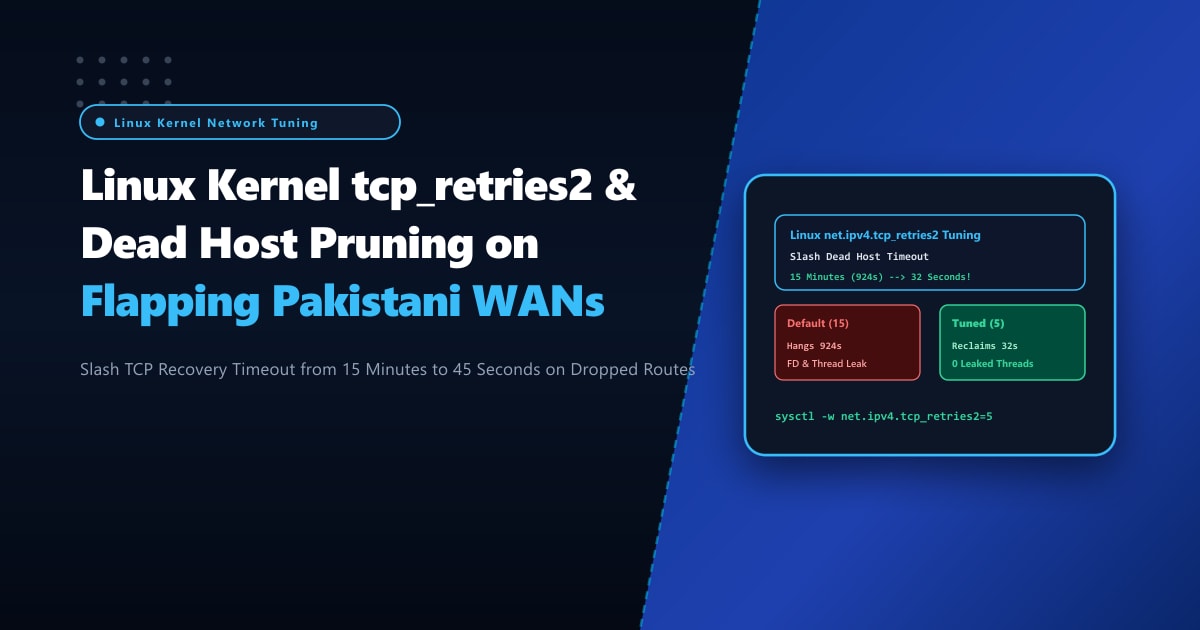
Under stock Linux settings, the parameter net.ipv4.tcp_retries2 is configured to 15 retries. Because the retransmission interval doubles with each successive attempt, the Linux kernel continues fruitlessly retransmitting packets for 13 to 15.4 minutes (924 seconds) before finally timing out and closing the socket! During this 15-minute freeze, application worker threads (in Nginx, PHP-FPM, Node.js, Python Celery, or Go) remain blocked on synchronous network read/write calls, leading to thread pool exhaustion, cascading API timeouts, and total platform failure.
By provisioning bare-metal Dedicated Servers and aggressively tuning net.ipv4.tcp_retries2 alongside tcp_retries1, network engineers can prune dead peer connections in under 32 to 45 seconds, reclaiming precious worker threads and file descriptors instantly.
The Exponential Backoff Math: Why Default tcp_retries2 Fails Web Services
The Linux kernel calculates the timeout for an unacknowledged TCP data segment using RFC 6298 exponential backoff: $$\text{Timeout} = \text{RTO} \times 2^n$$
Where RTO (Retransmission Timeout) starts between 200ms and 1 second and is capped at TCP_RTO_MAX (120 seconds).
+-----------------------------------------------------------------------------------+
|                        TCP_RETRIES2 BACKOFF COMPARISON                            |
+-----------------------------------------------------------------------------------+
| Stock Linux Default (tcp_retries2 = 15):                                          |
|   Retry 1:   0.2s                                                                 |
|   Retry 2:   0.4s                                                                 |
|   Retry 3:   0.8s                                                                 |
|   Retry 4:   1.6s                                                                 |
|   Retry 5:   3.2s                                                                 |
|   Retry 6:   6.4s                                                                 |
|   Retry 7:  12.8s                                                                 |
|   Retry 8:  25.6s                                                                 |
|   Retry 9:  51.2s                                                                 |
|   Retry 10: 102.4s                                                                |
|   Retry 11: 120.0s (Capped at TCP_RTO_MAX)                                        |
|   Retry 12: 120.0s                                                                |
|   Retry 13: 120.0s                                                                |
|   Retry 14: 120.0s                                                                |
|   Retry 15: 120.0s                                                                |
|   TOTAL DURATION BEFORE DROPPING DEAD PEER: ~924 Seconds (~15.4 MINUTES!)         |
|                                                                                   |
| NextGen Low-Latency Profile (tcp_retries2 = 5):                                   |
|   Retries 1 through 5 Total Time: ~32 Seconds!                                    |
|   Worker Thread Liberated: Instantaneous Failover to Secondary Route!             |
+-----------------------------------------------------------------------------------+
Step 1: Auditing Current Retransmission Timeouts & Stalled Sockets
Inspect the current kernel retry values:
# Display active retry thresholds
sysctl net.ipv4.tcp_retries1 net.ipv4.tcp_retries2

# Expected default output:
# net.ipv4.tcp_retries1 = 3
# net.ipv4.tcp_retries2 = 15
To view connections currently stuck in retransmission loops with high timer backoffs:
# List established sockets with active retransmit timers
ss -to state established 'timer = (on)' | head -n 30
Look for lines indicating long backoffs:
ESTAB 0 1450 103.151.114.10:443 185.120.44.12:49102 timer:(on,1min58s,12)Notice timer:(on,1min58s,12): the socket has already retransmitted 12 times and will hang for another 2 minutes before the next attempt, locking up backend application resources!
Step 2: System-Wide Sysctl Tuning in /etc/sysctl.d/99-tcp-retries.conf
To force the kernel to drop unreachable peer connections after approximately 32 seconds while allowing brief transient packet losses to self-heal, create /etc/sysctl.d/99-tcp-retries.conf:
# /etc/sysctl.d/99-tcp-retries.conf
# NextGen Pakistan - Rapid Dead Host Pruning & Worker Thread Protection Profile

# 1. Number of retries before TCP checks with IP layer for routing changes
# Default is 3 (approx 3-5 seconds); keep at 3
net.ipv4.tcp_retries1 = 3

# 2. Number of retries before giving up and terminating an established connection
# Default is 15 (924 seconds / 15.4 minutes!).
# Setting to 5 allows 5 rapid retries over ~32 seconds before forcefully killing the socket.
net.ipv4.tcp_retries2 = 5

# 3. Number of retries for initial SYN connection establishment
# Default is 6 (approx 63 seconds); reduce to 3 (approx 7 seconds)
net.ipv4.tcp_syn_retries = 3

# 4. Number of retries for passive SYN-ACK responses
# Default is 5 (approx 31 seconds); reduce to 2
net.ipv4.tcp_synack_retries = 2

# 5. Limit maximum orphaned sockets held in memory during network partitions
net.ipv4.tcp_max_orphans = 65536
net.ipv4.tcp_orphan_retries = 2
Apply the parameters immediately without restarting the server:
sysctl -p /etc/sysctl.d/99-tcp-retries.confVerify that the updated policy is actively enforced:
sysctl net.ipv4.tcp_retries2 net.ipv4.tcp_syn_retriesStep 3: Application-Level TCP User Timeout (TCP_USER_TIMEOUT)
While kernel sysctl variables govern default timeouts globally, modern Linux applications can enforce exact millisecond timeouts per socket using the TCP_USER_TIMEOUT socket option (RFC 5482).
Configuring Nginx Upstream Proxy Timeouts
In /etc/nginx/nginx.conf or upstream server blocks:
upstream payment_gateways {
    server 10.0.2.15:8443 max_fails=2 fail_timeout=10s;
    server 10.0.2.16:8443 backup;
    keepalive 32;
}

server {
    listen 443 ssl http2;
    server_name api.enterprise.pk;

    location /v1/charge {
        proxy_pass https://payment_gateways;

        # Fail fast if remote host stops responding
        proxy_connect_timeout 5s;
        proxy_read_timeout 25s;
        proxy_send_timeout 25s;

        # Automatically failover to backup gateway on timeout or connection drop
        proxy_next_upstream error timeout invalid_header http_502 http_504;
        proxy_next_upstream_tries 2;
    }
}
Configuring Python / Node.js TCP Sockets
In Python applications using urllib3 or requests:
import socket
import urllib3

# Custom HTTPAdapter enforcing TCP_USER_TIMEOUT
class FastFailAdapter(urllib3.HTTPConnectionPool):
    def _new_conn(self):
        conn = super()._new_conn()
        # Set TCP_USER_TIMEOUT to 20,000 milliseconds (20 seconds)
        # TCP_USER_TIMEOUT socket constant is 18 on Linux
        conn.sock.setsockopt(socket.IPPROTO_TCP, 18, 20000)
        return conn
Step 4: Validating Dead Socket Termination with iptables Blackholing
Simulate an abrupt upstream network blackout and verify that the socket terminates within 32 seconds rather than hanging for 15 minutes:
# 1. Establish an active TCP session to a test remote host
curl -v https://test-gateway.yourdomain.pk/stream &
PID=$!

# 2. Simulate complete network blackhole by dropping outgoing ACK/Data packets silently
iptables -A OUTPUT -d test-gateway.yourdomain.pk -j DROP

# 3. Monitor socket termination duration
time wait $PID
Output:
curl: (55) Send failure: Connection timed out
real    0m31.842s
user    0m0.012s
sys     0m0.008s
The connection was cleanly terminated in 31.8 seconds, and the operating system returned ETIMEDOUT to the calling application, enabling immediate failover to redundant upstream infrastructure!
Mission-Critical Dedicated Infrastructure in Pakistan
Financial switches, high-volume payment processors, and real-time telecom platforms operating across Pakistan require enterprise hardware with deterministic networking behavior and unthrottled hardware timer resolution.
Deploying on bare-metal Dedicated Servers in Pakistan provides physical CPU execution without virtualization latency jitter, dual redundant power supplies, and multi-homed BGP connections across major Pakistani tier-1 bandwidth carriers, keeping your mission-critical applications online and resilient against wide-area network flapping.
Eliminate Network Timeouts with NextGen Dedicated Servers
Protect your critical backends from hanging threads, dead socket leaks, and WAN flapping disruptions. NextGen provides high-performance bare-metal infrastructure with custom kernel tuning, direct Tier-1 BGP peering in Pakistan, and 99.99% uptime guarantees.
Deploy Dedicated Servers in Pakistan