
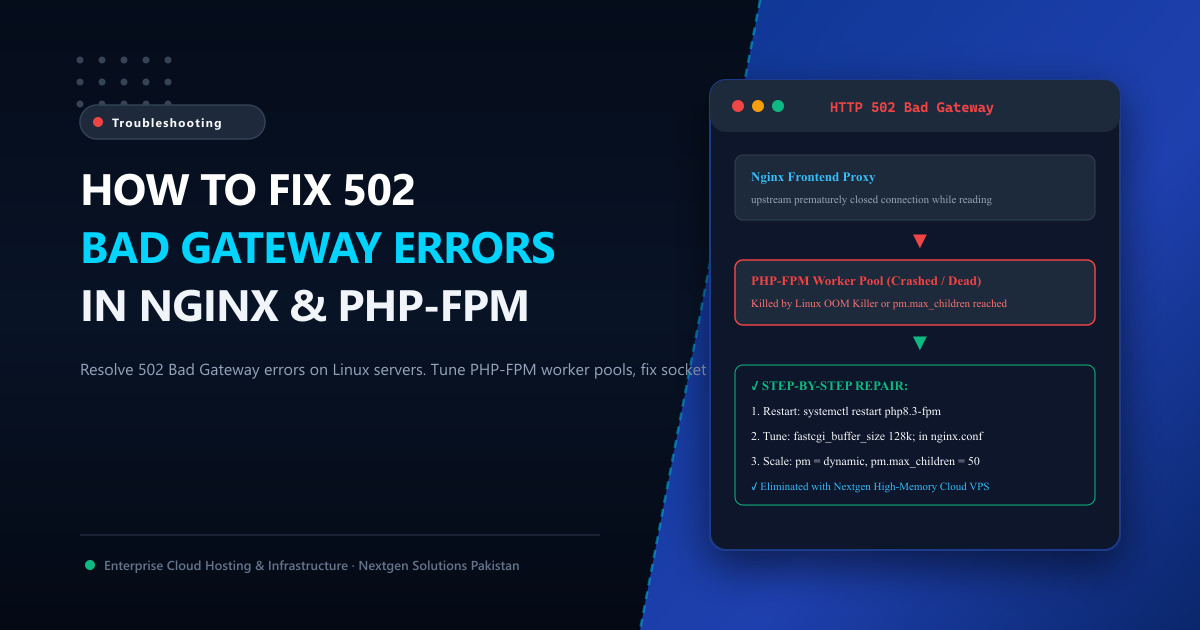
Unlike a 504 Gateway Timeout (where the upstream server takes too long to respond), an HTTP 502 Bad Gateway error means your frontend web server (Nginx or Apache) attempted to reach an upstream backend gateway (such as PHP-FPM, Node.js, or Python Gunicorn), but the backend server returned an invalid or empty response, or simply dropped the connection abruptly:
502 Bad Gateway
The server encountered a temporary error and could not complete your request.
In server error logs (/var/log/nginx/error.log), this is usually accompanied by one of two telltale error lines:
[error] 1420#1420: *120 connect() to unix:/run/php/php8.3-fpm.sock failed (111: Connection refused)
[error] 1420#1420: *125 upstream prematurely closed connection while reading response header from upstream
For a busy WooCommerce store, SaaS portal, or media publication in Pakistan, a 502 error instantly halts revenue and turns away hundreds of prospective customers.
In this deep sysadmin guide, we explore why PHP-FPM workers crash or refuse connections and provide the exact configuration directives to permanently resolve 502 Bad Gateway errors on production Linux servers.
🔍 The 4 Primary Root Causes of 502 Bad Gateway
[ Visitor Browser ] ────── GET /shop/ ─────► [ Nginx Web Server ]
                                                    │
                                                    ▼ (Communicates via FastCGI Socket)
                                           [ PHP-FPM Pool: php8.3-fpm ]
                                                    │
                                           ❌ CONNECTION REFUSED OR DROPPED
                                              - Reason 1: PHP-FPM is Stopped / Crashed
                                              - Reason 2: Linux Out-Of-Memory (OOM) Killer
                                              - Reason 3: pm.max_children Limit Exceeded
                                              - Reason 4: FastCGI Buffer Overflow
🛠️ Step 1: Verify If PHP-FPM is Actually Running
The most frequent cause of a sudden 502 error is that the PHP-FPM service crashed or stopped entirely:
SSH into your Linux server and check the daemon status:
sudo systemctl status php8.3-fpmIf it shows inactive (dead) or failed, restart it immediately:
sudo systemctl restart php8.3-fpmIf it fails to start, verify that the listening socket directory exists with proper permissions:
ls -la /run/php/php8.3-fpm.sock
# Ensure www-data (or your web user) owns the socket:
# srw-rw---- 1 www-data www-data 0 Oct 4 02:00 /run/php/php8.3-fpm.sock
💥 Step 2: Investigating the Linux Out-Of-Memory (OOM) Killer
If PHP-FPM keeps randomly crashing every few hours, check your Linux kernel messages. When a server runs out of physical RAM, the Linux kernel invokes the OOM Killer to protect itself, ruthlessly terminating the largest memory-consuming process (which is almost always PHP-FPM or MySQL):
Run:
dmesg -T | grep -i -E "oom|killed process"Telltale Output:
[Sun Oct 4 02:15:20 2026] Out of memory: Kill process 18450 (php-fpm) score 422 or sacrifice child
[Sun Oct 4 02:15:20 2026] Killed process 18450 (php-fpm) total-vm:845212kB, anon-rss:341200kB
The Solution:
If your server is running out of physical RAM, you must either:
- Reduce PHP’s
memory_limitinphp.inifrom1024Mto256Mor512M. - Add a temporary 4GB Linux swap file to absorb emergency memory spikes:
sudo fallocate -l 4G /swapfile && sudo chmod 600 /swapfile sudo mkswap /swapfile && sudo swapon /swapfile - Upgrade your server’s physical compute capacity to high-memory Cloud VPS in Pakistan.
⚙️ Step 3: Tuning pm.max_children in PHP-FPM Pool
When your website receives a traffic surge, PHP-FPM spins up worker processes. If the number of concurrent requests exceeds your configured pm.max_children, Nginx queues requests until the connection pool fills, causing PHP to drop incoming connections:
In /var/log/php8.3-fpm.log, look for:
WARNING: [pool www] server reached pm.max_children setting (10), consider raising itHow to Calculate the Optimal pm.max_children:
Open /etc/php/8.3/fpm/pool.d/www.conf and tune the process manager:
; Use dynamic process management
pm = dynamic

; Calculate: (Total Available RAM for PHP) / (Average Process Size ~50MB)
; Example: 4GB RAM allocated to PHP / 50MB = ~80 children
pm.max_children = 60
pm.start_servers = 15
pm.min_spare_servers = 10
pm.max_spare_servers = 25
pm.max_requests = 1000
[!TIP] Setting
pm.max_requests = 1000is crucial. It tells PHP-FPM to gracefully terminate and respawn a worker process after it serves 1,000 requests, completely preventing long-term PHP memory leaks from ballooning!
📦 Step 4: Increasing FastCGI Buffer Sizes in Nginx
If your WordPress theme or WooCommerce API sends large HTTP response headers (such as when setting numerous session cookies), Nginx’s default FastCGI buffer can overflow, causing Nginx to prematurely sever the upstream connection with a 502 error:
In /etc/nginx/nginx.conf (inside the http { ... } or server block), add:
# Increase FastCGI Buffer Limits
fastcgi_buffers 16 32k;
fastcgi_buffer_size 128k;
fastcgi_busy_buffers_size 256k;
fastcgi_temp_file_write_size 256k;
Reload Nginx:
sudo nginx -t && sudo systemctl reload nginx⚡ The Architectural Fix: Upgrading Beyond Budget Virtualization
Constantly battling 502 Bad Gateway errors is the clearest symptom that your business has outgrown low-spec shared hosting or heavily throttled budget virtual machines.
When you migrate your production applications to Nextgen Cloud VPS in Pakistan or enterprise bare-metal Dedicated Servers:
- You receive 100% dedicated physical RAM and unthrottled CPU cores, preventing OOM crashes.
- High-IOPS NVMe drives ensure swap and buffer writes complete without locking worker threads.
- Direct peering with the Pakistan Internet Exchange (PkIX) guarantees sub-10ms domestic latency across Islamabad, Lahore, and Karachi.
📚 Related Technical Architecture Guides & Reading
- How to Fix 504 Gateway Timeout Errors in WordPress & cPanel – Tune timeouts, resolve database locks, and fix server performance.
- Best PHP Version for WordPress Performance: PHP 8.3 vs 8.2 Benchmarks – Accelerate PHP execution by up to 40% with JIT compilation.
- LiteSpeed vs. Nginx: Which Web Server Delivers Maximum WordPress Speed? – Compare web servers and eliminate FastCGI bottlenecks.
Deploy Crash-Proof High-Memory Cloud VPS in Pakistan
Stop losing revenue to 502 Bad Gateway errors. Nextgen provides turnkey KVM Cloud VPS and dedicated bare-metal servers equipped with unthrottled RAM, enterprise NVMe storage, and 24/7 proactive sysadmin monitoring in Tier-3 Islamabad datacenters.
