
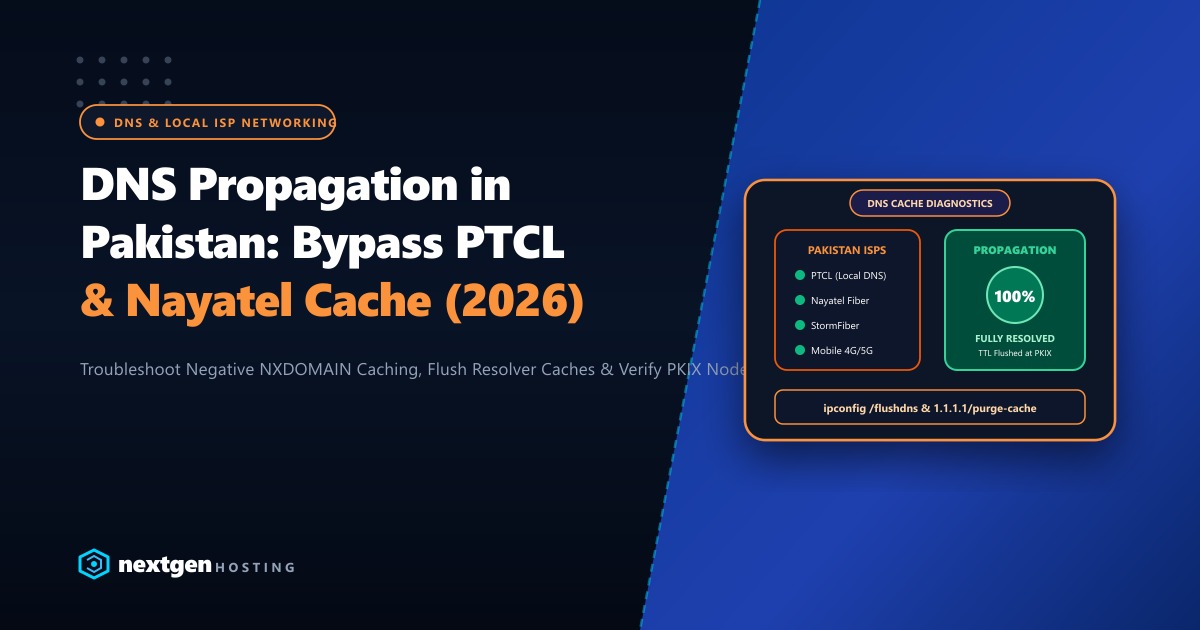
You migrate your website to a fast new hosting server, update your domain nameservers or A records, and verify that global propagation tools like whatsmydns.net show green checkmarks worldwide.
Yet, your clients in Karachi, Lahore, or Islamabad message you with frustration: “The website is down! It’s showing an error or loading the old server!”
Why does this happen? Because local Pakistani ISP recursive resolvers aggressively cache old DNS records.
Internet service providers in Pakistan (such as PTCL, Nayatel, StormFiber, and mobile operators like Jazz and Zong) handle massive query volumes. To conserve international upstream bandwidth, their recursive caching nameservers often ignore short Time-To-Live (TTL) values, enforce aggressive Negative Caching (RFC 2308), and hold onto stale IP addresses for 24 to 48 hours.
Here is our comprehensive guide to diagnosing DNS propagation delays in Pakistan, testing local ISP resolvers directly from your terminal, and forcing rapid cache clearance in 2026.
Executive DNS Propagation Takeaways
- Negative Caching Trap: If someone attempted to visit your domain before the new DNS records were published, local ISP resolvers cached an
NXDOMAIN(non-existent domain) answer governed by your zone's SOA Minimum TTL. - Pre-Migration TTL Reduction: At least 48 hours before migrating servers, reduce your DNS zone TTL to 300 seconds (5 minutes). This forces all global and local resolvers to re-check authoritative records rapidly.
- Direct ISP Querying: Never rely solely on generic web-based propagation checkers. Query local Pakistani ISP resolver IPs directly via
dig @IPto see exactly what domestic broadband users see. - Domestic Peering Advantage: Deploying on local Pakistani infrastructure with direct peering at the Pakistan Internet Exchange (PKIX) guarantees low-latency DNS resolution across all major domestic networks.
1. Why Pakistani ISP Resolvers Lag Behind Global Tools
When you check propagation on a tool like whatsmydns.net, it queries publicly accessible anycast resolvers (Google 8.8.8.8, Cloudflare 1.1.1.1, OpenDNS). These public resolvers honor short TTLs and flush caches within seconds.
However, over 80% of everyday Pakistani home and office users do not customize their DNS settings. Their routers automatically use their ISP’s default internal resolvers:
- PTCL Broadband Resolvers: Typically cache aggressively to reduce transatlantic DNS lookups.
- Nayatel Resolvers: Often enforce an internal minimum TTL floor (e.g., 3,600 seconds) regardless of whether your record specifies 300 seconds.
- Cellular CGNAT Gateways (Jazz, Zong, Telenor): Mobile carrier networks cache DNS responses aggressively to conserve radio spectrum and cellular signaling overhead.
2. Testing Local Pakistani Resolvers from the Command Line
To diagnose whether a DNS issue is global or confined to a specific domestic provider, query local and public resolvers directly from your terminal using dig:
# 1. Query Cloudflare Anycast Resolver (Baseline check)
dig +short yourdomain.pk @1.1.1.1

# 2. Query Google Public DNS
dig +short yourdomain.pk @8.8.8.8

# 3. Query PTCL Recursive Resolver
dig +short yourdomain.pk @175.107.1.1

# 4. Query Nayatel Recursive Resolver
dig +short yourdomain.pk @58.65.168.1
If Cloudflare and Google return your new server IP (e.g., 103.151.111.45), but PTCL or Nayatel still returns your old server IP or empty NXDOMAIN, you know with 100% certainty that the delay is caused by local ISP resolver caching.
3. How to Force-Flush Public & Local DNS Caches
When you need immediate propagation for your clients, use these proven cache-busting workflows:
Method 1: Purge Cloudflare 1.1.1.1 Public Cache
Cloudflare provides an instant online cache purge tool:
- Navigate to: https://1.1.1.1/purge-cache/
- Enter your domain name (e.g.,
yourdomain.pk). - Select DNS record type (
A,AAAA,CNAME). - Click Purge Cache. Cloudflare edge nodes globally dump cached records instantly.
Method 2: Purge Google 8.8.8.8 Public Cache
- Navigate to: https://dns.google/cache
- Enter your domain name and select record type
A. - Click Flush Cache.
Method 3: Flushing Local Client Device Cache
Guide your Pakistani clients to flush their local operating system resolver cache:
On Windows:
ipconfig /flushdnsOn macOS:
sudo dscacheutil -flushcache; sudo killall -HUP mDNSResponderOn Android / iPhone:
Toggle Airplane Mode ON for 10 seconds and turn it back OFF. This clears mobile cellular DNS socket caches completely.
4. The Golden Rule of Zero-Downtime DNS Migration
To ensure seamless transitions for future server migrations, follow this standardized timeline:
ZERO-DOWNTIME MIGRATION TIMELINE:
[ T-minus 48 Hours ]: Lower existing A/CNAME record TTL from 86400 (24h) to 300 (5 min).
[ Day of Migration ]: Move website files & database to new hosting server.
[ T-Zero ]: Update A record to point to new server IP.
            *Because TTL was 300s, 99% of global resolvers switch within 5 minutes!
[ T-plus 48 Hours ]: Once stable, raise TTL back to 86400 to conserve DNS query quotas.
5. Enterprise Infrastructure with Local Anycast & Domestic Routing
Eliminating DNS friction is essential, but hosting your web applications on servers with direct, low-latency peering across Pakistani networks is what truly delivers exceptional speed.
Our global Dedicated Servers provide dedicated multi-core AMD EPYC processors, 64GB+ DDR5 memory, and high-throughput NVMe arrays connected over premium tier-1 transit.
For Pakistani enterprises, financial software houses, and high-volume eCommerce merchants that require local data sovereignty, compliant hosting, and sub-10ms domestic ping times, our Dedicated Servers in Pakistan provide local Karachi and Lahore data center hosting, direct peering at the Pakistan Internet Exchange (PKIX), and local PKR billing with dedicated 24/7 technical support.
6. Verification: Confirming Full Domestic Resolution
Verify that your website resolves correctly across all Pakistani networks:
# Query with timing metrics
dig +stats yourdomain.pk @1.1.1.1 | grep "Query time"
Once local ISP caches expire, your visitors across Karachi, Lahore, Islamabad, and nationwide will connect to your new hosting server instantly with zero errors and zero downtime!
Accelerate Your Website with High-Speed Domestic Hosting
Say goodbye to propagation headaches and slow loading times. Deploy your mission-critical applications on Nextgen's high-speed cloud and dedicated servers in Pakistan.
