
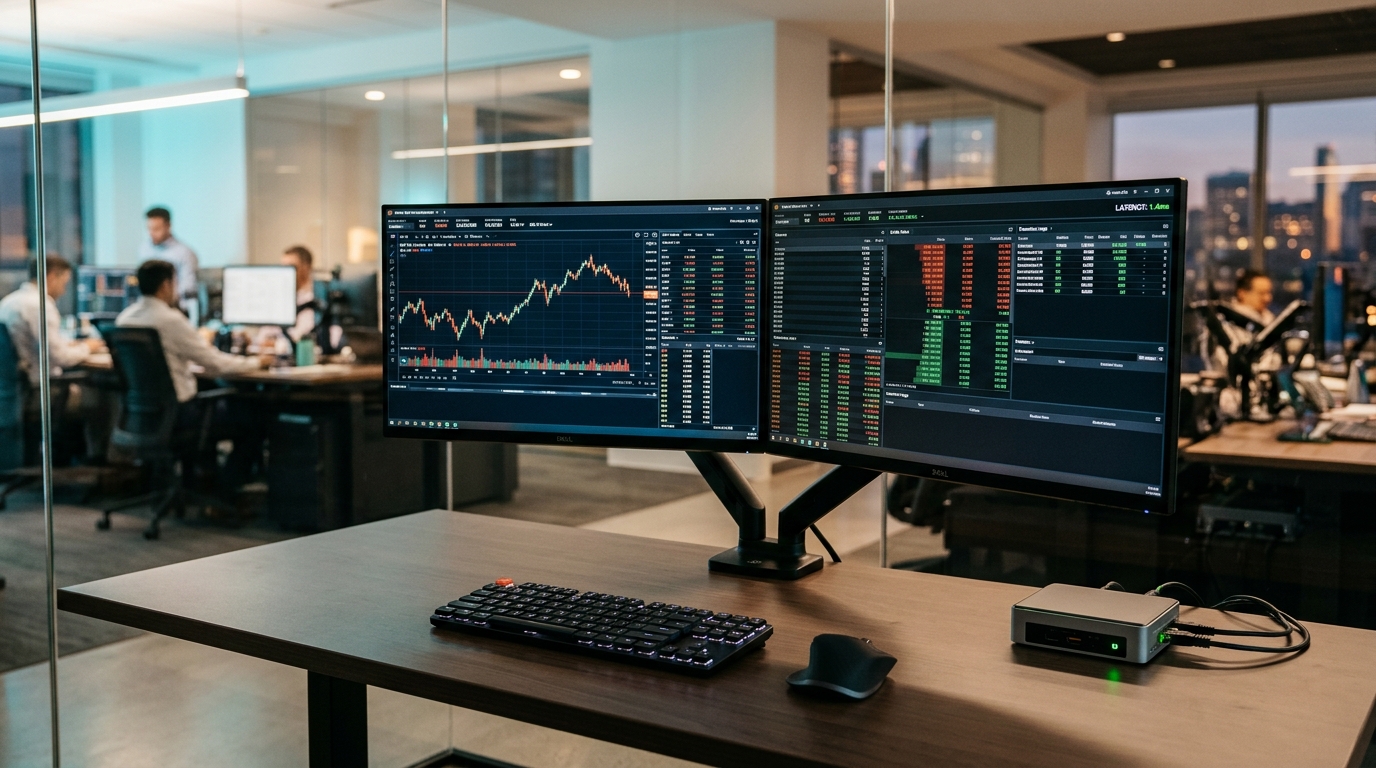
Algorithmic foreign exchange (Forex) traders, quantitative proprietary trading firm candidates, and multi-asset portfolio managers in Pakistan operate in a market demanding continuous execution reliability and sub-millisecond precision.[1][6] Running automated Expert Advisors (EAs), custom MQL scripts, and high-frequency scalping algorithms from local desktop computers in cities like Karachi, Lahore, or Islamabad exposes capital to three acute risks: residential electrical grid load-shedding, intermittent domestic ISP optical fiber outages, and geographic round-trip routing latencies exceeding 130 to 180 milliseconds to major European and American liquidity hubs.[5][6]
A single dropped connection during major economic releases—such as US Non-Farm Payrolls (NFP) or central bank interest rate decisions—can cause catastrophic order slippage, failed stop-loss triggers, or immediate disqualification from funded prop-firm accounts.[1]
Deploying MetaTrader 4 (MT4) or MetaTrader 5 (MT5) on an enterprise-grade Windows Server Virtual Private Server (VPS) eliminates physical infrastructure vulnerabilities, ensures 99.99% operational uptime, and slashes network latency down to 1.2 to 2.5 milliseconds when colocated adjacent to primary financial liquidity bridges.[1][3] This guide provides a production-grade blueprint for engineering an automated, resilient, and optimized MetaTrader execution workstation on Windows Server.[1][2]
The Latency Arbitrage: Local Execution vs Datacenter Colocation
In retail and institutional electronic trading, latency directly governs order fill prices.[5][6] When an algorithmic trading script issues a market order, the execution packet travels across physical fiber-optic cables through multiple border gateway protocol (BGP) routing hops to reach the broker’s matching engine.[6]
The international financial ecosystem clusters matching engines within Tier-4 carrier-neutral datacenters, primarily Equinix LD4 (Slough, United Kingdom), Equinix NY4 (Secaucus, New Jersey), and Equinix FR2 (Frankfurt, Germany).[5]
+-----------------------------------------------------------------------------------+
| Network Latency Breakdown: Local ISP vs Cloud VPS to London (LD4) Matching Engine |
+-----------------------------------------------------------------------------------+| Origin Point | Transit Route / Infrastructure | Typical Ping Latency | Execution Slippage Impact |
|---|---|---|---|
| Karachi / Lahore (Home Fiber) | Transworld / PTCL Submarine Cable → Marseille → London | 125 ms – 155 ms | High (1.5 to 4.0 pips during volatility) |
| Islamabad (LTE / 4G Backup) | Wireless Tower → Carrier Core → Submarine Cable | 160 ms – 210 ms | Severe (Frequent requotes and order rejects) |
| London Financial VPS (UK) | Direct Dark Fiber Cross-Connect → Equinix LD4 | 1.1 ms – 2.4 ms | Near-Zero (±0.1 pips execution accuracy) |
| Frankfurt VPS (Germany) | Low-Latency DE-CIX Peering → Equinix FR2 | 1.5 ms – 3.2 ms | Near-Zero (±0.1 pips execution accuracy) |
Deploying a trading instance within European and North American cloud nodes collapses round-trip network transit by up to 98%, ensuring limit orders and market executions register at the top of the broker order book.[5][6]
Architectural Isolation: Running MT4 and MT5 in Portable Mode
By default, modern MetaTrader installers deploy platform executable files to C:\Program Files\ while scattering user profiles, historical tick data, and compiled MQL indicators inside the hidden Windows user profile directory (%APPDATA%\MetaQuotes\Terminal\<32-Character-Hash>\).[1]
In multi-terminal environments or automated VPS instances, this architecture introduces major operational challenges:[1]
- Multiple instances overwrite shared global configuration caches.[1]
- System cleanup utilities or user profile dismounts can orphan MQL files and settings.[1]
- Backups require traversing nested directory structures instead of archiving a single folder.[1]
The recommended institutional method is operating each terminal instance in strict Portable Mode (/portable).[1] Portable mode confines all historical databases, chart templates, Expert Advisors, and logs entirely within the application’s root directory.[1]
Step-by-Step Multi-Instance Setup in Portable Mode
-
Install MetaTrader 5 (or MT4) to a structured directory path outside of
Program Filesto prevent User Account Control (UAC) virtualization restrictions:[1]mkdir C:\MT5-Terminals\Terminal_01 mkdir C:\MT5-Terminals\Terminal_02 -
Copy the platform binaries into each isolated directory.[1]
-
Create dedicated desktop shortcuts for each instance and modify the target string to append the
/portableflag:[1]"C:\MT5-Terminals\Terminal_01\terminal64.exe" /portable -
For automated broker login without manual credential entry upon system boot, construct a declarative
startup.iniconfiguration file inside the directory:[1]; C:\MT5-Terminals\Terminal_01\startup.ini [Common] Login=12345678 Password=SecureTradingPassword! Server=BrokerName-Live01 EnableNews=false CertPassword= -
Launch the terminal directly referencing the configuration file:[1]
"C:\MT5-Terminals\Terminal_01\terminal64.exe" /portable /config:startup.ini
Each terminal now operates as an isolated container, unaffected by other instances running on the same VPS.[1]
Suppressing Unscheduled Windows Automatic Updates and Reboots
The single most common cause of algorithmic trading failures on Windows VPS is the operating system’s automatic maintenance cycle.[2] By default, Windows Server downloads cumulative quality updates and schedules an unprompted reboot during the night.[2] If a reboot occurs while an EA has open market orders without hard stop-losses, the position remains exposed and unmanaged.[2]
Systems administrators must enforce Group Policy and Registry locks to prohibit unprompted restarts while logged-on sessions or automated tasks are active.[2]
Registry Hardening via PowerShell
Open an administrative PowerShell console on your Windows VPS and execute the following configuration script:[2]
# Create Windows Update AU Policy key if not present
$auPath = "HKLM:\SOFTWARE\Policies\Microsoft\Windows\WindowsUpdate\AU"
if (-not (Test-Path $auPath)) {
    New-Item -Path $auPath -Force | Out-Null
}

# 1. Disable automatic reboots with logged-on users
Set-ItemProperty -Path $auPath -Name "NoAutoRebootWithLoggedOnUsers" -Value 1 -Type DWord

# 2. Set AUOptions to 2: Notify for download and notify for install (Never auto-install)
Set-ItemProperty -Path $auPath -Name "AUOptions" -Value 2 -Type DWord

# 3. Disable automatic restart schedule notifications
Set-ItemProperty -Path $auPath -Name "AlwaysAutoRebootAtScheduledTime" -Value 0 -Type DWord

# Force immediate policy refresh
gpupdate /force
Write-Host "Windows Update reboot suppression policies successfully applied." -ForegroundColor Green| Registry Value Name | Setting | Operational Behavior in Trading Environment |
|---|---|---|
NoAutoRebootWithLoggedOnUsers |
1 (Enabled) |
Prevents the OS from restarting automatically if a session is active.[2] |
AUOptions |
2 (Notify Only) |
Updates are discovered, but the OS never downloads or applies patches without manual admin action.[2] |
AlwaysAutoRebootAtScheduledTime |
0 (Disabled) |
Blocks maintenance window timer overrides from terminating applications.[2] |
Under this configuration, updates can be reviewed and applied manually during the weekend when global currency and commodity markets are closed.[2]
Operating System Memory & TCP Network Latency Optimization
To maximize execution responsiveness and minimize CPU context-switching overhead, the Windows Server network stack and graphical subsystems should be tuned specifically for continuous background computing.[3][5]
1. Adjusting Server Processor Scheduling
By default, Windows Server optimizes thread scheduling for background system services rather than interactive client programs.[3] Because MetaTrader runs as a user-mode GUI process processing real-time market data ticks, prioritize processor quantum time for foreground applications:[3]
# Set Win32PrioritySeparation to 38 (decimal) for optimal foreground responsiveness
Set-ItemProperty -Path "HKLM:\SYSTEM\CurrentControlSet\Control\PriorityControl" -Name "Win32PrioritySeparation" -Value 38 -Type DWord
2. Disabling TCP Delayed ACKs (Nagle’s Algorithm Mitigation)
Under standard RFC specifications, the Windows TCP/IP driver employs delayed acknowledgments (TcpAckFrequency), waiting up to 200 milliseconds before sending an acknowledgment packet to aggregate network traffic.[5][6] For streaming financial tick sockets where individual packets are tiny and time-sensitive, this delay can introduce unnecessary latency.[5]
Locate your primary network interface GUID and enable immediate packet acknowledgment:[5]
# Retrieve the primary network adapter interface GUID
$adapterGuid = (Get-NetAdapter | Where-Object { $_.Status -eq "Up" } | Select-Object -First 1).InterfaceGuid

$tcpPath = "HKLM:\SYSTEM\CurrentControlSet\Services\Tcpip\Parameters\Interfaces\$adapterGuid"

# Send ACK immediately for every incoming TCP segment (Default is 2)
Set-ItemProperty -Path $tcpPath -Name "TcpAckFrequency" -Value 1 -Type DWord

# Disable Nagle's algorithm delay on TCP sockets
Set-ItemProperty -Path $tcpPath -Name "TCPNoDelay" -Value 1 -Type DWord

Write-Host "TCP/IP Latency tuning applied to Interface: $adapterGuid" -ForegroundColor Green
3. Reducing Terminal Visual Overhead
When running multiple MT4/MT5 instances on a cloud VPS, rendering hundreds of detailed historical candles across dozens of charts consumes substantial RAM and GPU emulation cycles.[3]
Apply these platform optimizations inside Tools > Options > Charts:[1]
- Set Max bars in chart to
5000(instead ofUnlimitedor100000).[1] - Disable unnecessary tick sound alerts under Tools > Options > Events.[1]
- Close all chart windows that are not actively required by an running Expert Advisor.[1]
Following these steps reduces the RAM footprint of an individual MT5 terminal from approximately 350 MB down to less than 95 MB, enabling higher terminal density on modest VPS instances.[1][3]
Automated Boot Startup and Process Recovery Watchdog
A resilient trading VPS must recover autonomously if the underlying hypervisor undergoes physical host maintenance or experiences an unexpected power cycle.[4]
Configuring Windows Task Scheduler with elevated triggers ensures that MetaTrader launches immediately upon system startup, before any user logs in via Remote Desktop.[4]
Creating an Elevated Boot Task via schtasks
Execute the following command in an administrative Command Prompt:[4]
schtasks /create /tn "MetaTrader_AutoStart_01" /tr "\"C:\MT5-Terminals\Terminal_01\terminal64.exe\" /portable" /sc ONSTART /ru "SYSTEM" /rl HIGHESTImplementing a PowerShell Process Watchdog
To guard against occasional platform freezes caused by malformed third-party indicators or unexpected broker API disconnects, deploy a lightweight monitoring script that checks process health every 60 seconds and restarts terminated instances:[1][4]
# C:\Scripts\MT5-Watchdog.ps1
$processName = "terminal64"
$executablePath = "C:\MT5-Terminals\Terminal_01\terminal64.exe"
$arguments = "/portable"

$instances = Get-Process -Name $processName -ErrorAction SilentlyContinue

if (-not $instances) {
    $timestamp = Get-Date -Format "yyyy-MM-dd HH:mm:ss"
    Write-Output "[$timestamp] Alert: $processName not running. Initiating restart..." >> C:\Scripts\watchdog.log
    Start-Process -FilePath $executablePath -ArgumentList $arguments
}
Schedule this watchdog to run continuously every five minutes via Task Scheduler:[4]
schtasks /create /tn "MT5_Watchdog_Job" /tr "powershell.exe -ExecutionPolicy Bypass -File C:\Scripts\MT5-Watchdog.ps1" /sc MINUTE /mo 5 /ru "SYSTEM"Infrastructure Sizing for Quantitative Trading Portfolios
Matching hardware specifications to your portfolio’s algorithmic load prevents CPU thread contention and memory thrashing.[3]
| Trading Profile | Typical Terminal Count | Recommended Hardware Allocation | Minimum VPS Tier | Storage Type |
|---|---|---|---|---|
| Solo Retail Trader | 1 – 2 Terminals | 2 vCPU Cores, 4 GB RAM | Cloud VPS Starter | NVMe SSD |
| Prop-Firm EA Scalper | 3 – 6 Terminals | 4 vCPU Cores, 8 GB RAM | Enterprise Cloud VPS | Enterprise NVMe |
| Multi-Broker Copy Trader | 8 – 15 Terminals | 8 vCPU Cores, 16 GB RAM | High-Compute VPS Node | RAID-10 NVMe |
| Quantitative Fund / HFT Desk | 20+ Terminals / FIX API | 16 – 32 Dedicated Cores, 64 GB RAM | Bare-Metal Dedicated Server | Redundant NVMe Array |
Traders scaling multi-account prop firm copy-trading systems or running low-latency FIX API bridges require deterministic compute without shared hypervisor resource contention.[3] Deploying on our high-performance global dedicated servers or low-latency Pakistan dedicated servers guarantees 100% isolated bare-metal CPU cores, dedicated memory buses, and high-bandwidth interconnects designed to execute high-volume algorithmic orders without jitter.[3][5]
Operational Pre-Flight Checklist
Before funding live trading capital or launching automated EAs on your Windows VPS, verify the setup against this operational checklist:[1][2]
- Confirm MetaTrader is running in
/portablemode and data paths reside entirely within the application folder.[1] - Verify
NoAutoRebootWithLoggedOnUsersandAUOptions=2are active in the Windows Registry.[2] - Check ping latency to your broker’s live trade server via terminal bottom-right connection status (target:
< 5 ms).[1] - Confirm
TcpAckFrequencyis set to1on the primary active network adapter.[5] - Enable Allow automated trading under Tools > Options > Expert Advisors.[1]
- Restrict chart history to
5000bars to conserve memory.[1] - Verify that Task Scheduler auto-start triggers fire successfully following a manual system reboot test.[4]
Sources & Official References
- MetaQuotes Ltd.: MetaTrader 5 Advanced Platform Start, Command-Line Keys, and Portable Mode
- Microsoft Learn: Configure Automatic Updates using Group Policy (waas-wu-settings)
- Microsoft Learn: Performance Tuning Remote Desktop Session Hosts
- Microsoft Learn: Windows Commands Reference – schtasks Automation
- Microsoft Learn: Troubleshooting TCP/IP Network Delays, Nagle’s Algorithm, and TcpAckFrequency
- IETF RFC 9293: Transmission Control Protocol (TCP) Specification
Disclaimer: This post is for informational and educational purposes only, accurate to the best of our knowledge at publication. It does not constitute advice. We do not guarantee accuracy or completeness and accept no liability for any decisions or losses resulting from reliance on this content.
Deploy Low-Latency Trading Servers & Enterprise RDP
Eliminate slippage, ISP disconnects, and home load-shedding with 100% dedicated NVMe hardware and direct global financial cross-connects.
