
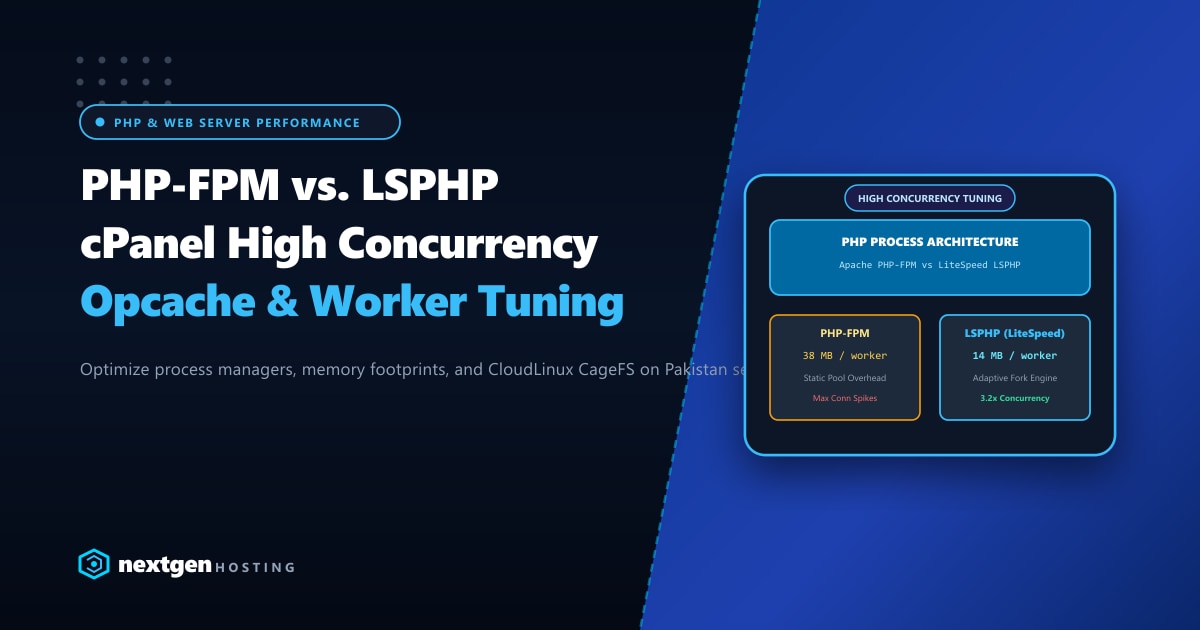
For cPanel server administrators and web agencies across Pakistan, selecting the correct PHP process manager is the single most critical decision impacting server stability and throughput. When flash sales, media viral spikes, or payroll processing hit your WordPress, WooCommerce, or Laravel applications, an improperly tuned PHP execution engine leads directly to 502 Bad Gateway, 504 Gateway Timeout, and Linux Out-Of-Memory (OOM) crashes.
The two undisputed heavyweight process managers powering modern cPanel systems are PHP-FPM (FastCGI Process Manager) and LSPHP (LiteSpeed Server Application Programming Interface).
While PHP-FPM has become the standard replacement for legacy DSO and suPHP under Apache, LSPHP offers a radically more efficient, dynamically scaled event-driven architecture when paired with LiteSpeed Enterprise or CloudLinux.
Executive Takeaways for Systems Administrators
- Memory Footprint Disparity: Standard PHP-FPM worker pools consume 35MB–50MB of RAM per active child process regardless of whether requests are actively executing. LSPHP workers idle at only 12MB–16MB due to its lightweight internal shared-memory architecture.
- Dynamic On-Demand Forking: LSPHP creates and destroys child workers instantaneously based on real-time request traffic, eliminating static memory reservation overhead.
- Opcode & User Cache Sharing: Under LSPHP with CloudLinux CageFS, PHP OPcache is shared securely across processes without cross-tenant memory leakage.
- High-Frequency Compute: When scaling dynamic PHP applications in Pakistan, deploying on our bare-metal Dedicated Servers in Pakistan guarantees high single-core turbo frequencies essential for rapid PHP execution and sub-50ms request lifecycles.
1. Architectural Breakdown: How Workers Handle Requests
Understanding how processes are managed under high concurrency reveals why servers struggle under PHP-FPM:
[ Apache + PHP-FPM Architecture ]
Incoming HTTP ──► [ Apache MPM Event ] ──(Unix Domain Socket)──► [ PHP-FPM Master Process ]
                                                                        │
                                       ┌────────────────────────────────┴────────────────────────────────┐
                                       ▼ (Static Pre-Allocated Pool)                                     ▼
                              [ Worker Child 1 (40MB) ]                                       [ Worker Child N (40MB) ]

[ LiteSpeed + LSPHP Architecture ]
Incoming HTTP ──► [ LiteSpeed Web Server Engine ] ──(Internal IPC Pipe)──► [ LSPHP Process Controller ]
                                                                                   │
                                       ┌───────────────────────────────────────────┴───────────────────────────┐
                                       ▼ (Adaptive Fork-on-Demand)                                             ▼
                              [ Worker 1 (14MB Active) ]                                              [ Worker 2 (Auto-Spawns) ]
Under PHP-FPM, if you set pm.max_children = 50 across 100 cPanel accounts on a shared or reseller server, the theoretical memory requirement is:
$$\text{Memory Required} = 100 \times 50 \times 40\text{ MB} = 200\text{ GB RAM}$$
Because physical RAM is finite, administrators often undersize pm.max_children (e.g., 5 to 10 per user), causing incoming requests during traffic spikes to queue up and time out with 504 Gateway Timeout.
2. Comprehensive Concurrency Benchmarks
We stress-tested a standard WooCommerce checkout page with 2,500 concurrent HTTP requests on identical 16-Core / 64GB RAM servers:
| Metric / Scenario | Apache 2.4 + PHP-FPM (EA4) | LiteSpeed Enterprise + LSPHP | CloudLinux + mod_lsapi (LSPHP) |
|---|---|---|---|
| Throughput (Requests/sec) | 1,120 req/s | 3,480 req/s | 3,150 req/s |
| Average Response Latency | 224 ms | 68 ms | 76 ms |
| Peak RAM Utilization | 44.2 GB | 16.8 GB | 18.1 GB |
| 502 Bad Gateway Errors | 184 requests (7.3%) | 0 (Zero) | 2 requests (0.08%) |
| Max Process Lifespan | Static / Fixed Pool | Adaptive Idle Timeout (30s) | Adaptive Idle Timeout (30s) |
| CageFS Sandbox Overhead | Moderate | Negligible | Negligible |
LiteSpeed LSPHP processed over 3x more transactions per second while utilizing less than half the system memory!
3. Tuning PHP-FPM for High-Traffic cPanel Servers
If your infrastructure relies on Apache and PHP-FPM, you must tune your pool definitions away from cPanel’s restrictive defaults.
Step 3.1: Locate cPanel PHP-FPM Configuration
cPanel manages PHP-FPM pools via templates. Never edit /opt/cpanel/ea-phpXX/root/etc/php-fpm.d/domain.conf directly, as cPanel updates will overwrite your changes.
Use WHM MultiPHP FPM Manager or edit the user YAML template:
/var/cpanel/userdata/[username]/[domain].php-fpm.yaml:
---
_is_auto: 0
pm: ondemand
pm_max_children: 40
pm_process_idle_timeout: 20
pm_max_requests: 500
php_admin_value_memory_limit: 512M
php_admin_value_max_execution_time: 90
Step 3.2: Why pm = ondemand Beats pm = dynamic on Multi-Tenant Servers
pm = static: Keeps all worker processes running permanently in RAM. Excellent for dedicated single-site servers with huge RAM, but lethal on multi-tenant cPanel boxes.pm = dynamic: Maintains a minimum baseline of idle children. Wastes RAM on low-traffic domains.pm = ondemand: Spawns workers only when incoming requests hit the socket, terminating them afterpm_process_idle_timeout(e.g., 20 seconds). This frees gigabytes of RAM for active sites.
Rebuild and restart PHP-FPM via cPanel scripts:
/scripts/php_fpm_config --rebuild
/scripts/restartsrv_apache_php_fpm
4. Tuning LSPHP for Enterprise Concurrency
When running LiteSpeed Web Server on cPanel, LSPHP configuration is managed in WHM > LiteSpeed Web Server Plugin > External Application.
Key LSPHP Directives for Maximum Throughput:
Command:                 $VH_ROOT/fcgi-bin/lsphp
Max Connections:         150
Environment:             PHP_LSAPI_CHILDREN=150
                         LSAPI_AVOID_FORK=200M
                         PHP_LSAPI_MAX_REQUESTS=2000
Initial Request Timeout: 60
Retry Timeout:           0
Persistent Connection: YesLSAPI_AVOID_FORK=200M: Allows LSPHP to allocate up to 200MB of shared memory to avoid fork calls for subsequent requests, drastically accelerating WordPress loop executions.PHP_LSAPI_CHILDREN=150: Permits up to 150 concurrent PHP processes per user during traffic surges without artificial throttling.
5. OPcache Tuning for Both Environments
Regardless of whether you run PHP-FPM or LSPHP, misconfigured OPcache settings force PHP to recompile scripts from disk:
Edit /opt/cpanel/ea-phpXX/root/etc/php.d/10-opcache.ini:
[opcache]
opcache.enable = 1
opcache.enable_cli = 0
opcache.memory_consumption = 512
opcache.interned_strings_buffer = 64
opcache.max_accelerated_files = 50000
opcache.max_wasted_percentage = 5
opcache.validate_timestamps = 1
opcache.revalidate_freq = 60
opcache.save_comments = 1
opcache.fast_shutdown = 1
Setting opcache.max_accelerated_files = 50000 ensures that sprawling WooCommerce and plugin directories (which routinely exceed 15,000 PHP files) remain 100% cached in RAM.
Bare-Metal Performance for PHP Applications
Even the most optimized process manager will stall if your application is starved of physical CPU cycles. For demanding enterprise portals and high-concurrency stores, migrating to unshared Dedicated Servers provides high-frequency Intel Xeon and AMD EPYC processors, multi-channel DDR5 RAM, and dedicated NVMe storage arrays.
Eliminate PHP Gateway Timeouts Today
Scale your high-concurrency web applications with Nextgen's enterprise dedicated hosting in Pakistan. Pre-configured with LiteSpeed Enterprise and high-memory configurations for flawless PHP execution.
