
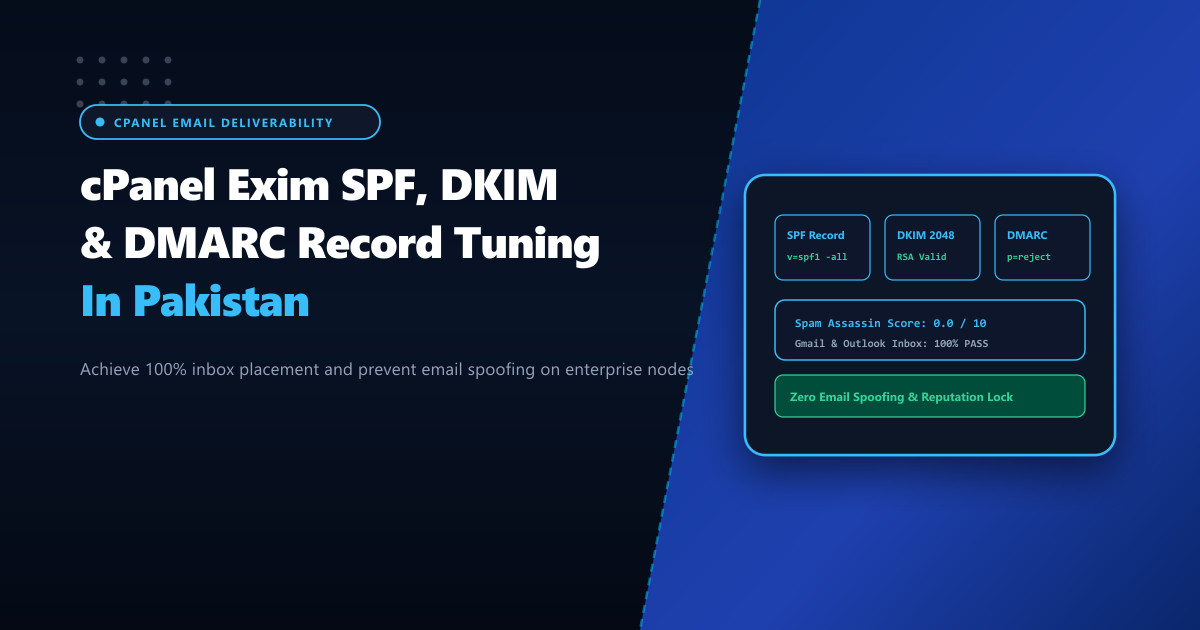
Corporate email deliverability in Pakistan faces stringent compliance enforcement from major global mailbox providers including Google Gmail, Microsoft 365, and Yahoo Mail. Since early 2024, unauthenticated bulk or transactional emails sent from Pakistani business domains without rigorous SPF, 2048-bit DKIM, and strict DMARC alignment face immediate rejection with 550 5.7.26 Unauthenticated email from domain is not accepted due to domain's DMARC policy.
For organizations operating corporate infrastructure on bare-metal Dedicated Servers, achieving a 100% inbox delivery rate requires mastering the three cryptographic pillars of email authentication directly within cPanel and the underlying Exim MTA.
The Modern Email Authentication Trinity
Email verification operates across three interdependent layers:
- Sender Policy Framework (SPF): Defines which IP addresses (IPv4 and IPv6) are authorized to transmit mail on behalf of the domain envelope sender.
- DomainKeys Identified Mail (DKIM): Adds an asymmetric cryptographic digital signature to the email header using a private key stored on the server, verified by recipient mail servers via a public key published in DNS.
- Domain-based Message Authentication, Reporting, and Conformance (DMARC): Directs recipient MTAs on how to handle messages that fail SPF or DKIM validation (
none,quarantine, orreject) and generates structured aggregate forensic reports (rua/ruf).
                Inbound Message Arrives
                          │
         ┌────────────────┴────────────────┐
         ▼                                 ▼
   Check SPF DNS                     Verify DKIM Signature
   (Matches Envelope IP?)           (Public Key in DNS Matches?)
         │                                 │
         └────────────────┬────────────────┘
                          ▼
                  Evaluate DMARC Policy
             (Strict Alignment Required)
                          │
        ┌─────────────────┼─────────────────┐
        ▼                 ▼                 ▼
   p=none            p=quarantine        p=reject
(Log & Pass)       (Send to Spam)    (Immediate 550 Drop)
Step 1: Authoritative SPF Record Construction
Many cPanel servers in Pakistan default to permissive or fragmented SPF records like v=spf1 +a +mx ~all. The softfail flag ~all leaves domains vulnerable to spoofing, while redundant +a and +mx lookups consume unnecessary DNS queries (RFC 7208 limits SPF processing to a maximum of 10 DNS lookups).
Construct a hardened, explicit SPF record via WHM > DNS Zone Manager or command-line zone files:
v=spf1 ip4:103.151.46.0/24 ip6:2400:cb00::/32 include:relay.nextgen.pk -allip4:103.151.46.0/24: Explicit CIDR block covering all outgoing mail server interfaces.include:relay.nextgen.pk: Authorized transactional relays or backup MX nodes.-all: Hardfail. Instructs recipient MTAs to immediately reject any packet originating from unauthorized IPs.
Step 2: Generating 2048-bit DKIM Keys in cPanel
By default, older cPanel installations generated 1024-bit RSA keys, which are now flagged as cryptographically weak by enterprise spam filters.
Force 2048-bit key generation for domain corp.com.pk via the cPanel command-line utility:
# Generate 2048-bit DKIM keypair
/usr/local/cpanel/bin/dkim_keys_install --domain=corp.com.pk --key_length=2048

# Inspect generated public key
cat /var/cpanel/domain_keys/public/corp.com.pk
Add the corresponding TXT record in your authoritative DNS zone:
default._domainkey.corp.com.pk. IN TXT "v=DKIM1; k=rsa; p=MIIBIjANBgkqhkiG9w0BAQEFAAOCAQ8AMIIBCgKCAQEA3..."Verify signature stamping in Exim’s outgoing transport:
# Test DKIM signature generation against a mock outbound envelope
exim -v -bt [email protected]
Step 3: Hardening DMARC Policy from None to Reject
To prevent brand impersonation and corporate spoofing, domains must transition from passive monitoring (p=none) to full enforcement (p=reject).
Configure the DMARC TXT record at _dmarc.corp.com.pk:
_dmarc.corp.com.pk. IN TXT "v=DMARC1; p=reject; sp=reject; adkim=s; aspf=s; pct=100; rua=mailto:[email protected]; ruf=mailto:[email protected]; fo=1"p=reject: Drop all unaligned emails at the recipient gateway.sp=reject: Enforces the reject policy across all subdomains.adkim=s&aspf=s: Strict alignment. TheFrom:header domain must match the DKIM and SPF domains precisely (no subdomain relaxations).pct=100: Apply policy to 100% of outbound message volume.rua=mailto:...: Aggregate XML report destination for monitoring delivery metrics.
Auditing Authentication Headers & Exim Logs
Validate configuration using command-line diagnostic tools before broadcasting high-volume communications:
# Verify SPF record resolution
dig TXT corp.com.pk +short

# Verify DKIM record resolution
dig TXT default._domainkey.corp.com.pk +short

# Verify DMARC record resolution
dig TXT _dmarc.corp.com.pk +short
Send a test email to Google or Microsoft and verify the inbound header stanza:
Authentication-Results: mx.google.com;
       dkim=pass [email protected] header.s=default header.b=X9b2A...;
       spf=pass (google.com: domain of [email protected] designates 103.151.46.12 as permitted sender) [email protected];
       dmarc=pass (p=REJECT sp=REJECT dis=NONE) header.from=corp.com.pk
Deploying cPanel mail clusters on enterprise Dedicated Servers in Pakistan ensures clean IP reputation, reverse DNS (rDNS/PTR) consistency, and flawless delivery into primary corporate inboxes.
Achieve 100% Email Deliverability with NextGen Dedicated Servers
Protect your corporate email reputation with dedicated clean IPv4/IPv6 subnets, automated rDNS records, and enterprise cPanel Exim mail server tuning in Pakistan.
Explore Pakistan Dedicated Servers