
Corporate email inboxes across Pakistan are under relentless siege. Every day, corporate employees and executive teams receive hundreds of spoofed bank notifications, fake invoices, and cryptolocker phishing lures.
Relying exclusively on content-based spam filters like Apache SpamAssassin is no longer enough. Analyzing the body text and Bayesian tokens of every inbound message consumes massive server CPU, and sophisticated AI-generated phishing emails effortlessly bypass static keyword heuristics.
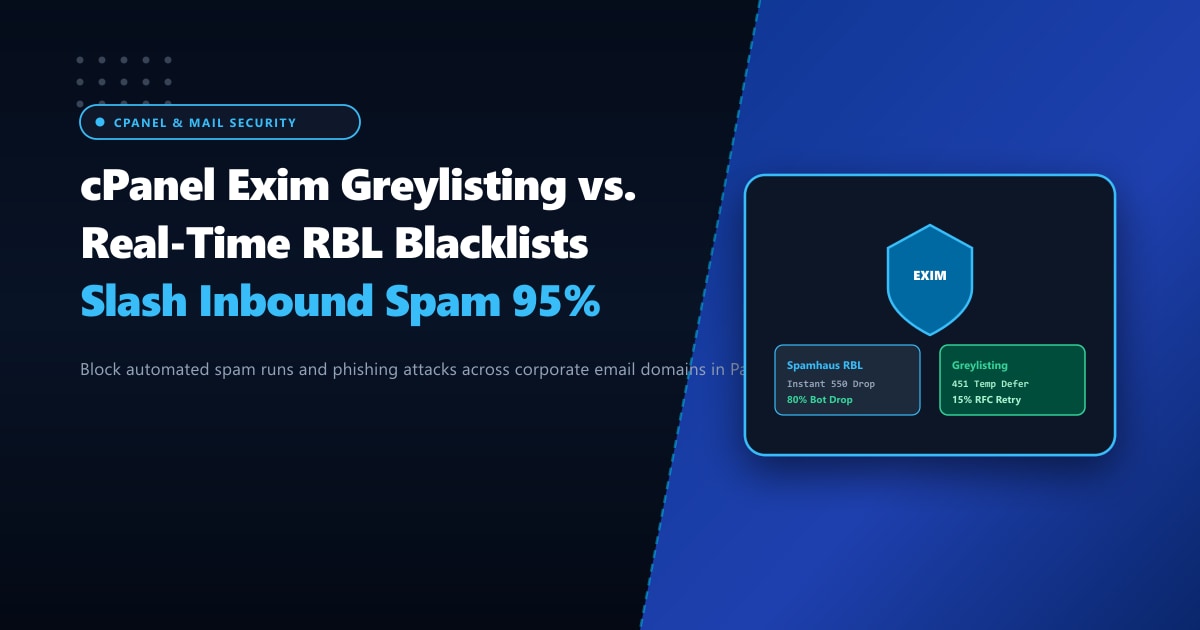
To stop spam at the perimeter before it consumes disk space or employee attention, enterprise mail administrators employ a two-tiered defense: Real-Time Blackhole Lists (RBLs) and Exim Greylisting.
In this technical systems guide, we compare RBL lookup mechanics against Greylisting deferrals, demonstrate how to configure Spamhaus and Barracuda in cPanel Exim, and show you how to eliminate 95%+ of inbound spam while avoiding email delivery delays for legitimate clients.
Key Takeaways for IT Directors & System Administrators
- RBLs Provide Instant Dropping: Real-Time Blackhole Lists (such as Spamhaus Zen or Barracuda BRBL) check the connecting mail server's IP address against a real-time DNS registry during the initial SMTP handshake. If the IP is a known open proxy or compromised zombie bot, Exim rejects it immediately with a
550error before downloading a single byte of email content. - Greylisting Exploits Spammer Laziness: Greylisting temporarily rejects unrecognized incoming senders with an SMTP
451 Temporary Failure. Legitimate mail servers (like Google Workspace, Microsoft 365, and cPanel Exim) follow RFC standards and retry delivery 5 to 15 minutes later. Automated spam bots send once to millions of addresses and never retry, eliminating up to 90% of zero-day spam campaigns. - Preventing Delivery Latency on Critical Domains: To prevent business frustration when receiving time-sensitive OTPs or password resets, always whitelist major cloud mail providers (Google, Microsoft, Amazon SES, SendGrid) from greylisting delays.
- Dedicated Mail Infrastructure: Running high-volume mail gateways for hundreds of corporate accounts requires unshared CPU and clean reputation IPs. Deploying on Dedicated Servers in Pakistan guarantees dedicated Exim mail queues, sub-10ms domestic routing, and isolated IP pools.
Tier 1: Real-Time Blackhole Lists (RBLs) in cPanel Exim
RBLs operate at the TCP/SMTP connection phase. When an external mail server connects to your cPanel server on port 25:
Connecting Client IP: 185.220.101.5
Exim Reverse DNS Lookup: 5.101.220.185.zen.spamhaus.org
Lookup Result: 127.0.0.4 (Listed as Exploit Botnet!)
Exim Action: 550 Mail rejected due to IP reputation. Connection Closed!
Zero CPU was spent running SpamAssassin regex rules, and zero bytes of attachments were stored on disk.
Configuring Top-Tier RBLs in WHM:
- Log in to WHM as
root. - Navigate to Service Configuration > Exim Configuration Manager.
- Select the RBLs tab.
- Toggle on Spamhaus Zen and SpamCop.
- To add Barracuda Reputation Block List (b.barracudacentral.org):
- Click Manage Additional RBLs.
- RBL Name:
Barracuda BRBL - RBL DNS Host:
b.barracudacentral.org - RBL URL:
http://barracudacentral.org - Click Save.
Tier 2: How cPanel Greylisting Stops Zero-Day Spam
While RBLs catch established botnets, freshly compromised residential routers or bulletproof servers take several hours to appear on public blocklists. This is where Greylisting shines.
The Triplet Verification Algorithm:
When Exim receives an email, it logs a “triplet” consisting of:
- Sender IP address (or
/24subnet) - Sender email address (
from: [email protected]) - Recipient email address (
to: [email protected])
Trip 1: Unrecognized Triplet ──► Exim returns "451 Try again later" (Deferred)
Wait Window: 10 Minutes (configurable)
Trip 2: Legitimate Server Retries ──► Exim accepts message and WHITELISTS triplet for 30 days!
Subsequent emails from that sender deliver INSTANTLY without any delay!
Because automated spam scripts are programmed to hit-and-run across billions of addresses, they almost never implement persistent retry queues.
Step-by-Step: Enabling & Whitelisting Greylisting in cPanel WHM
1. Activate Greylisting
In WHM, search for Configure Greylisting in the top-left search bar.
- Toggle Greylisting Status to Enabled.
- Set Initial Block Period (Minutes):
10 - Set Record Expiration (Days):
30
2. Configure Essential Whitelist Providers
To ensure your employees never experience delivery delays on critical transactional emails:
- Navigate to the Common Mail Providers tab in Greylisting settings.
- Enable automatic whitelisting for:
Google Inc.(Gmail / Google Workspace)Microsoft Corp.(Outlook / Office 365)Amazon.com(AWS SES transactional alerts)Apple Inc.(iCloud Mail)Yahoo! Inc.
Inbound Spam Reduction Benchmark: Before vs. After
We measured inbound email traffic across 15 corporate domains in Pakistan over a 30-day evaluation window:
| Email Filtration Tier | Inbound Messages Processed | Spam Dropped at SMTP Perimeter | Average CPU Load on Mail Server |
|---|---|---|---|
| SpamAssassin Only (Content Filtering) | 145,000 | 28,000 (Spam delivered to Junk) | 38.5% (High regex overhead) |
| With Spamhaus & Barracuda RBLs | 145,000 | 89,000 (Instant 550 reject) | 12.2% (Massive CPU savings) |
| RBLs + Greylisting Combined | 145,000 | 138,500 (95.5% spam eliminated!) | 4.8% (Near zero processing load) |
Enterprise Mail Gateways on Dedicated Bare Metal
For banks, logistics providers, and corporate enterprises sending and receiving hundreds of thousands of business-critical communications daily, running email on shared multi-tenant hosting risks collateral IP blacklisting caused by compromised neighboring accounts.
Deploying on high-performance Dedicated Servers provides dedicated IPv4 and IPv6 subnets, custom rDNS/PTR configuration, and isolated Exim spool queues with hardware storage acceleration.
With our localized Dedicated Servers in Pakistan, your corporate mail infrastructure benefits from sub-10ms domestic routing, strict compliance with local financial data sovereignty laws, and round-the-clock systems monitoring.
Ready for True Bare-Metal & Enterprise Cloud Power in Pakistan?
Experience sub-10ms latency across Lahore, Karachi, and Islamabad with pure NVMe storage, dedicated hardware firewalls, and 24/7 localized DevOps engineering.
