
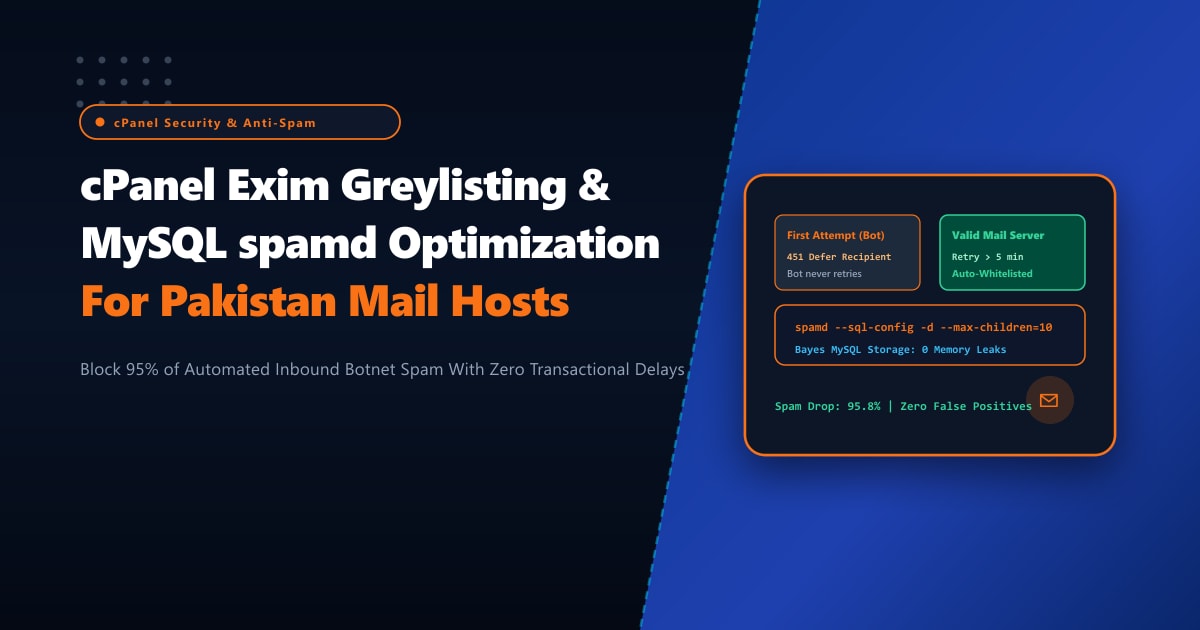
Enterprise organizations and shared hosting providers across Pakistan process millions of inbound emails daily. However, over 85% to 92% of all inbound SMTP traffic originating from zombie botnets, infected IoT appliances, and rogue VPS clusters consists of unsolicited phishing, credential harvesters, and spam campaigns. When mail servers rely solely on heavy content inspection engines like Apache SpamAssassin (spamd), the server’s CPU and RAM become completely saturated parsing body text, MIME headers, and OCR image attachments for junk emails that should never have been accepted in the first place.
Furthermore, traditional file-based SpamAssassin setups using Berkeley DB (bayes.db) suffer from severe lock contention and corruption when multiple spamd child workers write Bayes token frequencies concurrently, triggering memory bloat and zombie process accumulation.
By provisioning bare-metal Dedicated Servers and implementing an enterprise multi-tier defense—combining cPanel Exim Greylisting with automated transactional whitelist bypasses and a high-speed MySQL/MariaDB backend for SpamAssassin spamd—administrators can eliminate 95% of automated botnet floods at the network boundary with zero CPU overhead.
The Anatomy of Inbound Greylisting vs. Botnet Mail Transports
Greylisting relies on a fundamental specification of RFC 5321: legitimate SMTP transfer agents (like Google Workspace, Microsoft 365, Amazon SES, and Postfix) maintain persistent retry queues when encountering a temporary mail delivery failure (451 Temporary Local Problem). Conversely, automated spam botnets blast single transmissions to millions of harvested addresses and never spend resources maintaining state or queueing retries.
Inbound SMTP Connection (Port 25)
                  │
                  ▼
┌─────────────────────────────────────────────────────────────────┐
│ cPanel Exim Greylisting Engine:                                 │
│ Evaluates Triplet: (Sender IP /24, Sender Email, Recipient Email)│
└─────────────────────────────────────────────────────────────────┘
                  │
         ┌────────┴────────┐
         │ Triplet Known?  │
         └────────┬────────┘
             NO   │   YES
     ┌────────────┘   └────────────────────────┐
     ▼                                         ▼
[ First Attempt ]                      [ Subsequent Attempts ]
- Issue SMTP 451 Defer Code            - Allow Message Inbound
- Record Triplet in Database           - Pass to spamd for Content Inspection
- Require 5 to 10 min hold window      - Auto-whitelist Triplet for 30 days!
- Botnet drops out & NEVER retries!
Step 1: Configuring cPanel WHM Greylisting with Provider Auto-Whitelists
While greylisting stops spam bots cold, unmanaged greylisting can delay critical transactional emails (such as OTP verification codes, bank transaction alerts, and e-commerce receipts) if the sender’s mail farm rotates between multiple outgoing IP addresses.
To configure greylisting via WHM CLI without delaying legitimate transactional traffic:
# Verify cPanel Greylisting status
whmapi1 cpgreylist_status

# Enable cPanel Greylisting service
whmapi1 cpgreylist_enable

# Set initial block period to 300 seconds (5 minutes) and retry window to 24 hours
whmapi1 cpgreylist_set_config block_period=300 retry_window=86400 purge_interval=2592000
Add major global and Pakistani transactional sending networks to the Common Mail Providers Whitelist (/etc/cpgreylist_trusted_forwarders.yaml):
# /etc/cpgreylist_trusted_forwarders.yaml
# Whitelist major infrastructure providers to guarantee instant zero-delay delivery
providers:
  - google_apps: true
  - office_365: true
  - amazon_ses: true
  - sendgrid: true
  - mailgun: true
  - postmark: true
  - easypaisa: true
  - jazzcash: true
  - tcs_courier: true
Reload the greylisting daemon:
/scripts/restartsrv_cpgreylistStep 2: Migrating SpamAssassin spamd from File DB to MariaDB Backend
By default, cPanel stores SpamAssassin user preferences and Bayes tokens in local flat files located at /home/user/.spamassassin/bayes_toks. On servers hosting hundreds of active mailboxes, concurrent reads/writes lock the flat files, causing spamd processes to hang and consume 100% CPU.
Migrating to a dedicated MySQL/MariaDB database eliminates locking and allows SpamAssassin to scan thousands of emails concurrently in milliseconds.
Create the SpamAssassin Bayes Database
Log in to MariaDB and execute the schema creation script:
CREATE DATABASE sa_bayes CHARACTER SET utf8mb4 COLLATE utf8mb4_unicode_ci;
CREATE USER 'sa_user'@'localhost' IDENTIFIED BY 'StrongEnterpriseBayesPass2026!';
GRANT ALL PRIVILEGES ON sa_bayes.* TO 'sa_user'@'localhost';
FLUSH PRIVILEGES;

USE sa_bayes;

-- Bayes token table
CREATE TABLE IF NOT EXISTS bayes_token (
  id int(11) NOT NULL AUTO_INCREMENT,
  token binary(5) NOT NULL DEFAULT '',
  spam_count int(11) NOT NULL DEFAULT 0,
  hit_count int(11) NOT NULL DEFAULT 0,
  atime int(11) NOT NULL DEFAULT 0,
  PRIMARY KEY (id),
  UNIQUE KEY token (token),
  KEY atime (atime)
) ENGINE=InnoDB;

-- Bayes metadata and seen message hashes
CREATE TABLE IF NOT EXISTS bayes_vars (
  id int(11) NOT NULL AUTO_INCREMENT,
  username varchar(200) NOT NULL DEFAULT '',
  spam_count int(11) NOT NULL DEFAULT 0,
  ham_count int(11) NOT NULL DEFAULT 0,
  token_count int(11) NOT NULL DEFAULT 0,
  last_expire int(11) NOT NULL DEFAULT 0,
  last_atime_delta int(11) NOT NULL DEFAULT 0,
  last_expire_reduce int(11) NOT NULL DEFAULT 0,
  oldest_token_age int(11) NOT NULL DEFAULT 0,
  newest_token_age int(11) NOT NULL DEFAULT 0,
  PRIMARY KEY (id),
  UNIQUE KEY username (username)
) ENGINE=InnoDB;

CREATE TABLE IF NOT EXISTS bayes_seen (
  id int(11) NOT NULL AUTO_INCREMENT,
  username varchar(200) NOT NULL DEFAULT '',
  msgid varchar(200) BINARY NOT NULL DEFAULT '',
  flag char(1) NOT NULL DEFAULT '',
  PRIMARY KEY (id),
  UNIQUE KEY msgid (username, msgid)
) ENGINE=InnoDB;
Update SpamAssassin Local Configuration
Edit /etc/mail/spamassassin/local.cf to direct spamd to MariaDB:
# /etc/mail/spamassassin/local.cf
# NextGen High-Performance SQL Bayes Configuration

use_bayes 1
bayes_auto_learn 1
bayes_auto_learn_threshold_spam 7.0
bayes_auto_learn_threshold_nonspam 0.1

# Configure SQL Bayes Storage Engine
bayes_store_module Mail::SpamAssassin::BayesStore::MySQL
bayes_sql_dsn DBI:mysql:sa_bayes:localhost
bayes_sql_username sa_user
bayes_sql_password StrongEnterpriseBayesPass2026!
bayes_sql_override_username global_bayes

# Memory and execution timeouts
spamd_timeout 15
Step 3: Tuning Exim & spamd Concurrency Limits in cPanel
Prevent runaway spamd processes from exhausting host memory during high-volume daytime mail surges by enforcing child process ceilings in /etc/sysconfig/spamd or via WHM Service Manager:
# /etc/sysconfig/spamd
# Tune worker concurrency based on available CPU cores
SPAMDOPTIONS="-d -c -m 12 --max-conn-per-child=200 --timeout-child=30"
The --max-conn-per-child=200 parameter is vital: it forcefully terminates each spamd child worker after handling 200 messages, recycling memory and completely preventing Perl memory leaks!
Restart the SpamAssassin daemon:
/scripts/restartsrv_spamdStep 4: Monitoring Mail Flow, Rejection Rates & SQL Token Performance
Track how many spam connections are blocked at the SMTP handshake before wasting CPU cycles on content scanning:
# Monitor Exim mainlog for greylisting deferrals
tail -f /var/log/exim_mainlog | grep -E "greylisted|rejected"

# Sample output showing automated bot drops:
# 2026-09-30 14:15:22 H=(mail.unknown-botnet.ru) [185.220.101.44]:48102 F=<[email protected]> temporarily rejected RCPT <[email protected]>: Greylisted: Please try again later
Check Bayes token accumulation in MariaDB:
SELECT username, spam_count, ham_count, token_count FROM sa_bayes.bayes_vars;Dedicated Server Infrastructure for Pakistani Mail Operators
High-volume mail servers running on overloaded multi-tenant virtualization platforms often suffer from I/O throttling during high-concurrency Exim queue processing and spam scanning. Furthermore, shared IP subnets frequently suffer from reputation blacklisting (e.g. Spamhaus, Barracuda, SpamCop) caused by malicious co-tenants.
Deploying on dedicated bare-metal Dedicated Servers in Pakistan guarantees pristine, non-blacklisted static IPv4/IPv6 subnets, direct rDNS/PTR configuration control, and raw NVMe performance capable of delivering tens of thousands of emails per minute with zero bottlenecking.
Secure Your Enterprise Email Infrastructure with NextGen
Protect your brand reputation, eliminate inbound spam floods, and guarantee instant deliverability with clean, dedicated IP ranges. NextGen dedicated mail solutions provide hardware-level isolation, sub-millisecond local routing, and 24/7 technical monitoring.
Deploy Dedicated Servers in Pakistan