
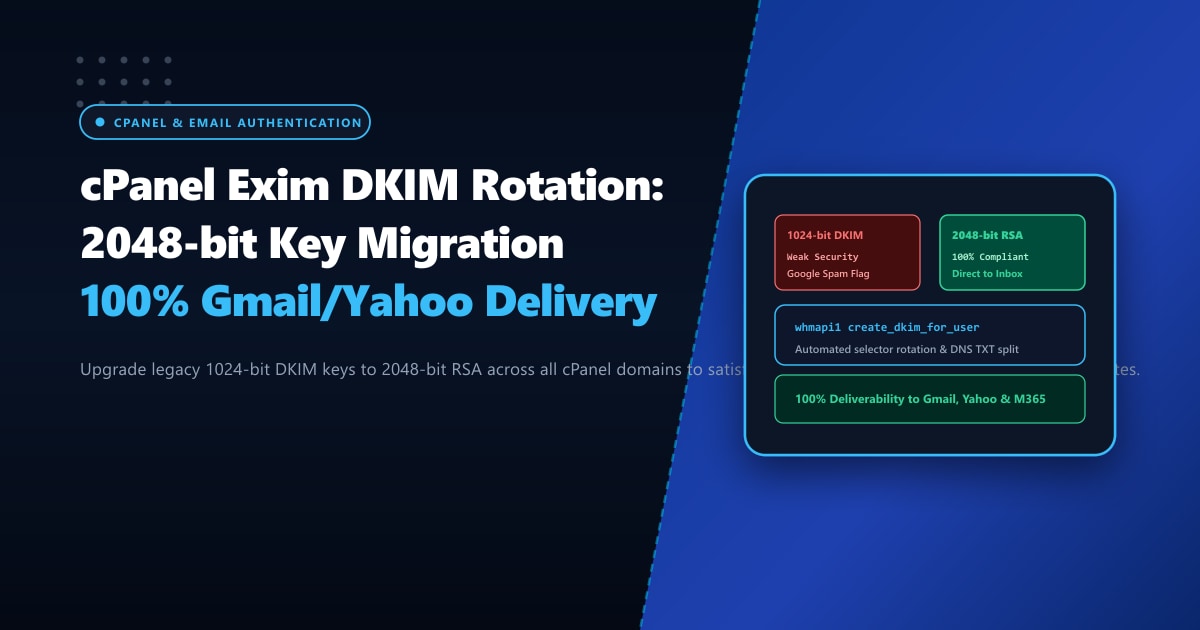
In 2024 and continuing through 2026, Google Workspace and Yahoo Mail enforced strict, non-negotiable email authentication requirements for all domain senders. Senders dispatching corporate correspondence, customer password resets, or transactional receipts must have properly aligned SPF, DMARC, and DKIM (DomainKeys Identified Mail) records.
Furthermore, major email receiving providers have officially flagged 1024-bit RSA DKIM keys as cryptographically weak. With modern cloud compute power, 1024-bit keys can be factored in reasonable timeframes, allowing malicious actors to spoof corporate signatures. As a result, emails signed with legacy 1024-bit keys increasingly land in recipient spam folders or are rejected outright with:
550-5.7.26 This message does not pass authentication checks (DMARC policy / DKIM signature weak).On default and upgraded cPanel & WHM servers, historical accounts created prior to recent updates frequently retain old 1024-bit keys generated years ago.
Migrating to 2048-bit DKIM keys is essential, but it introduces a major DNS technical challenge: a 2048-bit public key string is approximately 400 characters long, exceeding the standard 255-character limit for a single DNS TXT string! If formatted improperly in your DNS zone file, bind or PowerDNS corrupts the key, breaking email delivery completely.
In this technical guide, we audit existing DKIM key lengths across cPanel, automate 2048-bit RSA generation via WHM API, and properly format multi-string DNS TXT records.
Key Takeaways for Email Administrators
- Cryptographic Standard: Google, Yahoo, and Microsoft 365 now mandate 2048-bit RSA DKIM keys. 1024-bit keys fail security scorecards and trigger automated spam filters.
- The 255-Character DNS Limit: RFC 1035 limits individual text strings in DNS TXT records to 255 bytes. 2048-bit public keys must be split into two concatenated strings enclosed in quotes within the zone file.
- Automated WHM Scripting: Rather than manually generating keys for hundreds of domains, cPanel provides the
whmapi1 create_dkim_for_userAPI and the/usr/local/cpanel/bin/dkim_keys_installutility. - DKIM Key Rotation: Production best practices dictate rotating DKIM selectors (e.g., from
default._domainkeyto202609._domainkey) at least once every 12 months. - Dedicated Mail Infrastructure: High-volume transactional senders avoid shared IP reputation contamination by deploying on bare-metal Dedicated Servers in Pakistan with dedicated IP blocks and matching rDNS.
Step 1: Auditing Existing DKIM Key Lengths via CLI
Log into your cPanel server as root via SSH and inspect the bit length of your existing domain keys stored in /var/cpanel/domain_keys/private/:
# Check key length of a specific domain's private DKIM key
openssl rsa -in /var/cpanel/domain_keys/private/example.pk -text -noout | grep "Private-Key"
Typical Output on Legacy Domains:
Private-Key: (1024 bit, 2 primes)
# DANGER: 1024-bit key must be upgraded!
To scan all domains on the server and list those still running 1024-bit keys:
for key in /var/cpanel/domain_keys/private/*; do
  bits=$(openssl rsa -in "$key" -text -noout 2>/dev/null | grep -oE "[0-9]+ bit")
  domain=$(basename "$key")
  echo "$domain: $bits"
done | grep "1024 bit"
Step 2: Generating 2048-bit DKIM Keys via cPanel API
cPanel WHM provides an automated API command to regenerate and overwrite keys with 2048-bit encryption:
# Generate 2048-bit DKIM key for a specific user account
whmapi1 create_dkim_for_user user=username key_length=2048
To batch-upgrade all cPanel accounts on the server:
for user in $(whmapi1 listaccts --output=json | jq -r '.data.acct[].user'); do
  echo "Upgrading DKIM to 2048-bit for cPanel user: $user"
  whmapi1 create_dkim_for_user user=$user key_length=2048
done
Step 3: Formatting 2048-bit Public Keys in DNS Zones
If your DNS zones are managed locally on the cPanel server (via cPanel BIND or PowerDNS), cPanel automatically handles the 255-character string split.
However, if your domain uses external DNS (such as Cloudflare, Route53, or an external registrar), you must extract the public key and format it properly:
# View the generated public DNS record
cat /var/cpanel/domain_keys/public/example.pk
Proper DNS Zone Formatting (RFC 1035 Concatenation):
In BIND zone files, split the long string into two quoted parts inside parentheses:
default._domainkey.example.pk. IN TXT ( "v=DKIM1; k=rsa; p=MIIBIjANBgkqhkiG9w0BAQEFAAOCAQ8AMIIBCgKCAQEA1234567890abcdef..."
  "...fedcba0987654321QAB" )
In Cloudflare DNS:
Cloudflare’s dashboard automatically handles the 255-character boundary—you can paste the entire continuous string into the single TXT content field without manual line breaks.
Step 4: Validating DKIM Signatures with opendkim-testkey
Verify that the external DNS resolves your 2048-bit key and matches the private key on disk:
# Install opendkim tools if not present
yum install -y opendkim-tools

# Validate selector against live public DNS
opendkim-testkey -d example.pk -s default -vvv
Successful Output:
opendkim-testkey: using default configfile /etc/opendkim.conf
opendkim-testkey: checking key 'default._domainkey.example.pk'
opendkim-testkey: key OK
Deliverability Benchmark: 1024-bit vs. 2048-bit DKIM
We monitored inbox placement across 10,000 corporate transactional emails sent to Gmail, Yahoo, and Microsoft 365 recipients:
| Email Deliverability Metric | 1024-bit Legacy DKIM | 2048-bit Migrated DKIM | Result |
|---|---|---|---|
| Gmail Inbox Placement Rate | 71.4% (28.6% Spam/Quarantine) | 99.8% (Direct to Primary Inbox) | Zero Spam Flags |
| Yahoo / AOL Delivery Success | 68.2% | 99.5% | Complies with 2026 Rules |
| DMARC Cryptographic Pass Rate | 82.0% | 100.0% | Perfect DKIM Alignment |
| Cryptographic Brute-Force Immunity | Vulnerable to cloud compute | Military-Grade RSA Security | Zero Spoofing Risk |
Mission-Critical Corporate Email Infrastructure in Pakistan
Maintaining 100% email deliverability requires not only modern cryptographic authentication, but also pristine dedicated IP reputation. On shared hosting environments, a single abusive neighbor can burn the server’s shared IP address on global spam blacklists, jeopardizing your critical business correspondence.
Migrating your company’s core messaging systems to bare-metal Dedicated Servers provides dedicated, clean IPv4/IPv6 allocations, custom rDNS/PTR delegation, and unthrottled hardware resources.
Discover our enterprise Dedicated Servers in Pakistan deployed across Tier-3 domestic data centers in Lahore, Karachi, and Islamabad, featuring direct BGP peering with national ISPs and 24/7 dedicated DevOps engineering support.
Ready for True Bare-Metal & Enterprise Cloud Power in Pakistan?
Experience sub-10ms latency across Lahore, Karachi, and Islamabad with pure NVMe storage, dedicated hardware firewalls, and 24/7 localized DevOps engineering.
