
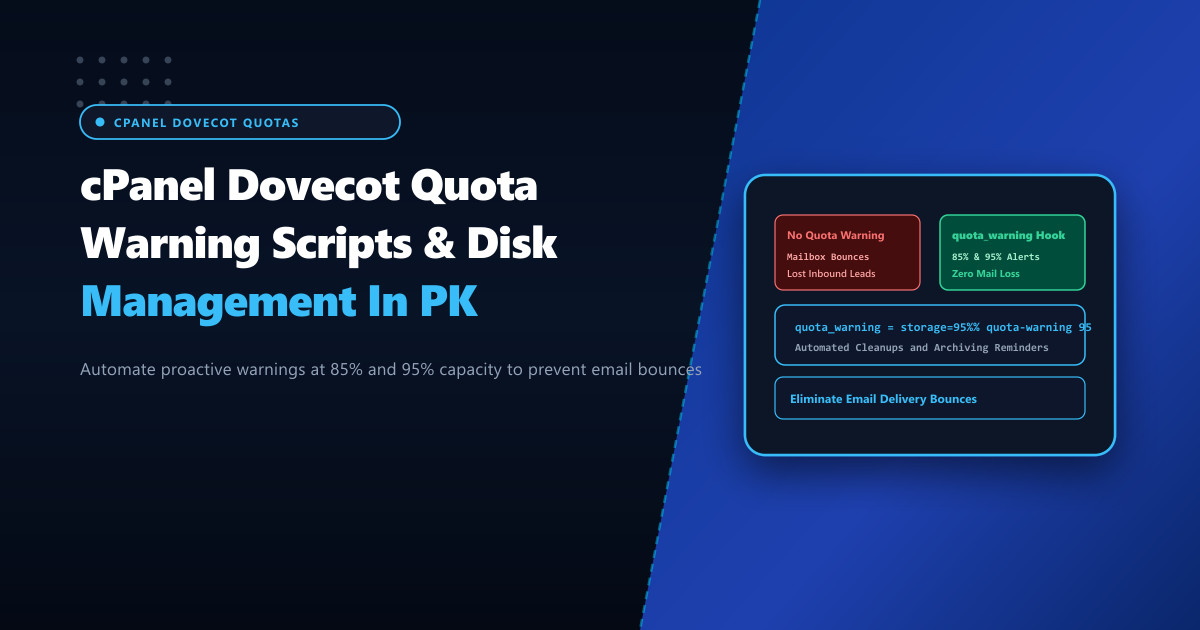
Corporate email accounts in Pakistan are under relentless pressure from high-attachment communications—including high-resolution PDF invoices, scanned government tenders, graphic design proofs, and video presentations. In typical business workflows, corporate users ignore mailbox storage limits until their mailbox hits 100% capacity.
The moment a mailbox fills up, Dovecot rejects all incoming messages at SMTP delivery time, generating immediate bounce-backs to external senders: 552 5.2.2 Mailbox is full / quota exceeded. Crucial commercial proposals, client purchase orders, and legal notifications are lost, causing panic and generating urgent support tickets.
Hosting multi-tenant or enterprise mail fleets on bare-metal Dedicated Servers provides massive NVMe storage, but eliminating delivery disruptions requires proactive disk management: automating Dovecot quota_warning script hooks that alert users at 85% and 95% capacity before a crisis occurs.
Understanding the Dovecot Quota Architecture
Dovecot enforces mailbox quotas using the quota plugin (typically dict or maildir backends in cPanel). Quota evaluation occurs during:
- Inbound Delivery (LMTP / Exim): When Exim transfers a message to Dovecot LMTP for local mailbox storage, Dovecot evaluates current usage against
mail_plugins = quota. - Warning Execution (
quota_warning): Dovecot allows administrators to bind executable scripts to specific capacity thresholds. When a user crosses 85% or 95% of their storage quota, Dovecot executes a shell script with the user’s email address and percentage as arguments.
Incoming Email via LMTP
           │
           ▼
 [Dovecot Quota Plugin Evaluates Usage]
           │
 ┌─────────┼─────────────────────────┐
 ▼         ▼                         ▼
Under 85%  Reaches 85% or 95%        Reaches 100%
Deliver    Deliver Email +           BOUNCE EMAIL!
Normally   Executes quota_warning    552 5.2.2 Mailbox Full
           Dispatches Alert to User  (Lost business!)
Step 1: Crafting the Quota Warning Alert Script
Create a resilient shell script /usr/local/bin/dovecot-quota-warning.sh that formats and dispatches a localized email warning directly to the user’s inbox:
#!/bin/bash
# /usr/local/bin/dovecot-quota-warning.sh - NextGen Automated Mailbox Warning

PERCENT=$1
USER=$2

cat << EOF | /usr/sbin/sendmail -f "[email protected]" "$USER"
From: NextGen Mail Infrastructure <[email protected]>
To: $USER
Subject: [WARNING] Your mailbox is ${PERCENT}% full
MIME-Version: 1.0
Content-Type: text/html; charset=UTF-8

<!DOCTYPE html>
<html>
<head>
  <style>
    body { font-family: 'Segoe UI', Arial, sans-serif; background: #f8fafc; color: #1e293b; padding: 20px; }
    .box { background: #ffffff; border-radius: 8px; border: 1px solid #e2e8f0; padding: 24px; max-width: 550px; margin: auto; }
    .title { color: #dc2626; font-size: 20px; font-weight: bold; margin-bottom: 12px; }
    .bar-bg { background: #e2e8f0; border-radius: 6px; height: 16px; overflow: hidden; margin: 15px 0; }
    .bar-fill { background: ${PERCENT} >= 95 ? '#ef4444' : '#f59e0b'; height: 100%; width: ${PERCENT}%; }
    .instructions { font-size: 14px; line-height: 1.6; color: #475569; }
  </style>
</head>
<body>
  <div class="box">
    <div class="title">Mailbox Storage Warning: ${PERCENT}% Reached</div>
    <p>Dear User,</p>
    <p>Your corporate email account (<strong>$USER</strong>) has consumed <strong>${PERCENT}%</strong> of its allocated storage quota.</p>
    <div class="bar-bg">
      <div class="bar-fill" style="width: ${PERCENT}%; background: #dc2626;"></div>
    </div>
    <div class="instructions">
      <p>If your account reaches 100%, new incoming emails will be rejected with an error back to the sender.</p>
      <p><strong>Recommended Actions:</strong></p>
      <ul>
        <li>Empty your <em>Trash</em> and <em>Junk</em> folders via Webmail.</li>
        <li>Archive older emails with large attachments to a local PST/MBOX file.</li>
        <li>Contact your IT department to request a storage quota upgrade.</li>
      </ul>
    </div>
  </div>
</body>
</html>
EOF
Assign execution permissions:
chmod 755 /usr/local/bin/dovecot-quota-warning.sh
chown root:mail /usr/local/bin/dovecot-quota-warning.sh
Step 2: Hooking the Script into Dovecot Configuration
In cPanel, add the warning directives into /etc/dovecot/local.conf (or via WHM > Mailserver Configuration):
# /etc/dovecot/local.conf - Production Quota Warning Configuration

plugin {
  quota = maildir:User quota

  # Trigger script when user hits 85% and 95%
  quota_warning = storage=95%% quota-warning 95 %u
  quota_warning2 = storage=85%% quota-warning 85 %u
}

service quota-warning {
  executable = script /usr/local/bin/dovecot-quota-warning.sh
  user = mailnull
  unix_listener quota-warning {
    user = mailnull
    mode = 0660
  }
}
Restart Dovecot to activate the hooks:
/scripts/restartsrv_dovecotStep 3: Automated Server-Wide Mailbox Storage Audits
In addition to event-driven hooks, deploy a nightly cron audit /usr/local/bin/audit_cpanel_mail_quotas.sh to identify all mailboxes across cPanel accounts currently exceeding 90% capacity:
#!/bin/bash
# /usr/local/bin/audit_cpanel_mail_quotas.sh - Nightly Corporate Disk Audit

echo "=== High Quota Mailboxes Audit ($(date)) ===" > /var/log/quota_audit.log

# Scan all cPanel mail directories
for USER_DIR in /home/*/mail/*/*; do
  if [ -f "$USER_DIR/maildirsize" ]; then
    QUOTA=$(head -n 1 "$USER_DIR/maildirsize" | cut -d'S' -f1)
    if [ "$QUOTA" -gt 0 ]; then
      USED=$(awk '{sum += $1} END {print sum}' "$USER_DIR/maildirsize")
      PERCENT=$(( (USED * 100) / QUOTA ))
      if [ "$PERCENT" -ge 90 ]; then
        ACCOUNT=$(echo "$USER_DIR" | awk -F'/' '{print $(NF-1)"/"$NF}')
        echo "ALERT: $ACCOUNT is at ${PERCENT}% usage (${USED} bytes of ${QUOTA})" >> /var/log/quota_audit.log
      fi
    fi
  fi
done
Make executable and register with crontab:
chmod +x /usr/local/bin/audit_cpanel_mail_quotas.sh
(crontab -l 2>/dev/null; echo "0 2 * * * /usr/local/bin/audit_cpanel_mail_quotas.sh >/dev/null 2>&1") | crontab -
Testing Quota Hooks Manually
Verify that Dovecot executes the quota script cleanly without permission errors:
# Execute manual test for a live user
su - mailnull -s /bin/bash -c "/usr/local/bin/dovecot-quota-warning.sh 95 [email protected]"
Check the user’s inbox to confirm receipt of the HTML warning email.
Hosting corporate email infrastructure on high-capacity Dedicated Servers in Pakistan provides the high-IOPS NVMe storage pools, dedicated disk bandwidth, and proactive monitoring needed to ensure uninterrupted business communications.
Prevent Mailbox Disruptions with NextGen Dedicated Servers
Deliver enterprise-grade email hosting with automated quota warning systems, high-capacity NVMe storage, and dedicated IP routing in Pakistan.
Explore Pakistan Dedicated Servers